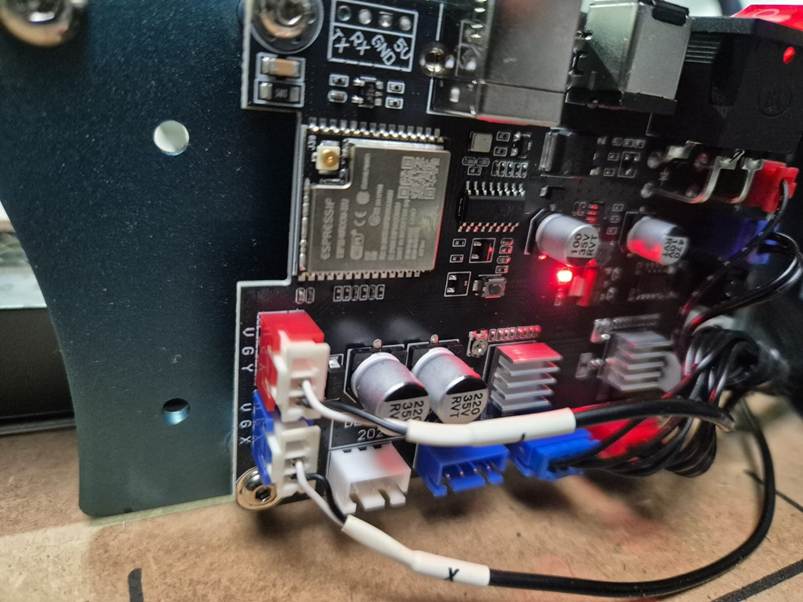
Wendell
November 16, 2025, 2:22pm
1
Hello All,
I have used the reset command.
Laser Setting
When I try to home the gantry only moves to the left till it gives me error:
Hard limit triggered. Machine position is likely lost due to sudden and immediate halt.
The console shows:
When I Switch the Limit cables.
I can burn one project and after that the connection is lost.
Who can help me?
misken
November 16, 2025, 5:27pm
2
Use the question mark command (?) to check if the switches are recognized correctly. It’s explained here: Limit Switches - Diode Laser Wiki
Wendell
November 17, 2025, 11:30am
3
It gives me:
misken
November 17, 2025, 1:20pm
4
At this time, have the switches been pressed or not?
Wendell:
<Alarm|MPos:0.000,0.000,0.000|FS:0,0|Pn:XY|WCO:0.000,0.000,0.000>
Shows that X and Y limit switches are recognized as activated. If you did not press them while you sent this command, you need to change $5=0 (if it was 1 before).
Wendell
November 17, 2025, 1:29pm
5
misken:
$5=0
The module was in the homing position.
error:8
Grbl ‘$’ command cannot be used unless Grbl is IDLE. Ensures smooth operation during a job.
misken
November 17, 2025, 1:39pm
6
When do you get this error? Right from the beginning? That’s no issue, just click on Stop once.
Wendell
November 17, 2025, 3:41pm
7
When I wanted to move the gantry.
misken
November 17, 2025, 6:48pm
8
Then press the stop button and try again. The laser should be unlocked then.
system
December 17, 2025, 6:49pm
9
This topic was automatically closed 30 days after the last reply. New replies are no longer allowed.