We’ve made an extension for Autodesk Fusion to send sketches from Fusion directly to either LightBurn or MillMage via the newly-released REST API.
At this point we’re still wading through the process to submit it to Autodesk for hosting on their own add-on store, but we’d like to make it available to our Forum members here first.
To install, download the files here: https://drive.google.com/file/d/1EMcmUmPCpsUCt-J-vAfXC8u1YVRNubzD/view?usp=sharing
Then extract the folder to somewhere accessible.
Then, in Fusion, go to the Utilities tab, then select ‘Add-Ins’. Or, press Shift+S

Then select the ‘+’ icon and select ‘Script or add-in from device’ in the pop-up window.
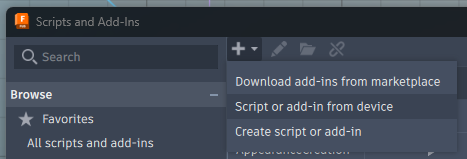
And navigate to the folder you just extracted, then press OK.
You’ll see ‘SendToLaser’ added to your Add-Ins list.

Click the Add-Ins dropdown arrow, then select the stacked button beside each feature to Pin to Toolbar, for quick use.
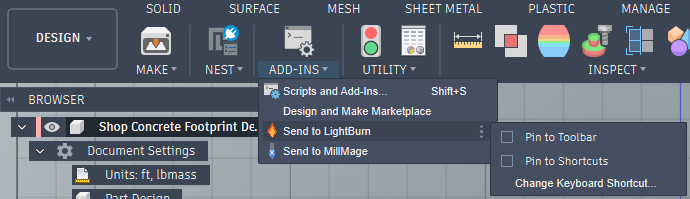
You can now click the buttons, or right-click any sketch to send to LightBurn/MillMage, provided you have at least LightBurn 2.2!

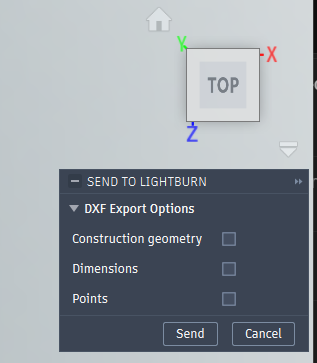
You have the option to enable/disable some exported features before sending it off as well.
Enjoy!