I got the email invite to download and use MillMage this morning. Watched a couple of videos and sent in my money for a license. I’ve been using LightBurn for several years and use it pretty much when designing anything for the CNC or even a 3D printer. (At least in the beginning steps.)
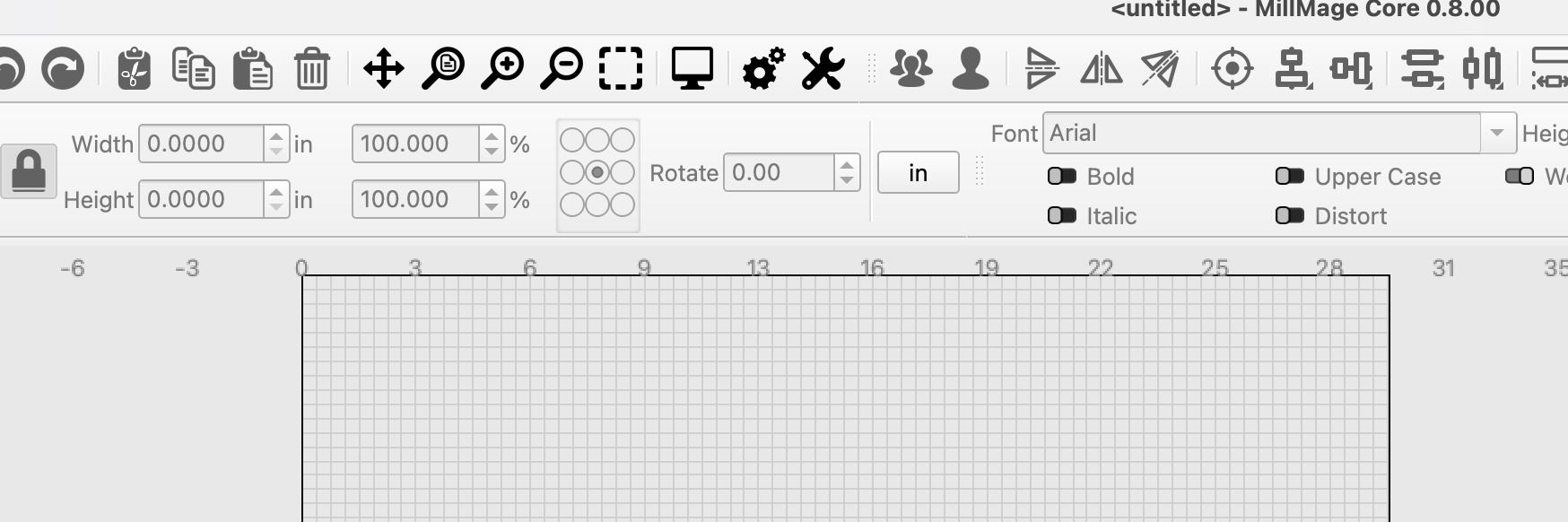
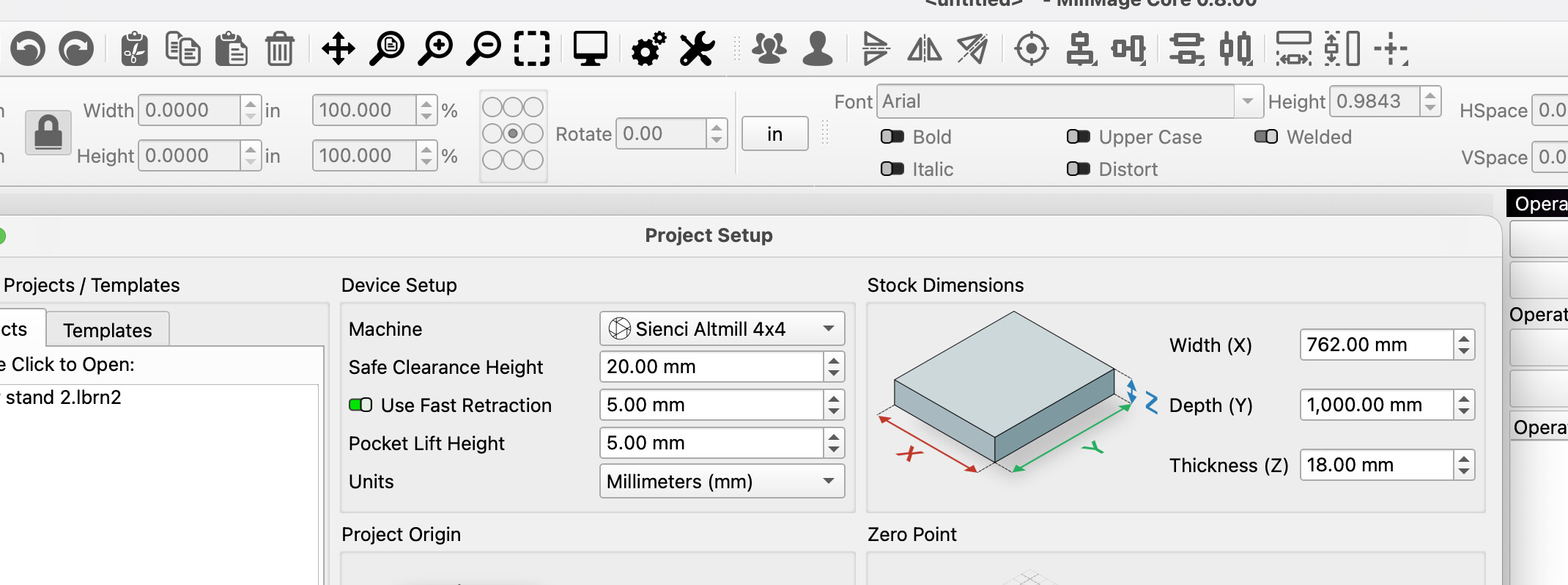
After downloading and installing, I decided to use a file I had already made in LightBurn, but then imported to Vectric before sending to the Altmill. No matter what I do, I can’t get the MillMage to create a new project in millimeters. No matter how I try, it will only open in inches. I’ve opened a new project in beginner mode, advanced mode, I’ve closed, open, closed open, quit, and tried again.
How do I get it to open in millimeters? MacBook Pro , Tahoe 26.3 today’s version of MillMage
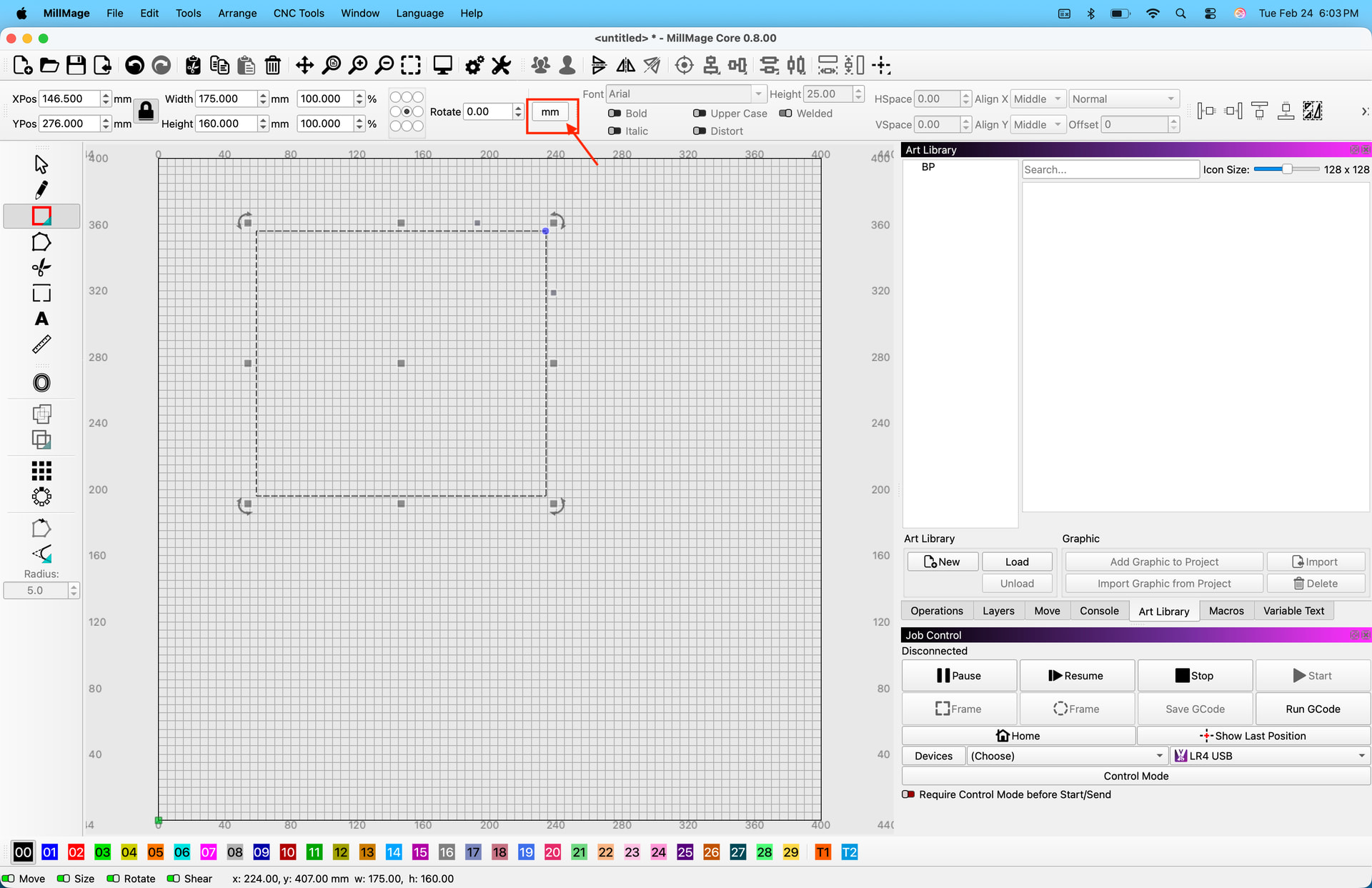
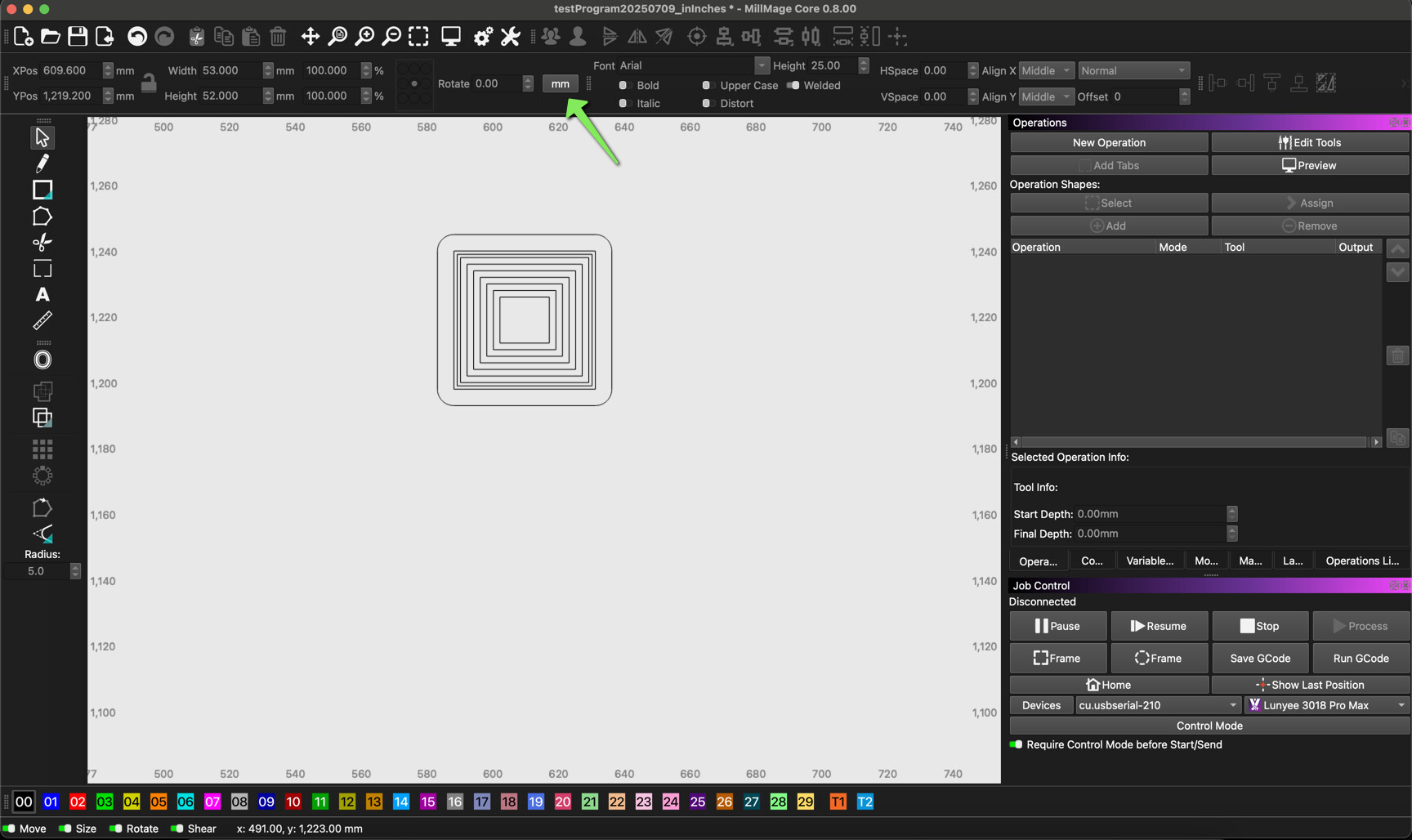
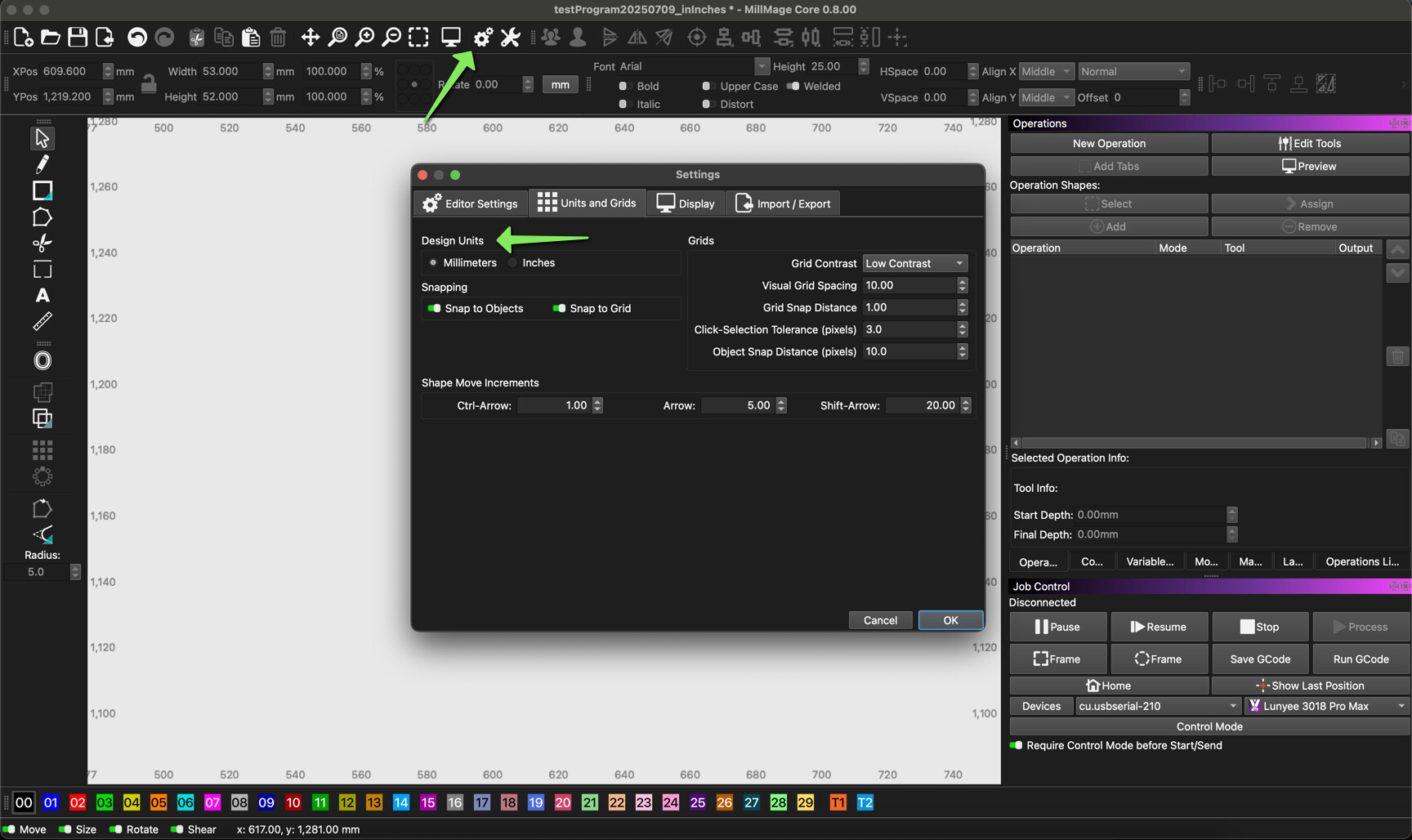
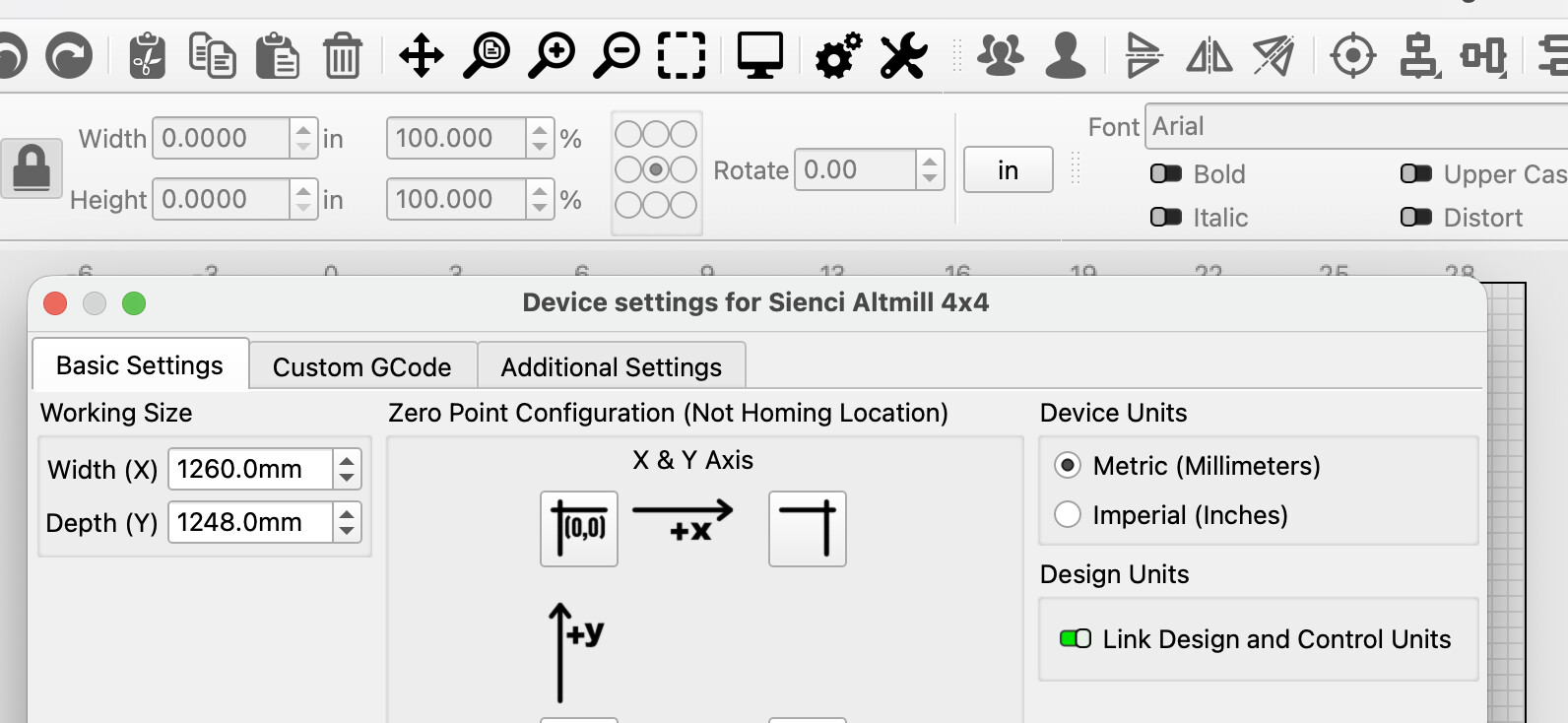
If you are trying to see the units in mm’s in MillMage there are two locations you can change the units. Both in the ribbon and in device settings. Regardless if you are opening a MillMage file (.mage) or a LightBurn file (.lbrn2) in MillMage, it will open in whatever design units your workspace is set to. MillMage will convert units correctly if your design units in LightBurn are different. Hopefully this helps.
The toggle worked. Just seemed counter-intuitive that if I set up the job in millimeters from the very start, in both beginner and advanced, it would open the job in millimeters. The file I was bringing in was also in millimeters, but it switched it to inches.
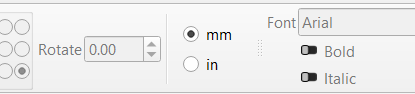
The toggle never really caught my eye the whole time I was looking for a way to switch…. “in”
I’ve been looking at the menu in LightBurn for years, but that “mm” never occurred to me that was a toggle.
That setting ONLY affects what is output to the device. It will not change a single thing in the interface.
If you want to see different units in the interface you can change it where @Maker.Josh noted above as well as in the move panel, there’s a drop down. These are, by default, linked - but you can separate them (“Link Design and Control Units” in device settings - under Device Units) if you want. So that you can, for example, design in inches but have the machine controls be metric. If that’s your thing.
The way it works at present, when you’re setting up a project, you’re just choosing the units for the setup in that window - It doesn’t follow the project around, or save with it.
In LightBurn, similarly, there are no units settings for a project - LightBurn and MillMage both store everything in mm internally, regardless of what you’re actually using, and translate to whatever your viewing units are on the fly.
THAT is the perfect solution… Sorry it took someone with little to no brains like myself to cause a problem big enough to make that change….
As easy as LightBurn is to use, it’s funny how when you get so set in your ways and use the software every day, but only one way, you forget all the stuff you went through in the first couple of uses to get everything set up just the way you want it…. Then never go back to make any changes ever again.