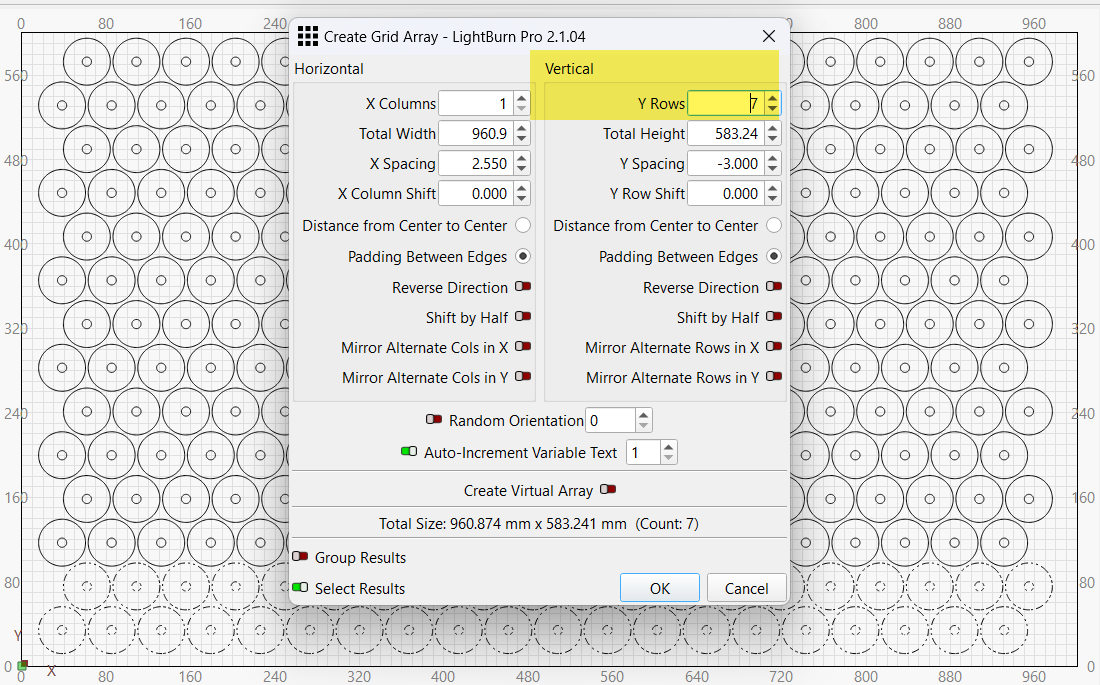
I have a file which is an array of parts. call them washers for simplicity sake. I would like for the program to start in the lower left and work all the way to the right then start the next row up from the right and work all the way to the left. how can i do this?
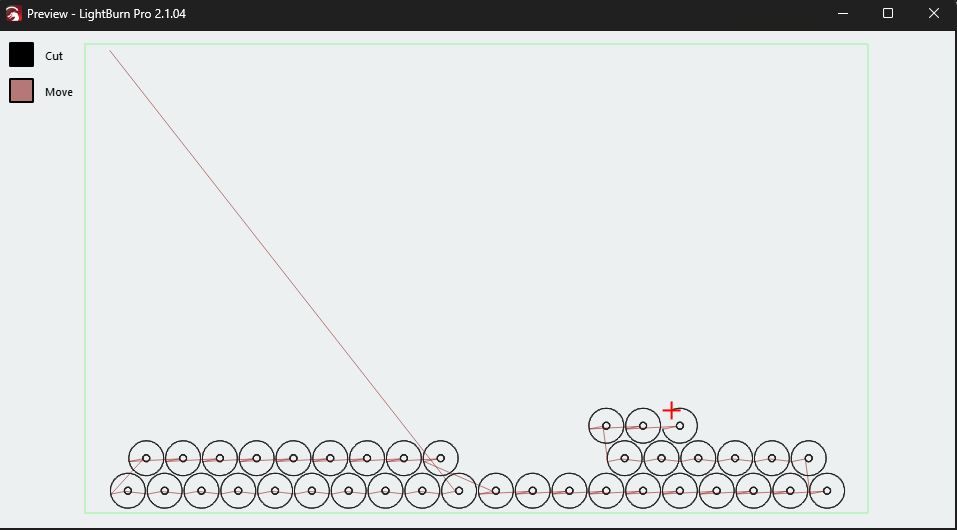
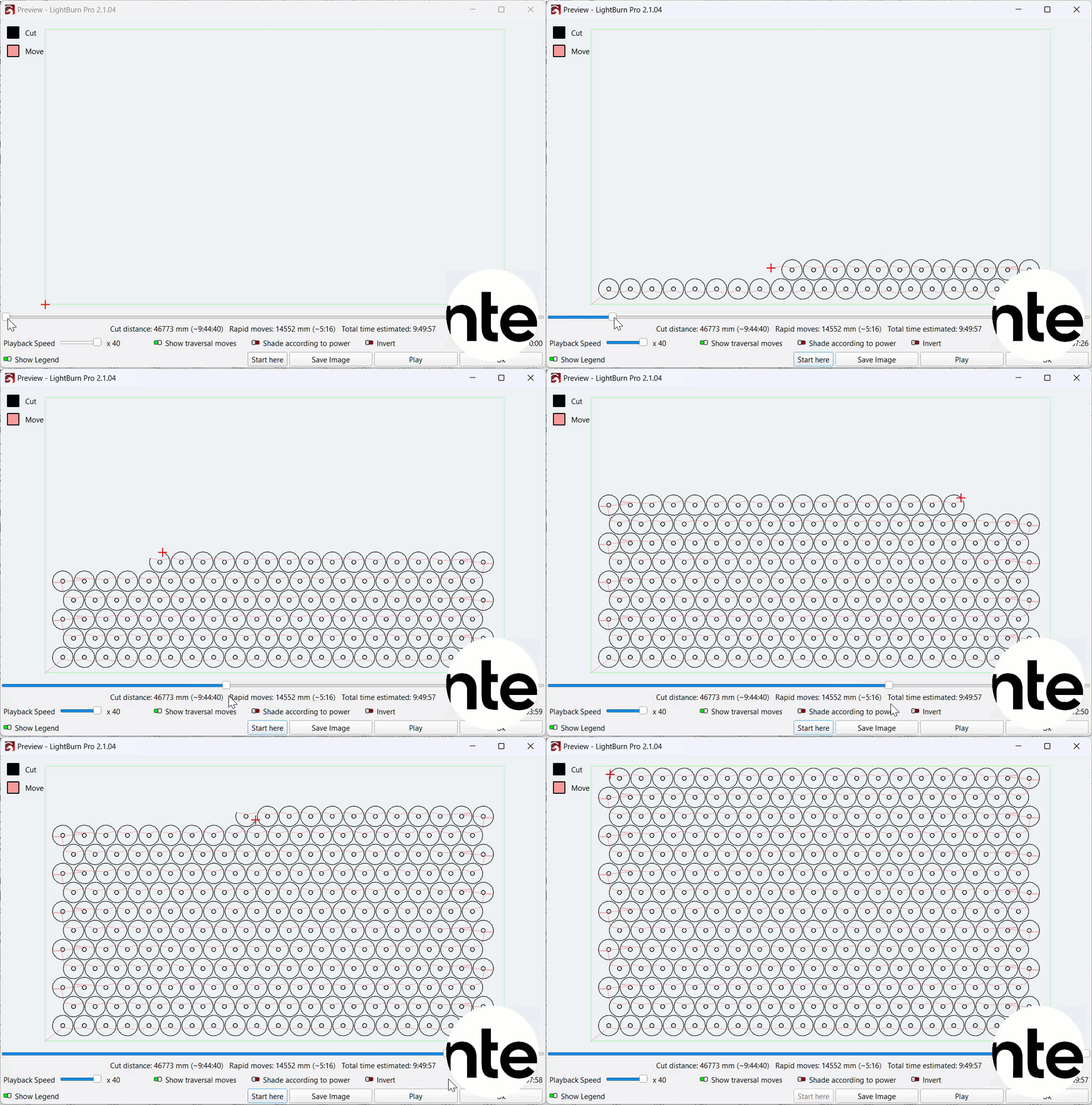
the current optimization settings start roughly in the middle of the bottom row, works left then goes up to the next row until it gets to the start point then jumps back down to the first row to finish going to the right.
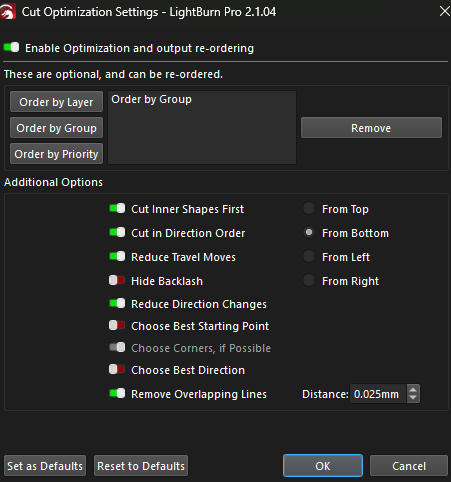
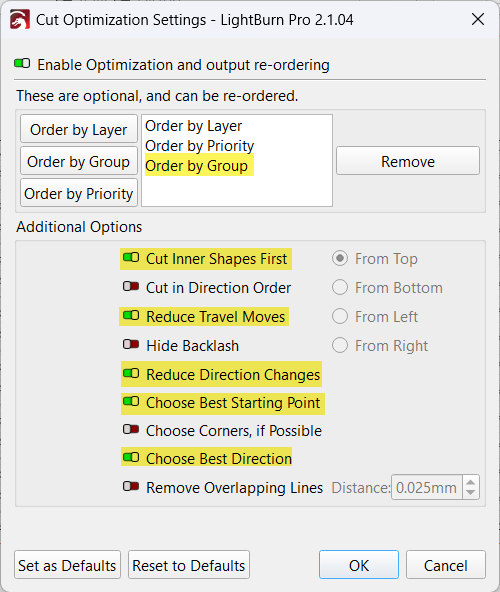
I have each washer inner and outer diameter grouped as a single item and my optimization settings are below. Is there a way to do what i want thru optimization settings or otherwise? or do i need to create a layer for each row?
Stipulated: The optimizer does produce paths resulting in serious esthetic pain.
The key question: Does it matter?
For most projects:
Rapid-motion speed >> cutting speed
Rapid-motion distance << cutting distance
Which means the wall-clock time spend shuttling hither-and-yon is much much less than the time spent cutting. Ahmdahl’s Law says there’s no benefit to speeding up the part of the job taking the least time.
You can manually assign each object a numeric Cutting Priority and set the optimization to order by priority, which may be a lot like work. Perhaps setting each row to the same priority would nudge the optimizer into behaving more to your liking.
So normally i wouldnt worry much about reducing the small amounts. However for this job i have to do 82 setups cutting ober 22,000 pieces and i do the job 4 to 6 times a year. Even 1 minute savings per setup adds up over the entire length of the entire project.
So this is a job thay every second wnds up counting
That computes to about 1.5 hours per project (1 minute for each of the 82 setups). Times 6 projects in a year means 9 hours per year saved, out of a 2080 hour year (40 hrs/day, 52 weeks). That means your lost time per year is 9/2080 hours. Factor in that you can be doing something else while it is running, the wasted time appears to be even less.
This said, you must decide if it it worth optimizing the travel path the laser takes from object to object.
EDIT: I messed with a quick design and got what what I think you are asking for. You will only have to modify your project once. Based on what you showed above, I am guessing no more than 1 hour to convert it. My sample file is attached.
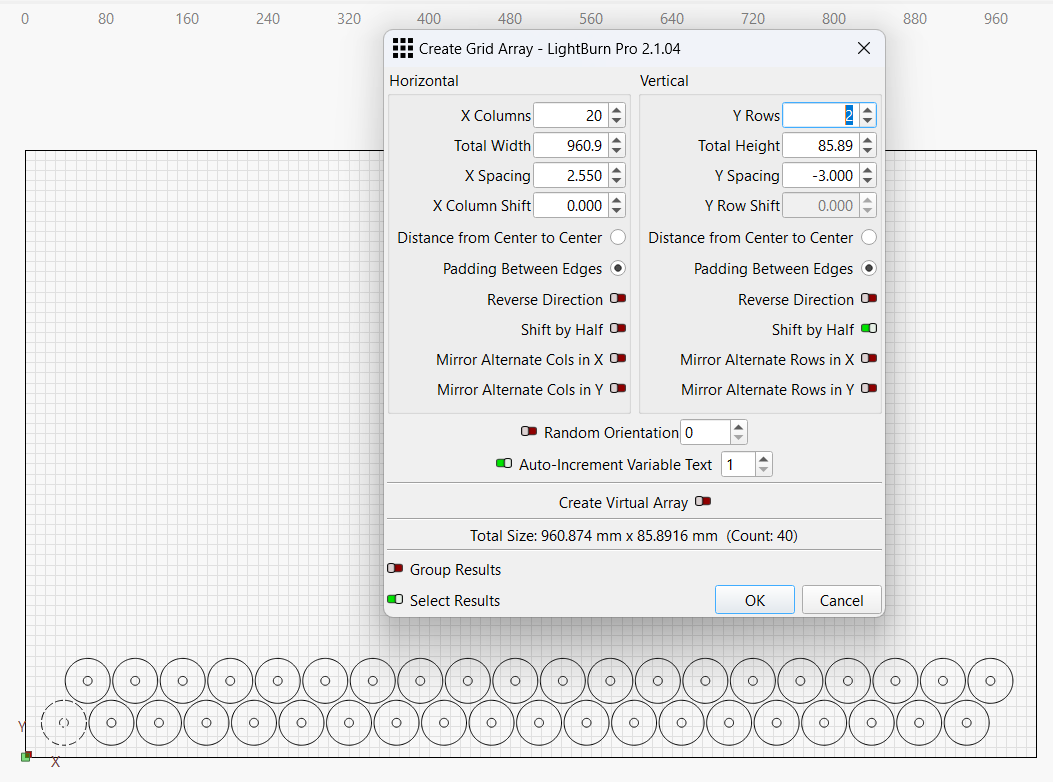
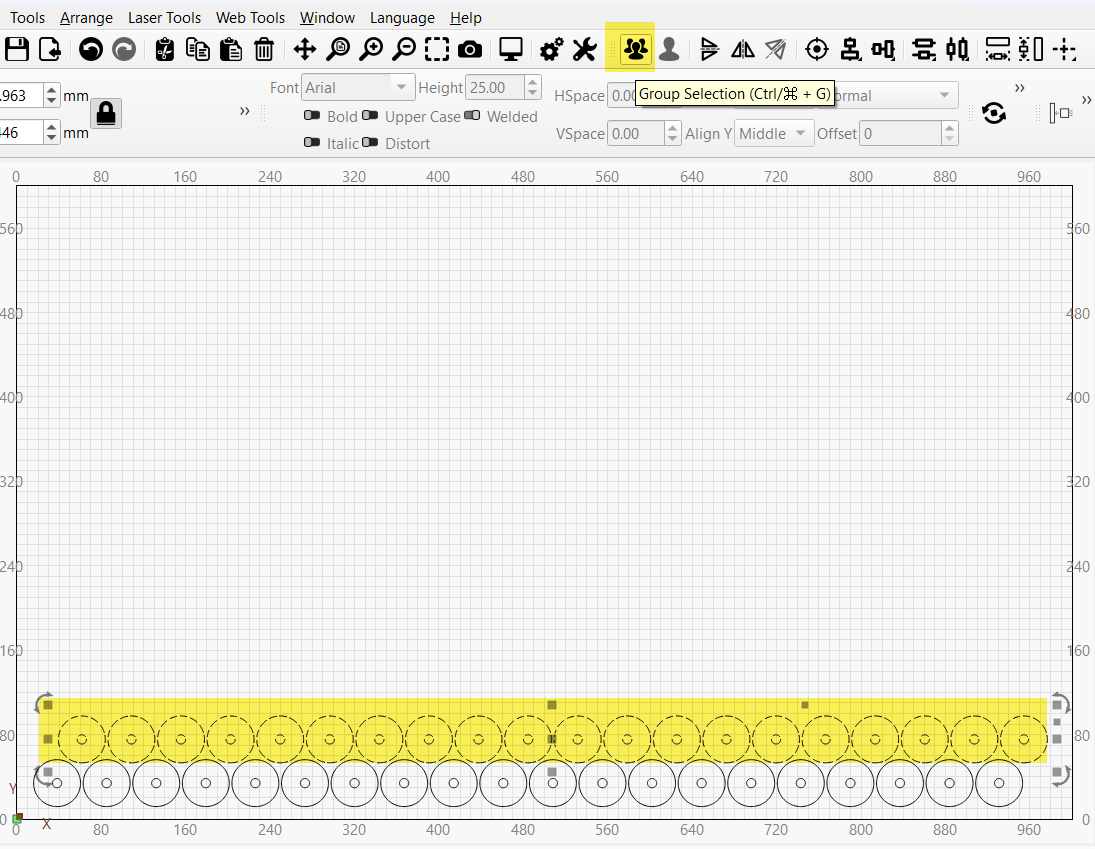
Hint: It might be faster to recreate the project using the Array Tool to multiply one object. Then ungroup everything once (so the holes stay grouped with the cutouts) and regroup into horizontal rows. I know I am making some assumptions here, but you only gave us an image.
Thank you for taking a look. The question is not whethet it makes sende to or not. Time is money and if i cna shave any time and wear anf tear off the machine as well as my time its well worth it.
Once i found out thay turning optimization settings off would tell lightburn to burn in order of creation i was able to achieve whay im looking for by recreating and using the array too
By the way updating it will save me over 3 hours each job. So to me its well worth it
If you send the before-and-after LightBurn files to support@lightburnsoftware.com with a link to this topic, you’d provide an excellent test to improve the optimizer!
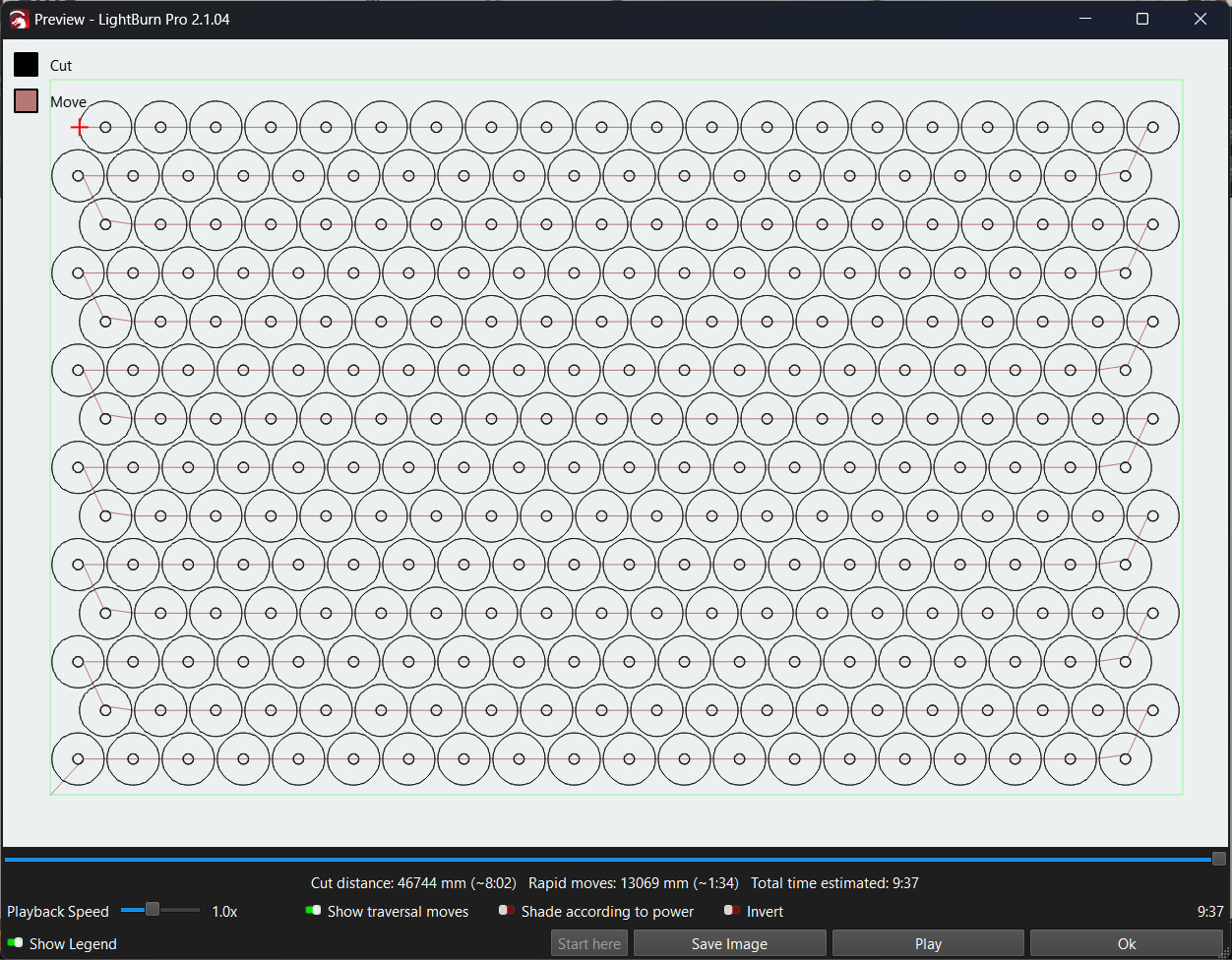
This is a perfect response. Its basically what i did but i added a couple steps in arraying the first 2 rows (your method is better btw). I turned optimization setting off though so it automatically follows the order of creation. So im curious if you turn optimization settings off does it follow the same pattern?
Notice above that the second row has been mirrored so the start and end points are on the left hand side of the circle, and I just rotated a couple of the circles to help setup a transition to the next row, here optimization is off: