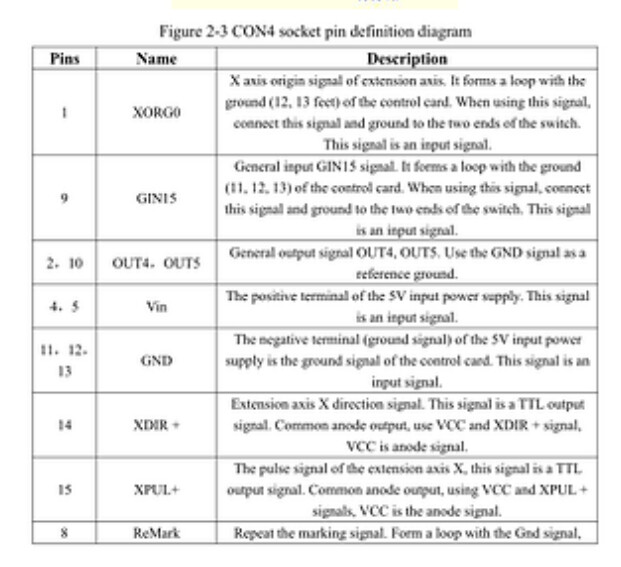
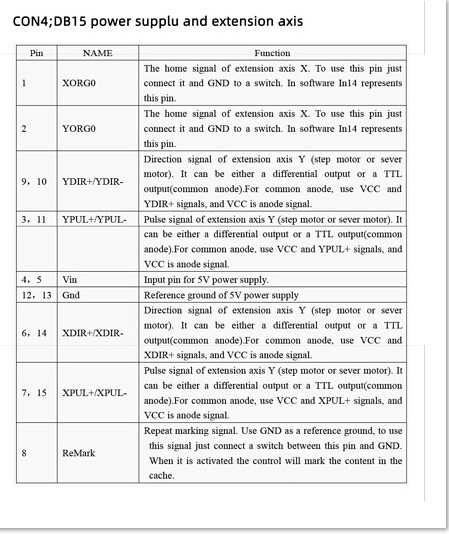
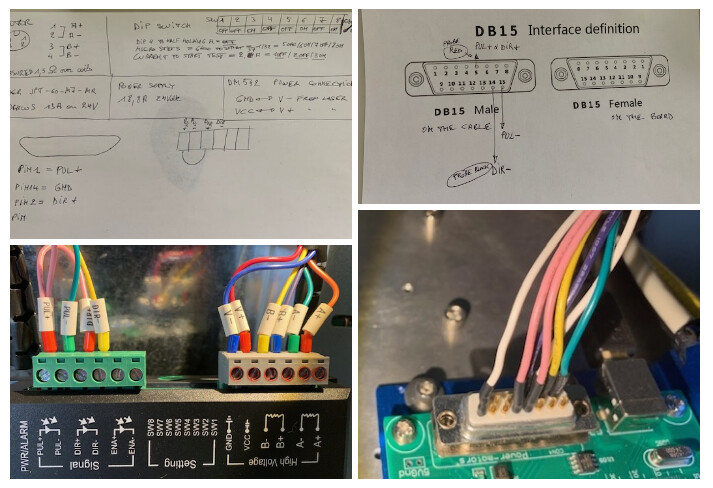
I have a 50w raycus fiber laser that has been working great since I got it 2 months ago. I finally got a rotary chuck attachment for the laser this week. Upon opening the attachment, the rotary had a 4 pin connector and my laser has a 5 pin male port. I opened up the laser console box and found that only 4 were connected so I swapped the 4 pin connector to a 5 and left the corresponding pin empty. Since then, I’ve only been able to get humming from the rotary chuck when I test it in light burn. I’ve tried swapping the paired wires to see if polarity is an issue but that doesn’t help anything. I can’t seem to find what the issue could be. Has anyone experienced this before or does anyone have any idea what the issue might be?
When you had the case open, did you look at where the other ends of the wires went? If you open it up again, take a bunch of photos. Specifically the DIP switches positions on the microstep driver, the table printed on the top of the driver, the wires on the driver and back of the plug, etc.
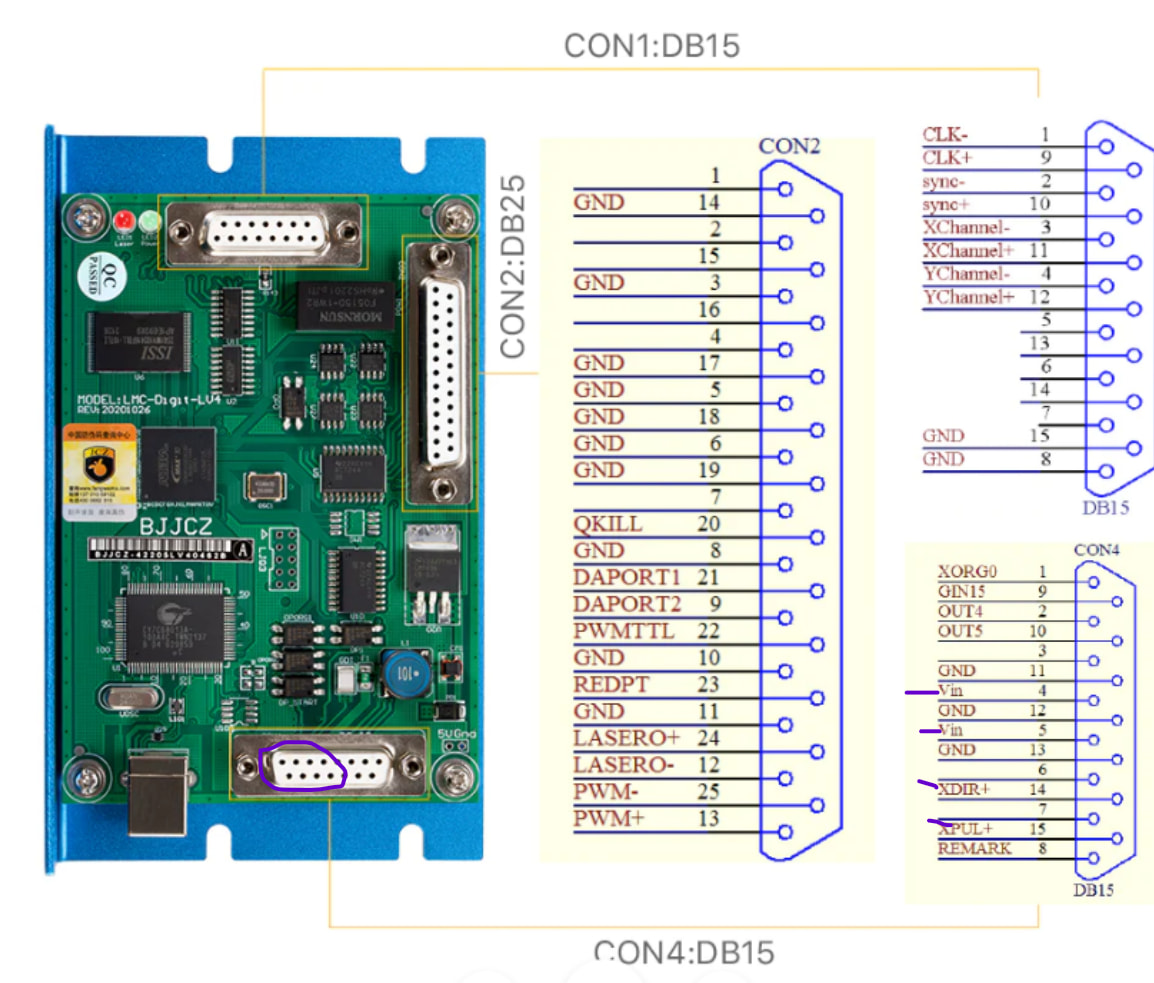
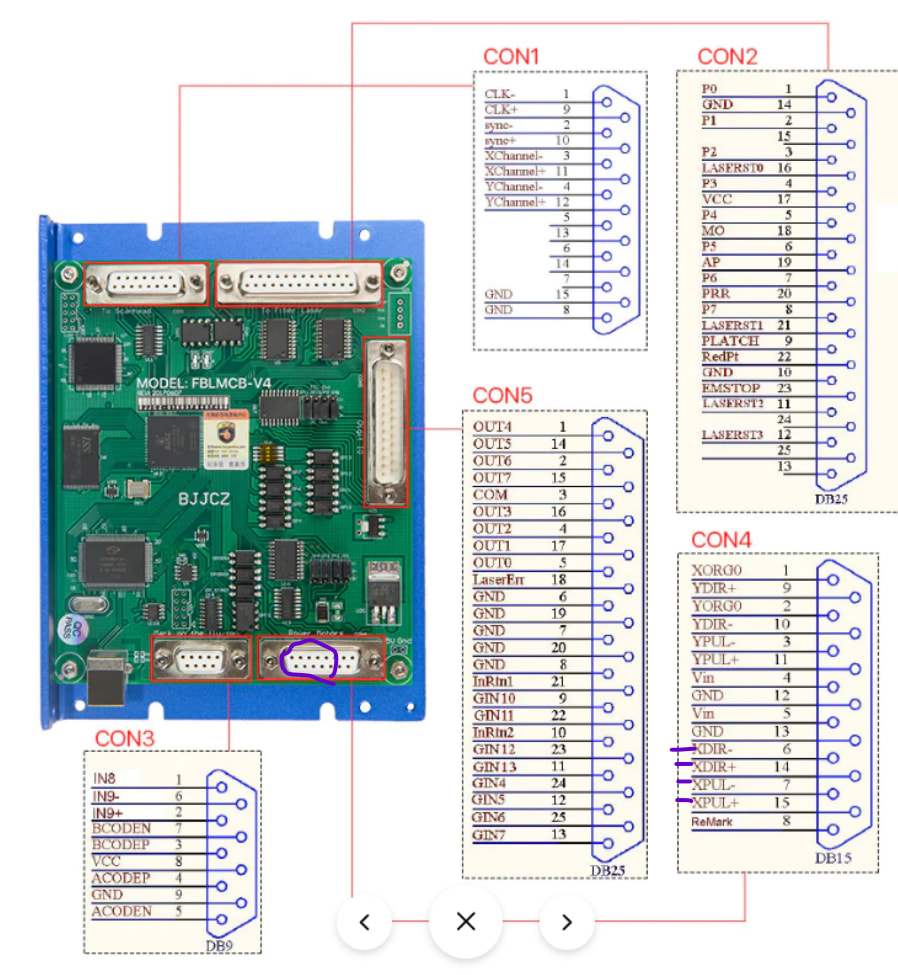
It appeared that the wires all ran up to the BJJCZ board af the top of the case.
I didnt see any dip switches anywhere. Would they be inside that bjjcz housing? I’ve built computers in the past, but these pieces are all new to me. I appreciate your time and help.
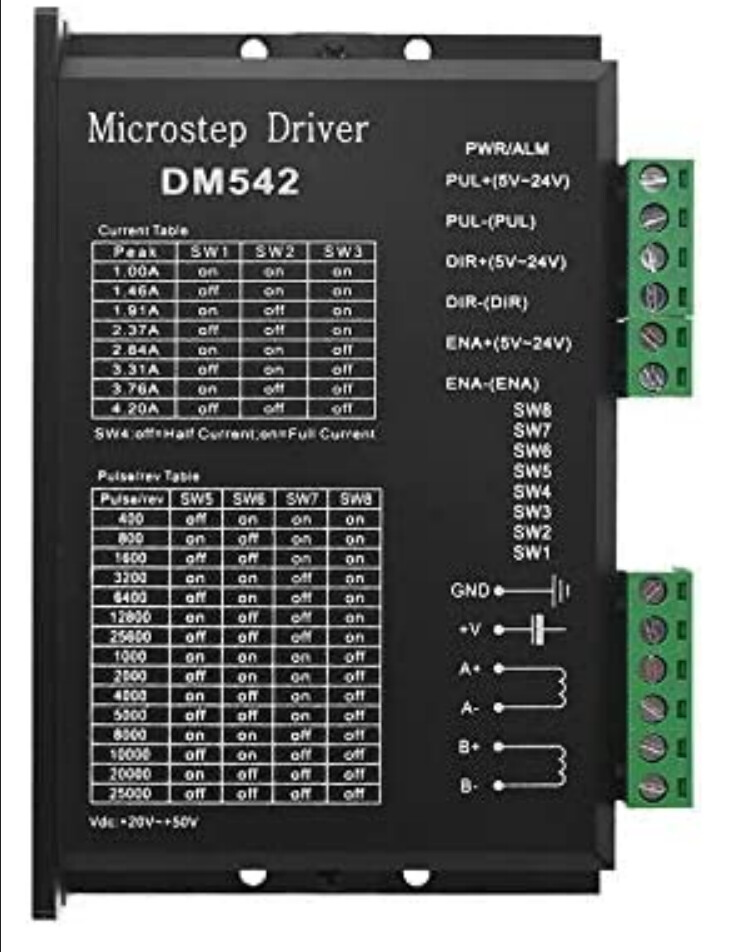
OK, Usually there is a microstep driver in the case, Looks like one of these. Might be a different color or shape but you should recognize it. This goes between the BJJCZ board and the rotary stepper motor.
What follows here may seem like a lot of information, but if you are sure the wires ran to the BJJCZ board it is set up for an external microstep driver.
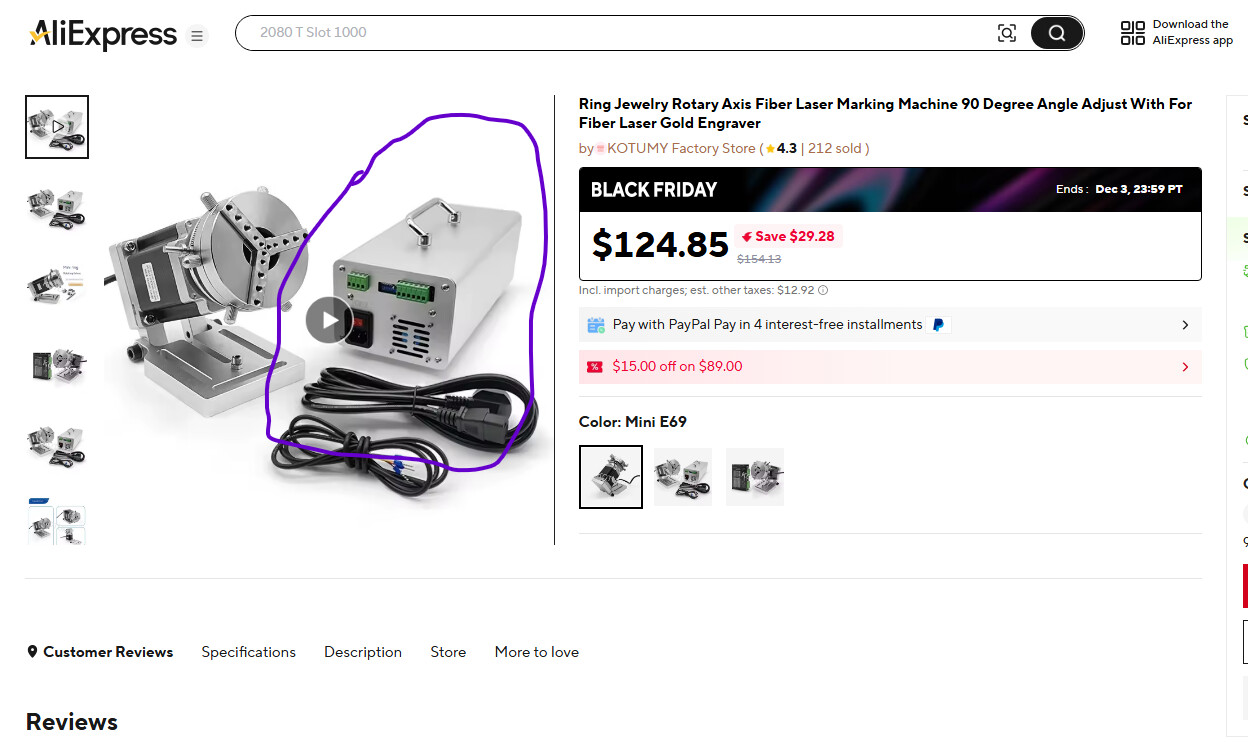
This may be a bit of a process, but if your case does not have the microstep driver inside, you will need to either make up your own external controller (basically a microstep driver and a power supply) or may find a ready made setup. Here is an example of an external controller type rotary:
I will definitely open up my case once I get the chance to do so. I have a lot going on this coming weekend but I have some days off from work next week where I can open it up.
I did notice that when I plug in the rotary chuck, the fan from my laser goes to around 1/4 the speed and the laser won’t fire again until I’ve unplugged the system for a minute or two. Seems like it goes into sort of a safe mode as to not damage anything
Next time you have it open take a photo of the top and the BJJCZ board. Looks like plenty of room to install the microstep driver. A lot of setups pull power off the 24V power supply, but if possible it’s better to add an additional one in my opinion.
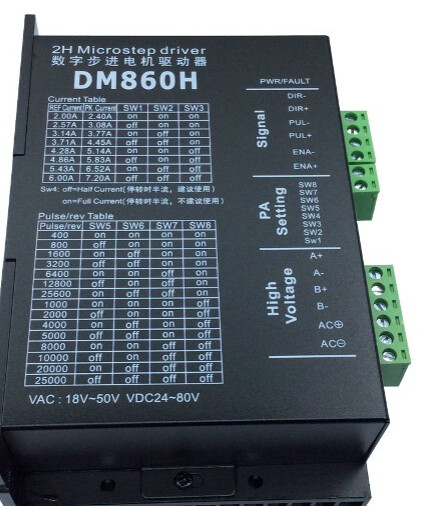
Sorry for the very late response and thank you for your help thus far. I had been extremely busy, but am hoping later this week that I’ll have time to just open up my laser case to see what’s going on and take some photos. I have been searching online for a stepper motor and see the DM860 micro step single driver come up for $45. I would really love to be able to use the rotary chuck in the future.
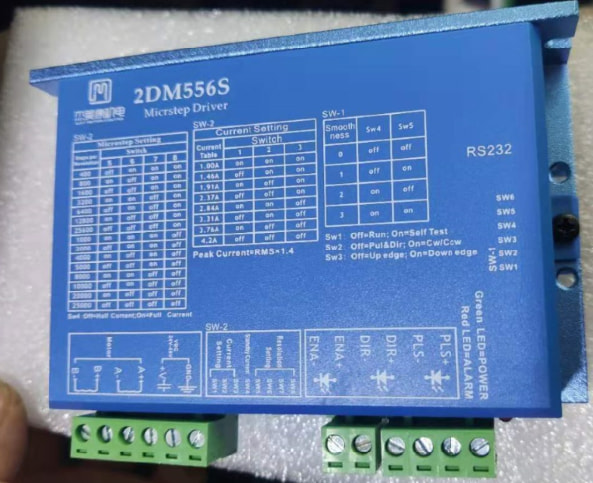
I use the DM542 on most of my projects around 20-30 bucks, but the one we put in my laser is a 2DM556S about 80-90 bucks. Top of the line 3 years ago, who knows now. Has some additional bells and whistles but I don’t mess with them, runs pretty smooth with the original configuration from the techies.
I like the DM542 for projects because the signal can be 5-24V without resistors or switching. The BJJCZ board puts out a 5V signal so just make sure whatever you get is compatible. Most are.
I looked up the 860 and some variations in the photos show VAC on the cover so make sure you get a DC model, might be a “Thing” might not, I don’t know. The DM860H spec manual says VDC. Also that line is pretty high voltage and amperage, 24-80VDC output is 2-6A probably for moving bigger loads then you are dealing with but no reason it wouldn’t work. Most of the ones in the galvo lasers I have seen are around 1A- 5A 24-48V
The motors I run on the 800mm Z tower and the X table are around 4A motors but my microstep drivers are set for 2.8A 6400 microsteps and work well. Rotary I would have to check but probably similar.
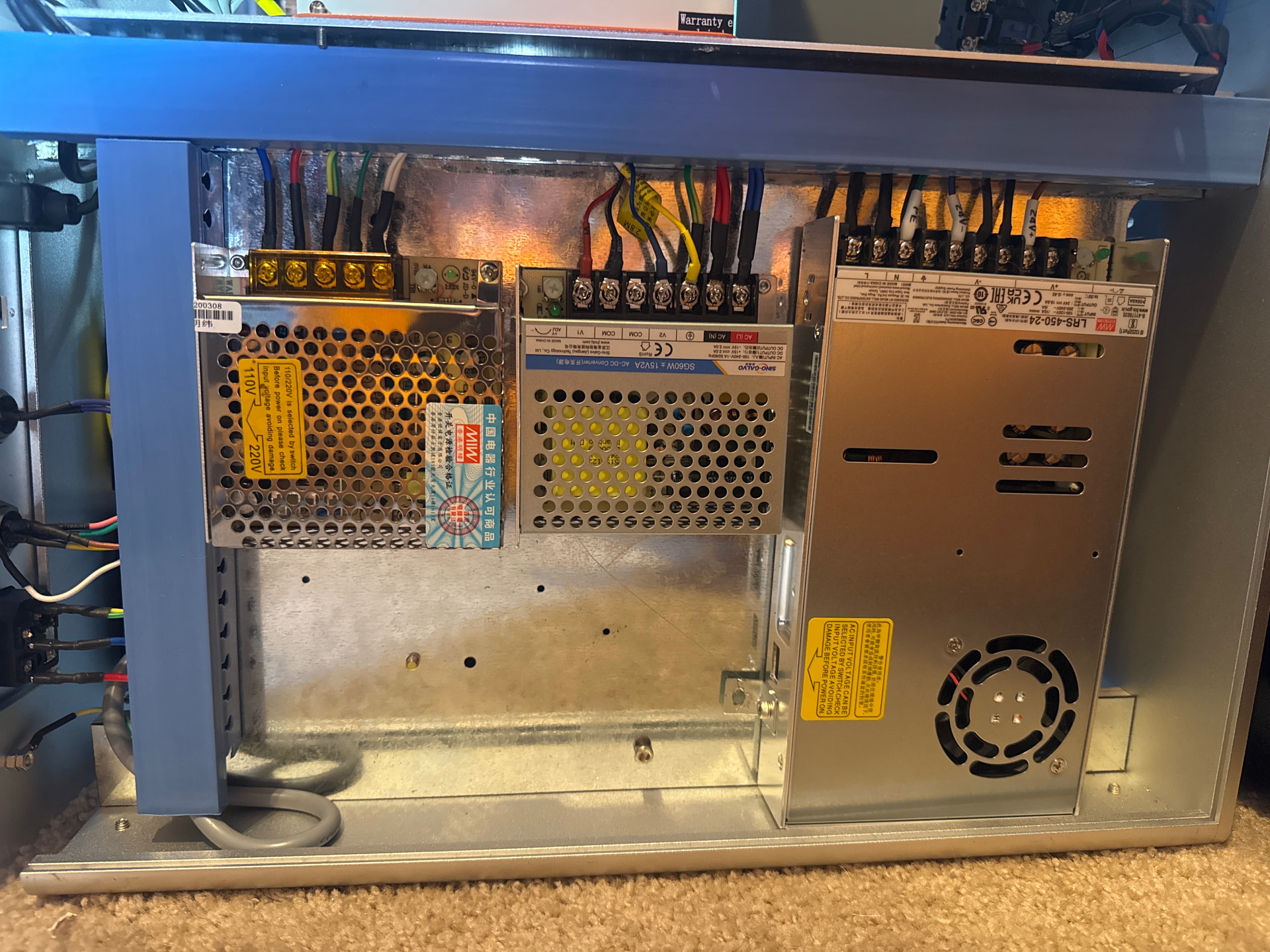
Something else you probably noticed, you have a spare 24V terminal on your power supply. Tempting but looking up your power supply it is 450W total and according to AI the Raycus 50W draws around 400W so probably not a good idea.
It will run happily on ordinary 24 VDC, because it has an internal rectifier converting AC to DC. The one in my machine came wired that way from the factory.
The converse is not true: a stepper driver labeled for DC will happily destroy itself on AC, because it lacks the rectifier.
Thank you for all of the replies. It seems like buying the hardware is the easy part. I’m sure there are guides somewhere online for assisting in the wiring, but that’s where I currently have no idea of what goes where.
If the “top of the line” step driver is still only $100, I don’t have an issue just buying that one. That doesn’t seem unreasonable.
I’ll spend a week coaching someone through getting acceptable results, trying everything except for taking out the $2.00 microstep driver and putting a $26.00 one in…