I got a Sielux SL2 Galvo Laser, which is based on GRBL controller.
Sielux claims that it works with Lightburn. I tried for weeks to make it work with my Lightburn setup (currently at at V2.1.04, but I tried for several weeks on V2+, without success. It finally worked, when I used v1.7.00-RC-2-6e0d954.
Did something change to V2 on the way GRBL data is sent?
Would it be possible to make the Sielux SL2 laser work with V2+?
I meant to ask, to Lightburn Support, if V2.xx.xx can run the device (Sielux SL2), It runs with V 1.7.xx, but I have not been able to make it run with V2.xx.xx. And if there is anything I would need to change in the setup for that to happen.
I’m not a Lightburn employee, but I have their stuff since before 1.0. Everything they do in a newer version is supported on the new version. If anything, it’s more likely that 2.0 and above will operate more machines.
I’m afraid I can’t be more exact. Lightburn pro is for a normal galvo, these are not gcode machine and their isn’t really a way for Lightburn to know what kind of controller it is. It’s unlikely, as far as I know, that it can even determine if it is a galvo.
There is no standard gcode for many of the standard galvo operations. If this happens, then it will think it’s just a standard gantry machine. In other words you won’t get some of the galvo parts you might want.
Yes, I would think v2+ would be compatible with 1.7x and below, with more functionality, but the fact is that v1.7.08 and below works ok with this galvo GRBL based laser. And v2+ does not.
I have several licenses of Lightburn, all PRO. And I use them with grbl, jzc and bsl controllers. Have not had issues keeping up to date on all my machines, until this one.
Hopefully someone from Lightburn support can help.
Yes. Some “GRBL-Based” devices aren’t following the GRBL specs and we were missing OK responses from some devices.
In version 2.0, we rely more strictly on the appropriate feedback from the firmware, which has led to a situation with some devices where the lack of feedback causes LightBurn to think the machine is still busy processing.
Plus, some proprietary firmware implementations wrongly process all commands as “immediate” commands, unless we also sent a /n newline character.
Don’t worry, if that doesn’t make much sense to you, and I might be misremembering the exact details, but that’s certainly where we should start looking.
@malvarez Did Sielux send you a LightBurn Device Profile with the machine?
If so, please upload it here.
If you’ve manually set up the device in LightBurn, please export it to a .LBZIP from the Devices menu and upload it here.
My guess is that they are using the GRBL device type. We can then change this to our “Custom GCode” device type, giving more control over the codes we send.
If something doesn’t work, please try to explain it in as much detail as possible.
If you see any error messages in the Console Window, please enable “Show All”, do the same thing that led to the error and send us a screenshot of the entire LightBurn window, including the console output.
That would help us investigate what else could be needed.
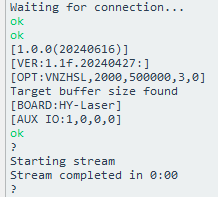
I installed the custom Gcode device. I did not get errors, but when framing, it only does it once and the framing does not correspond to what is on the screen. It completes the stream in 0:00
Also, when I hit start, it does the same one time framing, and the Start window does not come up. Nothing gets engraved. The streaming is also 0:00.
How can I send you a couple quick videos? They are 5MB each.
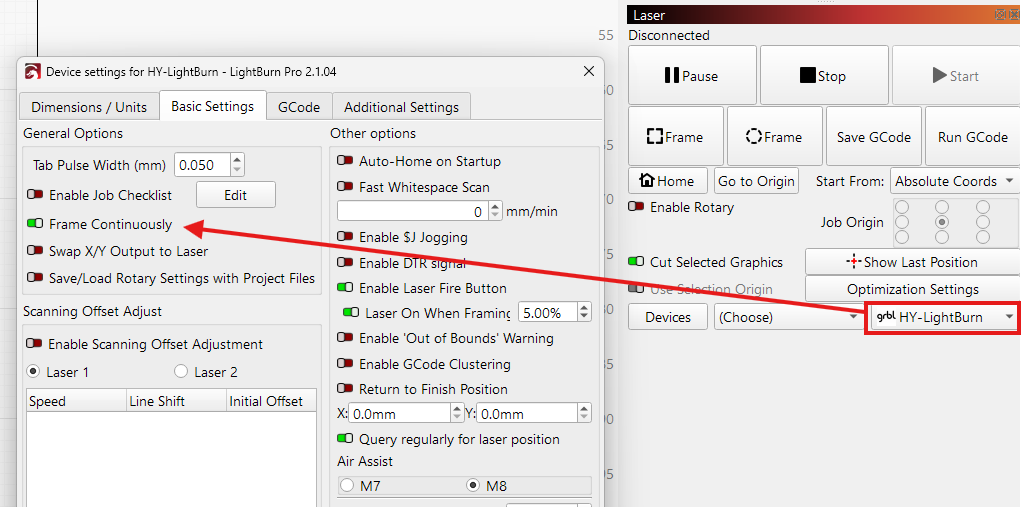
Yes. “Frame Continuously” is currently not available when using Custom GCode. We have an internal task to add this.
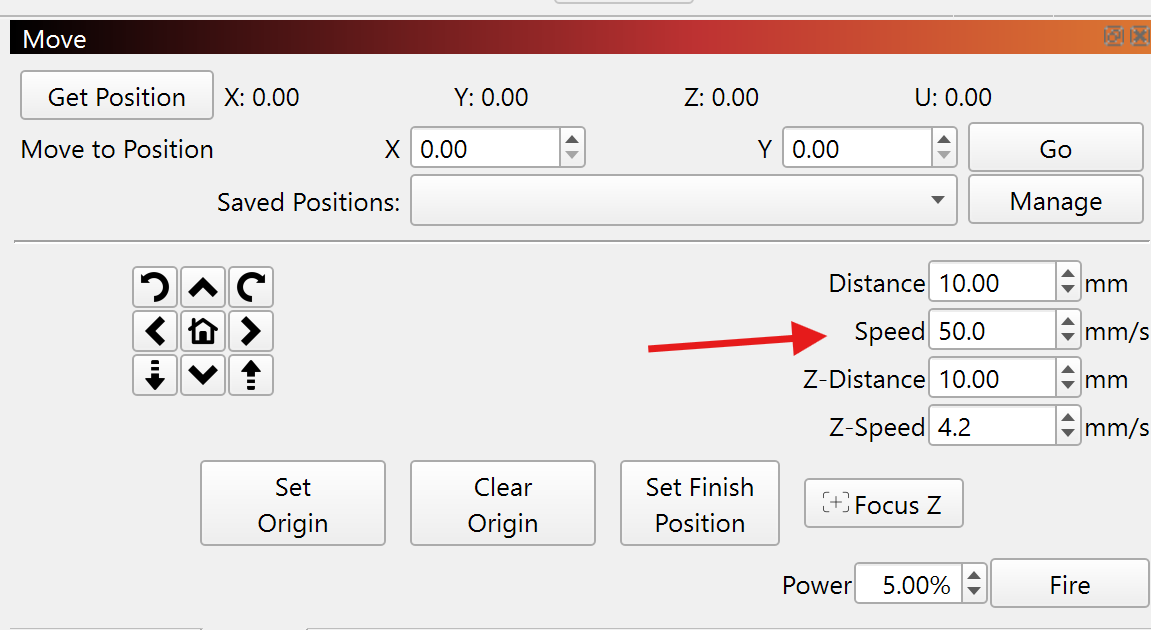
The speed of the framing is taken from the “Speed” inpout in the Move panel here:
Slowing it down should make it easier to see the trace, but you’ll need to press Frame again if you missed it.
This won’t work on a GRBL based galvo. Always use “Absolute Coords” here.
We have plans to create a dedicated device type for GRBL based galvos like yours to accomodate this and have it set to always use absolute.
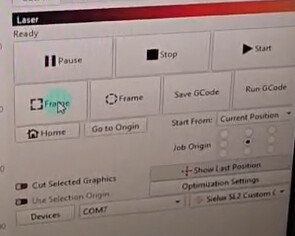
The “Framing” window showed up in the 1.7.00 RC-2, because you were using the “GRBL” device type with “Continous Framing” enabled. That’s the the option that’s currently missing from the other Custom GCode Device profile. (We have a task to add this).