Since the last update I cant put a new tool in the library

his is for millmage seem to be waiting days and cant do anything! tried several time and for 2 days to enter a new bit in the Tool library wont do it . ive done this 6-7 times before but now wont accept anything! ill try for a screen shot ! emailed and after the 2nd day , so frustrating they just said ……anyway no help at all I sent back and reentrated what im saying here. so I’m on iOS 23.6 and the latest millmage goto be a bug somewhere , worst thing is my times running out and I cant use it! surly other people are having same problems

HALP hehe Pat PD

I had the same problem, I emailed support and recived this reply:
It has come to our attention that this is an issue in the RC19 and will be fixed in the final release.

I ended up going back to RC14 for now, final release should be anytime.

2 Likes

In RC-19, Win11, I both created a new library and added tools to existing libraries. Tested just now and it still works. Did you remember to click on the Apply Changes button?

that’s it, there now is NO apply changes! and the ok button doesn’t activate iv sent several emails and just now ,NOT FORGETTING IM A DINASOUR, spent 2 hrs trying to send a video , not able to use if I cant add tools .

PD

What is your screen resolution? Can you just show a screen shot of the entire desktop? (Windows key + Shift + S)

THANK YOU ESMES!!!

well been trying for days with millmage / lightburn and they haven’t said anything just back and forward , for whats a problem they cant comprehend!

why didn’t they just tell me? I was sure others and yes im on an iMac had this problem.

thank you so much Esmes.wall art.

im Pat , gday

PD

ps looks like im back to carbide create till they fix it ,or my time runs outrun millmage

im on an iMac!

I have sent this in an email ! how can I send it here and if Esme say its a bug how come youse dont recognise this . im NOT on windows im on iOS iMac

can I send a screen shot here or a video that 103mb in size ?

If it’s fixed, just download the release - It was out today. (I assumed you were working with that, not the previous RC)

was 19 but ill check for updates , hope its there ,thanks

yes still RC19 no updated ones will try again tomorrow im in Australia may take it a while to swim over. you didn’t mention no.s but been on rc 19 for several weeks and thats where the problem started

cheers PD

In case you cannot find it. Look for this line:
”MillMage is free to try for 30 days — no restrictions and no watermarks.”

whats that all about Mikey , just have a potential bug that needs fixing? I keep getting other people on here telling me it’s a bug, and wont be fixed till the next update ?

sure id be disappointed if the update takes longer than the 20 days I have left! its just I cant get a response or an answer from millmage . there just saying send this!send that and thats what I’ve done! theres no aggravation just frustration!
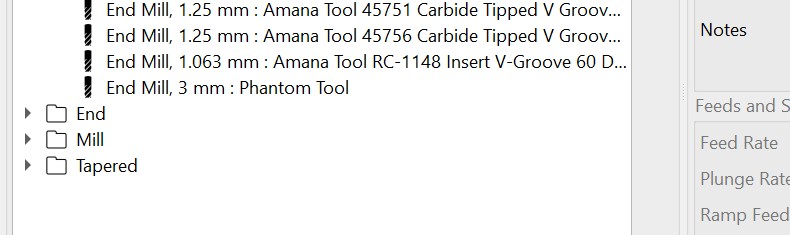
I was referencing the posting by @LightBurn where he said it was fixed. If the Production release does not fix it for you, please let us know!

I downloaded the link sent to me ! for iOS still says rc 8.19 and still not working here . whats the production release Mikey? excuse my ignorance ?

Check here:

1 Like

At the top of MillMage, it will say 0.8.00 when installed.

There were a lot of releases, so it is easy to get lost in the numbers.

but haven’t I got that with the pre reliese rc 8.00 19 ..are you saying to download the trial , can I do that while I have this one?

Installing the trial doesn´t overwrite your RC install. You can have both.

1 Like