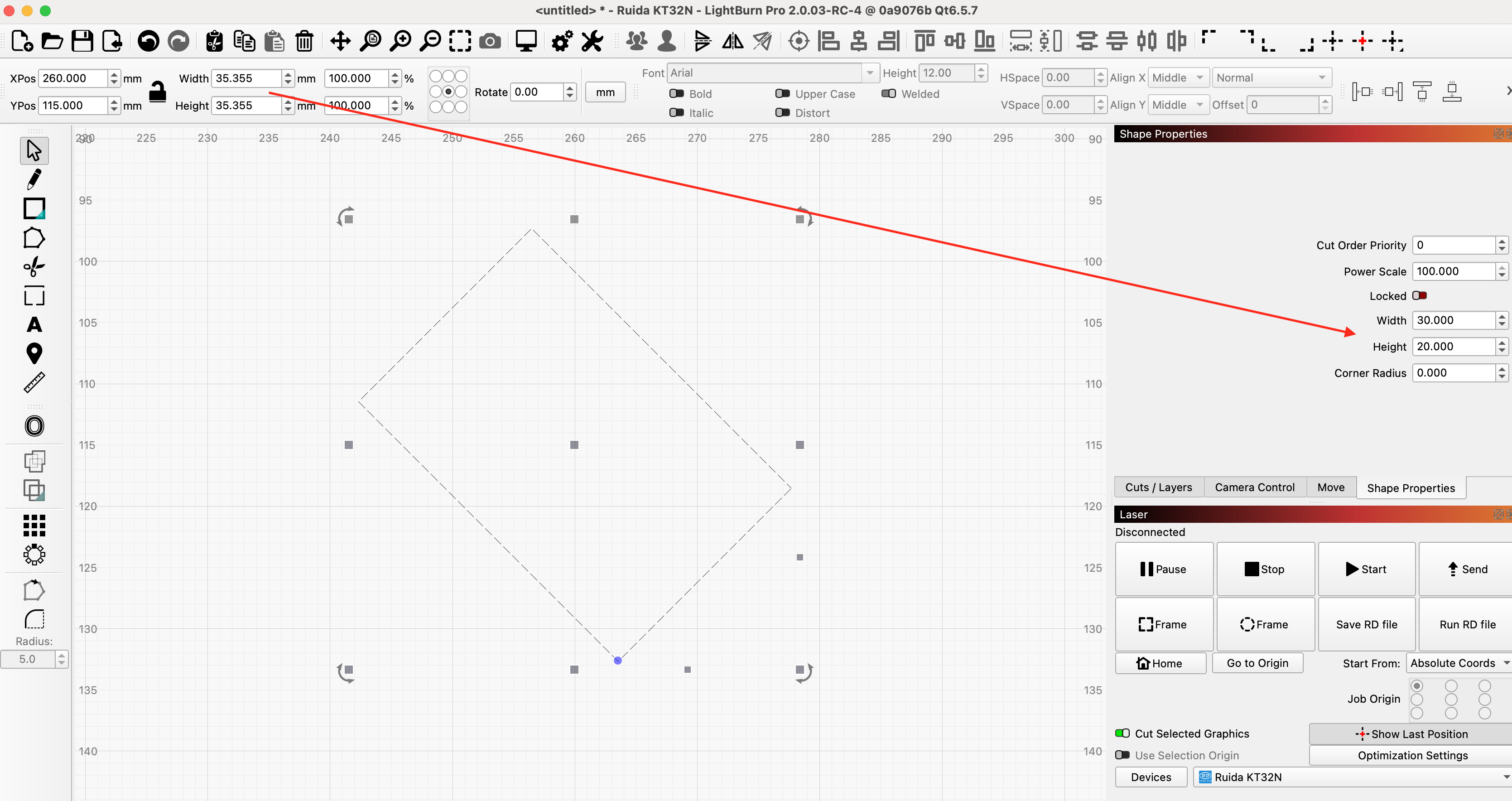
Just a question on the size of an item. Lets say i make a box that is 20mm x 10mm. If i look at the size of this item it is 20mm x 10mm. But if i rotate the box 45 degrees in either direction. Then look at the size of the box it no longer shows 20mm x 10mm even though it still is. Is there a way to still see the actual size of this item. I understand why it would do this. But if i wanted to change the size of this box to 30mm x 10mm I would have to rotate it back to line up with the x/y axis to accurately do this. It looks like Lightburn doesnt really show the size of an item but the size of the frame it is in with relation to the X/Y axis. Second question is there a way to move it exactly back to line up with the X/Y axis. Im on Lightburn 1.4. Maybe this is different in newer versions of lightburn
True, because it represents the size of the material required to contain the burn pattern.
CTRL-Z’s will get you back to the original position. Or you can Zoom in and rotate it until it aligns with the grid lines so you don’t undo your work. I have done this with reasonable success.
Thanks guys. I’ll give these a try.
1 Like
Yes. Enter Node Edit mode, hover the mouse over the line you want to align, and press A key. (one of the tips I listed here: LightBurn Tips and Tricks - Diode Laser Wiki)
1 Like
This topic was automatically closed 30 days after the last reply. New replies are no longer allowed.