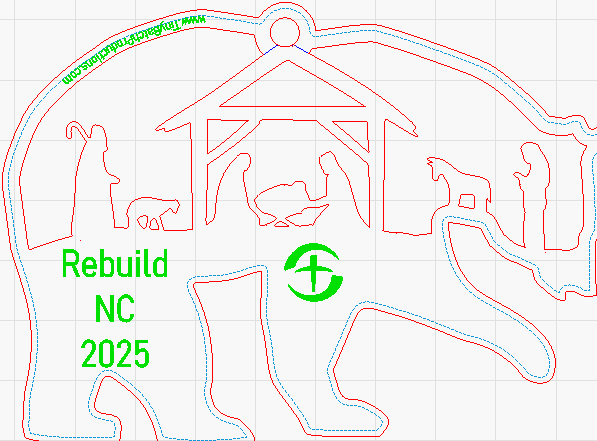
i have an odd shape, an outline of sorts, and when i apply my text to the path, it wants to apply it in the wrong places. i have tried all the alignments, but none of them place the text where i want it. can one just grab the text and drag it to the position on the shape where it is best fit?
Post a screen capture (WinKey+SHFT+S) of your Lightburn workspace, or even better, upload the Lightburn file.
I want my URL to be on the back legs of the bear. not where it lands. depending on which alignment options i use, it is either in this location, around the top hole, or one fo the front paws. I just want to slide it to where i want it.
This is a “dirty solution” if it works, never tried it before. Try adding multiple spaces in front of your text and see if it moves to where you want it.
Correct: dirty solutions. would need about a paragraph of spaces… but if it works it works.
The “path” can be any line segment. On a new layer, create the line where you want it, long enough to hold the text. You can copy that blue line to another layer and remove what will not be needed for the text. Then just apply the URL text to that.
2 Likes
so you are saying just trim the line. that seems like a cleaner option, thank you.
Surely there are better ways to do it. Tim and I just gave you ours, but try experimenting with other ideas. That is the fun of Lightburn.
1 Like
To assist with visualizing, as @MikeyH calls out,
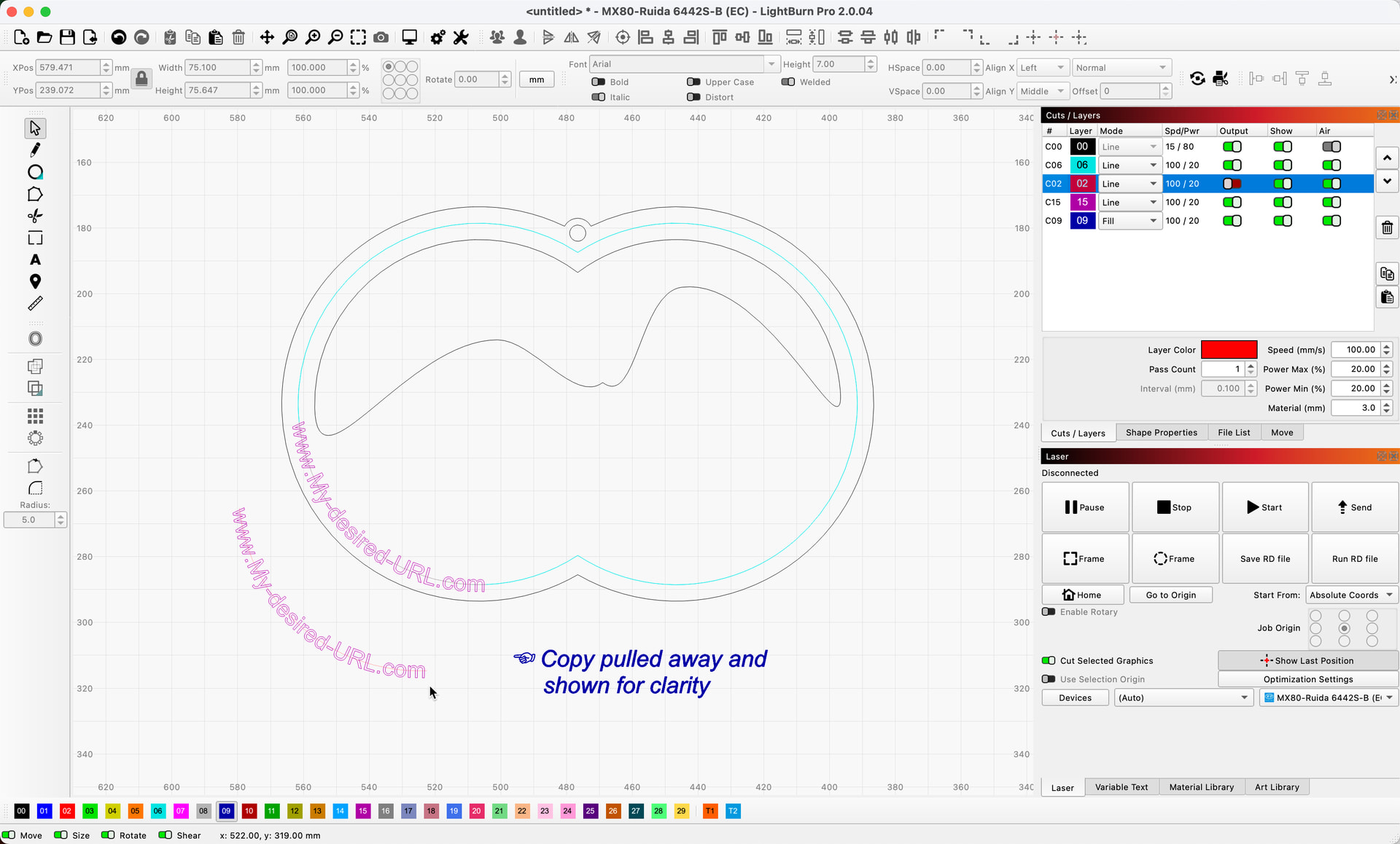
In this example, the red layer (C02) is set to not ‘Output’ the line used for the text path. 
1 Like
This topic was automatically closed 30 days after the last reply. New replies are no longer allowed.