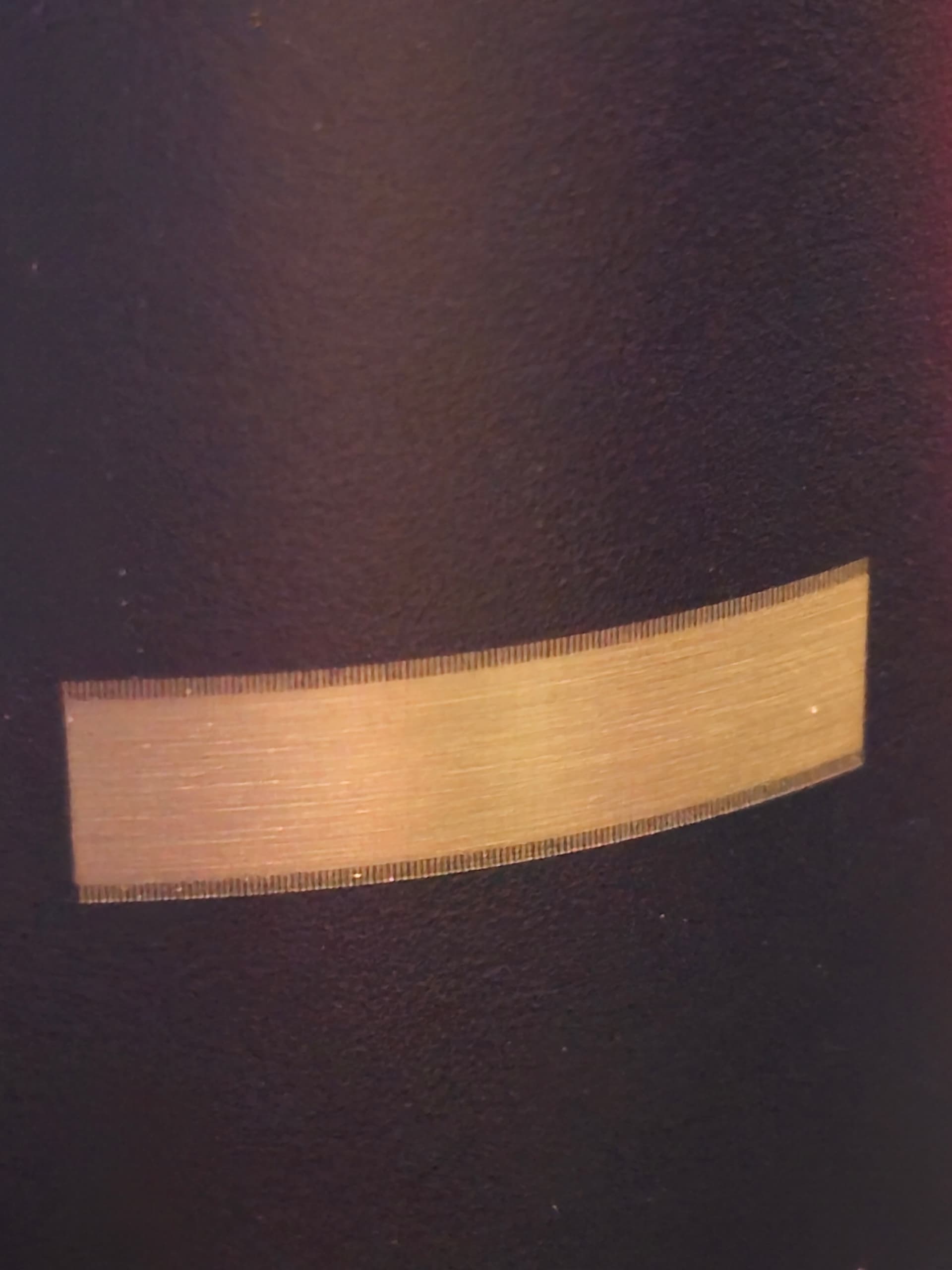
When using Fill engraving I get little lines on the edges of the engrave, as if the laser is kicking in later than it should. It engraves with the same settings using the XCS software that came with Xtool D1. I’ve tried overscan on/off and different values with no difference. Lowering speed nets same issue but the lines are shorter the slower the engraving speed. Fresh install of all software and everything is up to date.

Did you use the .lbdev file provided by xTool to create your device profile in LightBurn? That should come with offset scanning adjustments meant to address this.
You can check this in Edit->Device Settings.
If you do not have offset adjustments you can calculate these yourself or use the xTool provided .lbdev file to create a new device and try testing with that.
Yes I did.

Is this only a problem on rotary or does this present on regular burns?
Both rotary and flat burns.
You may have mechanical backlash in your machine. Do a full mechanical review particularly on the X-axis. I suspect the pinion gear is not properly secured to the stepper shaft or some other linkage that’s slipping roughly the amount of the offset every time it moves back and forth.
I don’t think it’s mechanical, as the same settings in the Xtool creative software don’t result in the same issues. It’s only in LB that it get this issue. This is leading me to think that there is a setting that I am missing in LB or the profile settings provided are wrong. Since I can’t find anything about this in other forums and isn’t a mass issue, I’m thinking there is a setting in LB I am overlooking.
I’m actually doing a burn on my rotary in the XCS software as I type this, and it’s coming out perfect. Thank you for your help troubleshooting this, but I truly don’t think this is mechanical in nature.
Yes. I had forgotten that you posted the XCS photos. I agree this provides support that it’s likely not mechanical. In that case perhaps try configuring your own offset adjustment to see if that addresses the issue.
I’m not exactly sure how to go about making adjustments to that. Can you provide any guidance or a quick down-and-dirty on what numbers I should start with? If not, I can do more research, but I appreciate all the assistance thus far either way!
I’d suggest reviewing the documentation that covers Scanning Offset Adjustment:
Scanning Offset Adjustment - LightBurn Software Documentation
Will do. Thank you again.
Getting same results on my XTool D1 Pro. Works fine in XTC, same layout in Light Burn is getting offset scan lines. Doing a Flat Image.
Shut off scanning offset, that’s what worked for me. No clue why. If that doesnt work I’d make sure you downloaded the correct profile from the website, because the pro and normal D1 are different.
This topic was automatically closed 30 days after the last reply. New replies are no longer allowed.