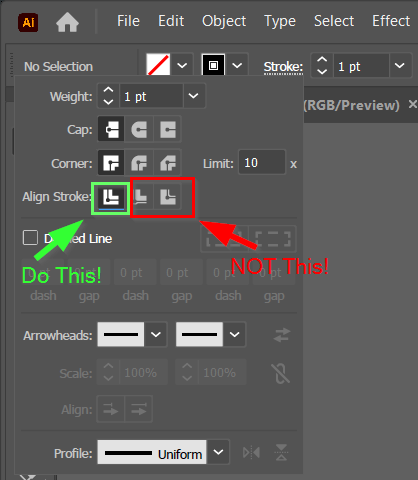
If you have the stroke settings in Illustrator set to put the stroke either on the outside edge or the outside edge of a line, you will get double lines in LightBurn. To avoid the double lines, you must set the stroke setting to be in the center of the stroke. Not the inside, not the outside, just the middle of the line.
Certainly, there are other double line causes that other people have discussed but none of them appeared relevant to the problem I was having. I looked far and wide to see if I could find a solution on the web and in these forums. But no luck I hope this helps. So I’m posting this for the next poor soul who is struggling to rid themselves of double lines in Lightburn.