I think I’m continually disliking MM more and more. I typically use Gsender but thought I would try MM. I created a simple tool path. When starting it the spindle goes down. The spindle does not turn on but plunged the bit into my wood without turning
Your machine use a GRBL controller? If so, please enter $$ in the Console window and give us all the $xx parameters less than $100.
Why is this? What software have you been using beside GSender? Lightburn is different because the development environment and machine control environment is in one package. It is new and will take some getting used to. You learned Lightburn and the laser, right?
Back to your spindle motor…
Did you set the RPM in the Tool setup? That is where stuff like chip load is set.
If you imported a Tool Library, you should check every tool for the parameters that work for your application. You can have identical tools with different settings, like for wood or acrylic, or even dense foam.
When I run a new program, I ALWAYS dry run it, with no tool in the spindle. When I was a CNC Tech, I saw too many machinists break things due to program settings. Did you know a 60hp lathe spindle can snap off a 2” boring bar?
I also exported the gcode for the single operation I have in MM. I load that .gc file into gSender and run it. I have no bit for safety. The spindle turns on and begins to “cut” to profile.
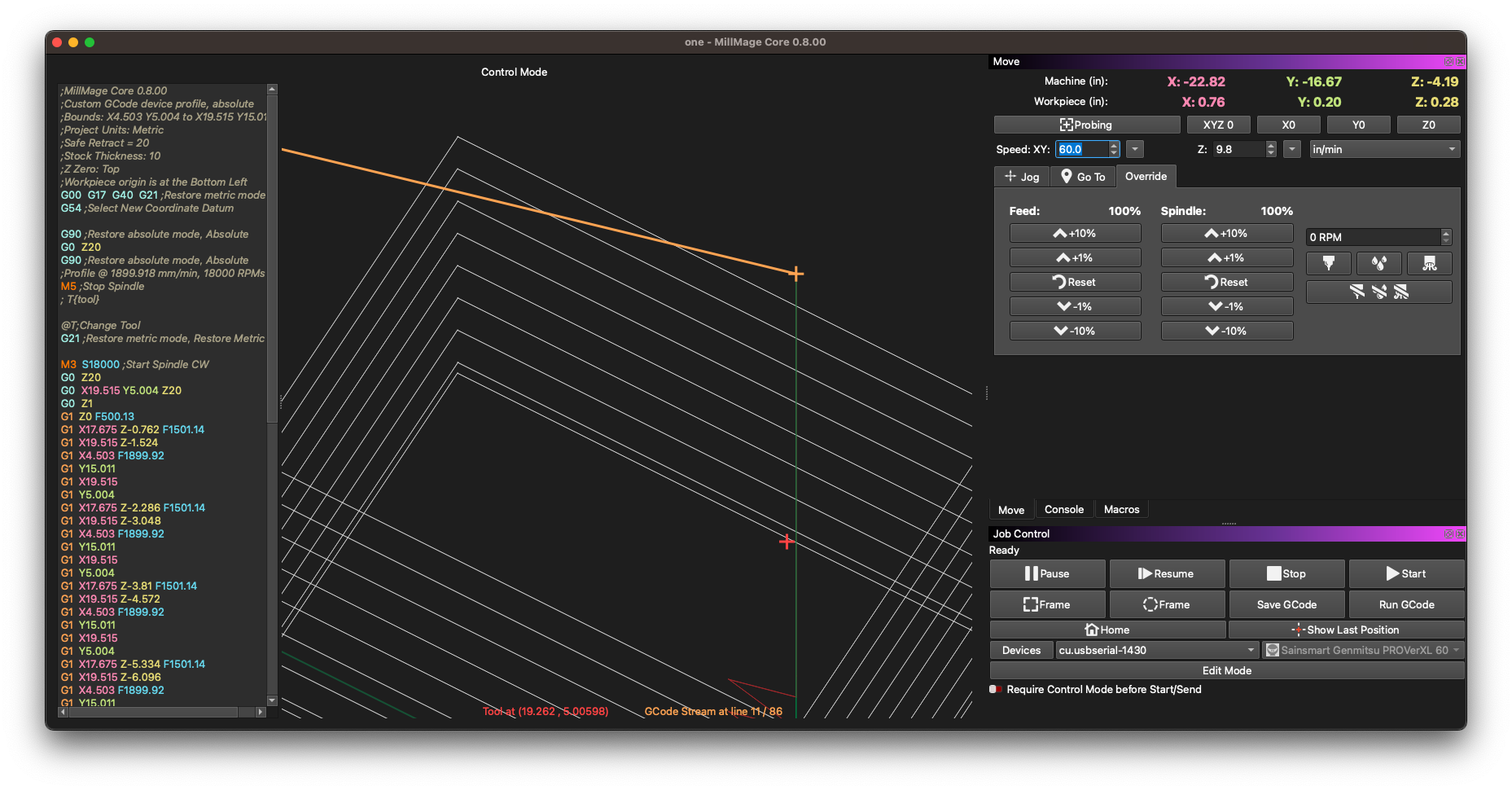
Included here is a screenshot from the Control Mode showing the Gcode and it appears the spindle is enabled using “M3 S18000” but it never turns on the actual spindle.
So heres the thing. M3 S18000 is the M code to turn the spindle on. There’s nothing magic in the background that MillMage or Gsender does other than sending that code.
What might be happening is Gsender may be adding a pause after the spindle command to let it have time to get to speed and Millmage does not do that automatically.
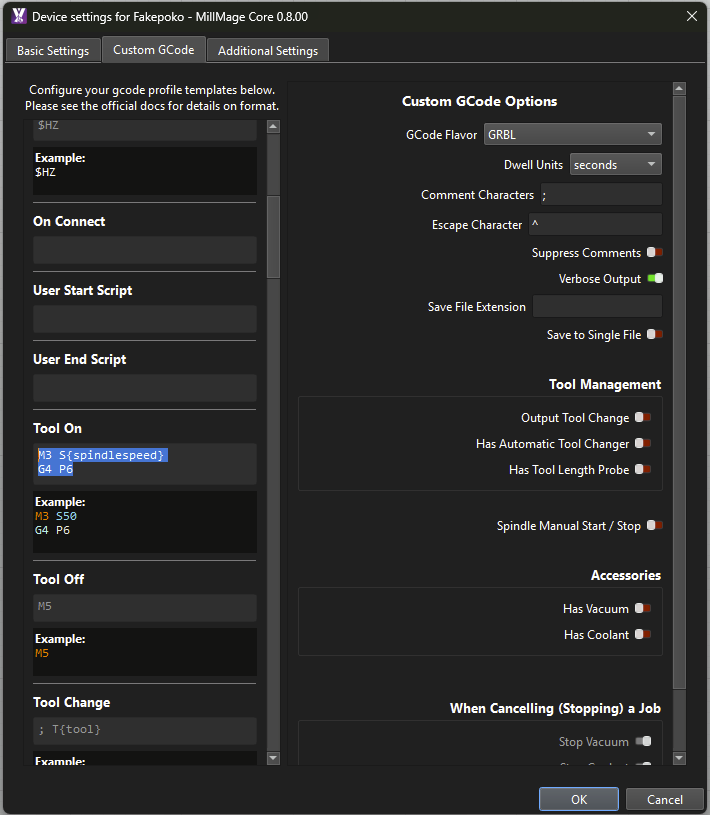
If you go into Device Settings → Custom G-Code and add a pause command in the “Tool On” box that may fix it. In the screen shot below I added a 6 second pause. Probably over kill, but definitely enough time for it to trigger and get to speed.
Here’s a very quick test to run that should be safe.
Without running any gcode, go to the override tab and set the RPM to 18000. Then click on the spindle button to turn it on.
Does the spindle turn on? Does it turn off when you press the stop button?
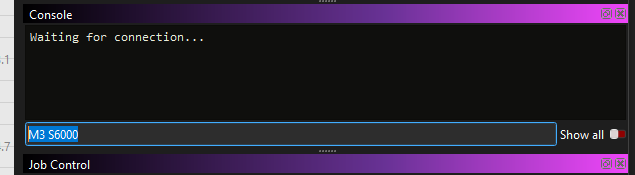
If you manually send M3 S18000 to the console does it turn on? Does it need time to spin up?
If it needs a few seconds, edit the Tool On block to be two lines - my own CNCs need about 6 seconds for the spindle to go from a dead stop to 18k or 24k RPM usually. So I added G4 P4 here:
Thank you for the helpful instructions. I added the code to add a short delay. The spindle still does not turn on. Also, I didn’t answer the question if I can turn the spindle on manually and yes I can and stop it as well. I did that way early to make sure the machine took on and off commands properly.
I don’t know if I ever said this is a Genmitsu CNC Machine PROVerXL 6050 Plus.
In summary, suggested change made but spindle still does not come on.
Yes, it works in Gsender. In fact, I’ve been using Gsender ever since trying to use the RC’s and broke a bit since the spindle didn’t engage. I am still fearful of MM, sadly.