Still confused with focusing Gweike Cloud II 55W

Hi All,

I am a little confused still on focusing the Gweike Cloud II 55w.

After reading a half a trillion posts about it, I have some down, and i have some serious confusion.

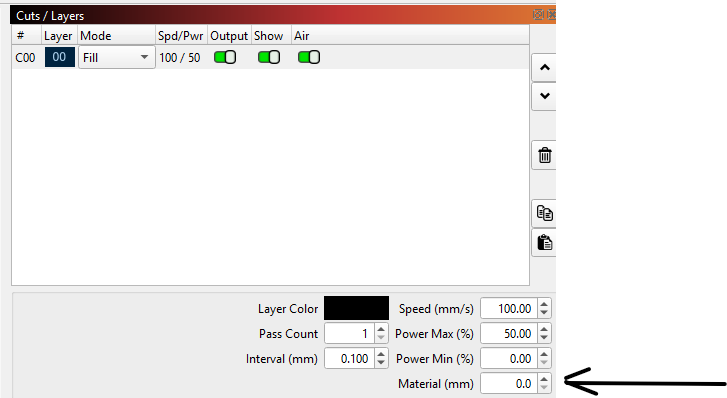
I understand under cuts, you have to set the material thickness. That much is clear.

I am confused on the Move screen. What exacly is the difference between “distance” and “Z-distance”, and which one do i use to set my focus?

And please correct me if Im wrong, but the standard focus should be 17mm, minus the material thickness put into the “cuts / laters” window, correct?

And what does “Focus Z” do?

Youll have to excuse me, I have been using diode lasers for years, but I am totally new to CO2.

In the cuts layers window just set the material thickness, lightburn now sets the focus height for you.

I have never had to move the z height in the move window , I do not think it has anything to do with the gweike pro 55w.

Thats great. Thank you. Do you know what Z height action is? I know what Z axis is, and I know with my old manual Z height kasers required. Thats why i was so confused.

No only that it’s for focus or bed height , as far as I know the auto focus on the gweike takes care of that,

Great! Thank you.

Thank you for this… I was looking for Material in the actual Cut Setting Editor and never finding it. I was just glancing over it every time in the Cut/Layers Panel. Maybe this will keep my laser from giving me warnings about it being too close before the project starts!!!
1 Like

This topic was automatically closed 30 days after the last reply. New replies are no longer allowed.