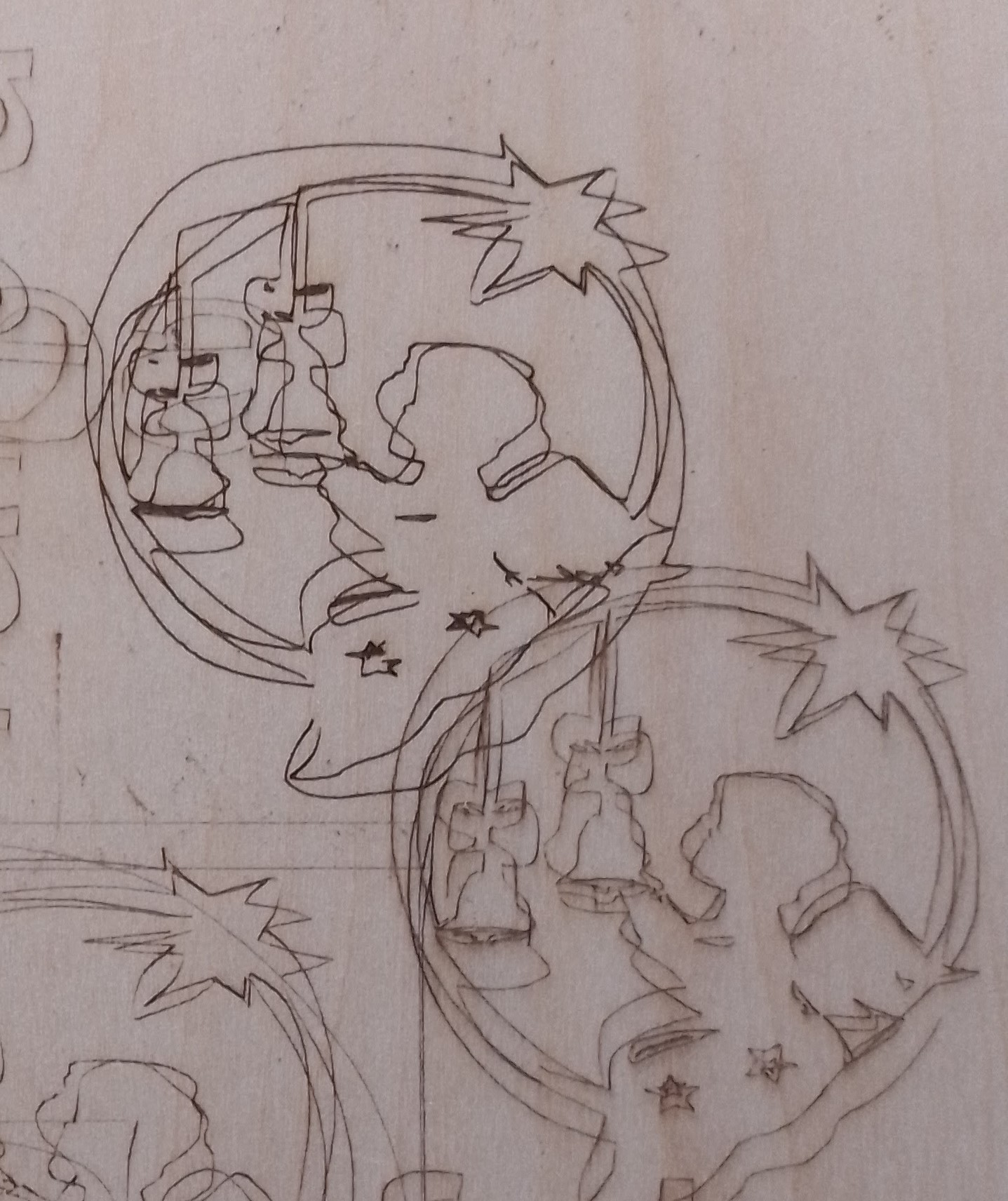
Hola a todos. Me he comprado una Sculpfun S30 Pro 10W descargado Ligthburn y al enviar imagenes o letras a grabar me sale todo deformado y sobreescribe, me pueden ayudar con este problema? Desde ya muchas gracias
Hello everyone. I have bought a Sculpfun S30 Pro 10W downloaded Ligthburn and when I send images or letters to be engraved everything comes out deformed and overwrites, can you help me with this problem? From already thank you very much
I have tried 6000/30 and other speeds and power and it always gives me that deformity. I have been adjusting the x and y axes and the laser rail and I still have the problem. Could it be that I haven’t found the correct axle adjustment or some bad adjustment on the Lightburn?
This comment will be based on my machine (Ortur LM2 Pro) but 6000 mm/m seems awful fast for line mode. I’m not trying to be rude, but just checking, that you have your laser set for mm/m and not mm/s. I can run my laser at 2000 mm/m in line mode, but much more than that and things get pretty squiggly.
Absolutely correct, the 2000mm/min I mentioned was used to engrave the numbers for my waste board grid (back when I first started lasering and didn’t really know what I was doing).
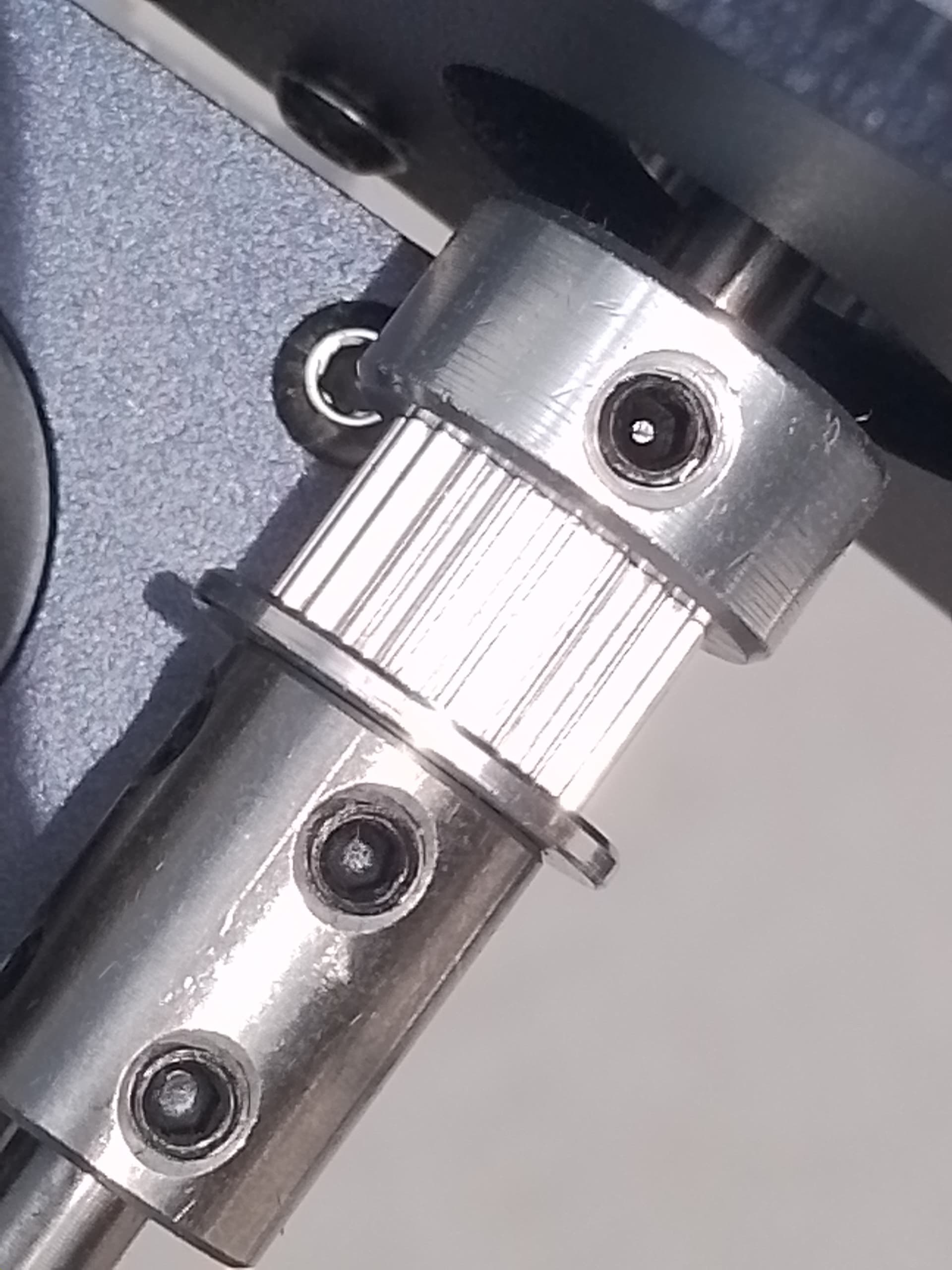
Hello everyone! Thank you very much for your attention in your comments to resolve my problem. I tell you that I tried to disassemble and assemble the machine again and there I noticed that the roller screw was very loose so I adjusted it and when I turned it on and tried recording it worked perfectly. I’m sending you a photo in case it happens to anyone else. Greetings from Uruguay