Problem: Importing an SVG with compound paths that use clockwise/counterclockwise winding to define holes. LightBurn flattens everything to simple circles on import, ignoring the path structure.
The SVG renders correctly in browsers and Inkscape. Tried EZCad as an alternative but paths render with sunburst artifacts.
Question: Does LightBurn’s JCZ SVG import support compound paths with winding-defined holes? Is there a specific path format or export setting that imports correctly?
Can you show an example? Of course, the direction of the laser movement is not defined in the paths. So LB will choose a starting point and direction. You can also override this. But you would need to do it for every shape.
You can check the edit nodes mode, there you will see the path elements that are used.
But I think I didn’t get the point yet
Glad you solved this, here is some more information for anybody else reading this:
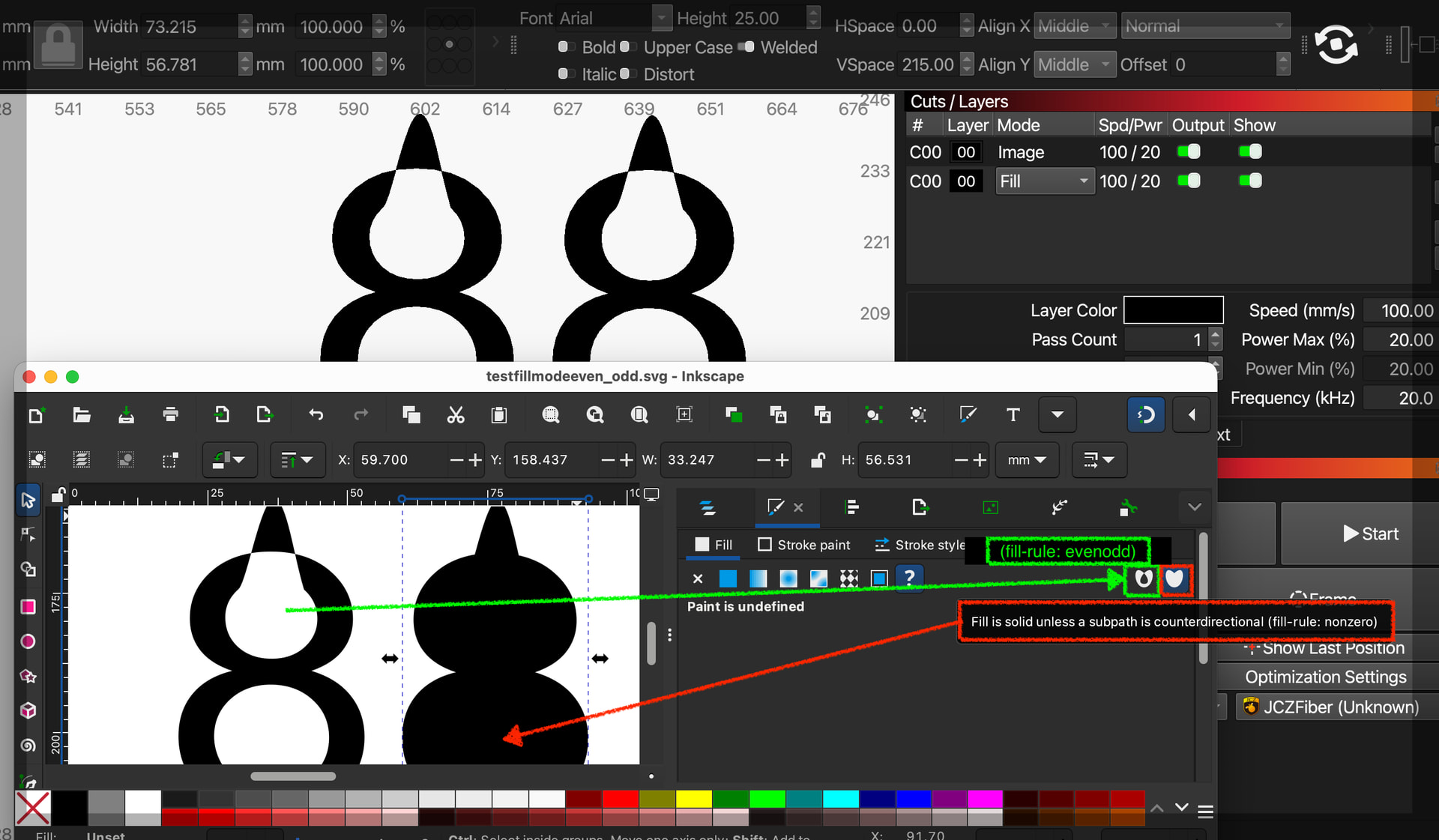
LightBurn uses the “even odd” fill rule, so holes or unfilled areas are determined based purely on the position of the paths (not the direction) and whether any are nested within other paths, intersect with other paths, or even self-intersect;
Even if I explicitly set the winding so the inside paths of this compound figure eight shape to match the same clockwise direction as the outside paths as you can see from this inscape render using the “non zero” fill rule, the paths will still import to LightBurn using the even odd method (path direction ignored for the fill).
This document explains how LightBurn determines what are holes, or unfilled areas:
If you change the ‘Layer Mode’ from ‘Line’ to ‘Fill’ and use a rendered view style : Window>ViewStyle - Filled , you will see the fill.