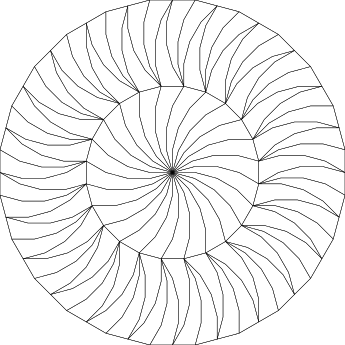
I am trying to import an SVG into LightBurn and it is showing up quite garbled. I’ve attached the SVG and a screenshot of how it looks in Chrome (which is how I want it) and how it looks in LightBurn.
The design is all SVG polygonal paths. Every visible segment in the design is included in exactly two paths (at least that’s the intention). All the paths are stroked but not filled.
I’m very new at LightBurn so I apologize if I’m missing something obvious! I looked in the settings and couldn’t see anything obviously related. Any tips appreciated - thanks!
I imported it into CorelDraw, Inkscape, Silhouette Studio, Affinity Designer, and Illustrator. They all import correctly. But, there are a lot of overlapping lines in the file.
Try the attached file. I imported into CorelDRAW 2018, combined everything then used the Corel LB macro to open it in LB. I don’t know whether I needed to combine, I might have got away with simply re-exporting it as SVG, DXF, AI or whatever. I could probably have used Inkscape or other vector software instead of Corel too.
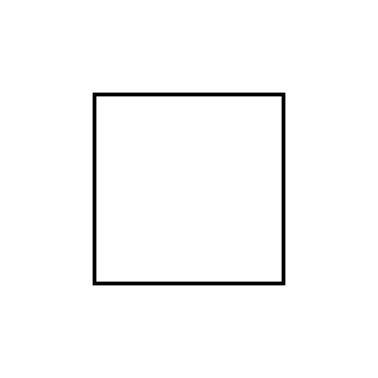
Thanks! This got me playing with Inkscape - when I load my SVG into Inkscape, then re-export it as Plain SVG, it loads fine into LightBurn. By comparing my file with what Inkscape exported, I think I isolated what the problem was. My SVG has numbers in it in scientific notation, and LightBurn doesn’t seem to like those. The SVG spec does seem to allow scientific notation, so I guess this could be considered a bug in LightBurn. Here is a simpler repro - an SVG that just draws a square, but shows up wrong in LightBurn because one of the vertices has a coordinate in scientific notation. Is this forum the appropriate place to report a bug?
I can easily work around this. I generated my SVG with a C# program and I can just change how it formats the numbers.
Well done for spotting that, I must admit I didn’t look inside the file. At least if you’re generating it yourself you probably have complete control over it.
Thank you for bringing this to our attention. Investigating further…
Update: Yes, we do not currently support these coordinates expressed in scientific notation. While yes, this is technically a bug, we’ve never seen one like that in the wild. Thank you again for drawing our attention. Report generated. Will follow up here when sorted.
Update: (from chat w/Oz) We write out 8 decimals of precision because that’s about what floating-point numbers are able to store. But apparently Qt defaults to 6 decimals if we don’t explicitly tell it, and that’s what it was doing for the transform part (the movement / rotation / scale / etc). I’ve updated the 1.4.02 patch to include a change that outputs 8 decimals of precision on the position / rotation / etc matrix.