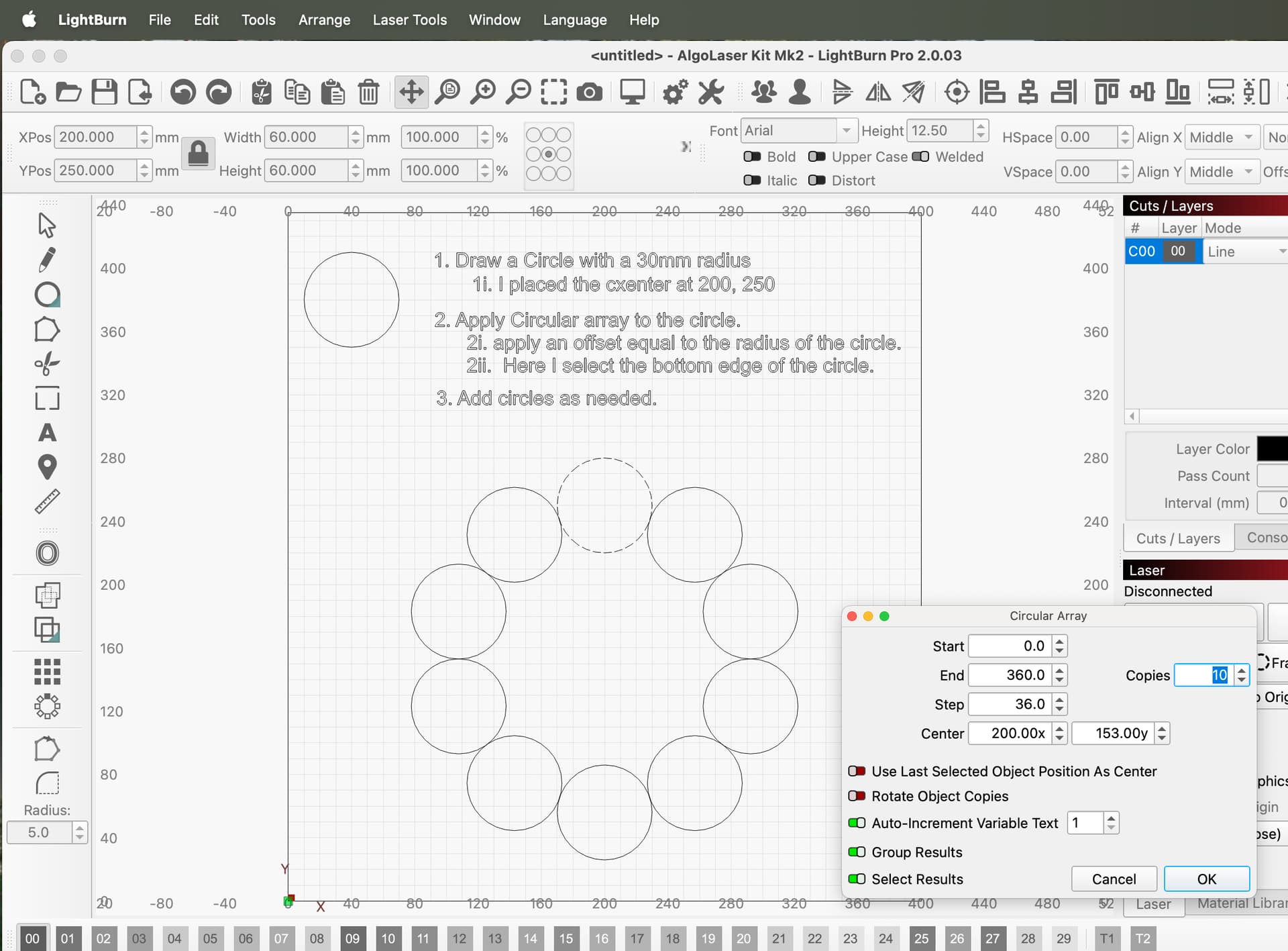
Hello, I would like to create several tangent circles (that touch each other exactly at a point) in LightBurn.
Is it possible to do this directly in the software?
Thanks for your help!
Hello, I would like to create several tangent circles (that touch each other exactly at a point) in LightBurn.
Is it possible to do this directly in the software?
Thanks for your help!
Hi Victoria, can you make a small sketch so we can see and better understand what you want?
Draw a frame line, right click to lock object
Select circle and line. Align left/right edge to get tangent.
Select next circle and frame line, the align to get tangent.
What it seems like you want to do, could not be applied to any physical machine operation.
This is why @bernd.dk asked you for a sketch or clarification.
Maybe, if you can tell us about what you expect as an end product.

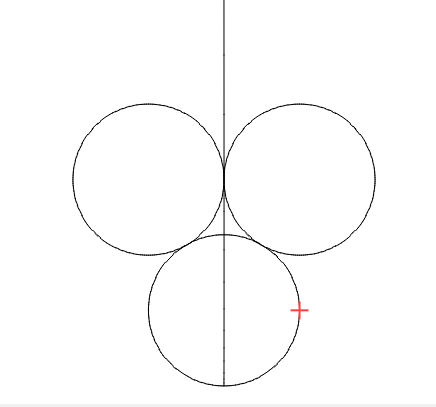
Maybe for something like this? I thought Snap to Object might work, but it does not.
I have mentioned Snap to Tangent before, but I do not know if that is possible in the current Lightburn graphics engine. This is an extremely powerful tool, especially in MillMage.
I watched the Lightburn Snap To YouTube video, but he completely avoided circles.
Thanks for shedding some light on the matter. After a short excursion into the Google universe I have also found out what “snap to tangent” is. However, I can’t really spot this function in Milmagge, but I’m not a real user of this program (yet  )
)
PS. what annoys me (again) a bit is, that we have to guess again what the original question is about, it’s a bad practice in my opinion.
I am not able to do it in LB, but it is pretty easy to do it in CAD programs I have used. Most AutoCAD clones have a command TTR, which is draw a circle that is tangent to 2 circles and then enter a Radius size. Or TTT, which is draw a circle that is tangent to 3 circles.
I can’t see what advantage this is or where you could use it.
It sure can’t be applied to a physical device if you’re talking about a spot on the circle. No laser or milling machine that I know of is capable of doing anything with this…
…I haven’t been in a situation where I could use it either, but the interesting thing is just the actual method for achieving something that someone needs, if it can be done
Yea, I follow, what would they need it for? If there’s no application and no response from the original poster it seems a moot discussion to me.

… that’s correct and also annoys me that people don’t report back.
Snap to Tangent is a tool that speeds up part designing dramatically when applied to a mill. It may not be all that useful for laser designs, but I know I would use it.
I bought a $60 CAD free-to-try program specifically because it had it. I needed a replacement for my EZ-MILL that was limited to WinXP.
I am surprised OZ has not chimed in and schooled us! 
I use Freecad for my 3d printer and other design applications.
I use it there for design, but there is no application when it comes to the physical operation that can use this…
If you did machine a tangent to a circle, you’d have a very sharp knife edge… Might be ok for cad type operation, but when you get to the machine there are too many variables to really use these types of operations…
Again, if the original poster would actually be a human, they would have checked back by now.
Results as described - not automated 
I too am frustrated by the lack of response. The utility for laser engraving is beyond me, as the resolution of the program is far beyond the resolution of the laser spot and mechanical capabilities of most machines.
That was my point, this is great when you’re engineering drawings, but it doesn’t really relate to practical operations…
Not to mention, I guess we scared off the original poster, if he was human.
How do we know these are really tangent to each other?
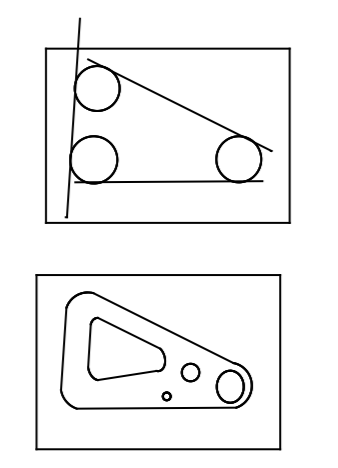
It is not a CUT operation, it is for design work. The attached image illustrates the initial and final design where a Snap to Tangent is almost mandatory. We are working off customer-supplied blueprints here with a +.001"/-.002" tolerance, so “close enuff” will not be acceptable.
Make sense?
Sorry, I had to fudge it a bit using Lightburn.
I understand the use, just not how I’d really use it for my laser.
If I need that kind of computation, I usually use a cad package, that’s more how they work. I can always export parts in some other format.
Kind of like doing extensive image work within Lightburn, some packages work better for other things.
Moot anyway, at this point.
I conceed you are basically correct here, but I did say early on “MillMage”.
And yeah, moot point in a Lightburn posting.
Do you mean several intersecting circles at exactly one point?
Two circles can only be tangent to each other at 1 point.
A third circle can not be tangent to the other two at the same point.
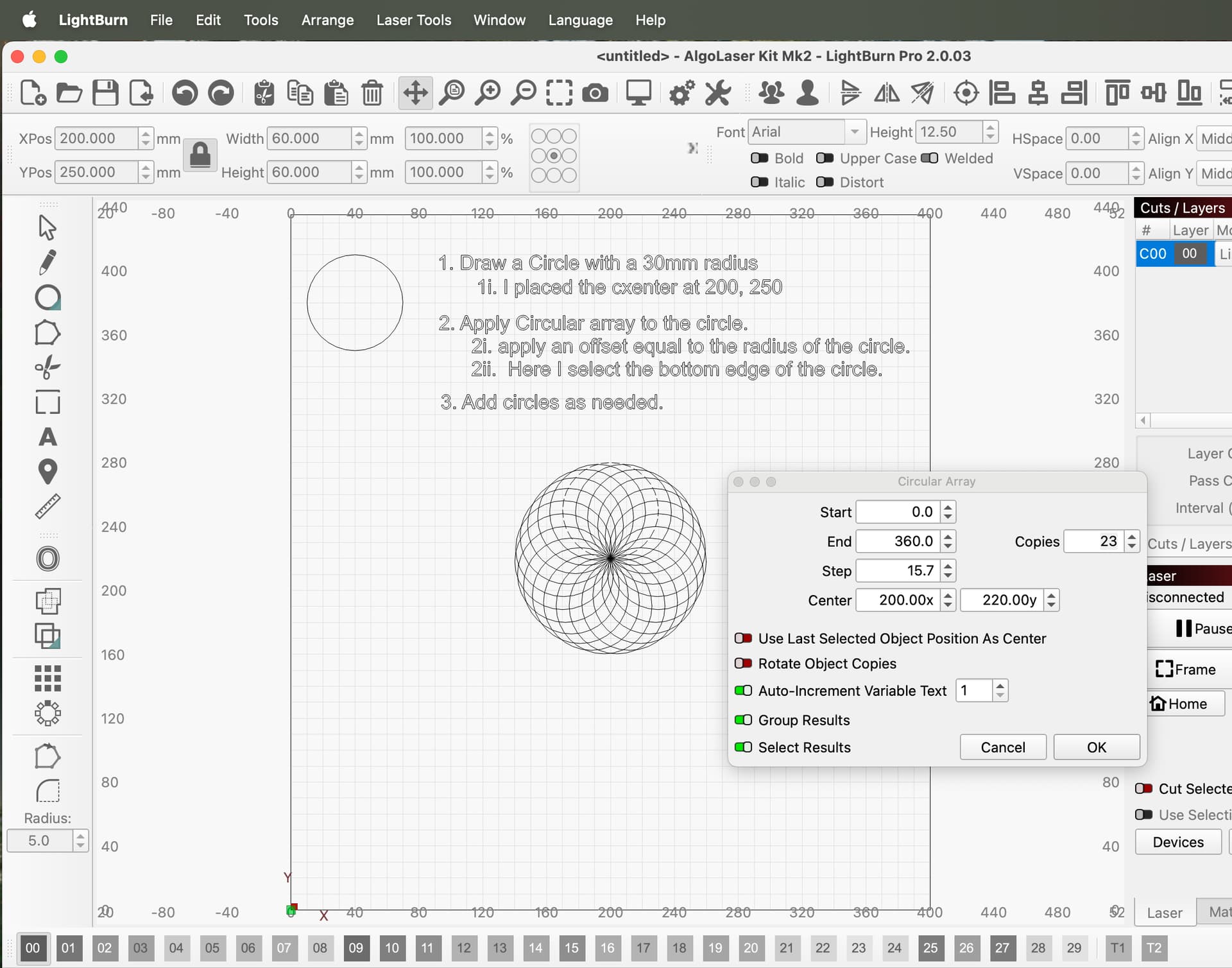
Circles can all intersect at the same point and generate some interesting visual effects.
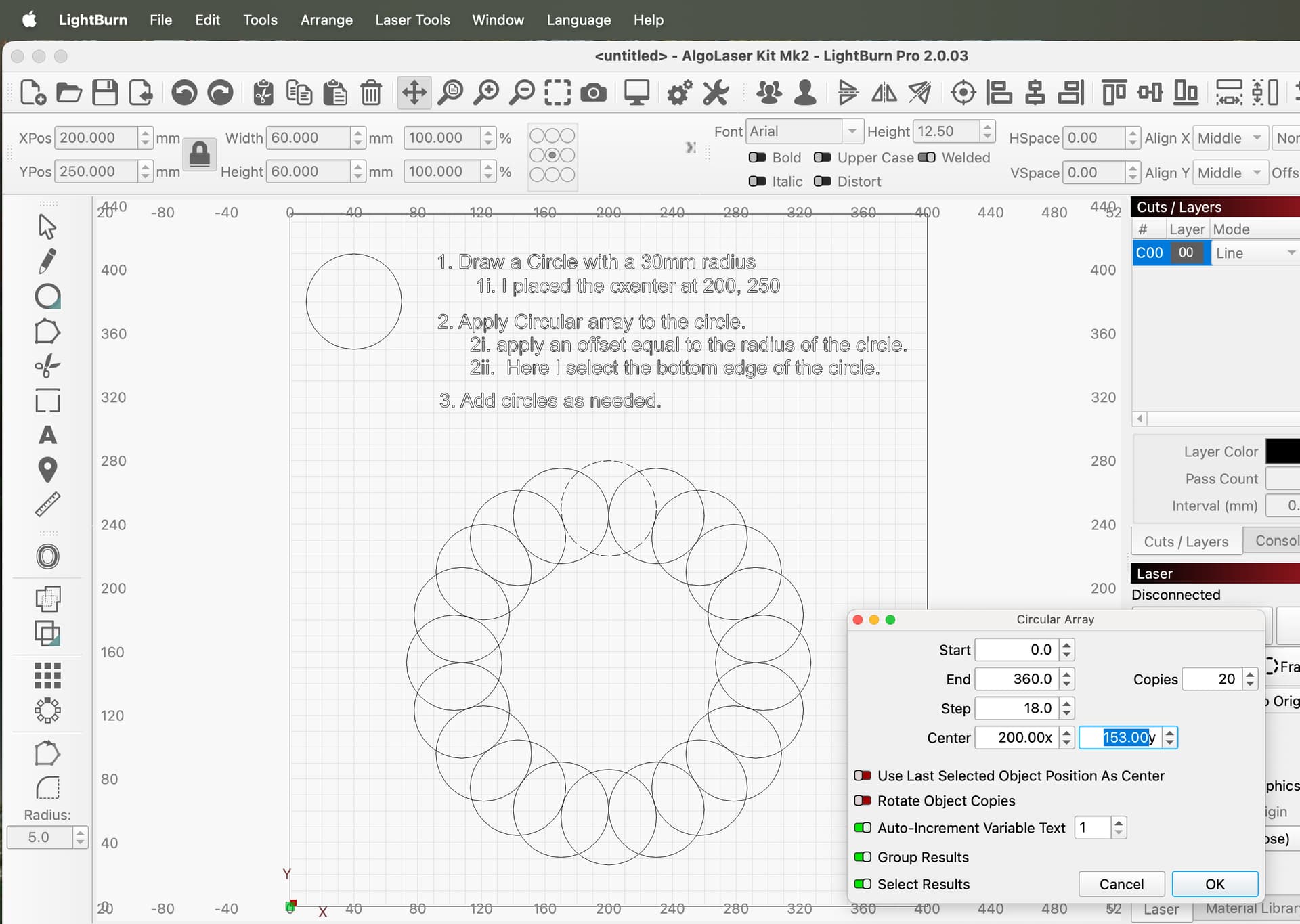
This can be done with the Circular Array tool.
or interlinked?
Or tangent to its neighbor at one point?
It’s amazing how this girl (Victoria) gets people going…