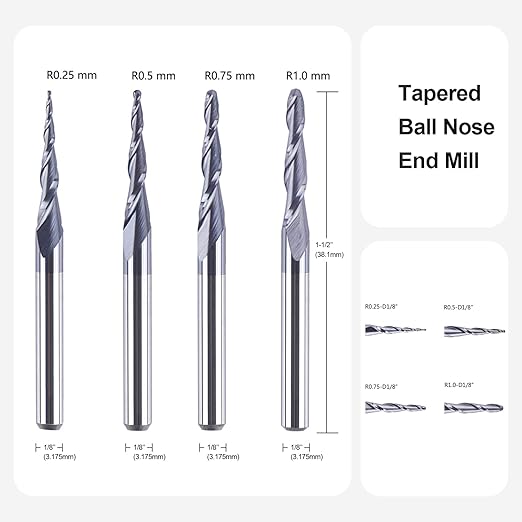
When I’m doing finely detailed terrain relief carvings, I often use tapered end mills with ball-nose tips. For example, here’s a link to a 1/4" tapered end mill with a 1.0mm tip:
Does MillMage currently support such delightful chunks of carbide?
I’ve used them in other software by just defining them as the ball mill on the end, ignoring the tapered portion and just using them for their reach. Still, they’re especially delightful when the software has full support.
The release candidates are early days for features, hence the introductory price. But if you know LightBurn’s feature growth, you can expect the same with MillMage over time.
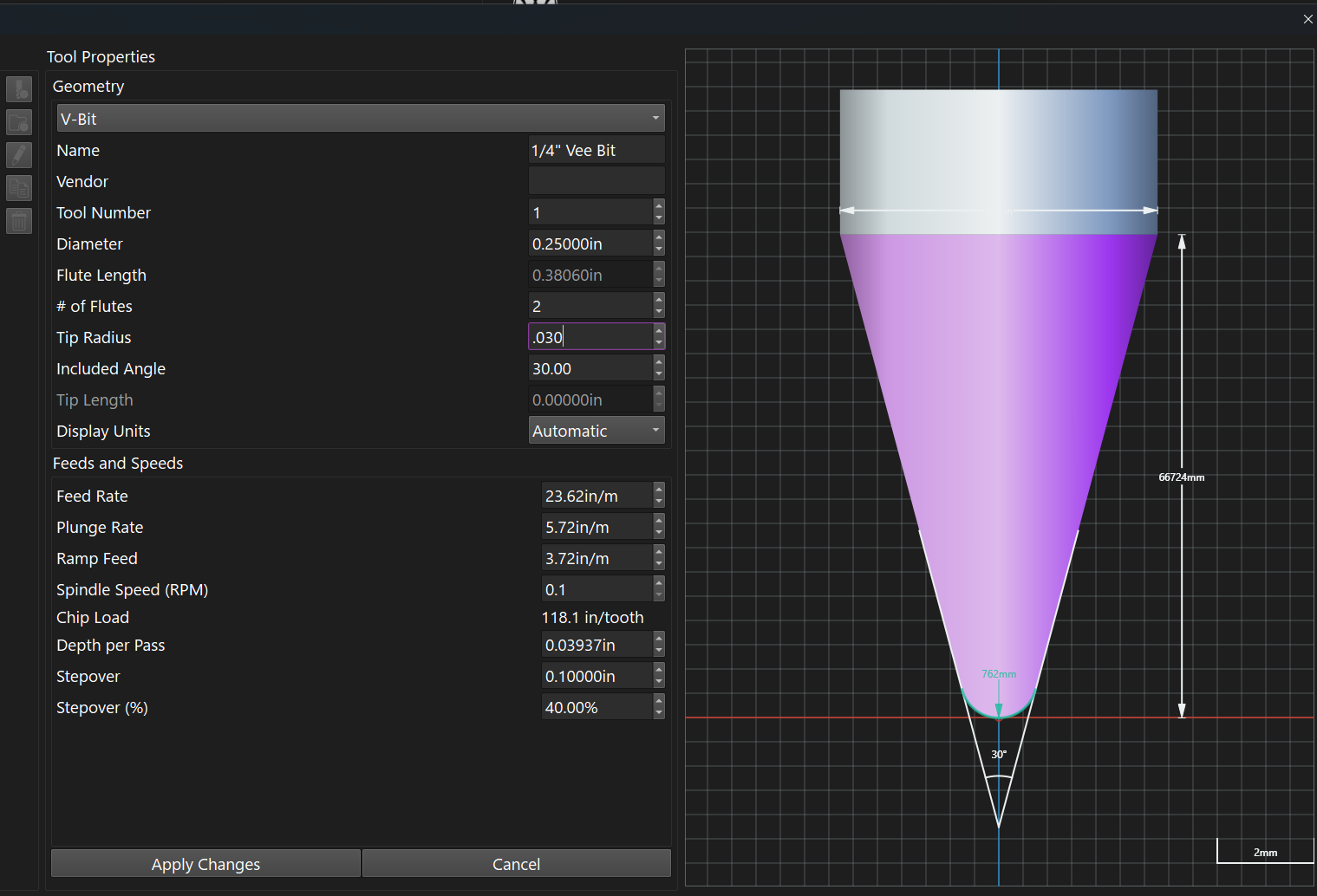
Thank you but if you look at the actual bit geometry of the bits I am entering vs what the ball nose profile creates, you can see that the Ball nose bit profile creates a uniform diameter other then the rounded nose. The tapered ball nose by contrast have a rounded nose but do not have a uniform diameter it goes up on an angle, like a v-bit but at a much smaller angle.
I am sure they need to be entered as a v-bit based on some other threads but I wanted to see if I had entered these specific bits properly.
Ahhh I see what you are saying, The bits are calculated correctly in the tool-path, what you are seeing in the tool editor is just a stylised image showing the area highlighted related to the editable fields.
So far I have not used a TBN going that deep, so haven’t noticed that, I would expect the manually entered flute length to override the calculated length, so you might have found a bug that needs reporting.
No, that’s been there a while, though there was an issue with the code that validates the properties (like flute length) so it wasn’t always showing up. That’s been fixed.
For the next major update for MM I’ve split the V-bit into 3 types:
V-bit (normal)
Tapered Ball Mill (V-bit with a radiused ball-tip)
Tapered End Mill (V-bit with a blunt end)
Tools that currently use the ‘Radius’ property on a V-bit will be automatically converted to ‘Tapered Ball Mill’ when loaded.
just updated to 0.8.01 and was wondering when the additions of the tapered ball nose bits would be implemented. I am able to continue to use Estlcam no problem, while waiting. just anxious to go in 100% with Millmage.
the bit I am wanting to use first is a 1/16”x1/4”x3”x3.6* tapered ball nose. if y’all have a temp setting that will get me by, that would be helpful as I convert my gcode files to millmage.
Create a V bit with the correct angle and diameter, then specify the “radius” value of the ball-tip. There was a bug in the code that handled validating the length of the flutes, so you might get weirdness from that, but you can define the bits already, and the next RC should have the fix for that part.