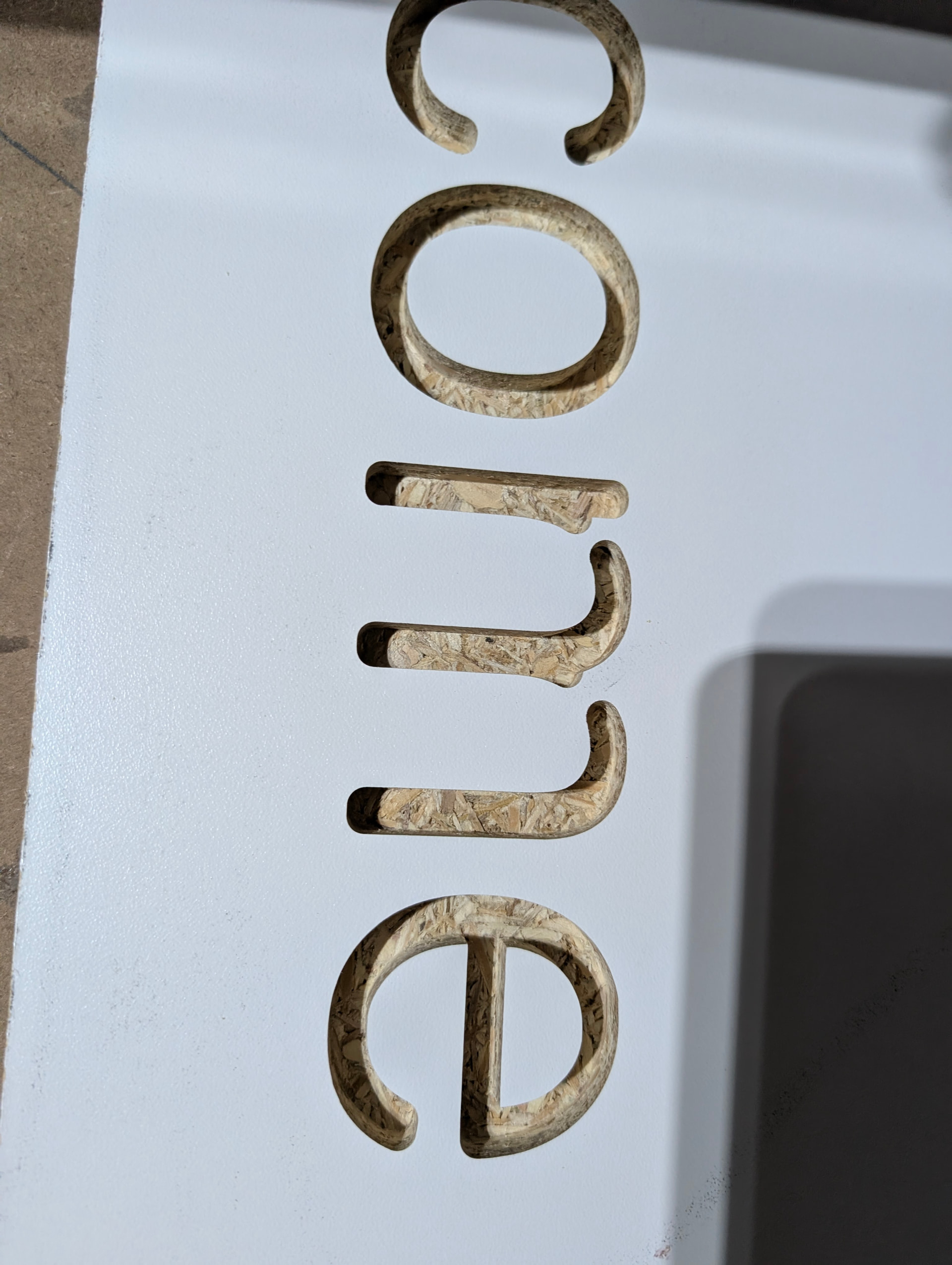
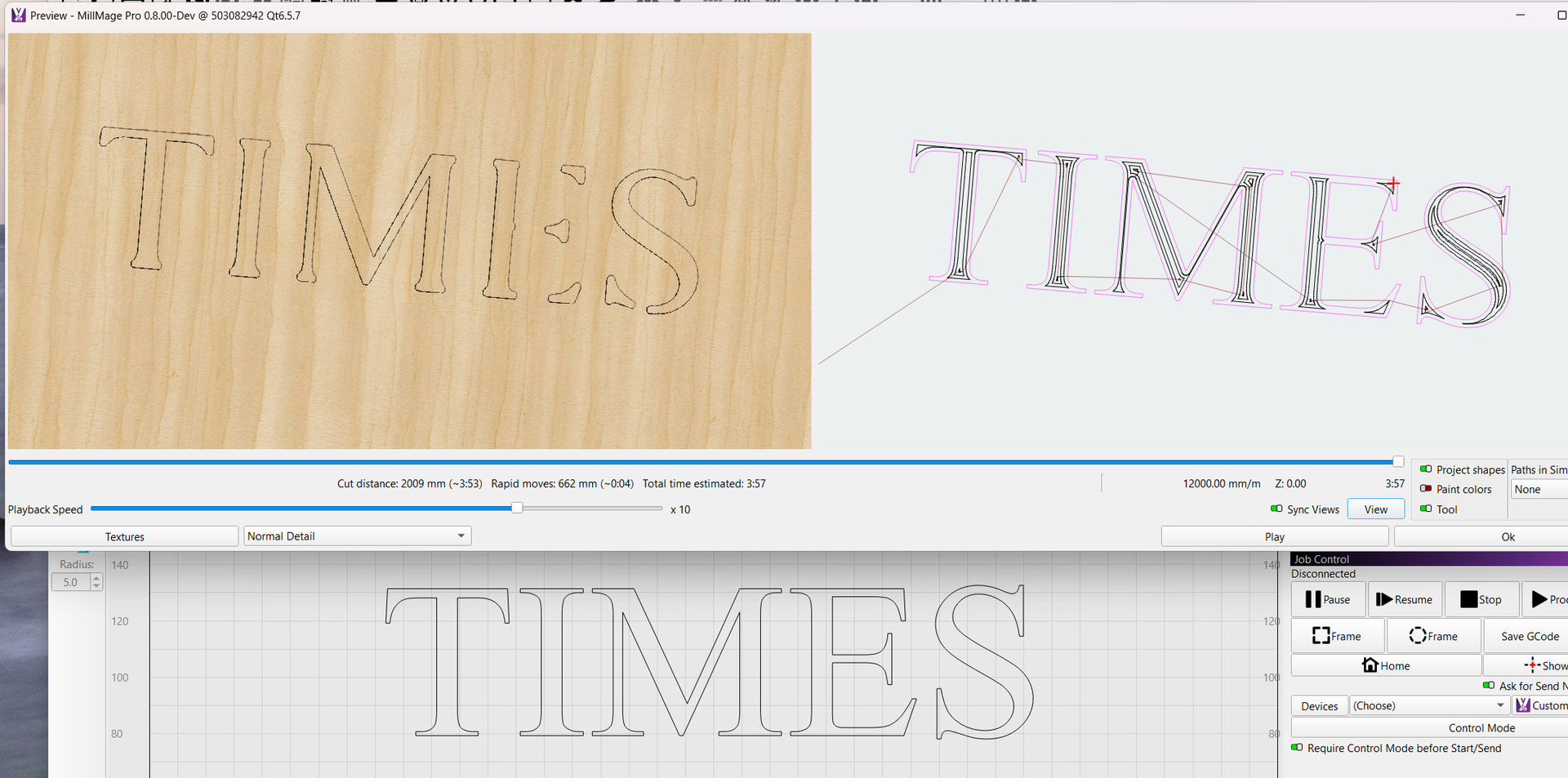
During experimenting with MillMage, I entered text “Welcome” for Pocket routing. On the computer and during preview, all looked correct. When milled it did not totally complete the “m”. I know the software is in Beta, and this was just an observation. Attached is the Millmage capture and the picture of the route. I am using a generic GRBL controller (MKS DLC32) with which every thing else works (great software so far). MM rev was 0.8.00 Running on Windows 11.
Oz,
you are correct. I reviewed it in the Viewer and it shows it missing there as well. Did a measure on the “m” segments missing and it is just below the size of the router diameter. All makes sense, sorry for the distraction. Learned something new. Thank you.
JohnS
Just an FYI, a related issue that I had was nesting parts too closely. The software will not cut through one part in order to complete another. I had parts that were missing segments and it turns out I did not leave enough room between them to cut on the outside of both lines