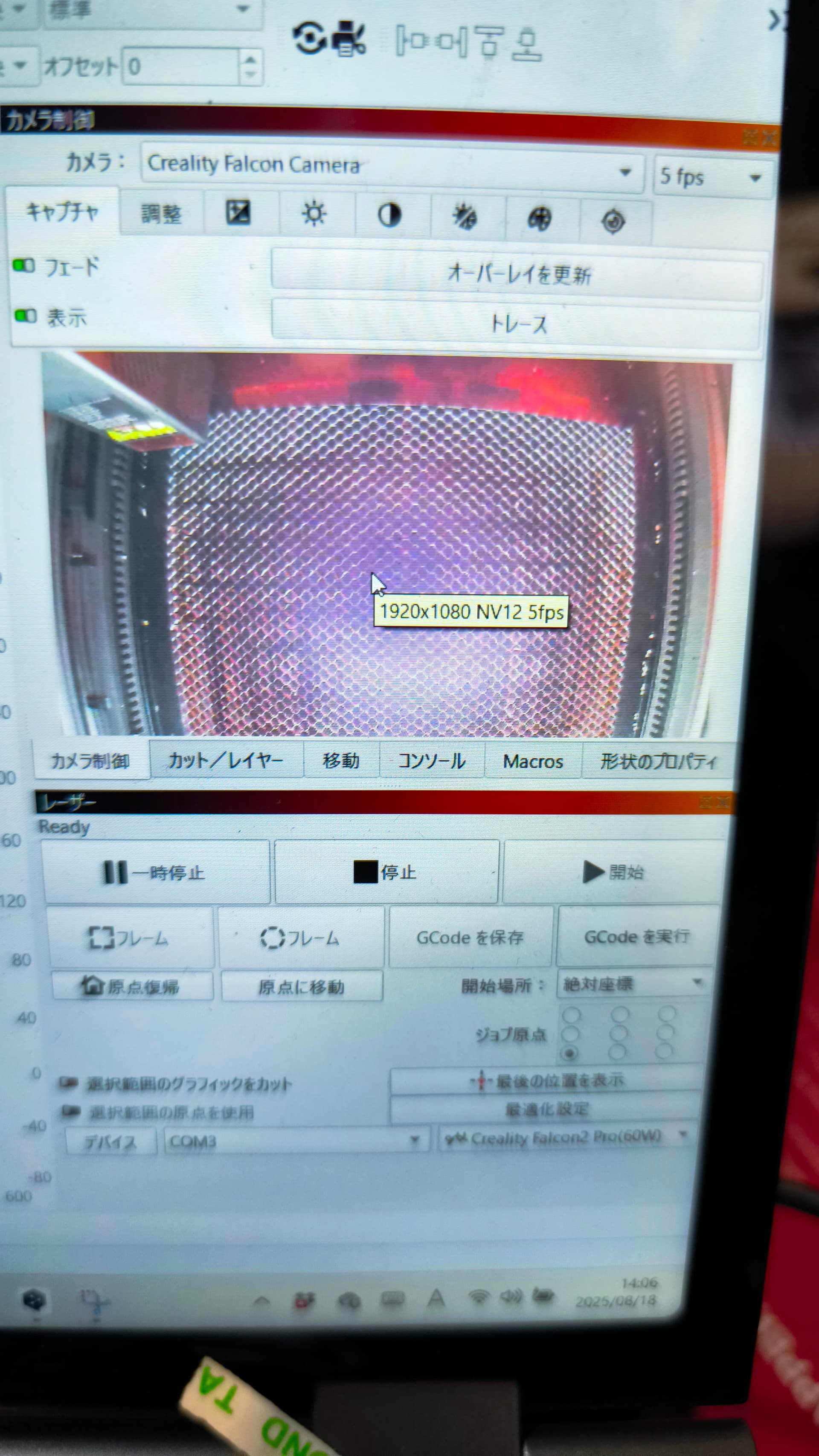
The camera is cropped only when using LightBurn

I am using Falcon 2 Pro.

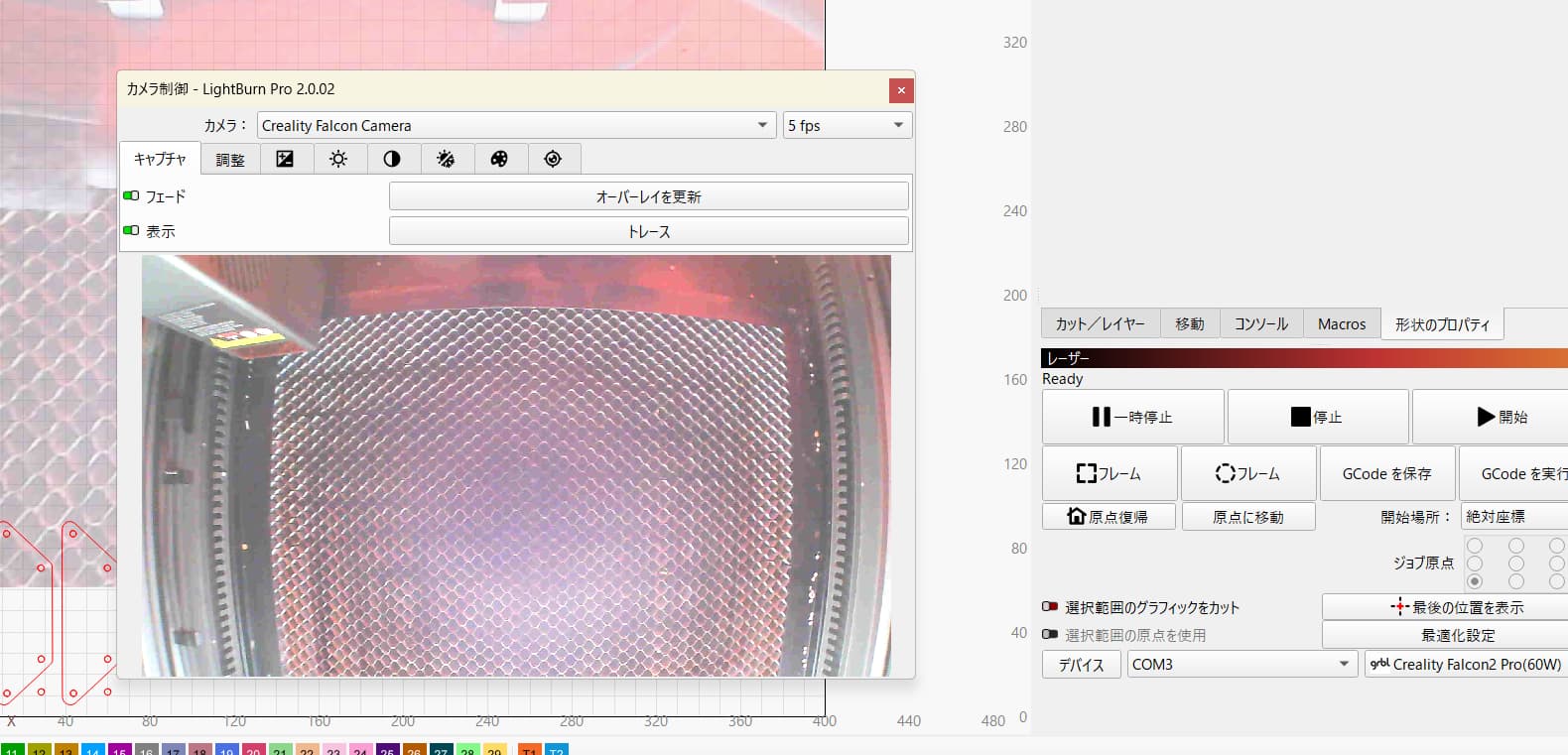
Camera calibration was complete and everything was working normally, but suddenly the preview screen started cropping.

As a result, I am unable to align the camera.

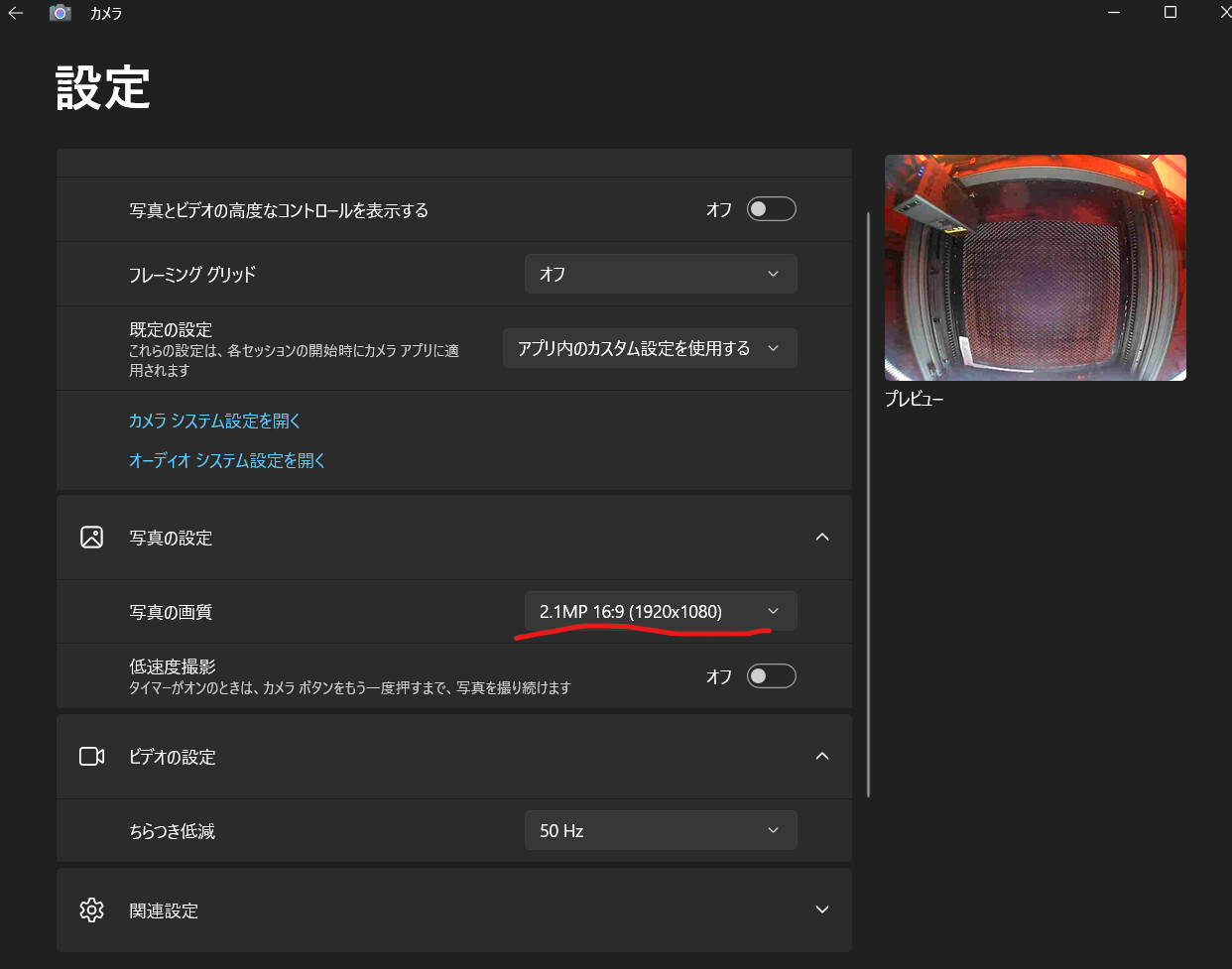
I checked the Windows camera settings and found that the Falcon 2 Pro camera is operating with the correct angle of view, but the image is cropped when I launch Lightburn.

I think this is a problem with Lightburn’s settings, but I am having trouble identifying the cause.


What version of LightBurn are you using?

If you undock the Camera Control window and resize it - does the image refresh and display correctly?

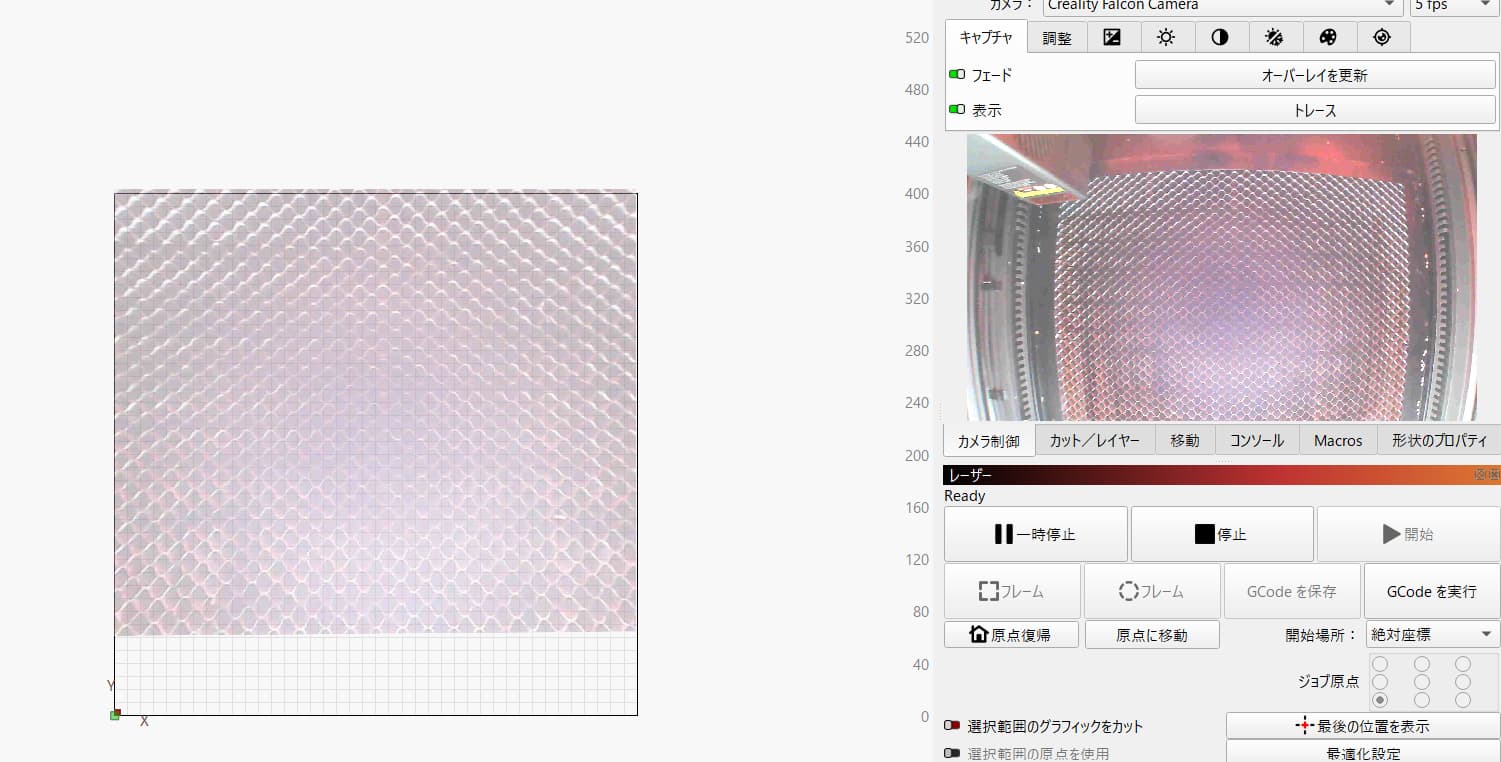
If you use ‘Update Overlay’, is the image projected to your workspace also wrong?

What version of LightBurn are you using?
2.0.02

If you undock the Camera Control window and resize it - does the image refresh and display correctly?
No, it is cropped as is. I will attach the image.

If you use ‘Update Overlay’, is the image projected to your workspace also wrong?
Yes


The image looks zoomed in - I wonder if LightBurn is using the same image format? It normally will automatically use the highest resolution available.

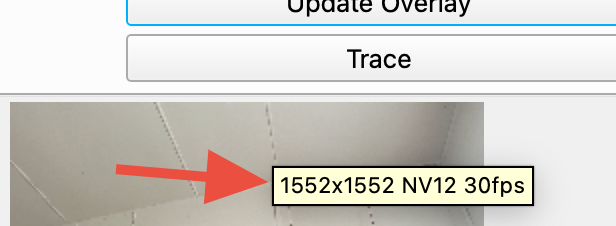
If you hover your mouse pointer on the preview image in LightBurn what detail do you see?

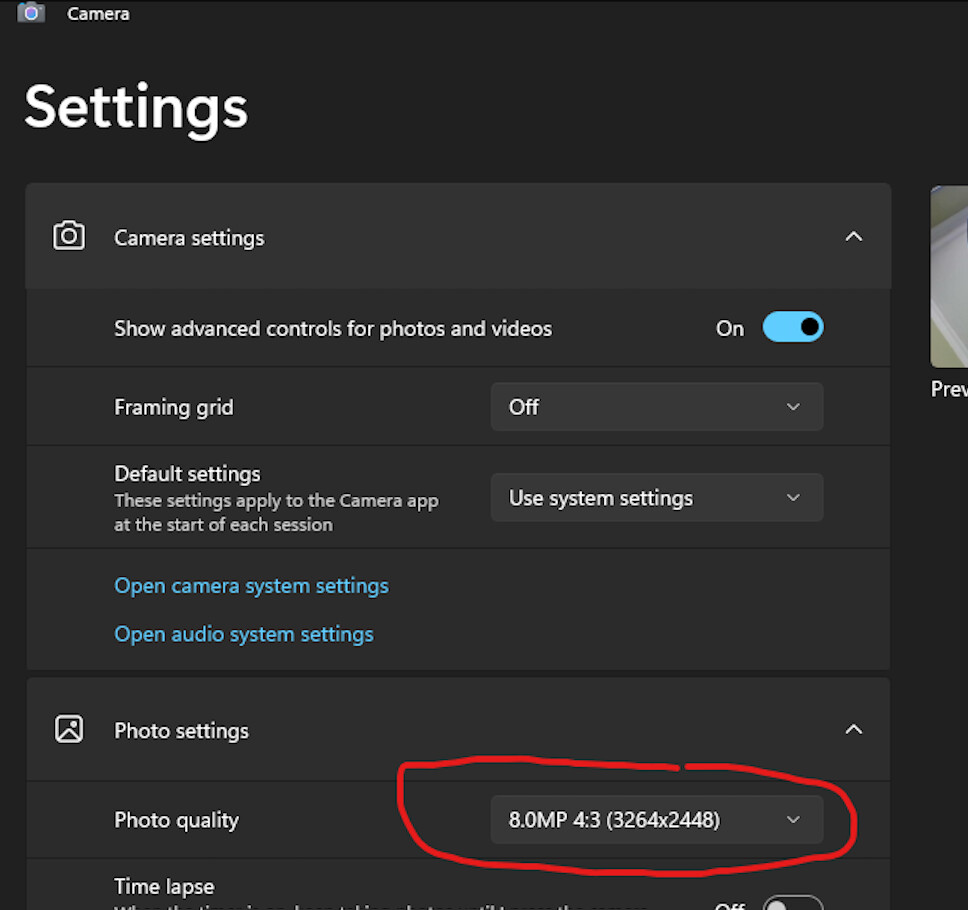
When in Windows Camera settings (close LightBurn first) what do you see if you open the ‘Photo quality’ list - what is the maximum resolution?

Please find attached our response to your inquiry.

The image looks zoomed in - I wonder if LightBurn is using the same image format? It normally will automatically use the highest resolution available.

If you hover your mouse pointer on the preview image in LightBurn what detail do you see?

When in Windows Camera settings (close LightBurn first) what do you see if you open the ‘Photo quality’ list - what is the maximum resolution?

Do you know what is causing this problem?

I am waiting for a response regarding the disability.
Please let me know if there is any additional information I need to provide.

Are you able to tilt the camera so the honeycomb area is more in the center of the camera view?

It looks like the image is just getting cropped at the front as a natural consequence of the fish eye lens correction.

After you fix the camera angle you will need to repeat the alignment process, and then it should be a lot better.

The camera is fixed to the Falcon 2 Pro and cannot be tilted.
The fisheye lens functions normally in the camera app, so cropping only occurs when the camera is imported into Lightburn.

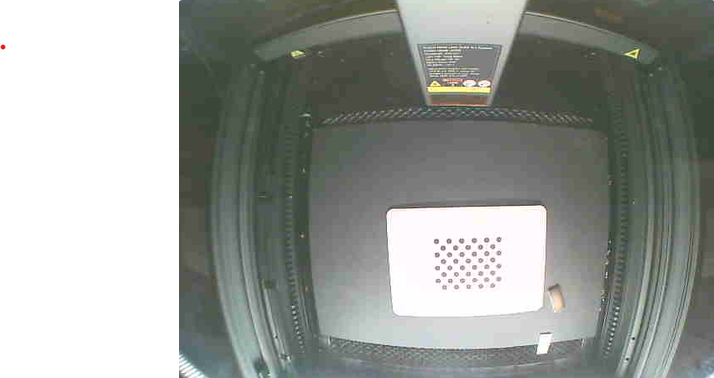
Did you notice the image was not full size when you captured the image for the alignment wizard?

Please go to the Camera Control window, click on “Trace”, and then ‘OK’ and take a screenshot of the your work area.

This topic was automatically closed 30 days after the last reply. New replies are no longer allowed.