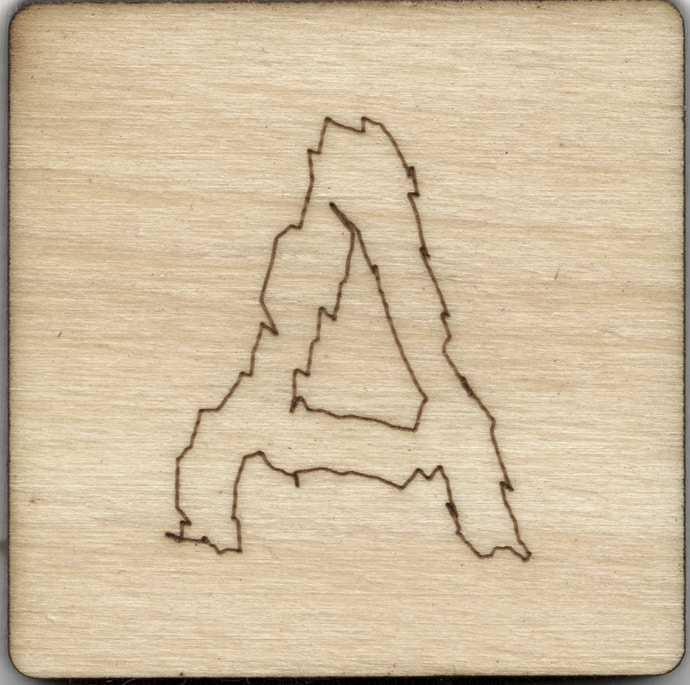
I tried drawing crosshairs, squares, and polygons in Lightburn, and they all cut correctly in Lightburn. However, circles turn into stars, and curves become completely messed up. Curves worked fine in LaserGRBL before. Could someone please help me figure out what’s wrong?
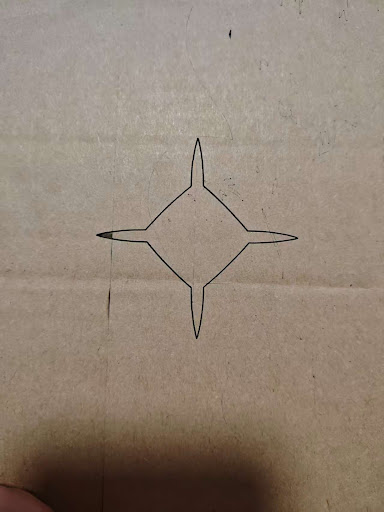
Show us screenshots of the workspace andthe preview screen.
Upload a file with the error.
Otherwise, we are left trying to guess why the problem is happening.
Most likely, the LightBurn program you’re using came from somewhere other than the Official Site and has been hacked to run without proper licensing:
Uninstall whatever LightBurn you’re now running, download a genuine version, feed in your license key, and everything should start behaving properly.
You should also run a good malware scan, because there’s no telling where that other program has been or what it’s up to.
If that doesn’t fix it, the information @JimNM asked for will help identify the problem.
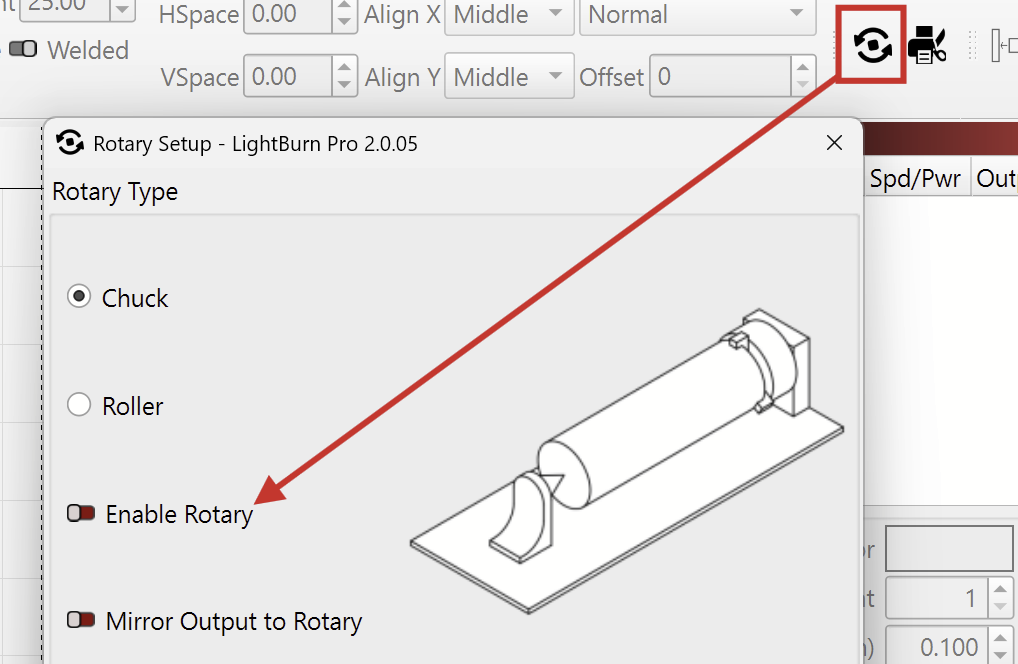
Do you have Rotary Mode enabled?
If so, disable it here:
If that’s not the case, I suspect a mismatch in the GRBL settings, or even a wiring error on the stepper motor.
To find that out, we need some information:
When jogging, does each axis move in the correct direction?
Do this, please:
Click “Save GCode” in the Laser window, and send us the file.
Open the Console window (Top menu bar > ‘Window’ > ‘Console’), then Right-click this field and select “Clear Console”

Once cleared, enter these commands, one line at a time, and press “enter” after each:
$i
$$
$#
?
Once completed, right-click the field again and choose “Select All”

Finally, copy and paste the results ( Ctrl+C and Ctrl+V on Windows, or ⌘+C and ⌘+V on MacOS ) into your reply to this message so we may investigate further.
An image of this might be useful too…
I was considering “curves become completely messed up” as indicating a problem like the one in that link:
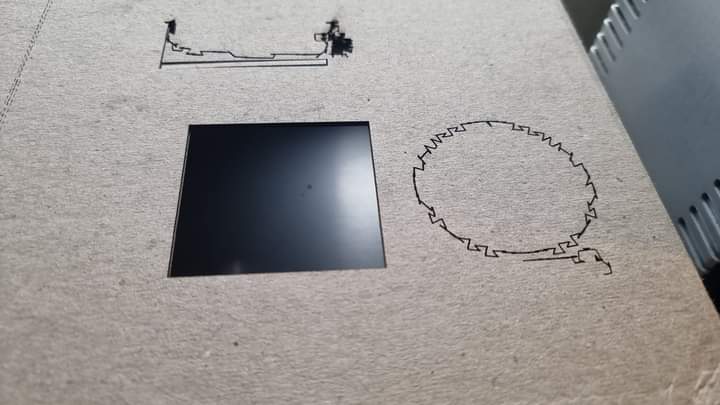
Absent a picture, though, it’s inference.
Aha. I missed the part where they said this. “Completely messed up”. That does sound more like it.
Pictures of this would be informative.
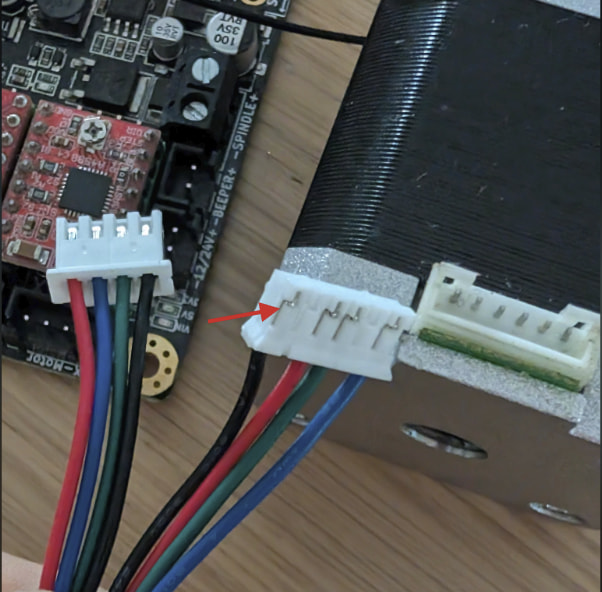
Thank you! It’s a recurring error; the stepper motor wiring sequence is definitely incorrect. The secondhand motor I bought has slightly unusual wiring. Thanks to everyone!
Excellent! Thank you for sharing.
That’s quite common.
You’ve probably already figured it out, but you can change the order of the pins on the cable by carefully lifting these tabs with a screwdriver and pulling out the cable.
This page will help if you are unsure about the correct wiring of the coils.
Be careful !!! That page that has a popup that will not stay closed. Clicking on the VIEW button can be a bad choice.
I saw that pop up and also thought it looked a bit sus. Updated my post with another link.