“Good day, I have a Lasertree K1 Max 60W. Although I have set it to 60 watts, it only ever shows 24 to 28 watts. What am I doing wrong?”
Have you tried the solutions offered on our troubleshooting page yet?
These are my GRBL settings for the K1, thanks for your quick reply.
$54=0
$53=0
$52=0
$51=0
$0=10
$1=0
$2=0
$3=4
$4=0
$5=1
$6=0
$10=1
$11=0.010
$12=0.002
$13=0
$20=0
$21=1
$22=1
$23=7
$24=300.000
$25=3000.000
$26=250.000
$27=3.000
$28=1000.000
$30=1000.000
$31=0.000
$32=1
$41=1
$47=0
$46=1
$102=100
$101=80
$45=0
$44=1
$43=0
$42=1
$61=15
$60=8
$50=0
$40=1
$100=80.000
$103=100.000
$104=100.000
$105=100.000
$110=20000.000
$111=20000.000
$112=6000.000
$113=1000.000
$114=1000.000
$115=1000.000
$120=1000.000
$121=300.000
$122=500.000
$123=200.000
$124=200.000
$125=200.000
$130=800.000
$131=600.000
$132=50.000
$133=300.000
$134=300.000
$135=300.000
The second solution is to make sure your firmware settings match your LightBurn settings. You’ve only provided the firmware settings from your controller.
Are you using the latest firmware from your manufacturer?
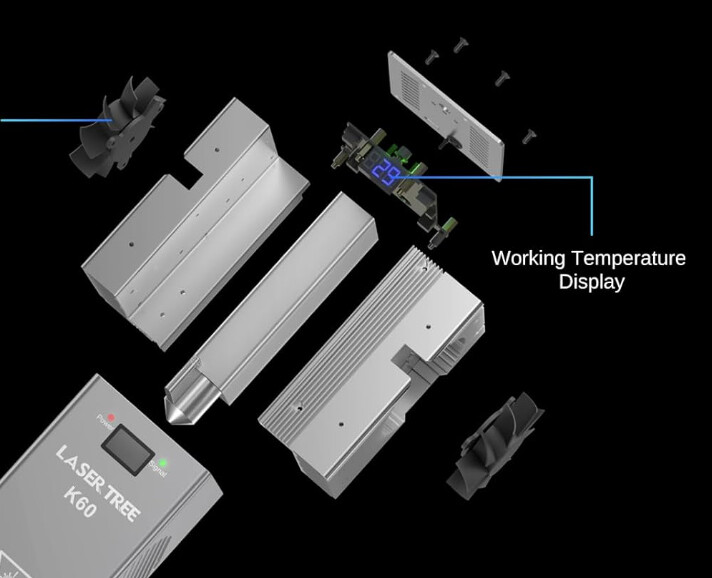
See: https://lasertree.com/products/lasertree-k60-60w-40w-20w-power-switchable-laser-module - I think you are looking at a temperature (celcius) reading, not a wattage reading:
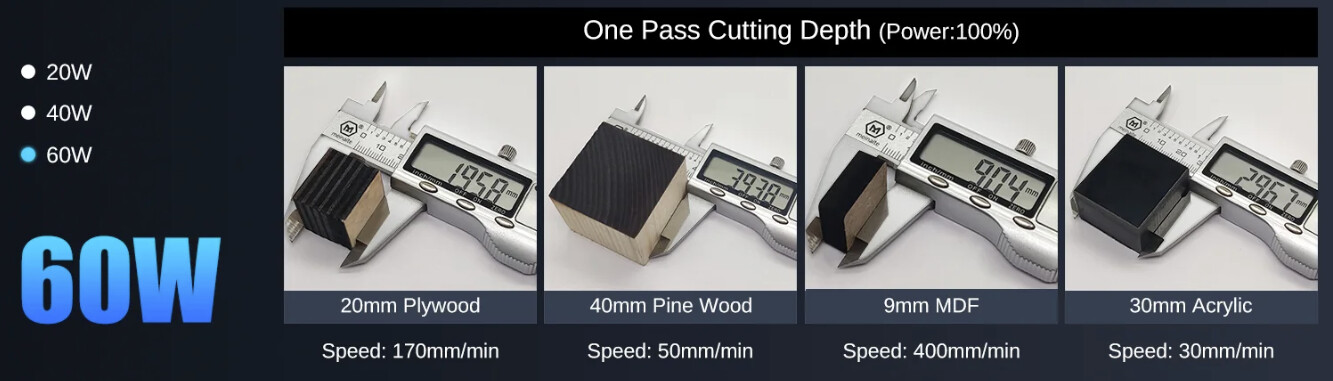
I looks like a powerful unit, (12 x 6W diodes!) an you achieve these results at full power?:
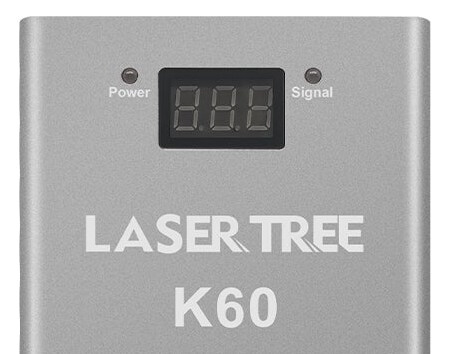

Ja, danke das war mein Problem.
Ja, danke das war mein Problem. Es ist dank euerer Hilfe gelöst.