I have been running a Thunder laser nova 35 on a windows pc for 3 years. Suddenly Lightburn will not find my device. I have tried as many options as I could find on Google however I still cannot connect. Please help. If I ping the device on my computer it does see it so I have no idea what else to do.
Verifying that all “these things have definitely not changed” really haven’t changed may be helpful:
If the PC is connected to the Ruida controller through a LAN, rather than a direct cable, then it’s possible the router decided to assign another device to the Ruida’s IP address. Check for that by turning the laser Off and pinging its IP address: if anything responds, that’s the problem.
I’m having the same issue and the port (com3) is showing a code 10! I have installed the ch341 driver and windows won’t allow it so I’m wandering if it’s a lightburn issue but that says it’s up to date! Need help please!!
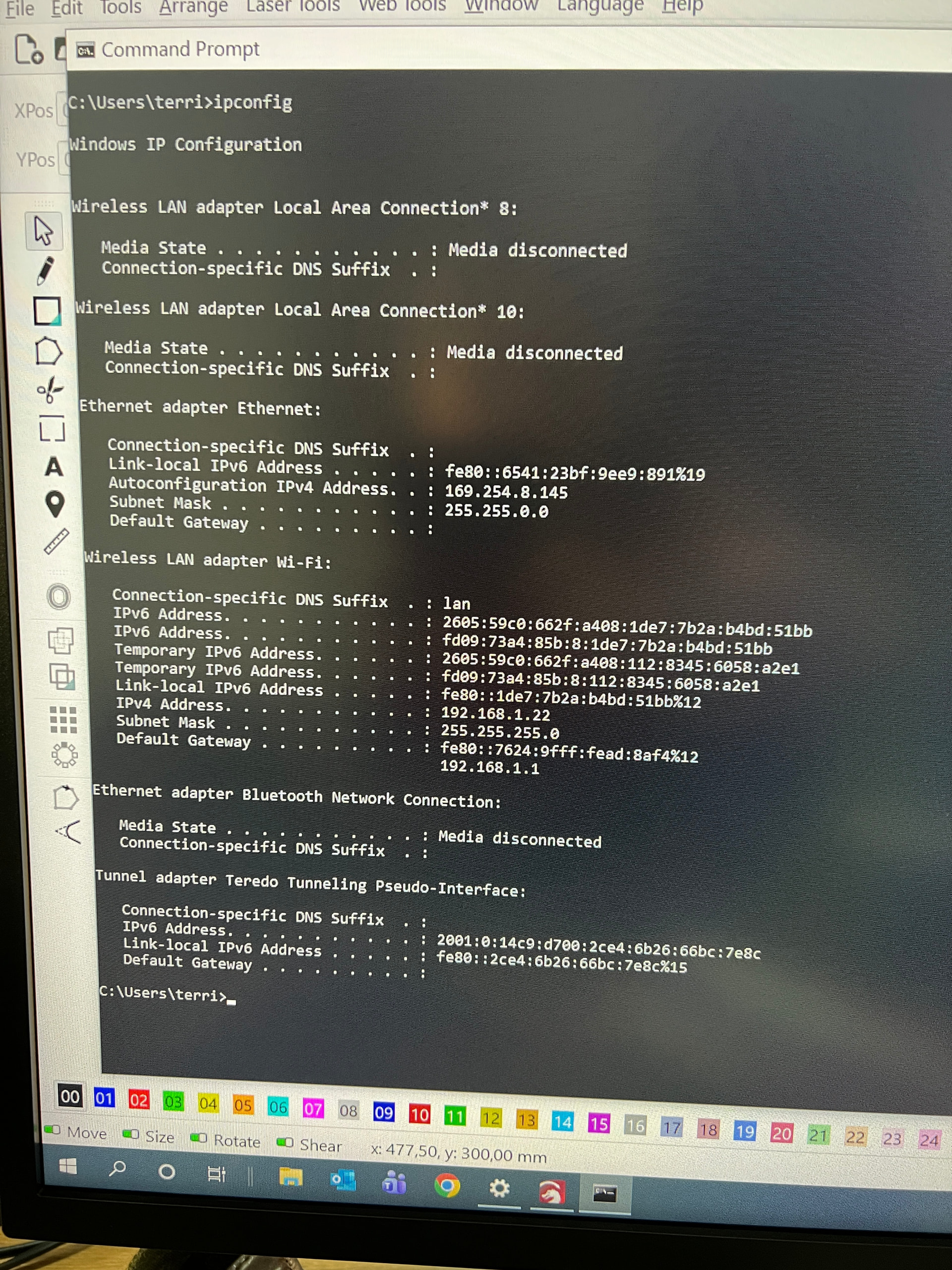
The ipconfig output shows the PC’s IP address is 169.254.8.145.
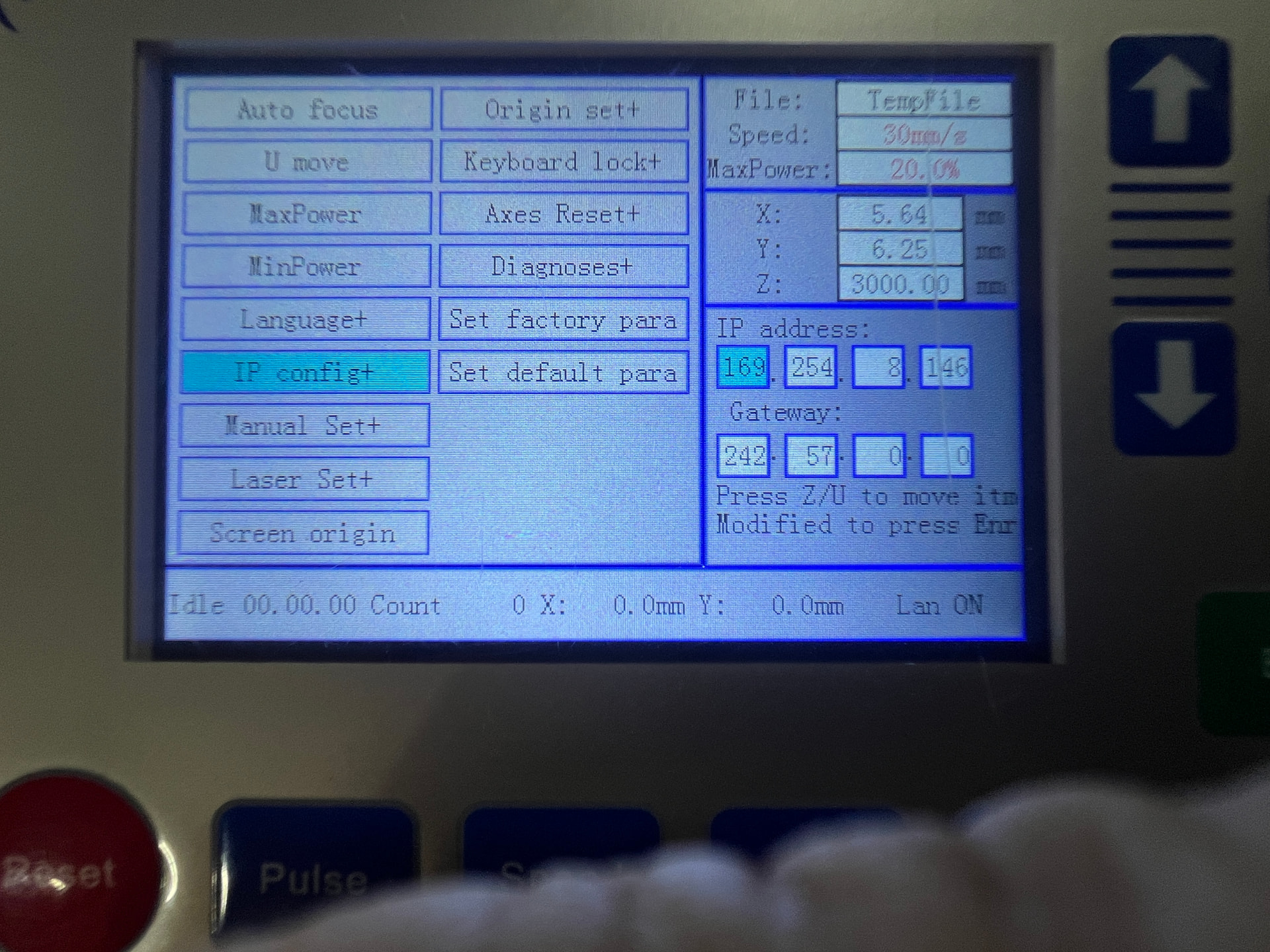
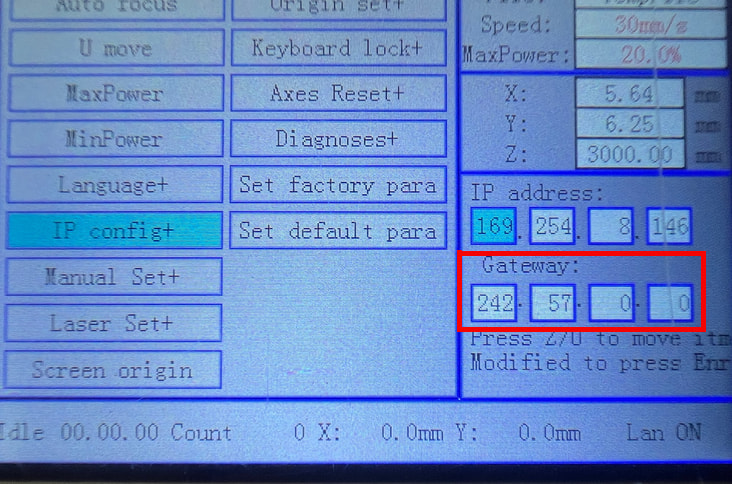
The Ruida controller’s display shows its IP address is 169.254.8.146.
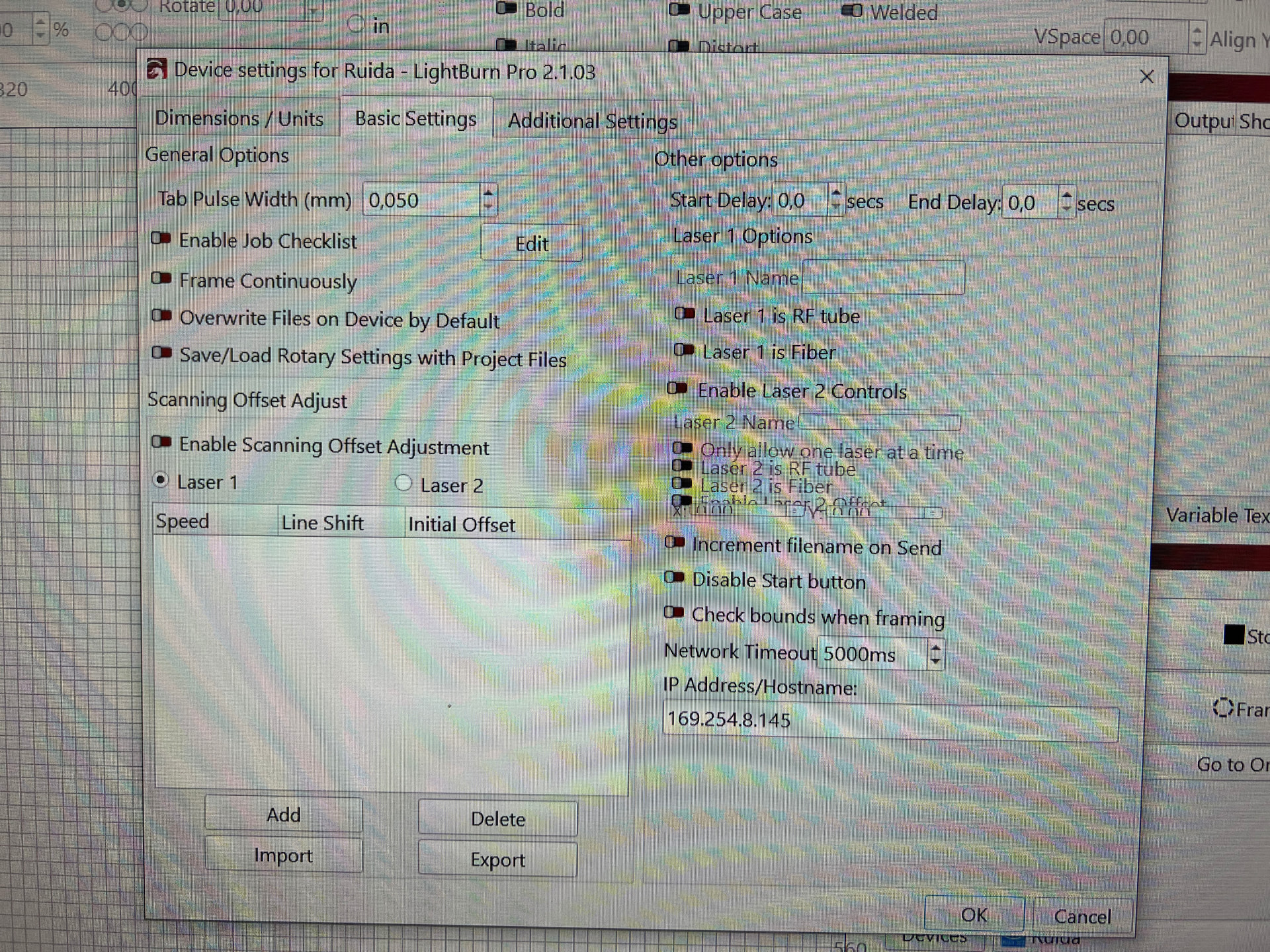
The LightBurn Device Settings put the controller at 169.254.8.145, which is the PC’s address. This is incorrect: that setting should be 169.254.8.146.
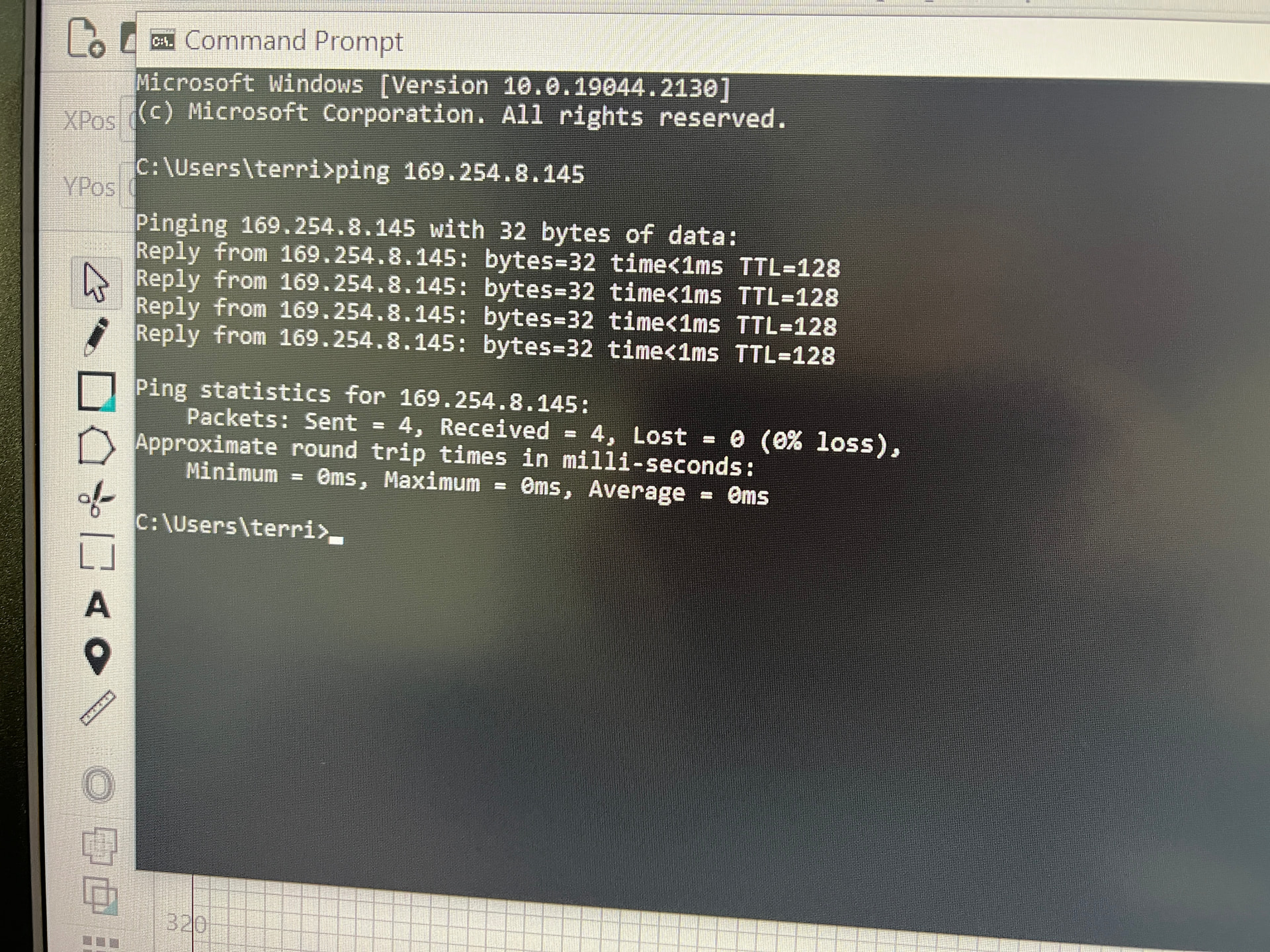
The ping 169.254.8.145 fails, because the PC is attempting to ping its own IP address. A ping 169.254.8.146 should show the Ruida controller responding.
However, those IP addresses are in the “link-local” = non-routable address range, so the PC’s Ethernet port must have a direct cable connection to the Ruida controller’s Ethernet port. If that’s not the case, then it still won’t work.
I absolutely did try everything to fix it. i was so frustrated and decided to put everything off and call it a day. Today i came home from church and put the machine on and now everything is working. Sadly i have no idea what the issue was but hopefully it will stay away.
The Gateway gets all the packets with an IP address out of the current subnetwork, so the PC and the Ruida can natter back and forth on the LAN without any problem, because those addresses don’t pass through the Gateway.
I betcha knowing the Gateway address lets the controller phone home every now and again, for reasons we’ll never know.
On the other paw, I recently read of a mid-size company setting all their internal LAN IP addresses to US Department of Defense assigned public addresses, with their firewalls set to not forward those addresses outward. Seems like a Terrible Idea™, as the DOD has absolutely no sense of humor, but …
A gateway doesn’t have to lead elsewhere, like, out to the wan.
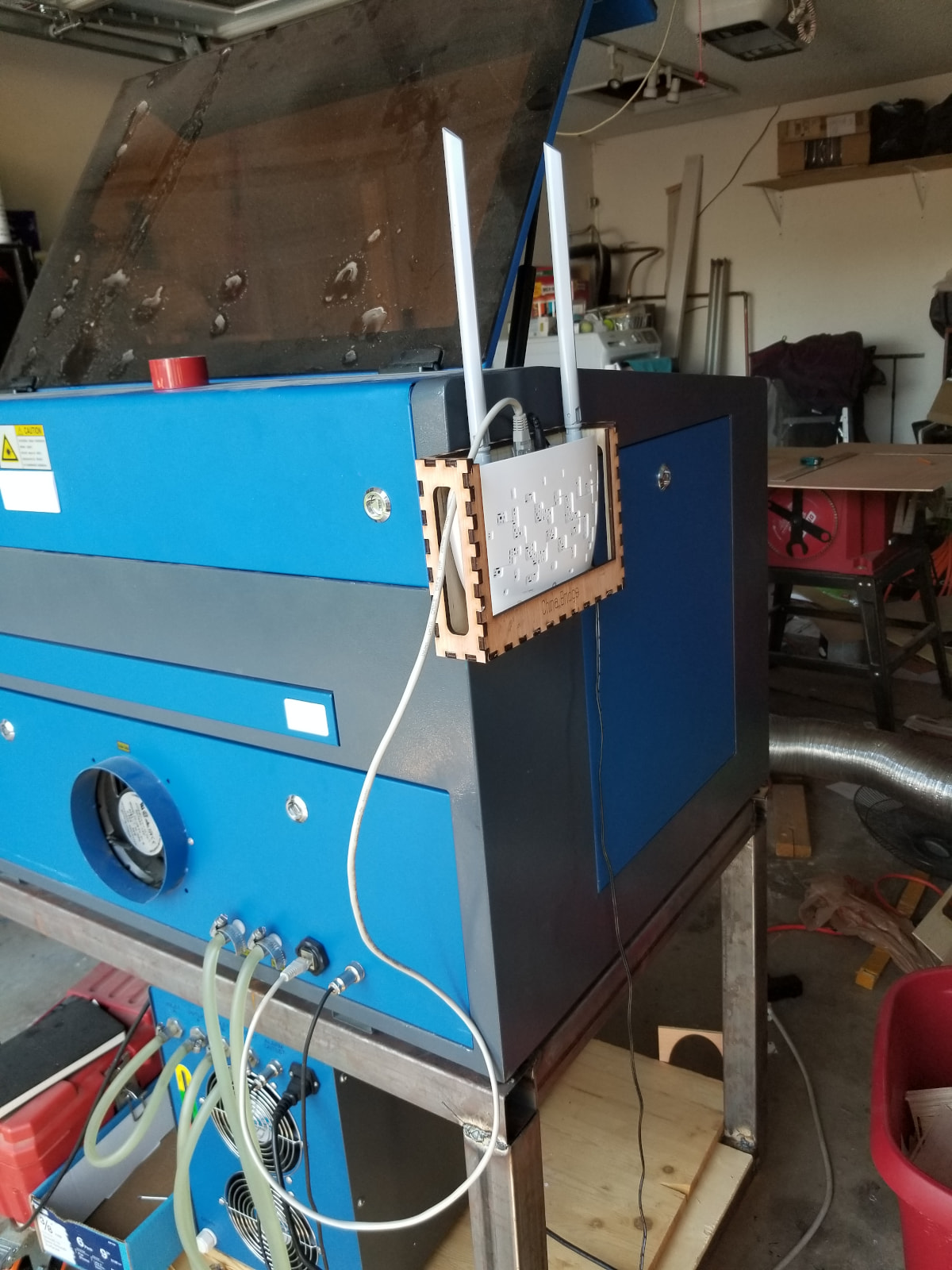
I was thinking about when I had mine hooked up directly. Moving to a wifi type Ethernet connection, didn’t seem to work without a gateway. Likely it’s going through the router during it wifi adventure.
If it works without a gateway, that’s great!
This sounds like a fear more than any kind of truth. These talk over UDP, don’t use DNS services and have a limited amount of code. Once a UDP packet hits the wan, I don’t know where it could end up.
I don’t believe they are friendly, but I also don’t think this level of control would profit them.
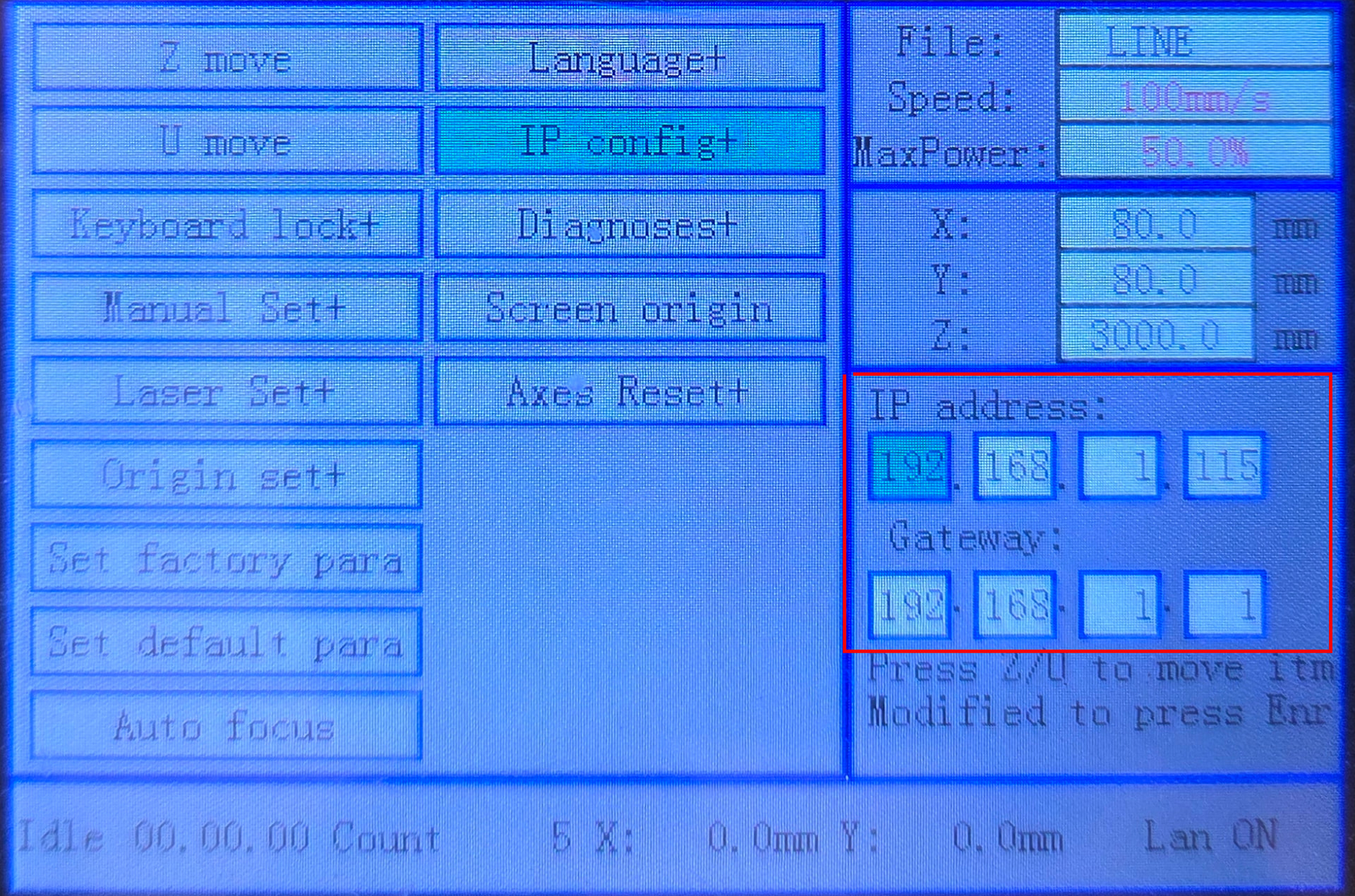
I would want to ditch those 169.254.x.x automatic private addresses and manually assign new and simple static IP addresses to the laser and the ethernet adapter, for example:
I had nothing but trouble with programs updating. Windows, Smartcarve, Lightburn. Once I took my computers offline, I had no further problems. I have a laptop for online stuff.