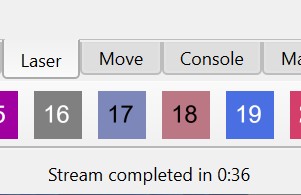
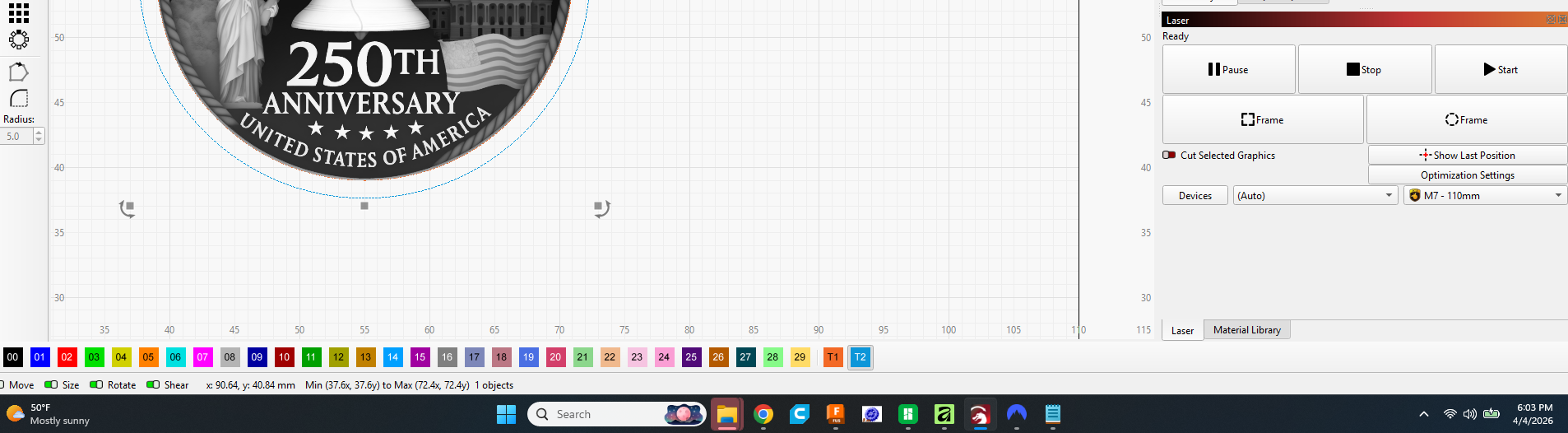
What I’m trying to find is: Total run time of the prevous job after it completes. I believe this was workig in a prevous version but I no longer see it in the status bar at the bottom where it used to be.
While the engraver is in use on a job, I see “Busy:” and a runnig timer on the right side of the screen in the “Laser” panel. Once the job is done this goes back to say “Ready” (I believe).
(I searched and found a few relevant posts, one suggested that what I’m looking for is right on the screen, but I don’t see it.)
I think it shows where they say, but it does not stay there for more than a few seconds.
If you watch the left side of the blue status bar, you will see the estimated time and remaining time counting down. If the run is longer than the estimated the remaining time will go negative and count up (more negative). I use that to give me an idea of actual run time because, as you know, an estimate is just an estimate.
Thanks. I know it use to show in the toolbar and stay there until you did something like load another file. I am in my workshop while it’s engraving but I don’t necessarily stop what Im doing as soon as it’s done b/c I may be sanding a 3D print or something.
Alas, the ol’ Elapsed Time shenanigans. This is apparently where we’re condemned to live in a log-forsaken place for several reasons:
For my CO2 gantry laser with a Ruida controller, there’s the “Save Job Log” option in Settings, but that only records when a job started, not when it completed or the elapsed time, as the controller doesn’t share that info with LightBurn. (LightBurn doesn’t display an elapsed time on completion or any in-progress status, as that’s all unavailable.)
For my two galvos, the “Save Job Log” option could have an entry for jobs starting and the laser completing/returning to ready status, but that’s apparently never been implemented – I see not a peep in the LightBurnJobs.csv file when I run galvo jobs.
When running a galvo job, LightBurn does show the elapsed time on completion, but only in the status bar where anything will overwrite it… including saving before you run the next layer/item. If the details were in the obscure LightBurnJobs.csv, this would have a solution, but alas.
I have long been wanting a Job Log window that just shows any entries appended to the LightBurnJobs.csv during the current session. This would seem rather easy to implement, and it’d make keeping track of jobs run and elapsed times so very much easier. Even without a window to delight us, having all jobs (and job completions for those lasers that provide access to that info) in the LightBurnJobs.csv would be an immense help.
So it seems like I’m getting mixed responses. Maybe the feature only works for certain controllers? Certain versions of Lightburn? I’ll keep looking and may open a support request to get the low down from them.