After using ‘fit shapes to arcs’ The trim tool has odd behaviour in Millmage but works okay in Lightburn?
MillMage Core 0.8.00-RC-19 @ de27901 Qt6.5.7
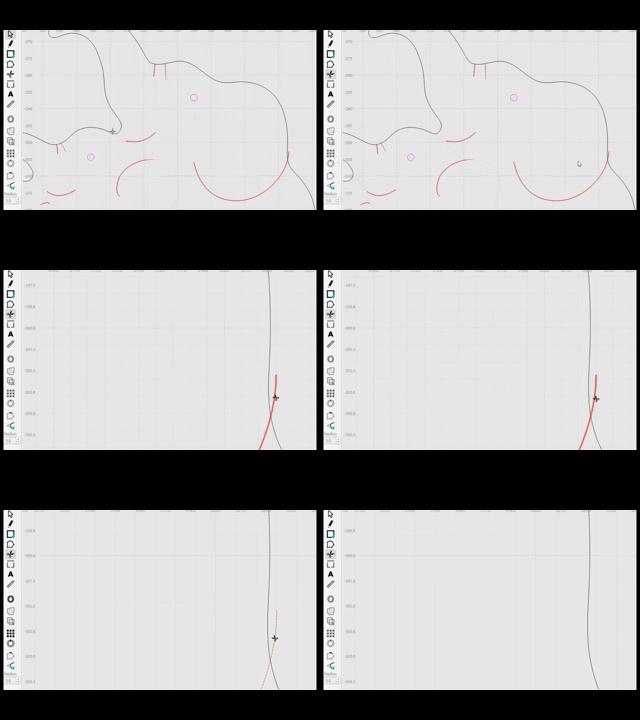
After using ‘fit shapes to arcs’ The trim tool has odd behaviour in Millmage but works okay in Lightburn?
MillMage Core 0.8.00-RC-19 @ de27901 Qt6.5.7
Something similar has been worked on recently.
So far, I have been unable to reproduce what your GIFs describe (even in the same RC-19 you used.)
Can you describe the exact steps you took, or send us the project file you are using?
It’s very possible that it has been fixed already.
Thanks for reporting!
These files are imported as *.dfx, after some testing I have found that if I import them as *.svg then (In my particular case) this odd behaviour does not occur anymore.*
Bearing in mind that this does not happen when working in Lightburn.
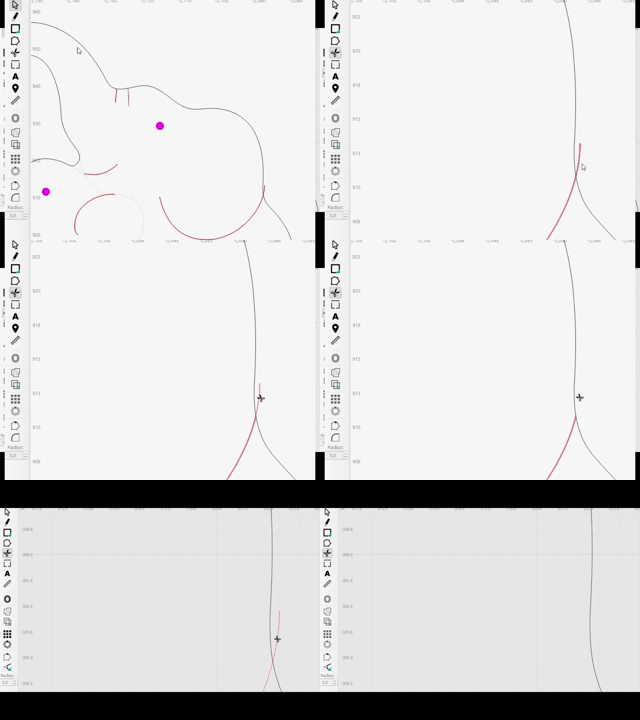
If it helps….the bottom gif is after importing the paths into* Millmage as *.dfx but leaving the nodes unchanged, allowing for the red lines outside the black shape to be trimmed
The top gif is after importing the paths into Millmage as *.dfx but then applying ‘fit shapes to arcs’ to the black outline….after this the trim tool selects the whole red line and misses the intersection.
Hope this explains it a bit better,
Thank you for the explanation. That does add another vector as the possible cause.
Could you send both the SVG and DXF, if you still have them?
I’d like to run some tests on our latest dev version.
We’d need the file, just before you clicked the Trim tool, to be able to reproduce it internally and figure out what’s wrong.
Well I now can’t repeat this anomaly 
If it comes up again I’ll get the files to you…..thanks for your feedback though 
The math in that code is really picky.  So if you see it again, hit undo, save, then make a copy of that project file to send along with a description of how to repro it and a link to this post. In general, it’s a sub-micron off somewhere in the math, causing it to miss things that look obvious.