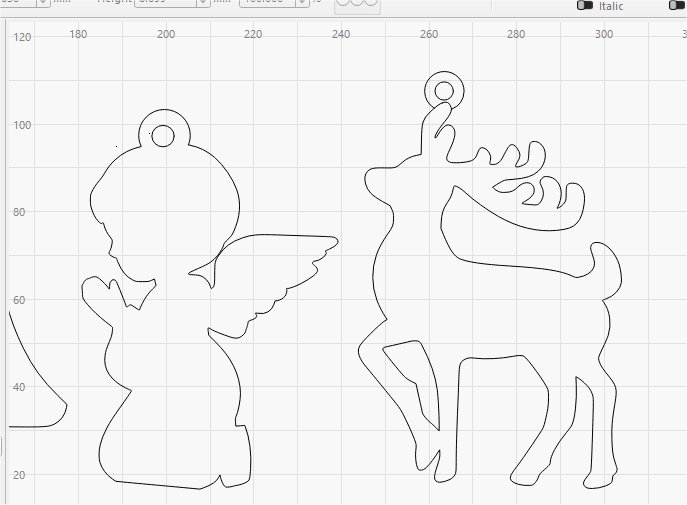
In the picture, I have been trying to cut some xmas decs. I have added the tab at the top to provide somewhere to put the string. However, for reasons I simply can’t fathom, I can’t trim the part where the reindeers antler enters the tab.
I have used trim for the others, with no real problem. I had a problem with another one, but looking at a yourtube thing, managed to edit nodes and it seems to work. It simply will not work on this one though. I have tried converting to path, (it remains stubbornly feint so I can’t select the option). I am at a loss as to why the first couple I did worked well, the last one worked after fiddling, but this oe simply doesn’t want to know!
Although it’s a screenshot, the forum converts it to a JPG image, so you’re zooming into a picture (JPG) of a picture (screenshot) of a picture (probably SVG).
At least one of those pictures will have compression artifacts producing gray pixels on the edges of crisp lines.