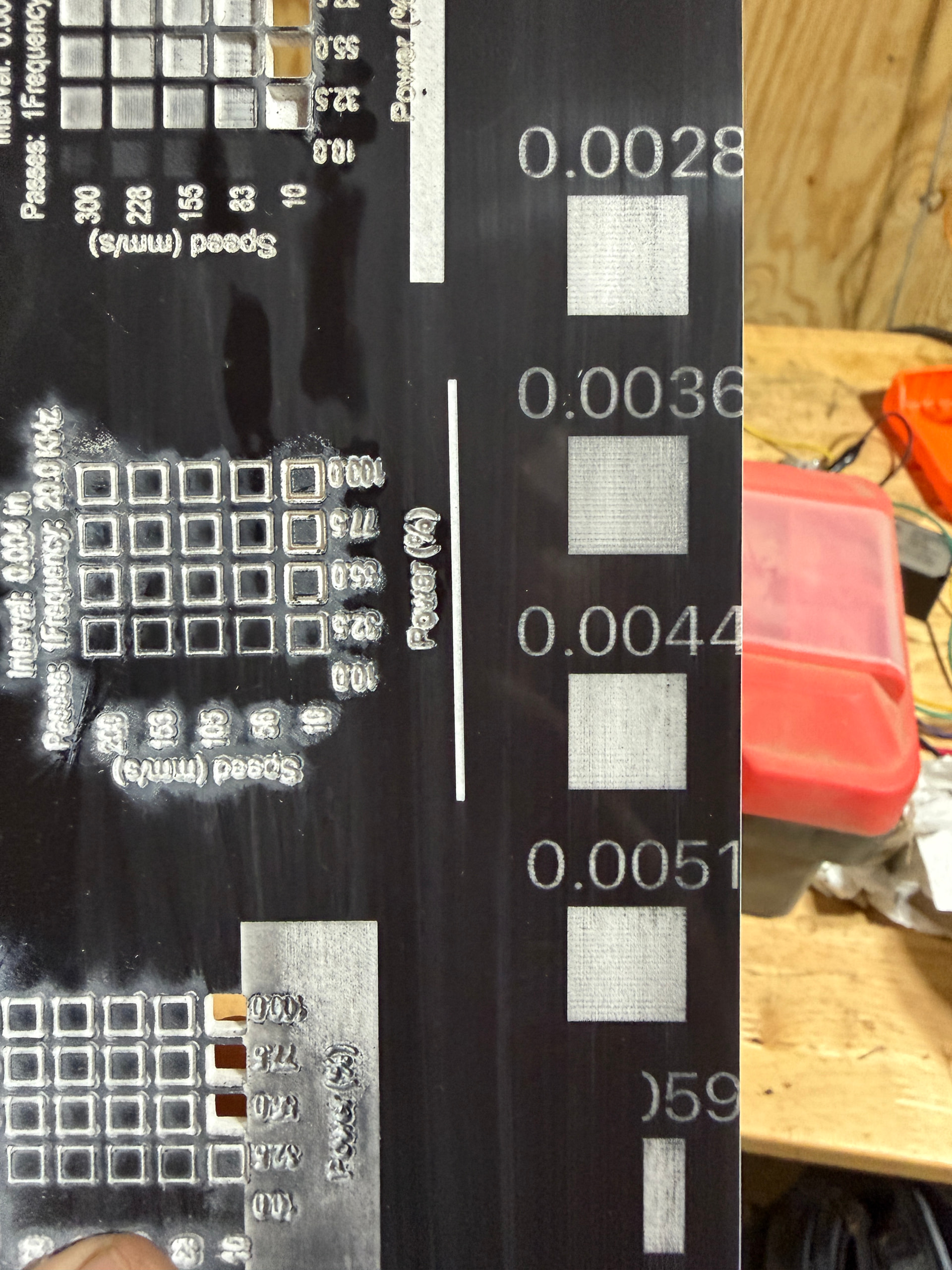
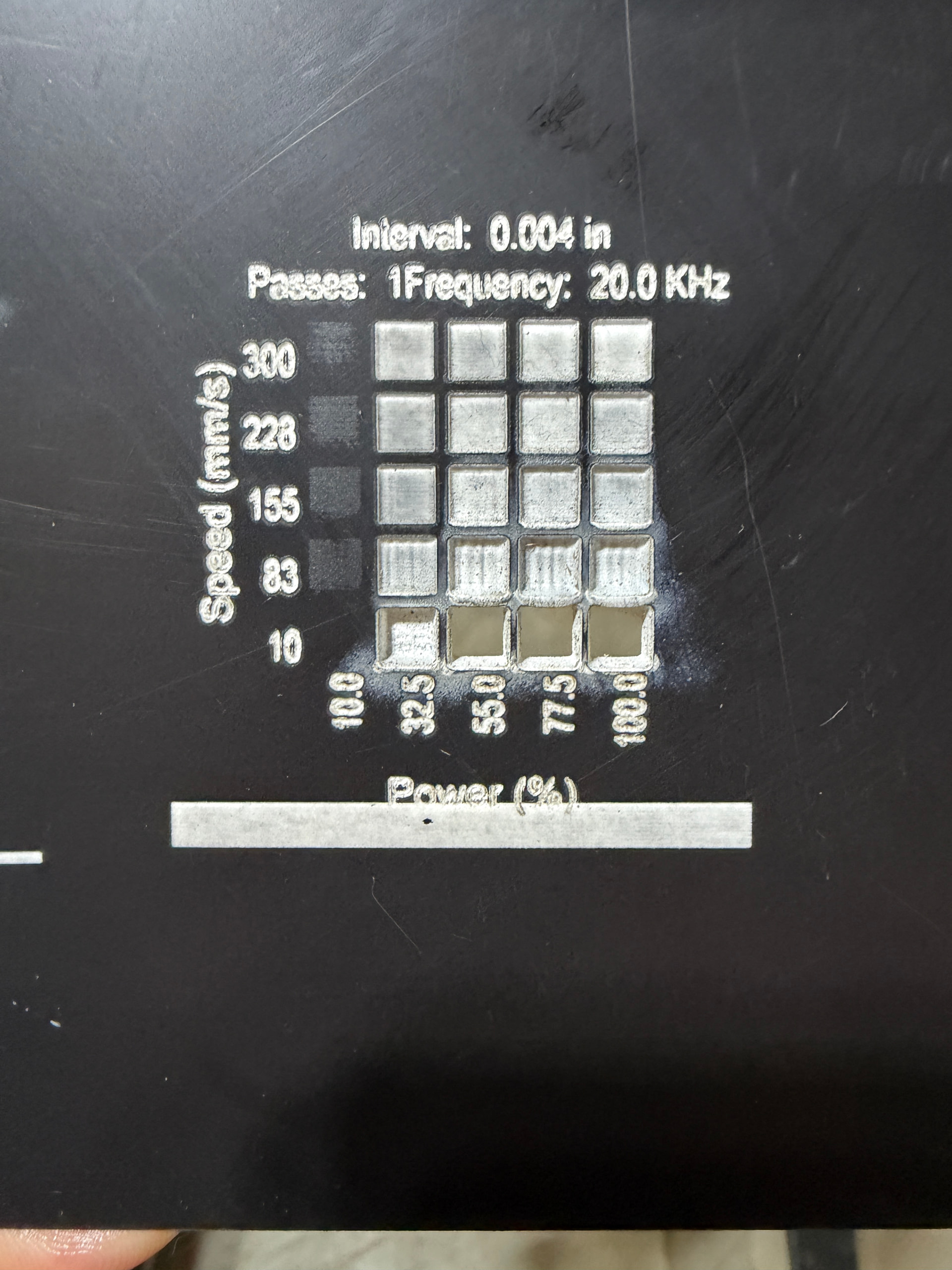
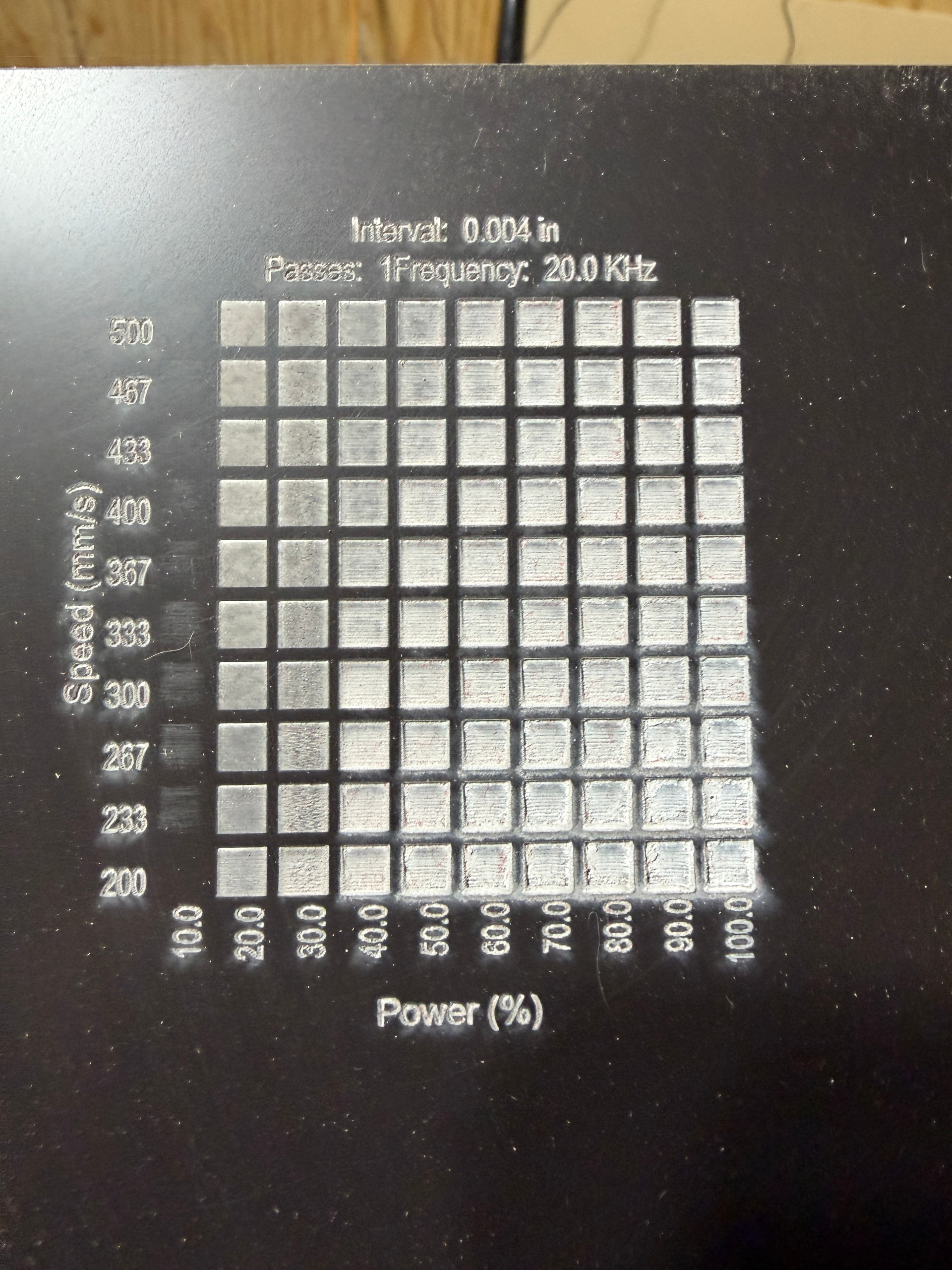
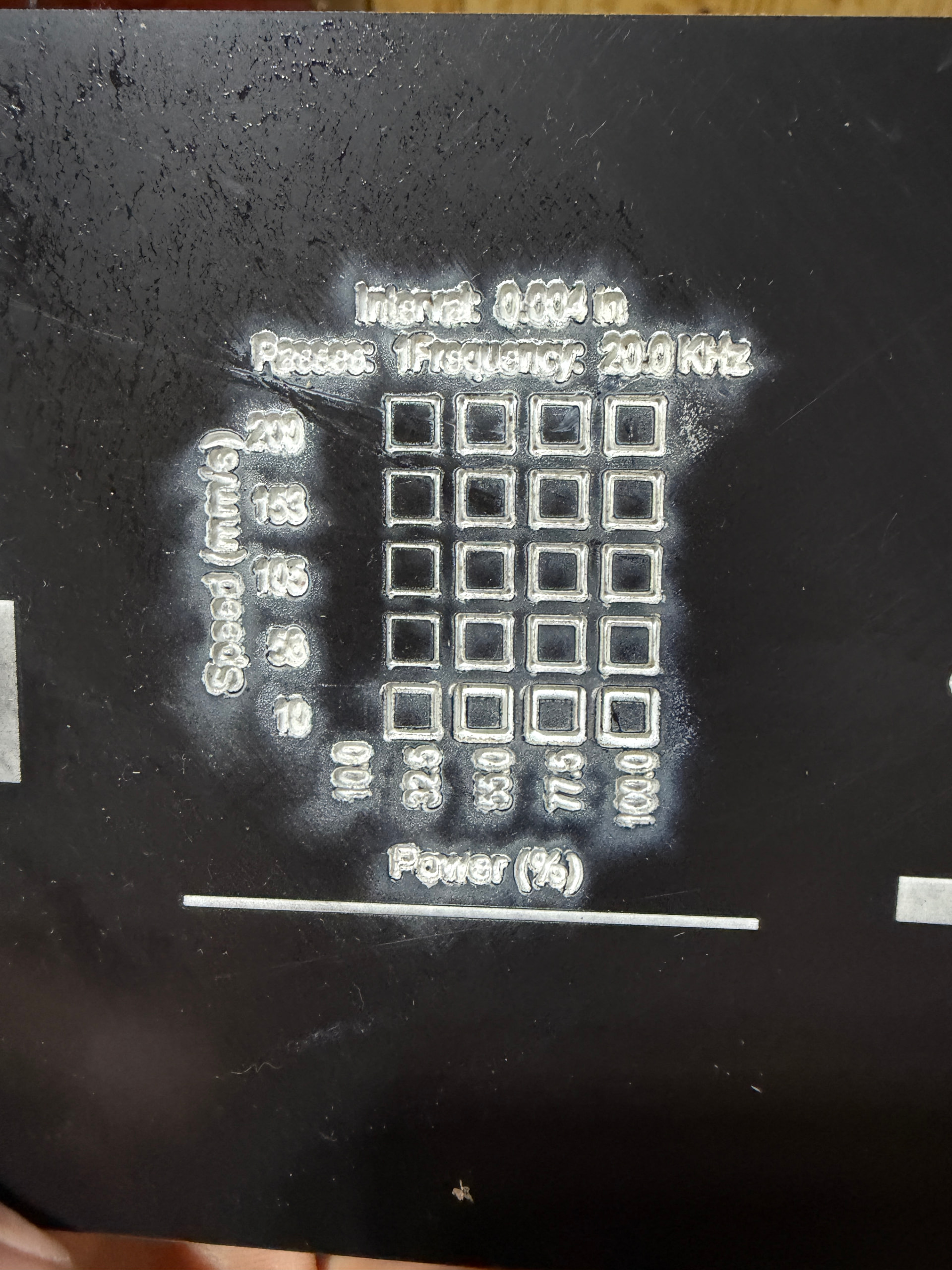
Hoping for some of the experts to chime in and help me out if possible. I have a Boss LS1630 105w laser. Great machine, works well for the most part but really struggling dialing in settings for some acrylic.
Machine is a Boss LS1630 with 105w tube, chiller, and air pump and air extractor. All the cuts were done using all of these things.
Material is a two tone, black on white 1/8th in acrylic from Houston Acrylic.
I am really struggling getting “pretty” cuts. Seems like no matter what I do the white always has a black tint to it after engraving. Also seems like I have to really put out some power to cut the acrylic. Am I asking to much? I realize black on white is not the easiest but I feel as though I should be able to get it cleaner. I have done material, focus, and interval tests in the pics below. The best ones to my eye just seem “ok”. Again, maybe the more experience would agree or disagree on me asking to much. I have tried cutting with the masking left on and off. As well as putting masking tape over the cut. I have tried turning off the air pump which does improve the cut somewhat but just puts soot on everything. I have to heavily clean every cut if I turn it off. I have tried cleaning with compressed air, dish soap and water, and isopropyl alcohol. Again, the results are “ok” in my eyes but maybe Im being unreasonable. Lol
The first question: is it really acrylic? If it’s not from a reputable source, the “acrylic” may be ABS (or something similar) intended for rotary-tool cutting that won’t cut with a laser no matter how much you cuss.
For engraving, good reuslts from a 100 W machine will require more speed and less power than your tests show. My 60 W tube fires reliably at 10% and yours is on the edge, so run a Material Test from 10% to 20% with speeds from 200 mm/s to 500 mm/s (or faster, if it can outrun mine).
The terrible cuts in your test suggest the beam shape isn’t quite right. Verify the focus by running a ramp test, then a Material Test around the power & speed I use.
If the cut remains terrible, the tube may not be resonating in TEM00 mode. This discussion covers what that means, what to do, and what to look for:
Great question. I’m pretty confident it is. “Two-tone acrylic sheets, specifically designed for high-performance laser processing. Crafted with a PMMA (acrylic) core and featuring a micro surface coating,” that is directly from their website. I can reach out and confirm with them but seems to be acrylic to me. Sure would be nice to just have to buy different material though.
I will give this a try. I am not sure what the top speed for a ls1630 is to be honest. Not easily found on the website so I will have to ask them.
Yours look immensely nicer than mine. My goodness. It has to be achievable on my laser.
Im wondering if this is part of the problem. We did have to replace the tube awhile ago and maybe its not aligned.
Definitely means the hole is in your end of the boat …
The top speed won’t be much more than 500 mm/s, so don’t worry too much about it. The key part is to cover a good range of speeds, rather than concentrate on the low end.
While you set up the test, hit the Edit Text Settings button, then lower the power to the bare minimum for that tube and set the speed to 200 mm/s to improve the overcooked legends. The laser head can’t go faster around those little letters, so power is the only available knob.
Definitely worth checking!
Depending on various imponderable tolerances, the beam may be misaligned due to the position of the tube. My laser arrived with the position adjustments jammed against their stops and it took me a year to figure it out. I wrote up the process in four blog posts starting with a summary:
The nightmare scenario: folks have pulled a new tube out of the shipping carton, set it up, and discovered it’s defective.
Since you have a glass tube, remember how long it takes for the tube to lase. That generally sets your upper limit. Most of these have a maximum response time of 1mS. It’s usually on the placard of your laser power supply (lps).
Most of my engraving is between 100 and 300mm/s, but my machine can run 1650mm/s.. speed isn’t everything.