Hi, i have similar setup, stepcraft M700, XT-8 laser. i tested also your file, and same additional links are engraved and in same graphic some lines are missing.
i tested vector graphic created in lightburn directly. for cuting, everything working. for engraving lines - same. for fill - still missing lines, added lines. for FILL OFFSET - same problem.
Overal - xt-8 has problem to read code correctly. I have also PLH3D-30W, and there was export of code without any problem.
Use: File>Bundles>Import Bundle
Do you have support from OPTLASER?
Personally, after several emails…no response.
Left to my own devices…yet they advertise support as a flagship of the company, and they’re selling lightburn.
Thanks
I upgraded to version 2 of Lightburn and uploaded your file.
I made two small additions: sending the machine to piece zero, and shutting everything down during fast movements. I happened to have the connection line.
Nice, and what was the addition you made that got rid of the additional lines/connection line?
It sounds easy when you put it that way…but not for me.
I have no answer from opt. is it working already for you? can you share your exact setup? would be very helpful.
Are you still interested? Did you solve it?
Explain your question further so I can understand.
canc control
Lightburn will NEVER drive! UCCNC with AXBBE.
NIKIGIO.lbzip (4,7 KB)
i would like to make graphic in lightburn and save gcode to usb, then load into uccnc and run engraving. i don´t want to drive it directly from lightburn. But it´s not working correctly with xt-8, i still have missing lines or added lines. (on plh3d-30w it works for vectors fine). therefore i am asking if you are able to work with exported gcode in uccnc correctly, and if yes, what is your setup.
As I said, Lightburn cannot drive a CNC with UCCNC!!!
The procedure you want to use is indeed the correct one.
I recommend creating a UCCNC profile dedicated to the laser.
I’ve published my Lightburn configuration.
It seems to work…I need to test it.
i tried your profile. It looked that it works, but after few minutes it started to miss line in the middle of vector graphics and add line at the end of line (where lines shouldn´t be) so it´s generating wrong code, it missing or adding always something. i am starting to think if in lighburn i am able to create gcode which will run in uccnc correctly. i tried lightburn plugin and also direct to uccnc - same results. maybe there is no other way just prepare graphic, and export as vector and continue in vectric aspire - but results it´s not perfect light from lightburn (overburn edges - not possible to adjust overscanning. Adjustment of fill i had “fill all shapes at once”. I read that in the past was some problem with that so i will try to adjust “fill shapes individually” but this will be much slower like all together. I don´t know what ahything else to adjust to make code work correctly (maybe is problem larger code with bigger projects more than 10cm on each side)
Hi Peter,
If you attach a photo, and the gcode file, this may be fixable with a tweak to the custom gcode configuration. I may have configured this profile wrongly in the first place - it’s very customizable, I don’t have a UC-100 to test the gcode at.
Are you not able to adjust overscanning? Does changing this value not affect the outcome at all?:
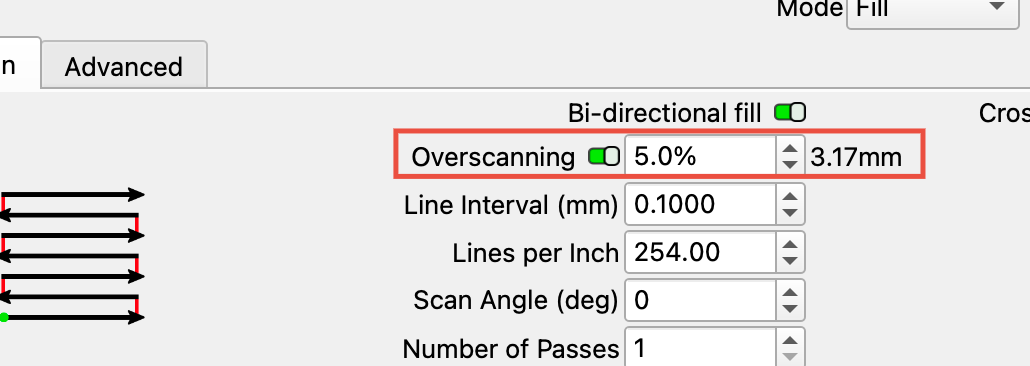
What happens if you enable overscanning and 'Fast Whitespace Scan"?;

Hi, overscanning i have usually 6 or 8 %. here is picture what is wrong. it´s happening for each graphic. Missing lines, added lines which should be no there, missed graphic in the middle.
i never tried fast whirespace scan, i will try tomorrow.
always in setting enabled “engrave all shapes together” (because of time save)
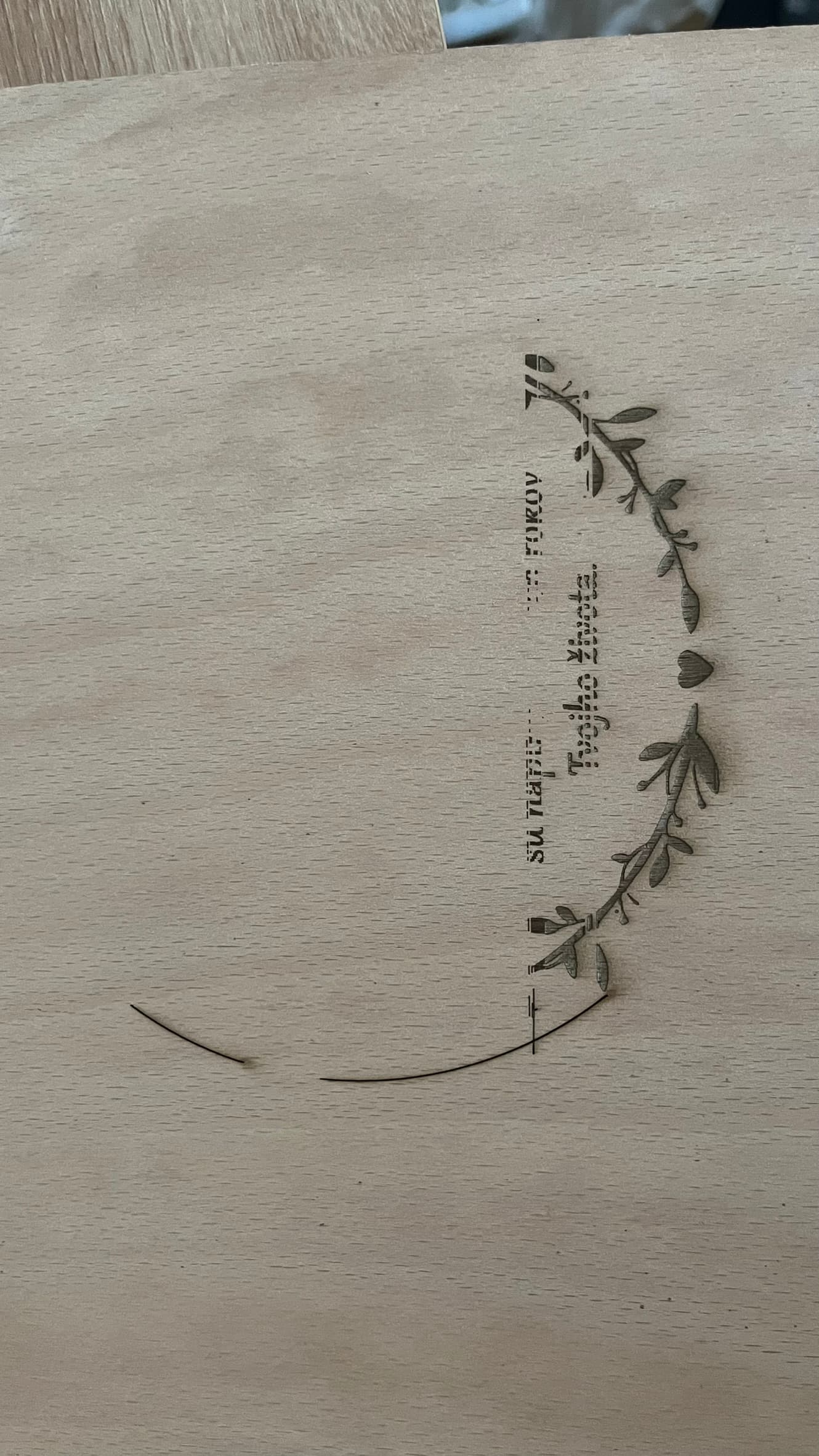
i am attaching g-code generated and file where is prepared graphic.
80tka.lbrn2 (454,9 KB)
80_anniversary_text.gc (563,1 KB)
is any faster way how to communicate regarding setup?
It took too long and i can´t move forward with laser, because it cannot be used.
Even the people at lightburn don’t know what to do…
It is very hard to diagnose if the same exact machine, computer, and software is not available.
Missing lines I can see. Lines that should not be there I cannot verify because there is no straight edge in the image for reference. You did not mark the image to indicate which lines should not be there.
I downloaded your file and see the orientation of your picture is rotated 90 degrees from that in the Lightburn file. This introduces the question of which axis has the missing lines. We cannot assume it is the Yaxis for sure.
I examined your Lightburn file and did not see anything that would cause what you show in the picture. However, the burn in the picture is the last layer in the Cuts window, and your output is set to OFF. This indicates this is not the exact file used to produce the picture because one or more changes have been made in it. The effect of those changes is unknown.
Summary:
Your issues appear to be either mechanical positioning issues, intermittent power to the laser module, or both. With the information provided so far, it is impossible to reach a determination.
The speed of reaching a solution is directly proportional to the supply of detailed and accurate information. As a fellow member often says, the Crystal Ball is broken.
Please make a simple design and test with that. Then report your findings to us so we can help.
I disagree!
The responsibility lies with Lightburn, and in my case, also with OPT LASER. I got everything from OPT LASER, which claims Lightburn can be used, so I trusted them.
I don’t think it’s difficult to establish partnerships with various manufacturers.
A board, a piece of software, and three motors…all that’s missing is the desire to be the best.