You need to do your homework.
Are you at rock bottom with your answers?
Homework done years ago.
It’s convenient not to check how your product is presented by sellers. OPT LASER claims it’s the ideal software by placing it on its product page, hoping it’ll be added to your cart. Then you have to make it work.
Quality control is lacking, a costly step best avoided. This all translates into millions of unsatisfied customers contacted in the hope of having their problems resolved, negative publicity for this market segment.
For its part, Lightburn increases the configuration options; this is laudable, but wrong unless accompanied by a basic configuration that works. What I want to explain is… Lightburn for an I2R CNC, for example, that wants to mount an OPTlaser laser. In this case, you have (I2R that mounts axbb_e, uses UCCNC), the laser is an XT8… a board, software, and the laser.
Test them thoroughly and find the right configuration. It just so happens that it works for - Axiom CNC - I2R CNC - Laguna CNC - Stepcraft CNC - etc. etc… Then do the same thing for all the machines that use the “EDING CNC” software, FelderGroup for example… oops, but it’s been done there, OPTLASER is a partner…
I can admit that this is extra work/research and that it comes at a cost, but you can’t delegate everything to the end customer.
I was hoping for a constructive discussion…
No need to insult. If you studied the Form, you would soon see this…
Lightburn has repeatedly tried to form an alliance with the Chinese manufacturers. Some, like Sculpfun, tend to play nice. Others, like xTool, use a proprietary communications method known only to therir XCS software. Chinese companies are very reluctant, or more often refuse to share the inner workings of their controller boards. In the end, Lightburn spends a lot of effort using brute force diagnostics to learn what they can. Another case case is where EZCAD2 had to be figured out, then EZCAD3 comes out using encoding on their communications. Now Lightburn has to branch in the cryptography business.
It sounds like you are complaining about how the manufacturers operate and want to blame that on Lightburn. You also describe high priced machines, which are industrial grade, but want to apply the logistics to cheap table-top hobby machines. This is often called comparing apples to oranges.
If Lightburn is not 100% compatible with YOUR machine, that is not their fault. Are you expecting Lightburn to accurately guess how manufacturers design their machine?
You chose hardware and software from two independent companies. How is it not your responsibility to ensure they work together? Was Lightburn supposed to know you were going to buy a machine claimed to be “Lightburn compatible”, but not 100%, and fix it for you? Manufacturers sometimes claim it works with Lightburn to drive sales. Did your machine manufacturer claim compatability? If it is not, that is on the manufacturer and your complaint is with them, not Lightburn.
We all are. This Forum is for helping people solve Lightburn problems, and often hardware problems too. I do not see this latest part of the discussion meeting that criteria. I have spent my (free) time schooling someone about the realties of Chinese machines. Interesting, yes. Constructive, no.
Hi Giovanni,
I lost track of where you were are at with your machine…I thought earlier on that you mentioned you found settings that worked? what specific issues are you encountering now? I know that @peter.gvusc is having issues with images, and TBH I’m not really sure why that is.
When using the G-Code Generator by Opt Lasers are you getting better results?
I have attached the gcode from the example shown below using the ‘Stepcraft’ G-Code profile : GCodeOPT.nc (716.4 KB)
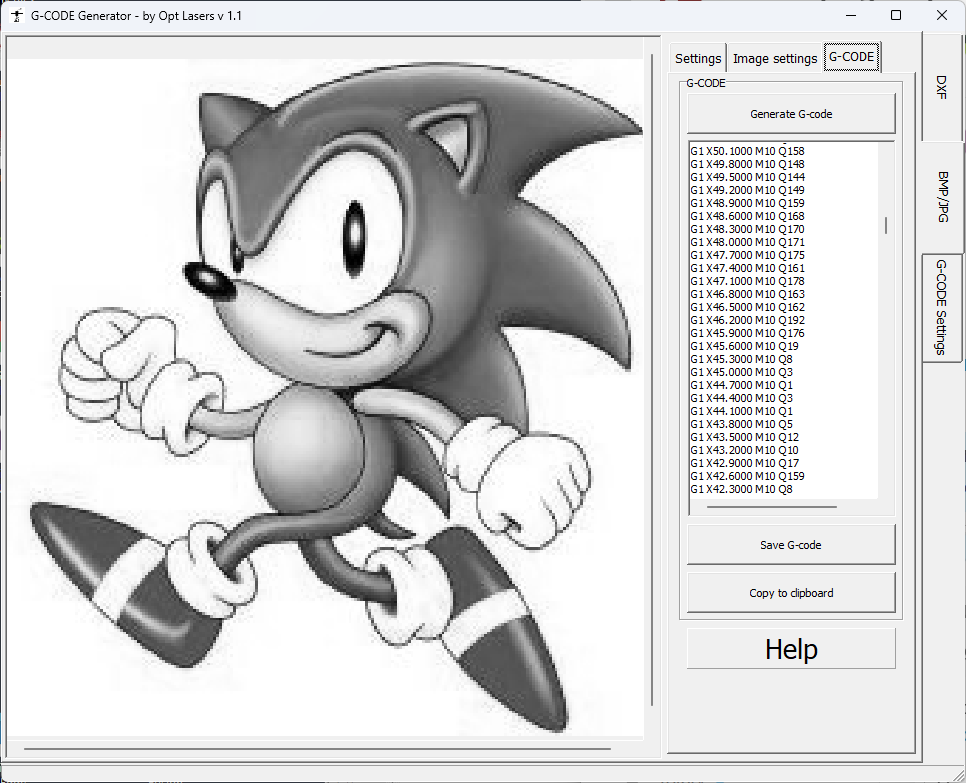
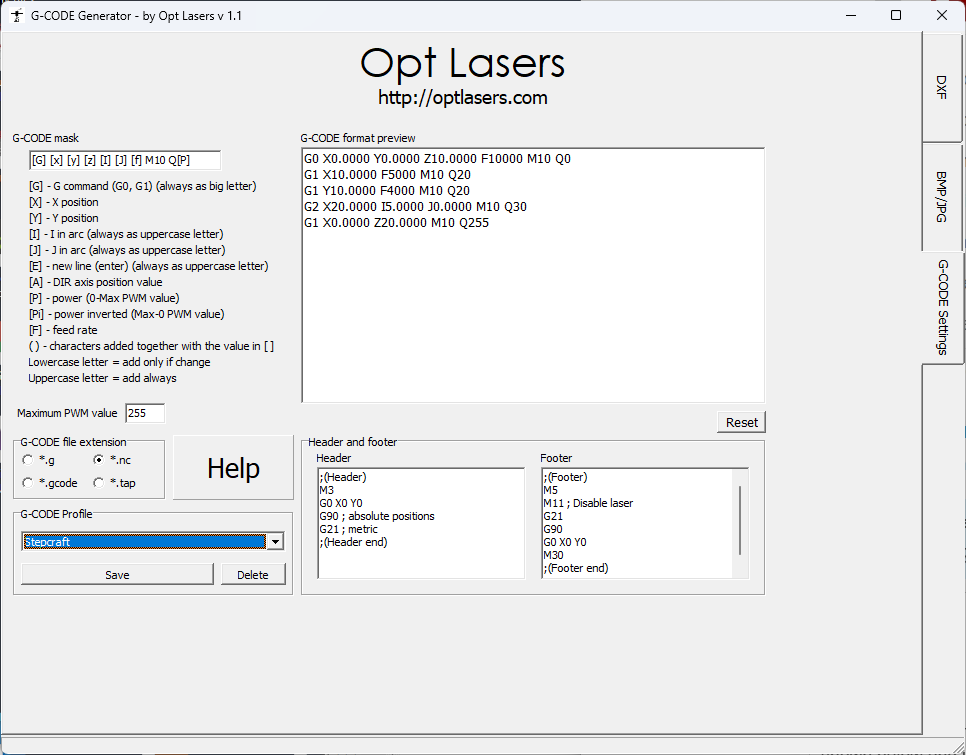
Here is a Custom GCode ‘UCCNC-Laser’ device that should produce GCode very similar to the G-Code Generator by Opt Lasers as above: UCCNC3.lbzip (2.1 KB)
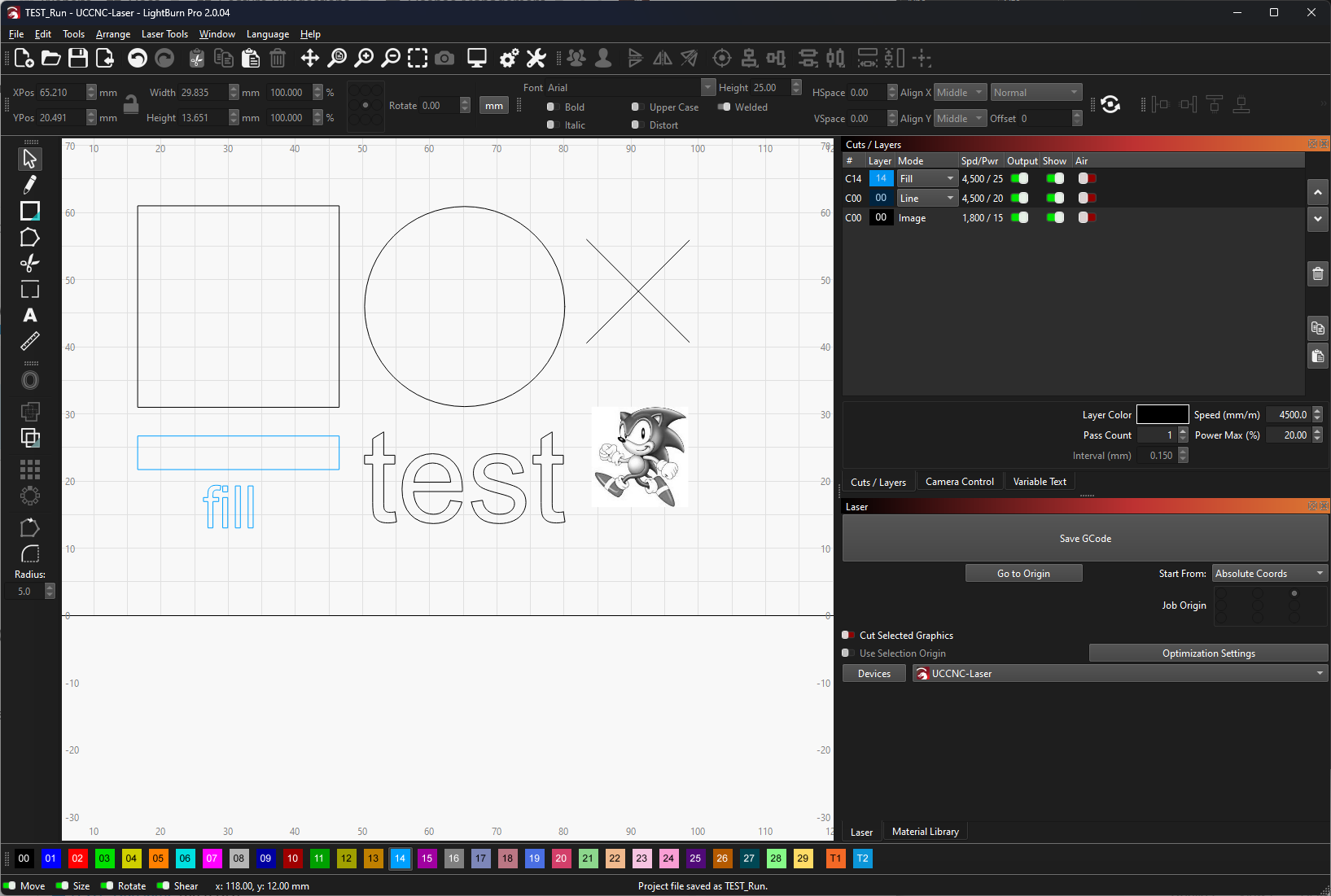
Do you have issues with any of the layers in this test file?:
TEST_Run.lbrn2 (66.3 KB)
As soon as I recover from COVID, I’ll go to the lab and try it.
Why does Stepcraft use UCCNC?
Not really sure?, maybe it’s just simple and reliable?, It looks like they might also use WINPC-NC for some builds, I’m not familiar with either.
Get well soon.
Hi,
i´ve tested your profile and exact file.
i just improve pwr for laser for picture, because it was overburn, results is now with 3% PWR.
I think pictures never will work for that. i will need to use uccnc picture egraving module.
but it should be fine to work correctly for vector graphic at least.
Now it´s still not working properly.
i am attaching also my file and g-code for my graphic - heart
mama_laska_bez_hranic.lbrn2 (77,4 KB)
mama_laska_bez_hranic.gc (56,4 KB)
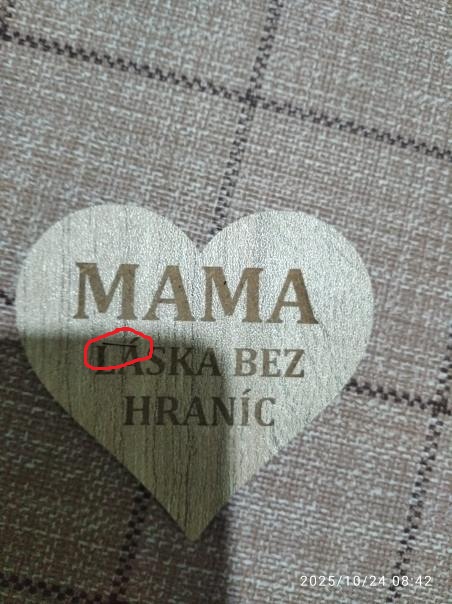
, where during movement to another letter it´s doing engraving line which should be no there. it´s happen randomly for me for different graphics, once it´s there, once not.
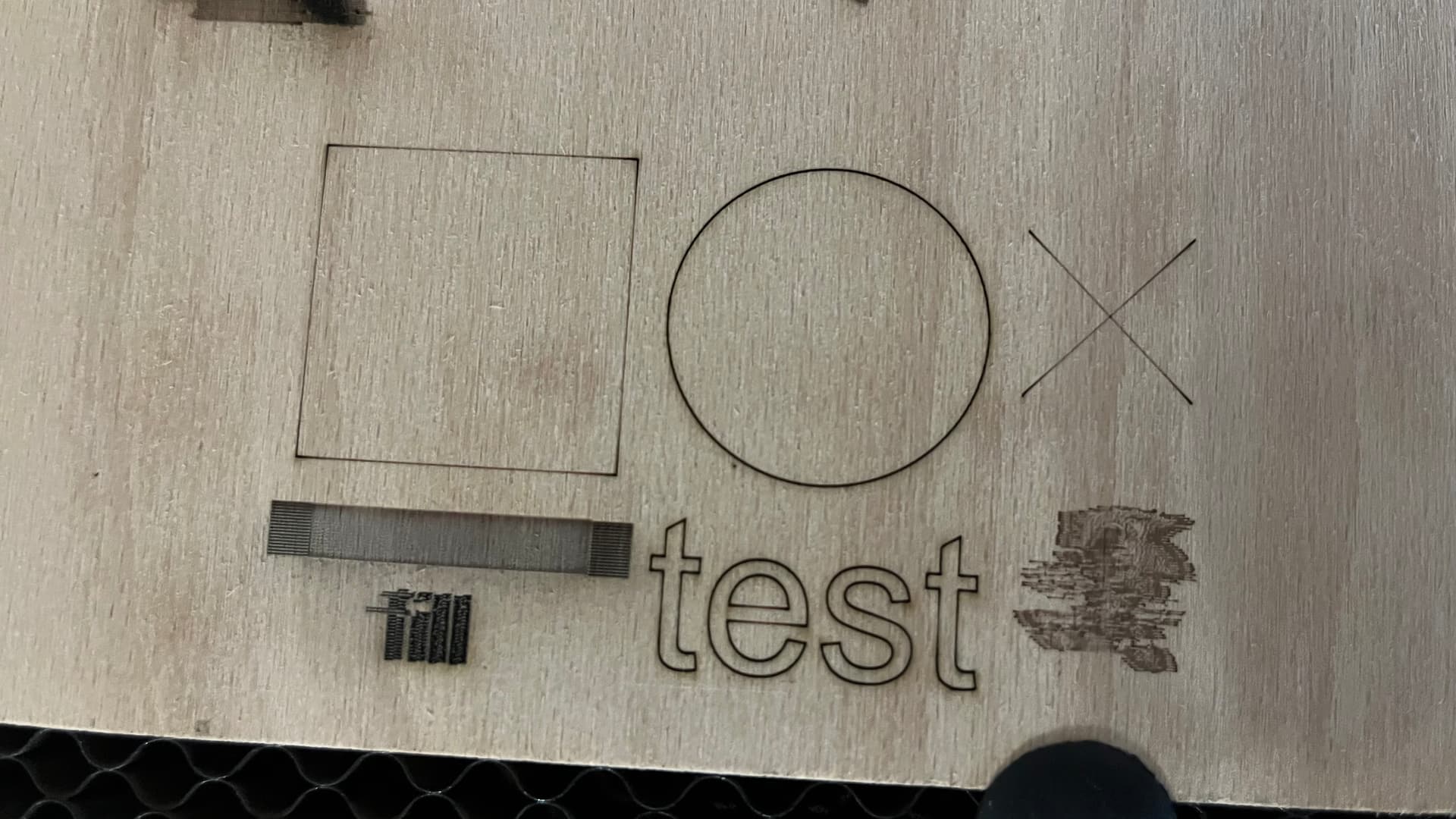
TEST_Run2_picture_pwr_3.lbrn2 (66,0 KB)
TEST_Run_picture_pwr_3_line_0.12.gc (71,1 KB)
I tested the profile too…disappointing results.
I put together the images and I’m here.
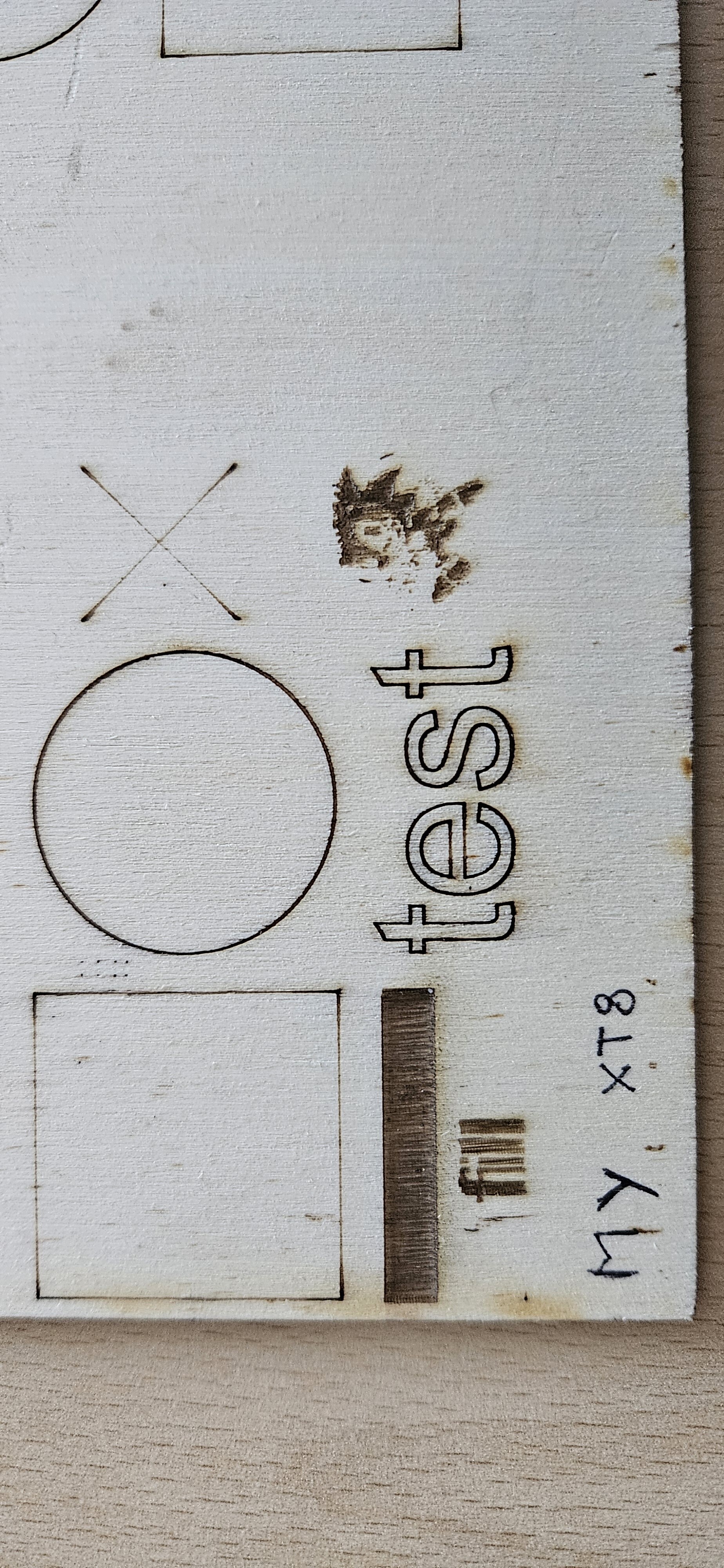
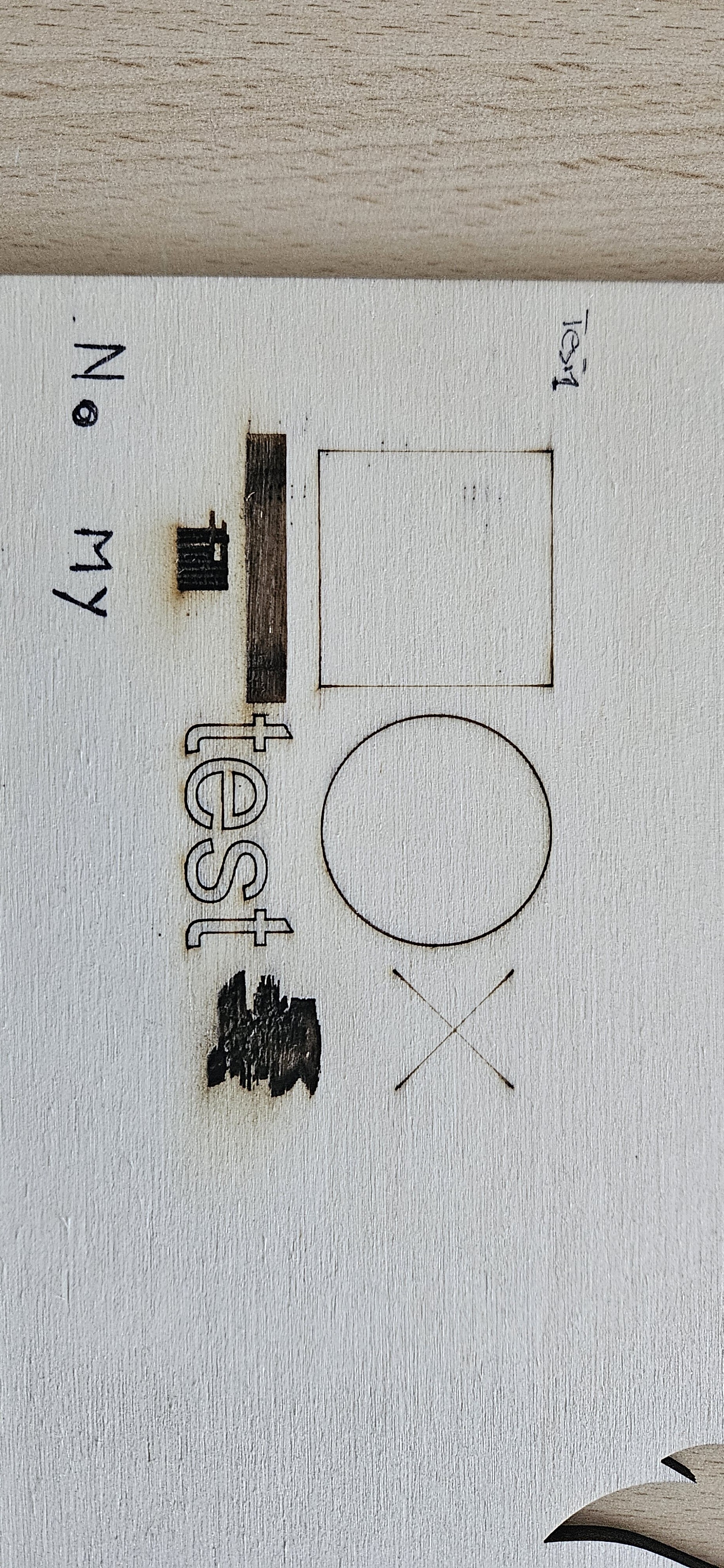
I can see by checking your GCode (tmama_laska_bez_hranic.gc) that this is not due to LightBurn, as this is a ‘M10 Q0’ travel movement’, but your controller seems to not always be able to execute the instruction to change the PWM spindle power fast enough?
If you halve the speed (and the power) are the results better?
Then I tried to see the configuration (without touching the g-code) Setting that mine is a cnc and using the PULSE Q.

I redid the (not my) test and the lines are highlighted so it gets worse…
My setup seems to work better, but unfortunately I can’t resolve these connection lines, which are sometimes there, sometimes not…
Since I’m working in Lightburn, it’s the one that writes the gcode…
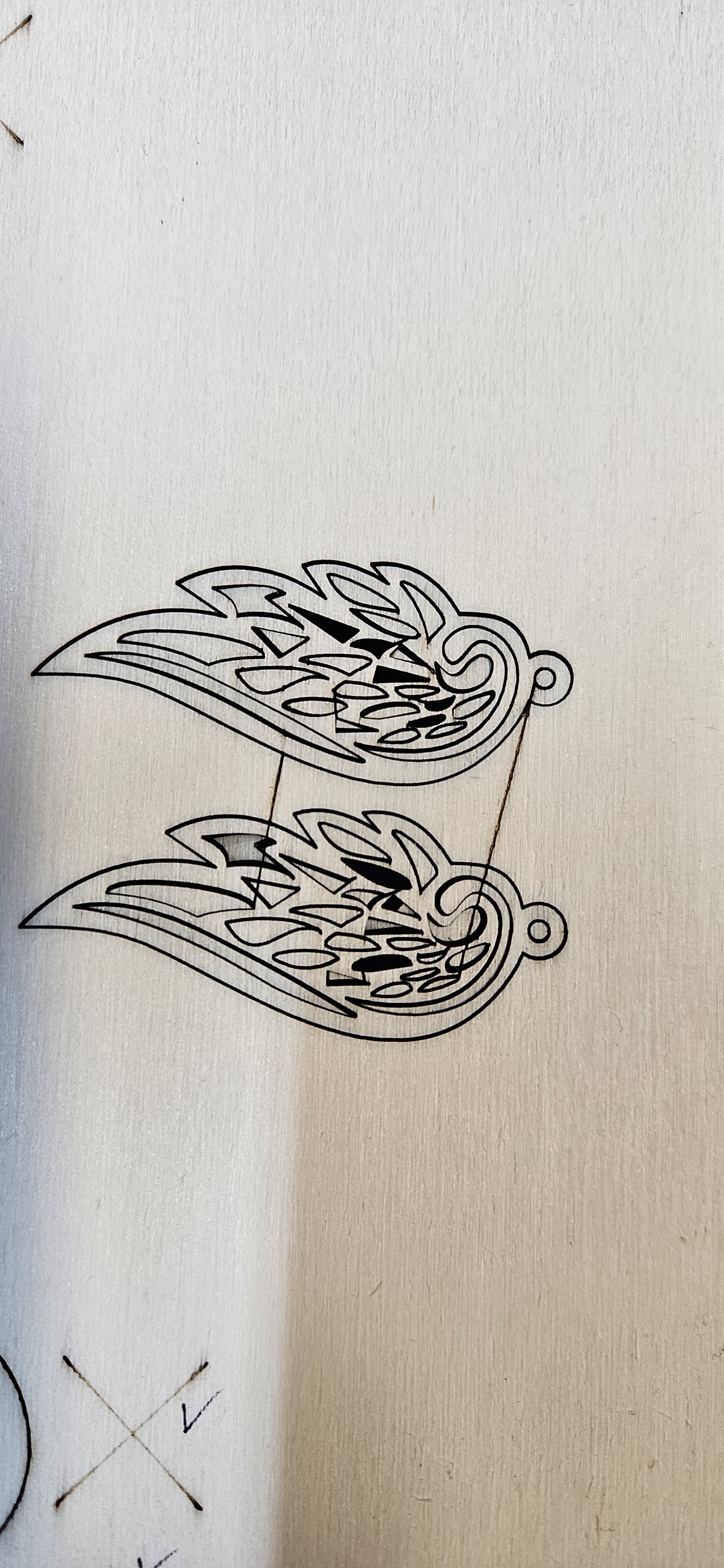
The XT8 settings look better, it hasn’t burnt the overscanning area, can you attach the GCode for that please so I can check it.
Try using the ‘UCCNC-Laser’ profile but greatly lower the laser speed and power when burning images and turning off overscanning in the layer settings might help also.
Hi,
I don’t understand which “UCCNC_laser” profile you’re referring to.
Perhaps you mean “UCCNC_3.lib.zip”?
You’re asking about reducing speed and power…!!!
I’m thinking about this too… I’m thinking it’s not a G-code issue, but rather a hardware issue (powerful?). Too much speed set on the axes (UCCNC configuration)???
A doubt I need to clear up… Thanks.
I’ll add the “XT8” G-code as soon as I can.
Using UCCNC_LASER and following your advice to reduce speed and power:
Halved by half_bad result
2 image tests 600 6%
line 2000 10%
Fill 1000 15%
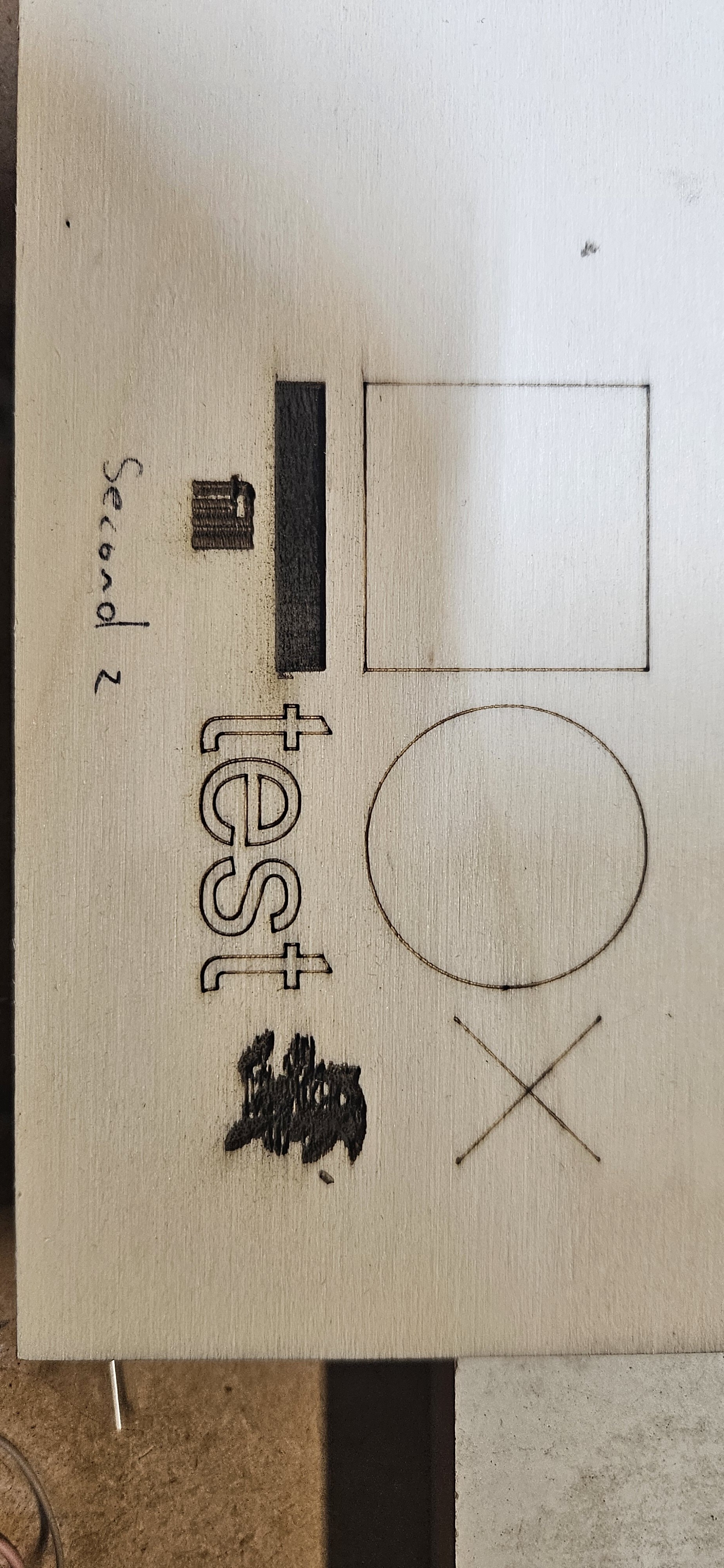
improved
3 test
image 600 2%
line 1600 10%
filling 1000 5%
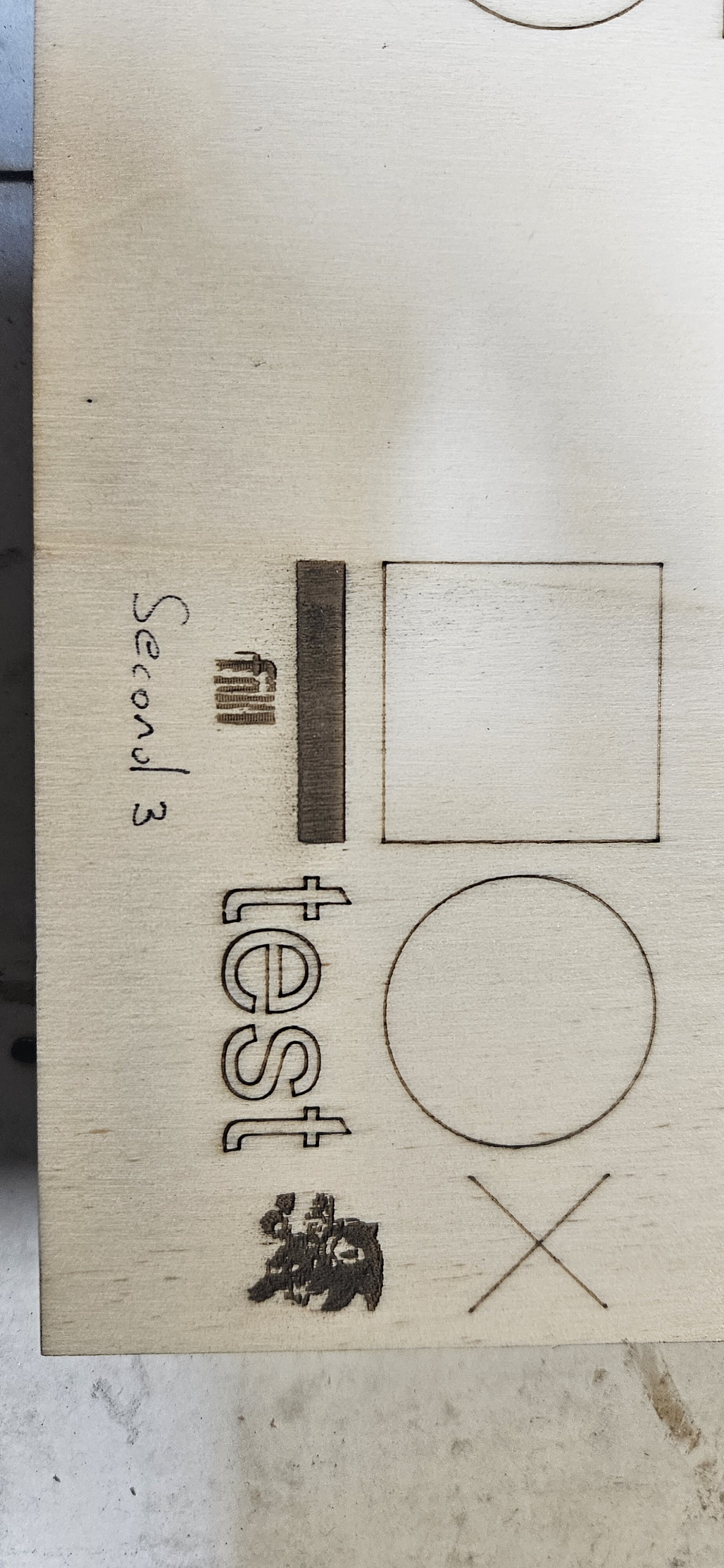
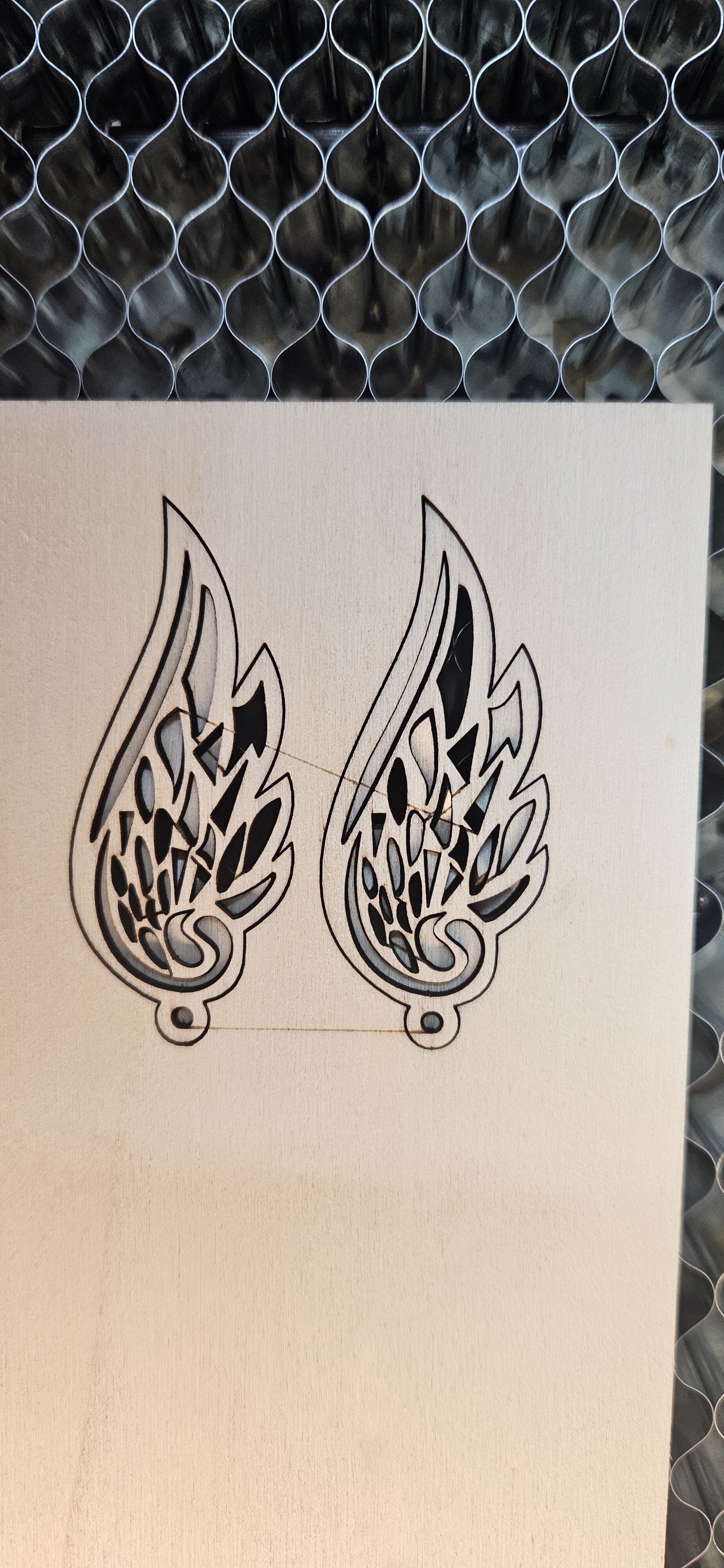
I don’t deny the improvement, but unfortunately the earrings still have the same problem even using lower speeds and powers and UCCNC_LASER.
I attach my axt8 configuration
AXT8.lbzip (4,8 KB)
TEST_Run_AXT8my.gc (78,6 KB) this is the gcode instead…
Reading the various codes, perhaps I should configure it so that the fast movement “G0” is written like this: “G0x0y0z15M10Q0” and not as I have it now: “M11 G0X0Y0z15”.
Thus avoiding turning the power on and off, so to speak.
i tried your profile XT-8.
Same line on my graphic between movement.
i setup lower spd from 4500/min, to 1000/min and pwr from 30 to 8.
it helped. see picture

Then i tried move back to speed 4500/min, pwr 30, but i increased overscanning from 6% to 10%.
and it worked for this graphic - see picture.

i will try more pictures if everything is working correctly for vector graphic.
Nothing happened!!
I also ran the test by typing:
“M5
G0x0y0..
M3”
M10Q51
G1X0Y0…
For every “G0”…result??? Work slows down dramatically because it has to shut down and restart, stopping, resulting in severe burnout.
I’m at my wits’ end…I can’t figure out what’s generating those random connection lines…or almost.
Now I’m going to run some tests NOT using Lightburn.
I hope I get the same errors; otherwise, scientifically speaking, the problem lies with Lightburn.
Now I’m going to run some tests NOT using Lightburn.
I hope I get the same errors; otherwise, scientifically speaking, the problem lies with Lightburn.
I’ll go through this process by elimination.