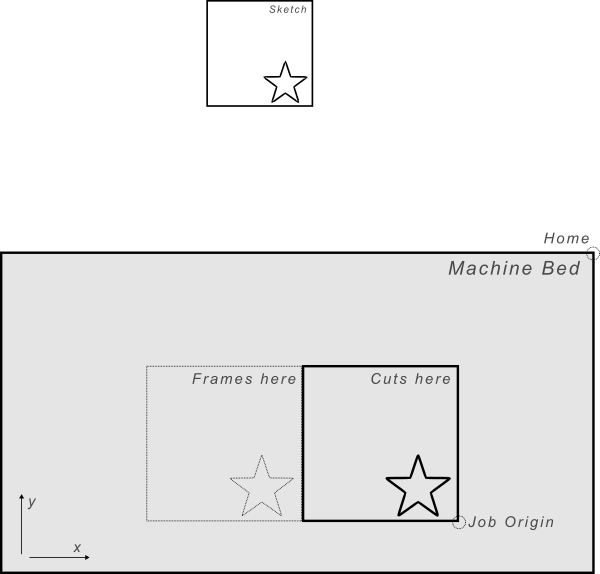
I am struggling setting up the Front Right origin. I’m seeing an unexpected X offset on a Shapeoko 5 Pro.
Setup:
4 x 4-inch stock
Project origin: Front Right
Z zero: Top
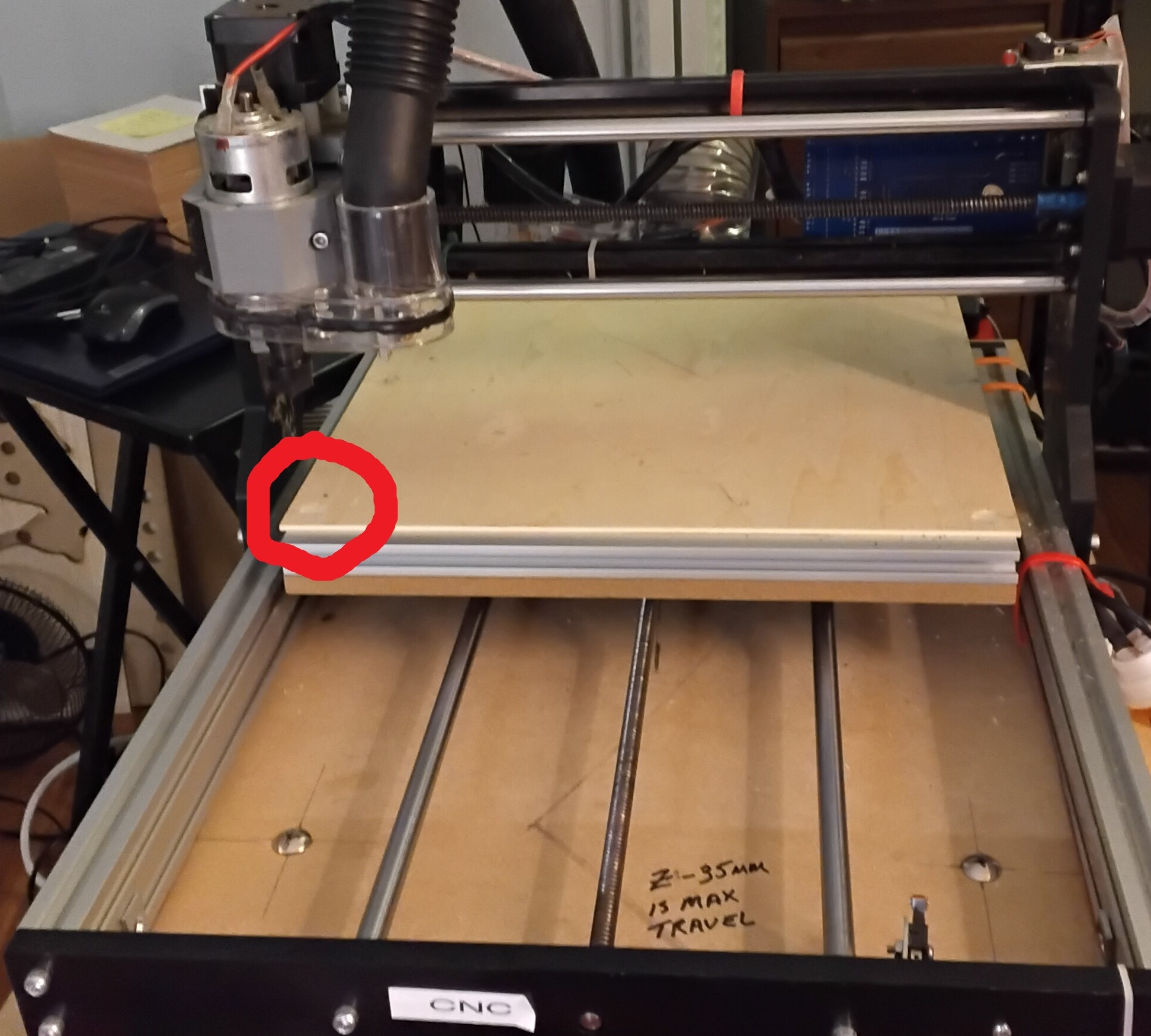
Physical front-right corner set to workpiece X=0, Y=0
Sample shape - a star positioned between X=-1.85 and X=0
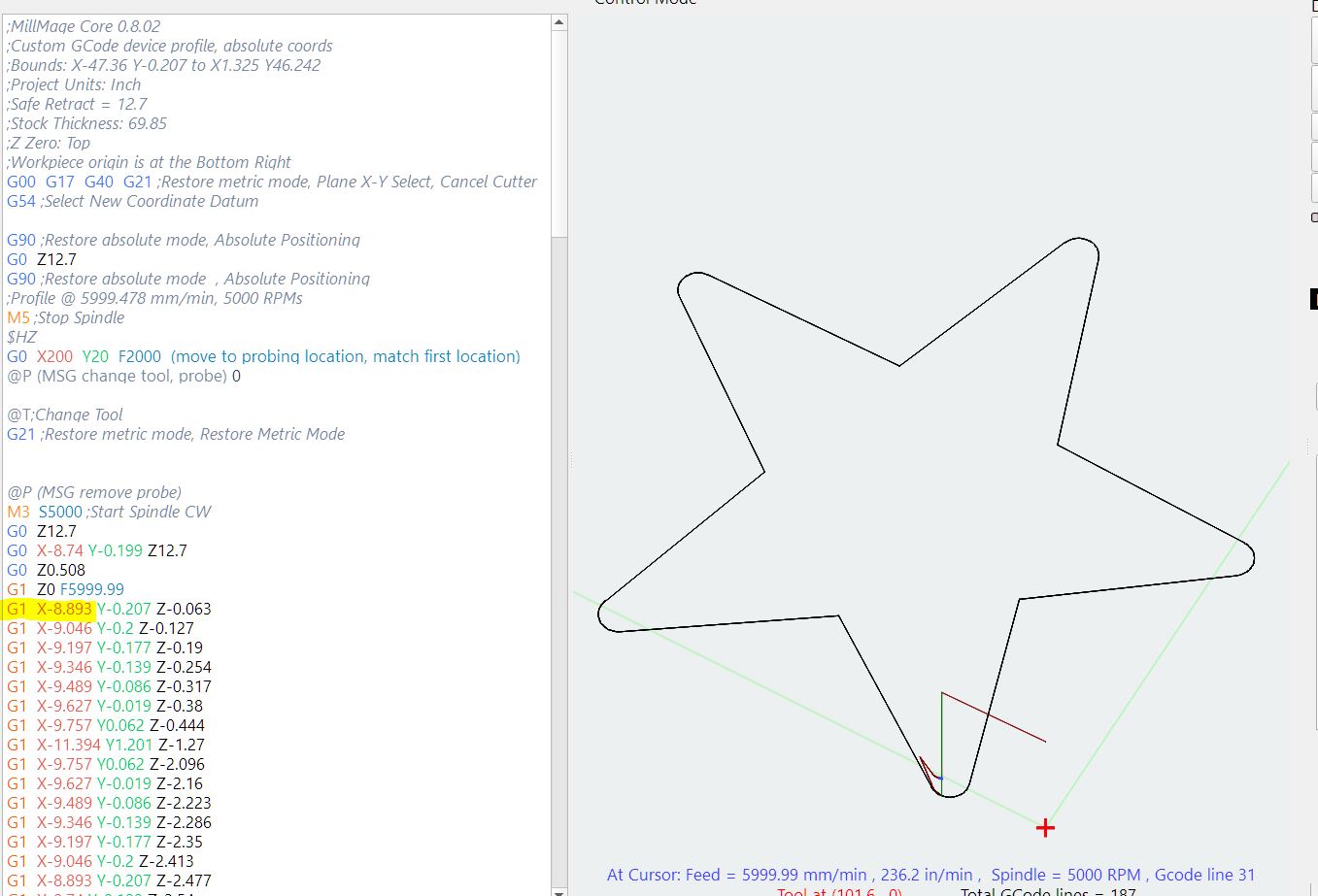
The Preview shows the star in the expected location. However, both Frame Outline and a dry run move approximately 4 inches farther left.
For example, MillMage reports X=-5.46 where I expected approximately X=-1.46. The difference matches the configured 4-inch stock width.
Is there another setting I’m missing when using Front Right as the project origin, or could the stock-width offset be getting applied unexpectedly during output?
I can attach the project and screenshots if helpful.
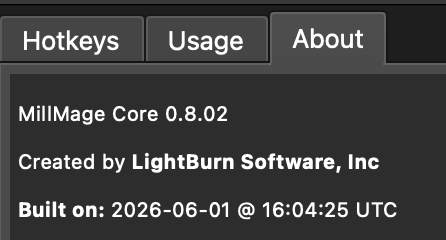
I am using MM Core 0.8.02. My CNC’s Home position is in the top right corner - this is where the MM initially identified the home position. Changing the home location made the machine move in reverse directions so I’m pretty sure it’s right.
I’m a bit baffled by that error. I missed that. But I also see $6 setting there which I used to set up my new zero probe. This must be a carry-over from the previous run (I did not exit MM).
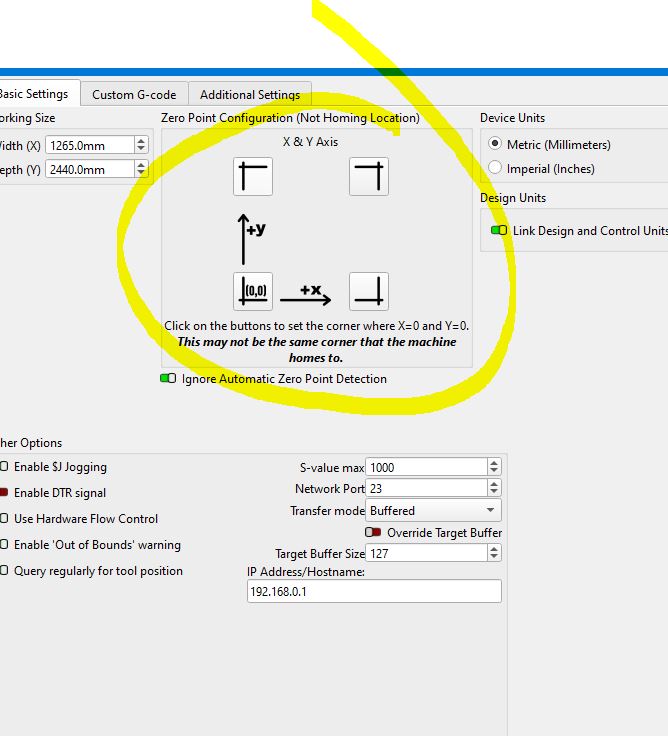
Where the machine goes is where the Home position is located. It is determined by the limit switches and is fixed. YOU have to tell MillMage where that corner is located. Most CNC.s have it at the front left corner of the table.
This might be part of the original problem. All we know about your machine is what you tell us.
We keep asking questions to help build an image of your particular setup. Manufacturers do things their way, sometimes not according to accepted common practice.
Does your machine HOME where my image indicates my machine does?
That video shows that, unlike your asserted, bolded, and uppercase statements, I don’t have to tell MillMage where my home corner is located. That video sets up a new machine. The thread is derailing and this discussion is irrelevant to the problem being highlighted in the original post.
Also, my machine homes to the back right corner. MM correctly identifies that. There’s no problem with where the machine homes. The problem is with added workpiece size when job origin is in front right corner.
i havent run it on my machine , but in control mode , numbers match up , the highlighted is correct distance from project origin start and correct when origin is bot left
If you have a Shapeoko Pro, your machine origin in the back left is correct.
@MikeyH Remember that HOME and Machine Zero are not always the same. We have a lot of machines that we support that home in the front left but X0 Y0 are back right. I have 2 in my shop that are common grbl machines. This is also expressly said in the device settings page for Machine Origin setup.
@caldegral Thank you for posting this, it does actually look like it was potentially a bug and I am going to look more at it tomorrow. It’s likely already fixed for release if it is what I think it is.
It would help if you shared your project and screenshots showing:
A: the project space and the work location inside it (A full screen screenshot is helpful here)
B: The Coordinates at the top of the move window when you are at your project origin on the machine.
I already shared the project. You can find it as the third post on this thread - or search for HelloWorld.mage. There’s also a full videos showing where the spindle travels for both the cut and the framing - all attached in this thread. These videos capture also machine and workpiece coordinates.
Let me know if there’s anything specifically I missed.
I read through all my postings and did not see where I mentioned the Origin. Not sure where I suggested the Home and Origin locations should be the same. Please show me where. I often state emphatically they can be very different.
That said, I set up all my machines (laser and CNC) using WCO’s so I design and run in the first quadrant with Absolute Coordinates. I find it keeps things simple for the math and design work.