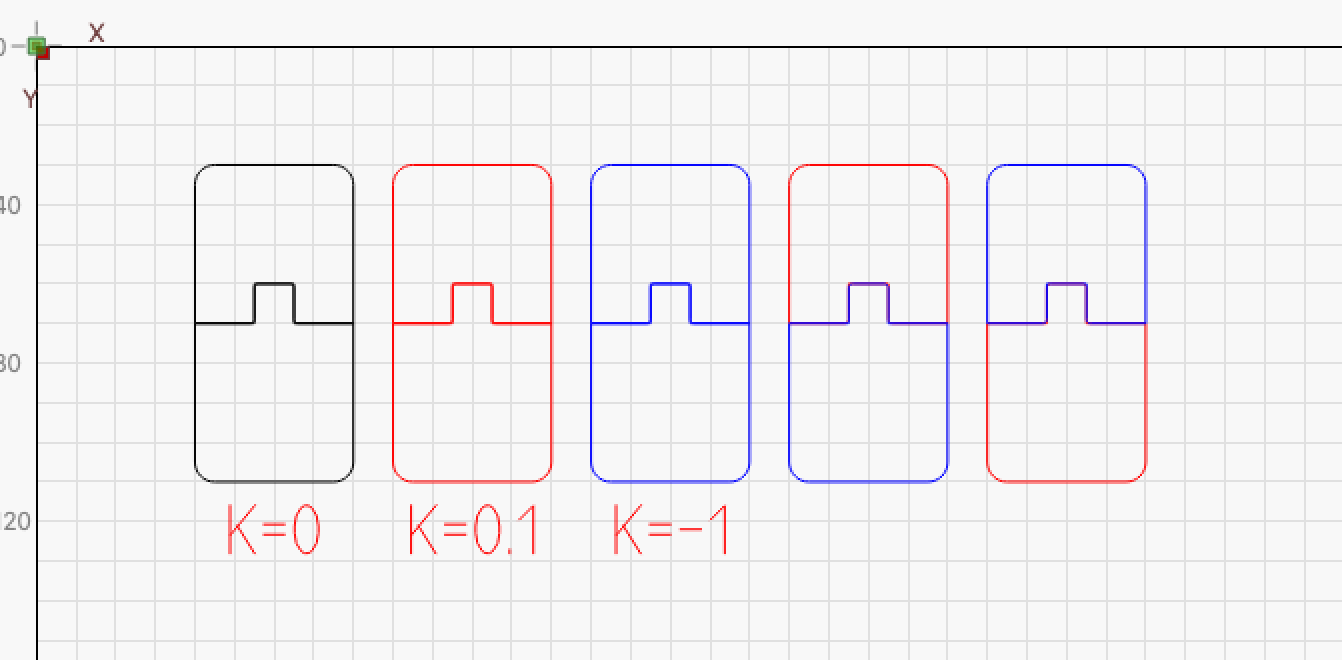
Updated LightBurn 2.0.01: Positive Kerf Shrinks, Negative Expands (Ruida Controller)

Summary:
I’m encountering a critical issue where kerf offset is applied in the opposite direction of what is expected.

Setup:

  • LightBurn version: 2.0.01
  • Controller: Ruida (RDC6445s)
  • OS: Windows 11
  • File format: .lbrn2

Steps to Reproduce:

  1. Import Ruida device profile
  2. Create a slot shape (e.g., 20 mm x 400 mm)
  3. Apply a +0.2 mm kerf → the slot becomes smaller
  4. Apply a -0.2 mm kerf → the slot becomes larger

Additional Notes:

  • I confirmed this is not due to calibration – axis steps are correct
  • The green anchor point appears globally and affects all objects when Ruida is active
  • Kerf Preview is misleading: shows expected behavior, but cut result is inverted
  • Measured with caliper: 5 mm deviation on 400 mm slot when kerf is applied

Please advise if this is a known issue or if this is related to recent kerf logic changes in 2.0.01

Thanks!
Hello Muzaffer,

I am not able to replicate on 2.0.01

Could you provide a test LBRN that is presenting this issue?

V2 CONTROLLER test.lbrn2 (44.2 KB)

Hello gilaraujo,

The slot in the design is 4.3 mm x 40 mm. However, with a kerf setting of -0.29 mm, the actual result after laser cutting is 5.5 mm in width — which is far off from the expected value.

I confirmed this is not due to calibration – axis steps are correct.
The material is 6 mm marine-grade beech plywood. I’m currently using a double pass to complete the cut, as a single pass is not sufficient.

When I don’t apply any kerf offset, all dimensions are cut exactly as designed.

Looking forward to hearing your thoughts. Thanks in advance.

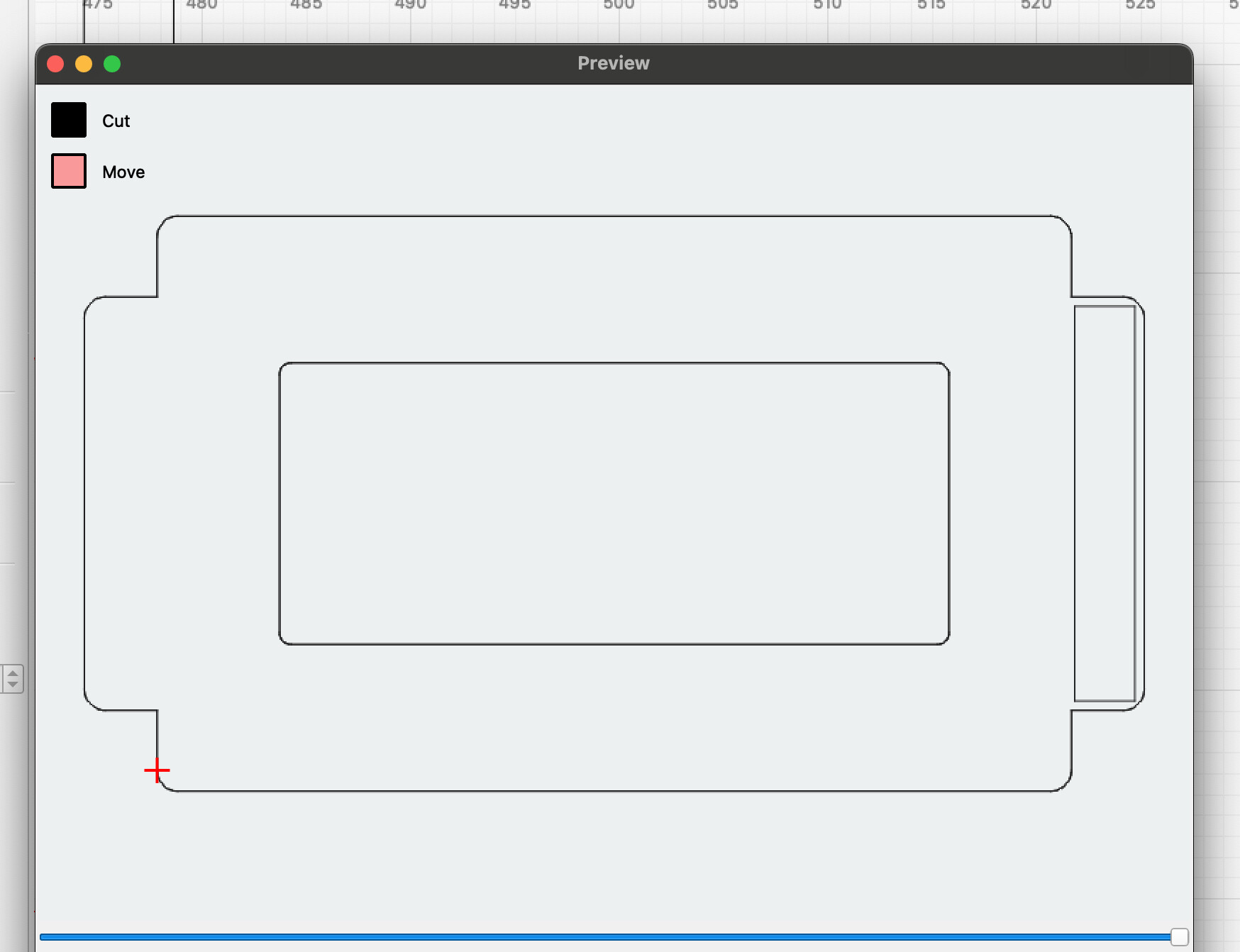
In my opinion the preview window shows your set values accurately. However, I don’t understand why you are using positive and negative kerf at the same time, that is not the “correct” way to use the kerf function.
Unless you have a specific reason to do so, “only” one kerf setting is used to achieve the desired fit. (I use 0.075mm for a tight fit in 3mm BB)

I also use 0.075 mm kerf for 3 mm - 5mm material, and it works perfectly.
However, with 6 mm marine-grade beech plywood, I have to use higher power and a double pass to cut through — which naturally increases the kerf.
Unfortunately, this is related to the material thickness and the power settings required.

I’m just confused by the fact that you use plus and minus. Put it all on the same layer and give it 0.2mm or whatever it takes, but not plus and minus :wink:

In your opinion, could this behavior be triggering a bug? I’m wondering if this might be the root cause of the issue I’m facing.

In earlier versions, people used to rely on “reverse path” for this reason — because using both positive and negative kerf values at the same time could cause issues.
Do you think this might still be the reason behind my current problem?

I can’t say that, I don’t experience it as you describe with my kerf settings.

I like to use visualization of problems, it sometimes makes things easier to understand for me.
Here’s a little kerf test that demonstrates it nicely, I think.
(see results in the preview window and mix the parts)

Kerftest4.lbrn2 (18.1 KB)

1 Like

Thank you,

I’ll try it with this file now and will update you soon with the results.

2 Likes

Yes, after checking the file you provided, I can confirm that with my own kerf setting and using 2 passes on 6 mm marine-grade beech plywood, the result is accurate.

But that’s not the issue here.
In my case, every edge of every part is a joining surface, including the outer contours. That means every single piece must have either a positive or negative kerf, depending on how it connects to others.

Here’s what I’ve found:

After the recent LightBurn update, automatic kerf offset doesn’t behave correctly.

I tested manual kerf using Ruida’s free software, and the results were flawless — perfect fit, no errors at all.

However, once I switch to LightBurn and apply an automatic kerf offset, I encounter a consistent issue:

  • On the X-axis, everything is fine.
  • But on the Y-axis, the shape extends upward by 2 to 3 mm.

Even when I try manual kerf in the current version of LightBurn, this issue still occurs — the shape consistently grows upwards on the Y-axis by 2–3 mm, especially in parts that are 30 cm long.

I’ve checked and calibrated the machine multiple times, including step and axis settings.
In fact, I’m getting only 2 micron variance on the Y-axis when tested directly.

And again, with the free software (non-LightBurn), the shapes are cut perfectly and without deviation.

So the problem clearly lies within the current LightBurn version.

I hope the development team will address this soon.

Thanks to everyone who tried to help.

I can’t agree with you because I know of no other user with the problem you describe. I’m not saying you don’t have a kerf problem, but I can’t reproduce it in any LB version.
It’s wrong to mark your post as “solved” in my opinion.

2 Likes

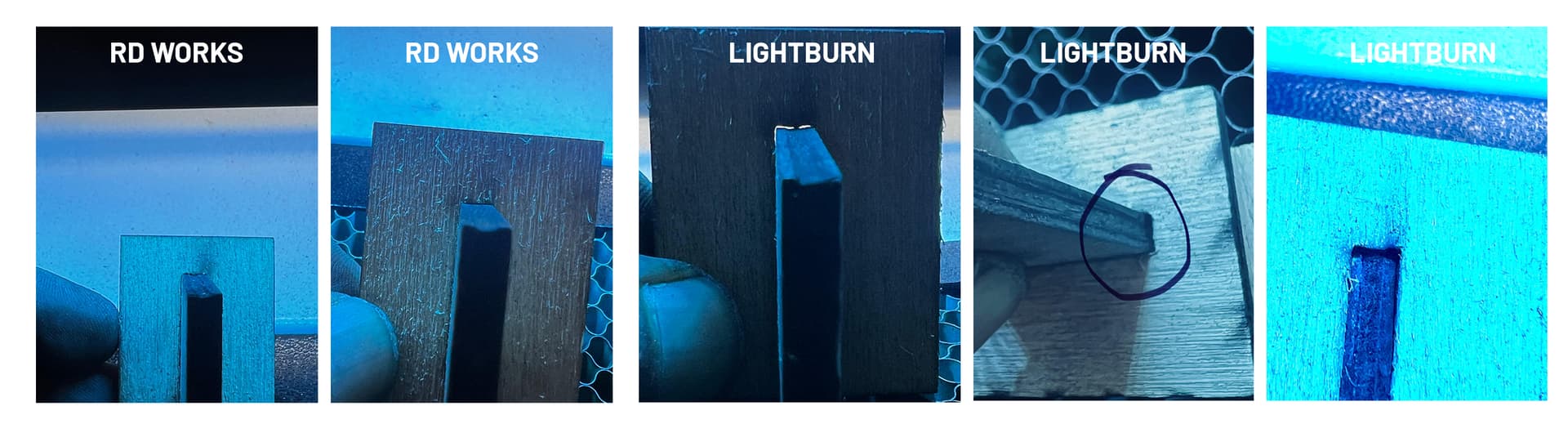
“The cutting results from LightBurn and RDWorks are below. Yes, I’ve reverted the issue status back to unresolved.”

This is a 3 cm part cut, and there’s already this much deviation. As the part size increases, the discrepancy also gets larger.

Thank you

Hi Muzaffer, I can’t be on the topic for a few days, maybe others can provide input and help find a solution to your problem.

Hi Bernd, thank you for your message.

We totally understand, no worries at all!

Just to share an update: unfortunately, the solution we found was to stop using LightBurn, despite having a paid license. We’ve switched back to RDWorks, which runs without any issues for now.

Currently, we’re facing a consistent Y-axis distortion about 25mm of elongation on a 30cm cut piece when using LightBurn. RDWorks doesn’t exhibit this problem at all.

Hopefully a fix will come in future updates, but for now, we’re sticking with what works.

Best regards,

There is definitely something completely wrong here. If you write that you do not have the problem in RDW and only in LB, then the error should be reproducible in LightBurn, unfortunately I can’t try to test it for you at the moment, but I would like to try a test from you with my LB as soon as I get home.

ps. good that you are back in business, even if it is not with LightBurn :wink:

After repeated tests across the entire area of my 100x80 cm worktable, with 5 cm spacing between each cut, here are my conclusions:

  • The negative/positive kerf issue has been resolved.
  • The 25 mm elongation problem also seems to be fixed with the new 2.0.0.2 update.

However, the kerf problem is still present — the kerf on the Y-axis is noticeably wider than it should be.

Thanks for the feedback with an update on your problem. It’s moving in the right direction, and I like that the problem is broken down into steps, it makes it more clear and systematic troubleshooting easier.

Without kerf, what does a 50mmx50mm actually measure, measured with a caliper? (kerf set to zero)

This topic was automatically closed 30 days after the last reply. New replies are no longer allowed.