Thank you for the feedback!
-
I’ve tried both inside and outside the case. Alas, always “0 markers found”.
-
I think the issue is in calibration, not alignation.
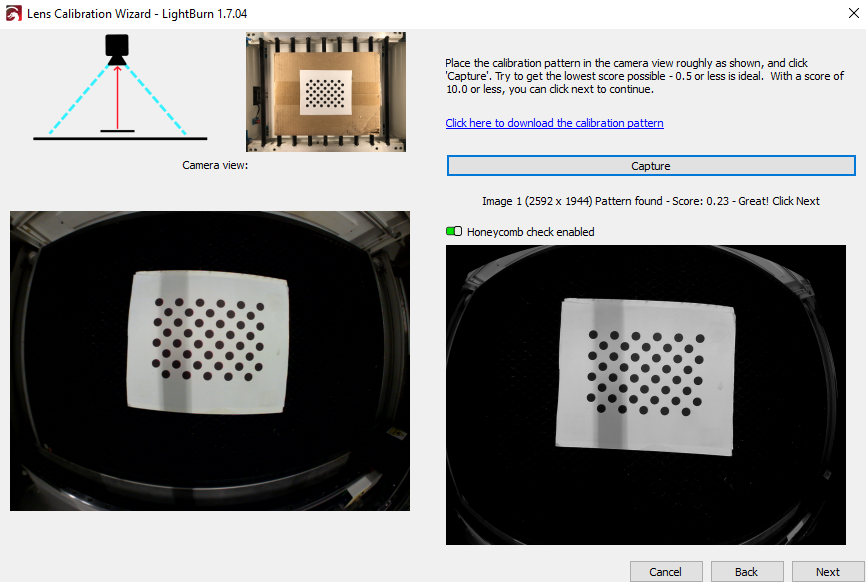
Yes the input source does seem to exclude a portion of the honeycomb (or its edge really), but it seems like a bigger portion is missing after calibration, even with <= 0.35 results.
- out of focus: I think LightBurn’s scaling in the calibration wizards window makes the image appear more blurry than the original source is. I’ve tried adjusting focus on the camera several times throughout my tests. No difference for april tags. Note also that I, with the same camera focus, can get <= 0.35 scores with the old image circles, even in not so great lighting tests:
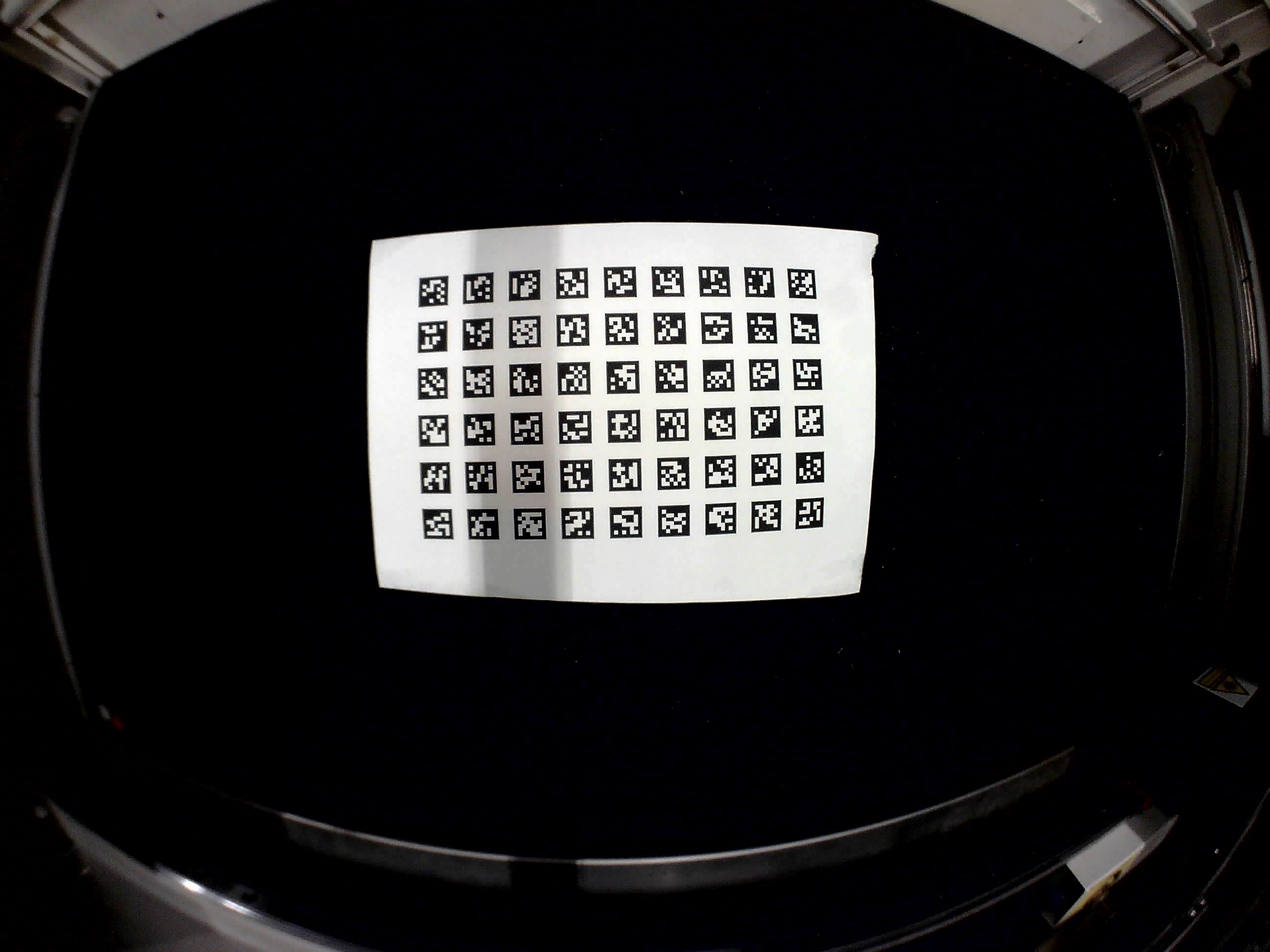
Here is an image saved directly from the Windows built in Camera app, to better examine the focus.
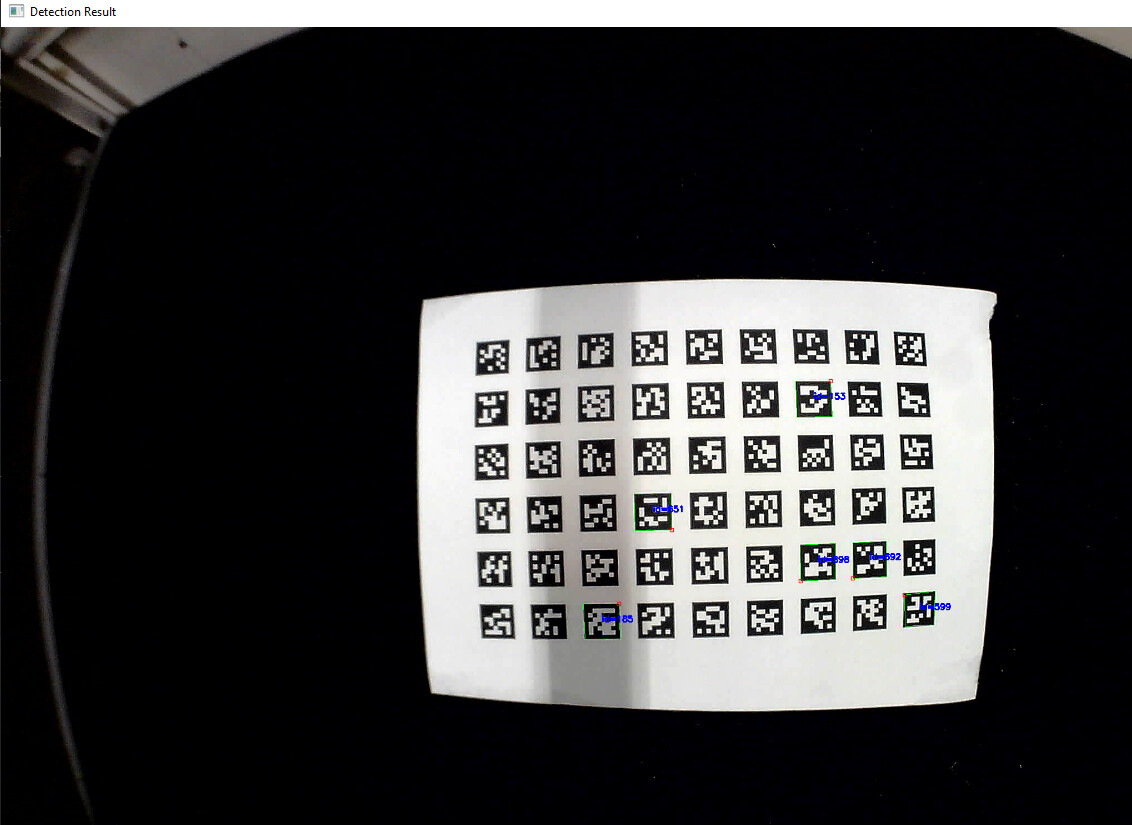
I used an AI to quickly whip up a python OpenCV script that successfully detects 6 tags in that image (using cv2.aruco.getPredefinedDictionary(3) specifically). Which makes me think LightBurn is at least a part of the issue here.
Let me vent a little. To me the calibration wizard is quite bad and a timesink. Big contrast to the very user friendly and effective controls and tools in LightBurn in general. The wizard could be improved in many ways small and large
-
When we in old circles mode press “capture” with a keyboard the input focus moves to the “honeycomb check” toggle control. Which means I can’t just with one hand keep pressing “space” or “enter” to repeat capture while I adjust the circles with the other hand.
-
Why have the user make captures one by one at all? LightBurn could instead on “capture” press instruct the user to slowly move and angle the circles/tags and automatically capture and process multiple images per second until a really good capture is detected or the user presses a “stop” button.
-
The instruction says “Try to get the lowest score” but then specifies that “0.5 or less is ideal”. But my experience with <= 0.35 captures for circles is far from ideal. And if I intentionally go through the wizard with some higher values, like a 2 or 3 at some steps then the result is terrible, even though LightBurn at the step says “Not too bad!” (don’t recall exact phrase). What’s even the point of letting the user click next with scores as high as 10? Has anyone really gotten useful results with such high scores?
-
as mentioned in my first post, after calibration wizard there should be some extra step that guides the user to if the result is probably useful or not. Without having to spend time on the alignation lasering and clicking steps.