When you have overlapping shapes on a layer set to fill, Lightburn automatically performs a toggle algorithm that turns the resulting inner shapes on or off depending on how many overlaps there are. This can create some really visually interesting patterns if you have a lot of intersecting shapes.
The issue is though, this is limited to only filling. I would love to instead be able to perform this algorithm and get resulting vector paths of the filled shapes, kind of like the boolean operations. Is that possible in Lightburn? or any other software? This would let me (after giving them all a slight negative offset) allow me to cut them all out of a solid material and not cut out and lose any inner shapes.
For some reason the forum is not letting me edit my own post. It gave me this error “You are not permitted to view the requested resource“. Now the edit button seems to be gone completely.
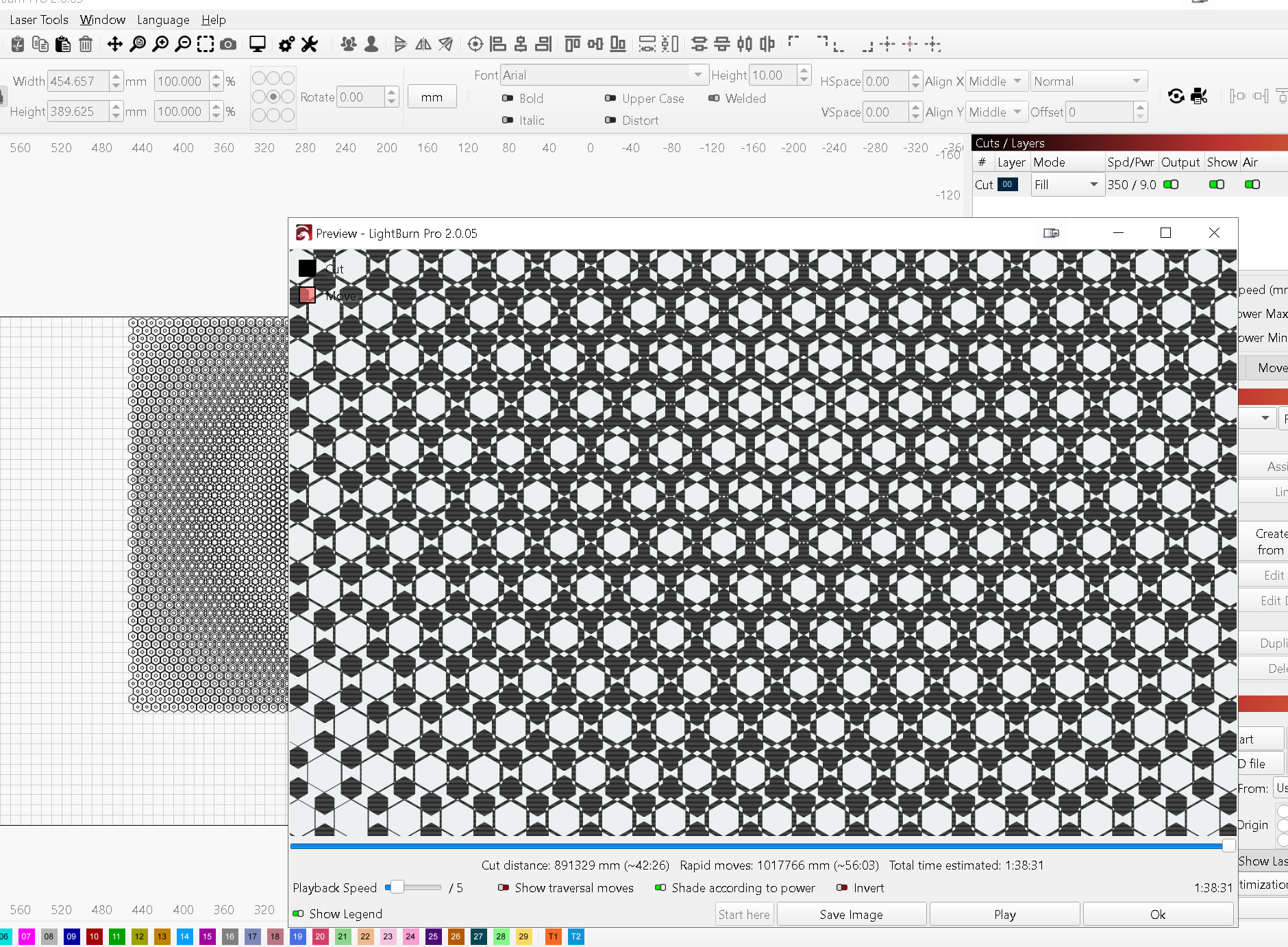
Anyway I’ve attached a screenshot to make this more clear. Here I’ve imported an SVG pattern I generated of overlapping hexagons. I set the layer to fill and you can see in the preview the toggling algorithm at work. It creates areas of white and black, where the black ones will be filled by the laser.
What I want is to instead get those black areas to be converted into vector paths. Then I could select all of them, apply a slight negative offset so they don’t touch, then I could cut it out of solid material.
Thank you but I think you’re not quite understanding the issue here. The issue is about which “shapes” are actual enclosed vector loops. Yes I know that my pattern is already vectors but it’s the wrong vector loops for cutting out. The way I produced this pattern made it so the individual hexagons are the vector loop paths. So if I tried to cut it out, it would cut out all the outer hexagons which would also just remove all the inner pattern and I’d just be left with one giant hole. What I want is for the shapes that are left dark by Lightburn’s built-in “even-odd” fill algorithm, which can only be used to fill, not to cut out. Those shapes are different vector loop paths than the original hexagons. They would actually work (with a slight offset or kerf) to be cut out without just cutting out one big hole
I created my own solution to this problem. I updated my own Python software geometry_generator which is what I used to create the pattern in the first place, adding a “symmetrical difference” algorithm using the shapely library, which does exactly the same thing as Lightburn’s even-odd fill algorithm. I also made a parallel processing version which is faster (though still not as fast as the one Oz built into Lightburn admittedly).
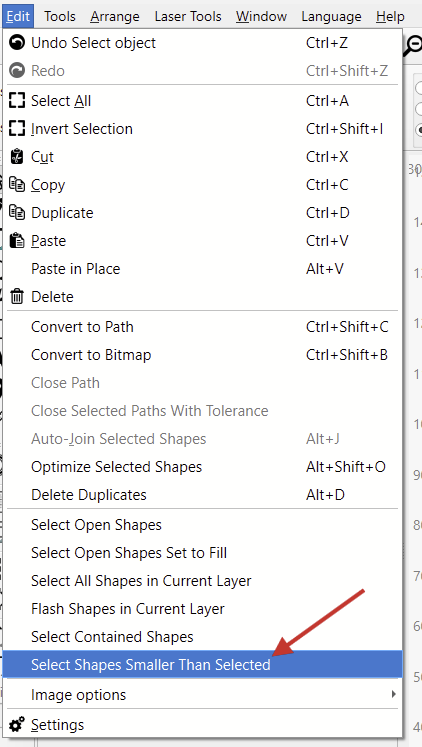
I do still think it would be cool to have Lightburn add this Symmetrical Difference operation as one of the booleans available since it already has the algorithm baked in.
@Aaron.F and @Rick , I just tried to edit my comment and got this error. It was only a minute or two after I made the comment. Are we locking down comments and posts after just a minute or two? What is the reasoning behind that? Edits often add clarification or can put the solutions at the top of posts.
Isn’t this something the Boolean Tools or Weld feature could already solve?
I see you made this Fider feature request with more details. Thanks!:
Maybe I’m being dense here, but could you share your original SVG so I can try some things to see whether this can already be achieved with a combination of existing tools?
Understand your position, yet we have been adjusting elements to address a new batch of spam activities. We have tightened up things like edits as new behavior has shown attacks by editing an original, non-offending post to include spam content after the edit. We are monitoring and will adjust over time to return as many of the previous forum features as possible. Thank you for your patience as we progress.
Yes I did create the feature request and you’ are welcome. No it’s not possible with the current booleans. There is only weld, union, intersection and subtract currently, and only weld works with more than 2 shapes. What I am asking for would work for any number of overlapping shapes at once, and it would leave only shapes that are formed where there is an even number of overlaps.
Thanks for the explanation. That all makes sense now!
It’s true that the Fill Mode already does something similar. It could be “easy” to integrate that into the Boolean operations.
I have presented your request to the team for discussion.