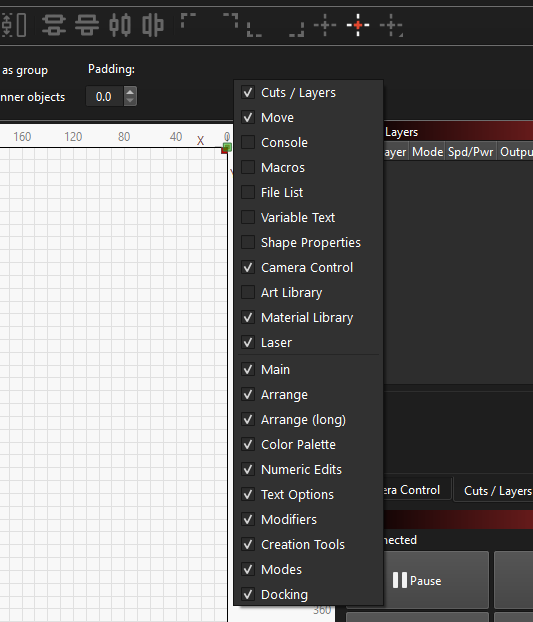
Struggleing with 2.03, Evrything seem so big and the diaglog boxes (Material Library Cut edit) can;t get to OK button as off bottom of screen… Rolled back to 1.76…
Not a happy buny
Screen Resolution : 1366 x 788 @ 100% scale on lenovo laptop (Win 10)
1366x788 is right at the bottom end of resolutions that work with LightBurn - there’s only so much we can do with a restricted pixel amount, unfortunately, but there are ways to optimize on lower resolution monitors.
We recommend a screen resolution of 1920x1080 or greater, if at all possible.
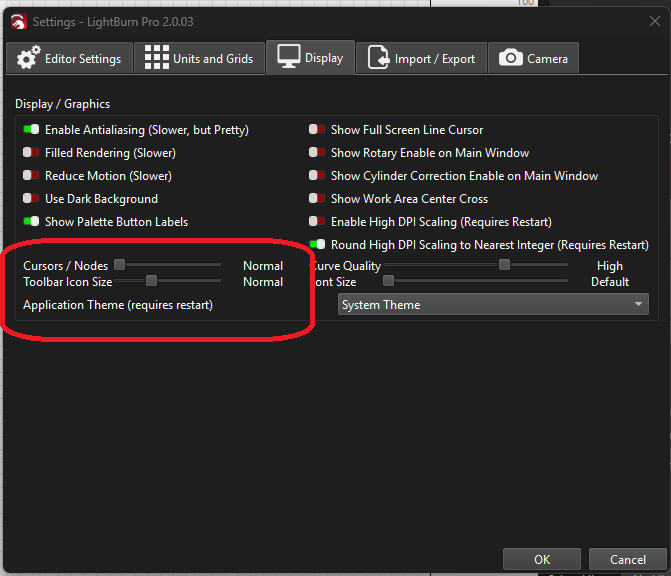
If you go to ‘Edit > Settings’ in LightBurn and go over to the ‘Display’ tab, you can reduce the size of the font, cursors/nodes, and toolbar icon size (requires a restart to take effect)
My old Laptop ( foir my Laser) doesn’t support over 1336 x 768 and dont want a expensive one sitting in shed, or have to fork out for a monitor. …
Had to do above just to get it to work, and you not build for smaller screens the older version worked fine… Maybe a skin option or something… Problem seems to be the Material Lib Dialog and the popups is calls for editing cuts etc.
Guess I won’t be buying Upgrades and I will stick with Version 1.7.. Shame you have also discontinued the Linux options as that OS might have had the capability to run at higher res,
It is not the OS or Lightburn that is limiting. It is the physical charistics (HxV pixels) and video controller that are limiting.
On one laptop, the latest runs fine. On the other, which hooks to the laser and gets the most Lightburn development, I had to use a 27" Acer monitor on the Acer “Full HD 1080” laptop. It only works if I set the big monitor to Primary and the laptop display as Off.
Monitors are pretty cheap nowadays. You might try that…
I know my HW is limiting, but I really don’t want to go and buy a Monitor for my workroom (Shed) when my old laptop works fine on previous version. I do my main design in the warmth in the house and then nip out to the work room to “burn” the design… Shame I now can’t set up the burn parameters. The “Best laser software” has suddenly turned into not that great software, or means I need to my a £500 laptop for the shed. No Space for a Big monitor / Keyboard mouse etc. as Monitor would have to sit onto of close laptop. Space in workroom is already at premium. Just not happy with update . Lack of foresight from Lightburn as I bet many users use an old PC to control the laser, not the latest £5k AlienWare laptop capable of 4K.
You are right about that. My computer and monitor that I use in the workshop are also ancient but run very well on LB 1.7.8 for Linux. Like you and many of our colleagues, I use the latest version of LightBurn for construction and design work in the office and or at home on a “modern and strong” Macbook from 2014.
Besides the fact that I was also disappointed that the Linux version is not being developed further, my current arrangement works without problems. (Linux and MacOS)
But I don’t understand your problem with getting an external, used flat screen for your workshop. They take up nothing and I can get them for free or for a symbolic amount from our local recycling station. Most people can’t/won’t settle for a 17" or even worse 15" flat screen these days and laugh at us old men on our tiny screens connected to PCs from the 90s.
You really can’t blame LightBurn for your problem.
I always have a couple of Lenovo m700 sitting around for utility use; they can be had on eBay for under £50 (last one was equivalent of £22!). Tend to come with VGA and hdmi (or displayport), and take up minimal space.