I just upgraded from xTool D1 Pro which I had bought a camera for and got it working with “normal” lay men issues. I now am using the WeCreat Vision Pro 45W and can’t seem to capture the Camera Lens Calibration phase. Any help would be absolutely fantastic.
Edit: I finally calibrated the camera lens. But now I cannot get the alignment done. Apparently Lightburn is not connecting to my laser. The camera did. I tried every port. Some said failed already taken. The other couple just sit on waiting for connection.???The laser tab says ready but on the console tab it shows failed or it seems like it won’t connect to my laser.??? Again, any help would be great.
Are you connecting the camera and laser through a hub? If so, this may be your issue as I believe the computer only assigns 1 com port per physical connection to the computer. Try connecting both devices directly to ports on the computer.
There is only one connection from the Laser out to the computer??
In that case, did you search the forum for wecreate camera?
I’m not able to help further in this matter as I don’t have any compatible hardware.
No, I don’t think its a camera issue. I am just having trouble havine the software talk to the laser itself.
I think it’s something about how the camera interfaces through the single connection. Most cameras used in LightBurn have their orb connection to the computer, so it has to be an issue with how it gets seen. That will require help from one f the LightBurn people or someone else with a wecreate that has figured it out.
Did you follow ALL the steps for connecting to LightBurn including updating your firmware?
https://support.wecreat.com/hc/en-us/articles/9633347845519-Instructions-on-Direct-LightBurn-Connection-with-Wecreat-Laser
Hi David,
The WeCreat is special in many ways. It’s using two individual controllers. Depending on which program you connect with, it starts with one or the other.
Close the WeCreat program, if it’s open, and power-cycle the laser. That should resolve the connection problems. (Though, we’ve seen reports of random disconnects on this machine.)
That appears to be a hardware-related issue. Restarting the laser usually helps. Sometimes only after the second restart.
The camera should be aligned according to our instructions here:
It turns out, the device profile WeCreat offers on their instructions page is not perfect.
We don’t have a Vision Pro to verify everything, but together with another user, we came up with this device profile:
WeCreat Vision Pro 45W Custom GCode Aa(1).lbzip (25.6 KB)
I corrected the Pointer Offset, and changed the Z motion settings to this:

With the added benefit that you can now use the “Focus-Z” button in the Move window, instead of needing to switch to the Macro window:

When following our WeCreat-specific camera instructions, I’m not sure if step number 5 is still the best solution, now that we have a better way of calibrating the lens with the AprilTags and tracking

The important part of that Documentation page is step number 7.
Because, on the Vision, the camera moves up and down with the laser.
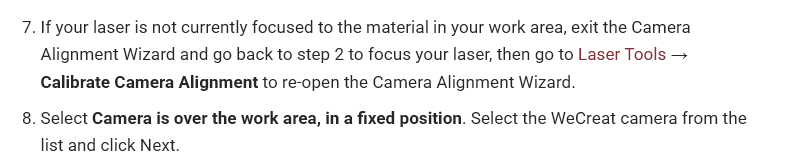

Note, that the camera can only be accurate at the height it has been calibrated at., and you will need to engrave a new set of the four target markers each time, if the pattern was moved.
Hey this is great information. I am going to apply these tonight and check out the difference.
QUESTION: The offsets on the x and y will help with the image being off target???
The X- and Y Offsets can be used to adjust the alignment but it should not be necessary to use them.

The attached .LBZIP file holds all these settings. Download it, and import it in LightBurn via drag and drop.
10-4. I’ll repost my results. But I am tired of looking at the screen. Lol.