here is what I’ve done - after the $23=3 - it was still weird, so I restarted everything… it seemed to be acting correctly, except I noticed when it was “home” (bottom left), the crosshair was near the middle of the work area - so I did G92 X-597 Y-597 (it’s a 600x600 with 3mm back off from limit switches) - this put the crosshair in the bottom left, and after first test, everything works… gonna restart again and see what happens… was the last step I did to reset 0 a mistake?
Ah, yes that would do it.
Just restart and it should work the G92 is temporary.
yes, the g92 was temporary - after restart it’s back thinking it’s in the middle of the work area when it is at home - see attachment
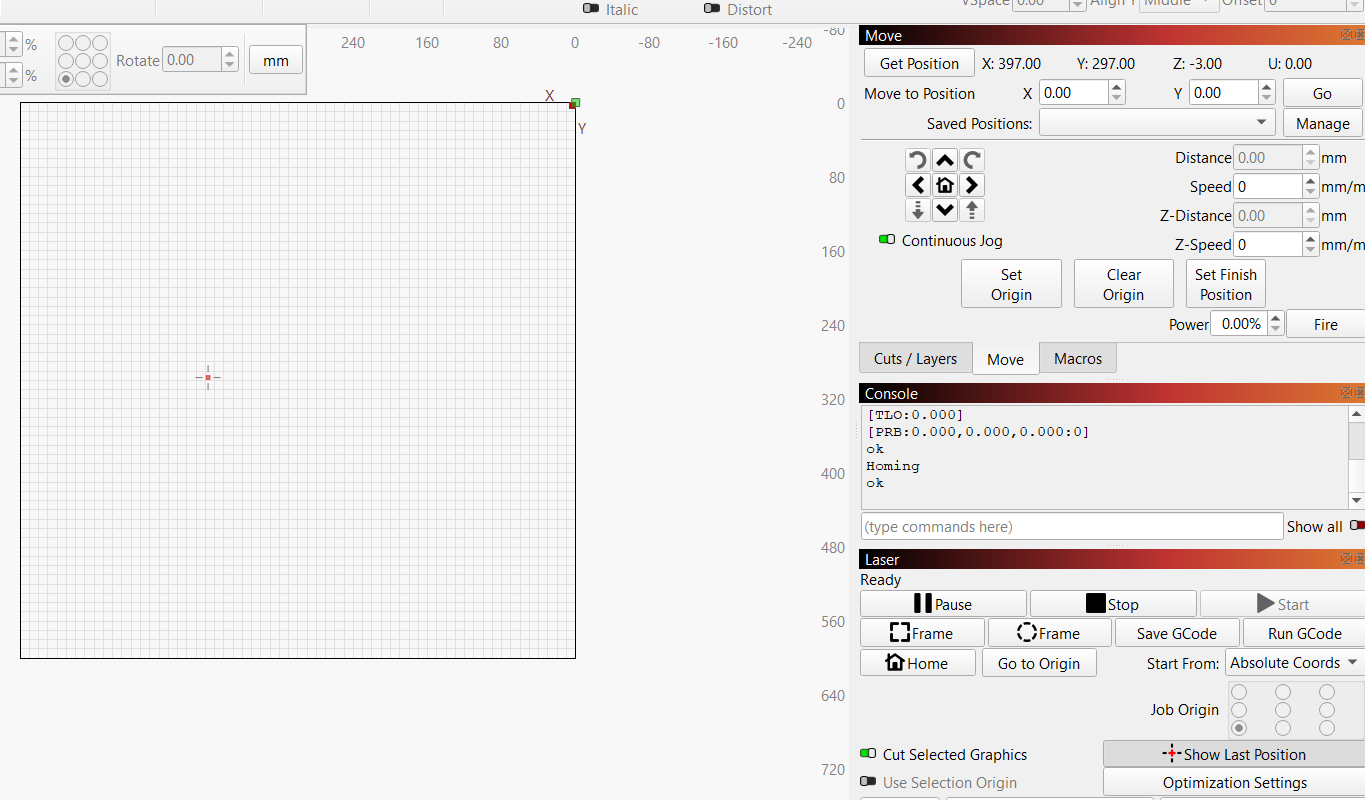
To fix the weirdness you will need to enter:
$130=600
$131=600
done - restarting everything
wow - we might be fixed… I thought I had set the 600x600 in device and machine settings… what steps should I take to backup everything - just like i did before and maybe screen shot the device settings?
Follow the link below to see how to backup to a file:
ok - we are close - LOL - everything acts correctly, but I put a square near the top right and told it to frame.. it went to the limit switch before it got to the square (which should have been within the work area.
It also traveled crazy fast - the file looks like 5000mm/m, which I believe the steppers are capable of, but still seemed excessive.
Test with a 50mm square in the bottom left corner, check it for scale.
50mm square made a cut 62.5mm… time to learn calibration I guess.
1 Like
Based 50:62.5 your settings probably should be;
$100=320
$101=320
Tim’s earlier advice for the reset may have been better… as it would be interesting to see what the factory $$ values actually are. You can still do that if you want. Easy enough to get back to where you are at now if you save a backup.
I did a 400x400 to get close - then a 500x500 to fine tune - got to 500.0625 x 500.0625 actual which is 320.989 on x and 320.429 on y - not sure why they aren’t identical - the steppers are supposed to be the same on all axis… anyway. after $RST=$ they both showed 400… which I know can’t be what this used before. I can try to see what FoxAlien says they should be.
I’d say it should be 320 for both as a factory setting (but nothing wrong with you tweaking that slightly) what is the actual measurement for a 500mm line @ 320 pulse ? Did you account for laser kerf? The 20% difference from 400 to 320 might be attributed to a 4 to 5mm lead change on the screws perhaps.
I tried to account for it - I’m going to do more testing but I really think at least now I”m on the right track… and I have screen shots of all the configs, and a recent export of machine settings (post calibration)
I think the machine settings get backed up automatically after calibration changes, yep you are good to go! 
so this morning I turn everything on to start a 3.5 hour job.. didn’t have time to do it last night. and of course it’s messed up again. have restarted computer, controller, etc.. even loaded the saved machine settings.
It’s homing to bottom left, but cursor says it’s at top right and controls are reversed.
After all the changes you made yesterday did you change the machine origin in device settings to front left? This is a change you have to make in LightBurn. The grbl settings don’t change this. https://forum.lightburnsoftware.com/uploads/default/original/3X/4/3/436efde30c6204ee4ec621f04ebe1c6ea506f803.png

it was set for back right - i took screen shots of all the config pages when it was acting correctly. After seeing your note, I changed it to front left, it is now homing to front left, but up/down move is reversed, and left/right move is reversed.