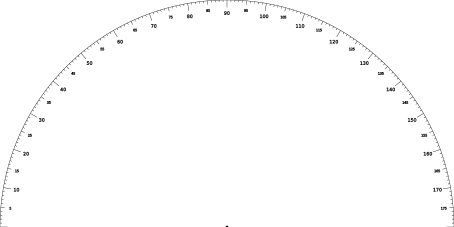
I imported an svg file created with chatgpt, it worked fine but the numbers are detected as arial 17.7, when I create another number with LB to match the same dimension I have to create them as arial 1.78 so 10 times less. Both numbers could be increse decrease edited change font, but with always the same size problem? Does someone know from where this could come and how to solve?
Although they report different heights, the Measure Tool shows them as being basically the same size. This appears to have something to do with how the fonts are created, and what font details are reported with the font. Lightburn only knows what it is told.
The viewBox values have default 1/96 inch units, so 1200 zooms the image to be 12.5 inch wide.
All the coordinates within the file are in default 1/96 inch units.
The text is created in two sizes, neither of which match the font sizes you’re seeing, due to the viewBox scaling (edited to get rid of SVG delimiters):
text …snip… font-size="9" …snip… 5
text …snip… font-size="12" …snip… 10
You can open the SVG in Inkscape and save it to reset some things, but the viewPort remains in effect.
IMO, you’d be better off building the thing in, say, Inkscape, rather than having ChatGPT stitch Frankenfiles from random Web text.
I’m not sure that I understood everything but thanks for the answer, and I agree with your conclusion. In fact I have done it just to see the result, not as a real process.
 but thanks for the answer, and I agree with your conclusion. In fact I have done it just to see the result, not as a real process.