When homing Lightburn doesn't reset coordinates to 0

After update to Lightburn 1.5.02 I have issue with workarea, whenever i home the machine it sets coordinates to X: -50.00 Y: -54.00 Z:40.84

$#
[G54:50.000,54.000,-40.844,0.000]
[G55:0.000,0.000,0.000,0.000]
[G56:0.000,0.000,0.000,0.000]
[G57:0.000,0.000,0.000,0.000]
[G58:0.000,0.000,0.000,0.000]
[G59:0.000,0.000,0.000,0.000]
[G28:0.000,0.000,0.000,0.000]
[G30:0.000,0.000,0.000,0.000]
[G92:0.000,0.000,0.000,0.000]
[TLO:0.000]
[PRB:0.000,0.000,0.000,0.000:0]

how to calibrate this to be 0,0,0 when homing?
I tried several things, restarting, uninstalling and installing again, new gbrl settings but nothing seems to work.

It might be some obvious thing that I’m missing but I really cant solve it.

My machine is Sainsmart/Genmitsu 4040pro… the bed size is x:400mm, y:420mm

thanks
You have a work offset in the EPROM

Two ways to go about clearing it

in console
$RST=*
press enter
when machine responds with “Resetting defaults”

Power cycle the controller

or
G10 L2 P1 X0 Y0 Z0 in console as well

Then recheck $#

Thanks for the answer, first thing didn’t work but the second did.
It resets it to 0, but than I’ve tried to run some job and after hitting frame button, laser supposed to go to right from home but it tried in the other direction and got stuck. Something is acting up there and i can’t figure it out what.

The machine works as it should in UGS, software that i use for CNC machining, so I assume it’s just some software thing in Lightburn.

What is your machine origin.
As in, when machine homes, what coordenates you have?
(you can check on Move panel - >get position)

also what corner of the machine is it?

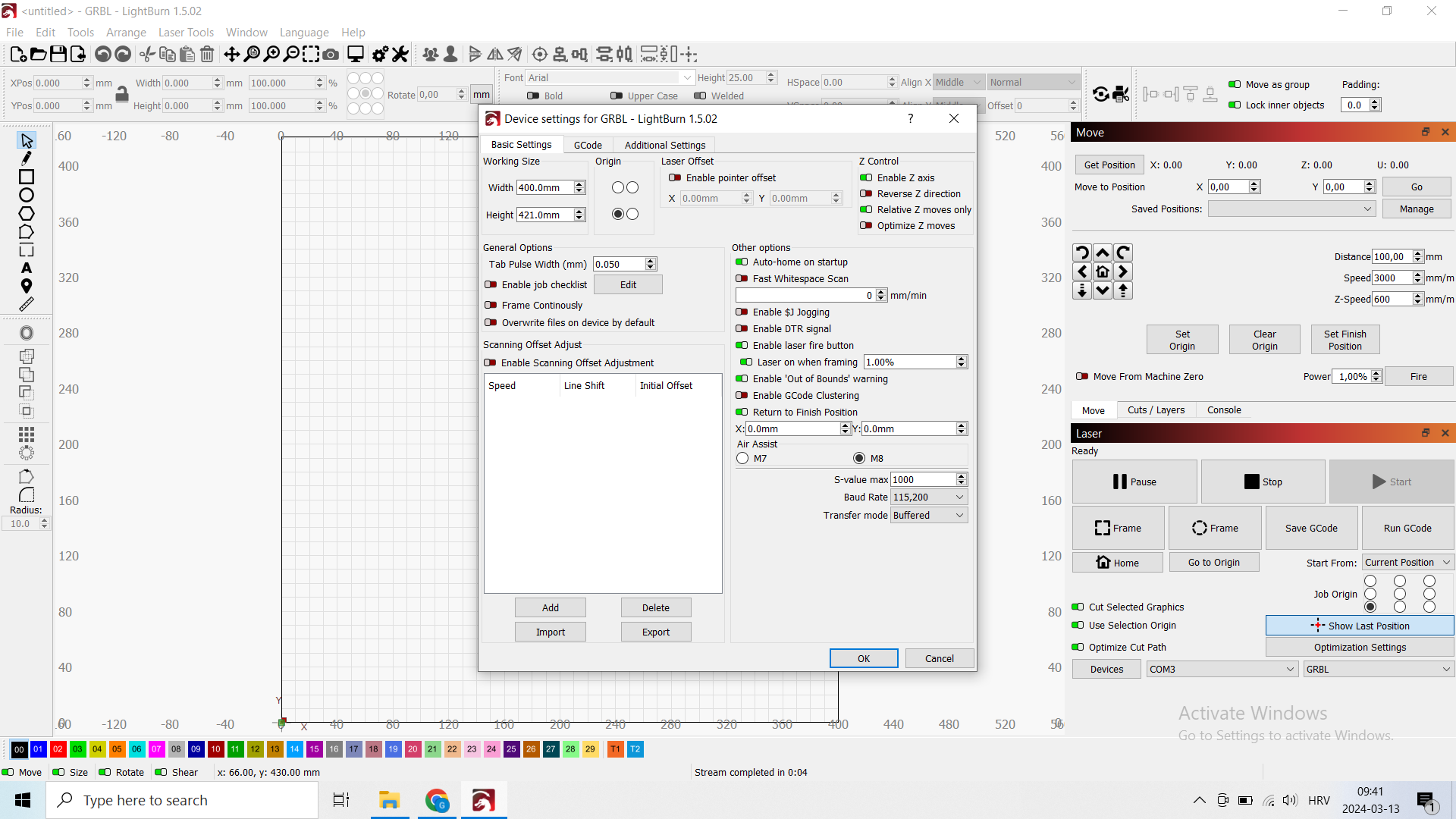
lastly edit → device settings. can you take a screen shot?

Front left corner is home position, now after homing I get 0,0,0 position so this looks ok.

Now after some test i figured one thing, I can’t start any job from home position for some reason, if I move it to right and up for 5mm than it works. What could be the reason for that?
Should i calibrate home position to x:2 y:2 and it will make my work area a bit smaller or there is something connected to soft/hard limiters in software that i can tweak?

When machine homes, it goes all the way left and front until it hits limiter, than it moves away from them for IDK how much, maybe that could be tweaked to move a bit more?

It wasn’t behaving like this before, or at least I can’t remember.