yes I meant 18000.
$31 value is 0
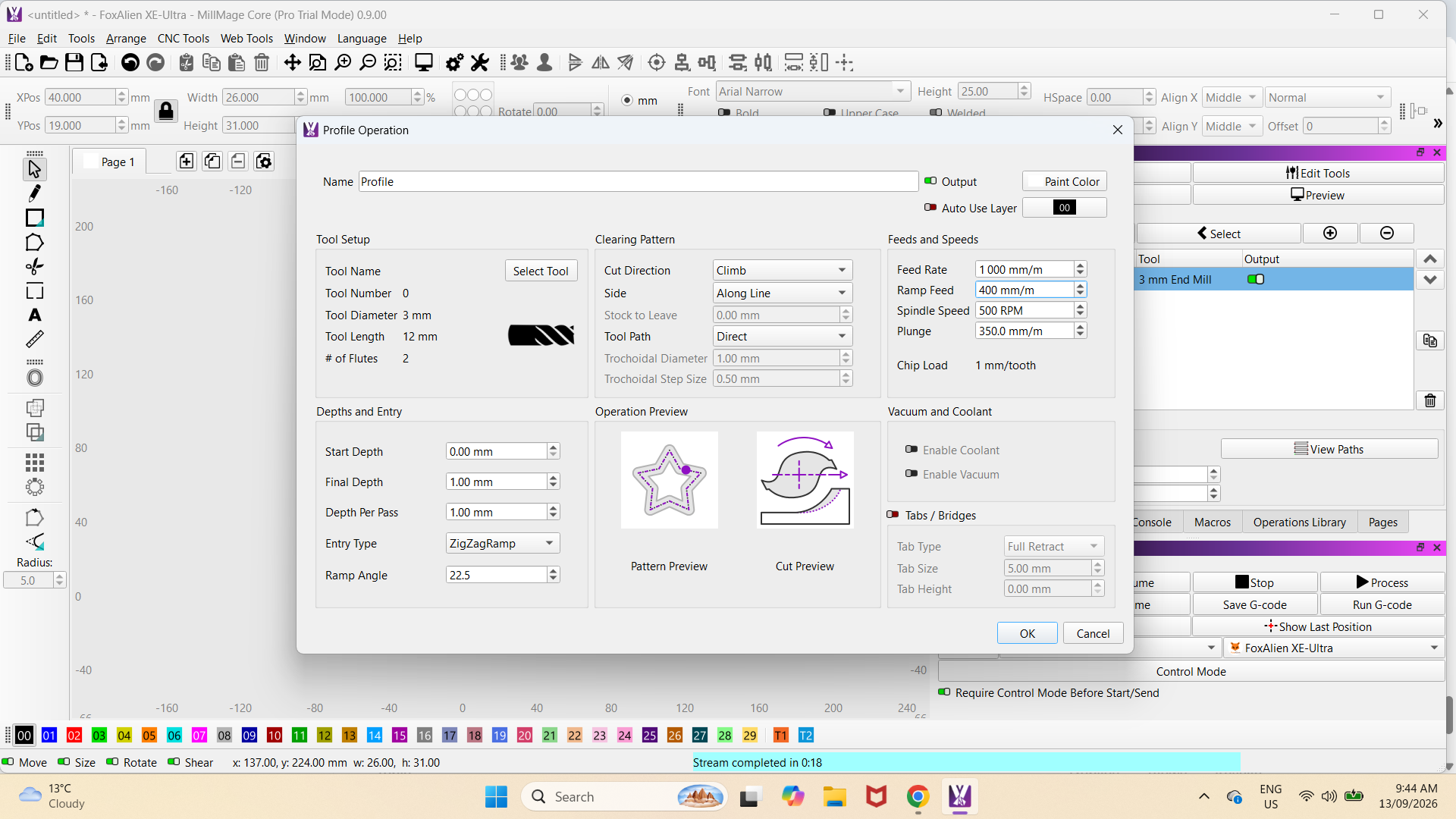
I set the $30 to 5000 and tool to 500 and no difference. I can adjust the speed of the spindle in the spindle % once the job had started but only slower, no faster as it is running at 24000rpm.
I can tell the difference as the VFD has a digital read out and it goes to 24000 as soon as it starts and I have tried all other RPM’s and no difference.
I have just done a update to 9.0 and as soon as i open millmage it comes up with Error 9. It was not like that in the original mode 8. it hasn’t hard homed, and this happens before I turn on the CNC.
I will take these in reverse order. The controller may be powered up with the USB cable (mine is that way). The power supply just feeds the motors. Try this: Have power on the CNC before you lanuch MillMage.
This you said in the beginning. But we had to eliminate the most likely conditions. It appears MillMage is sending recognized speed changes when running, but not when running the startup code.
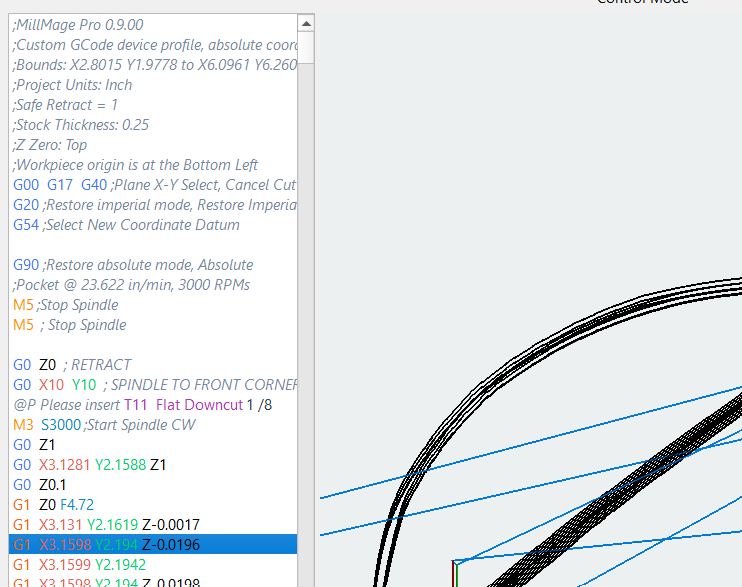
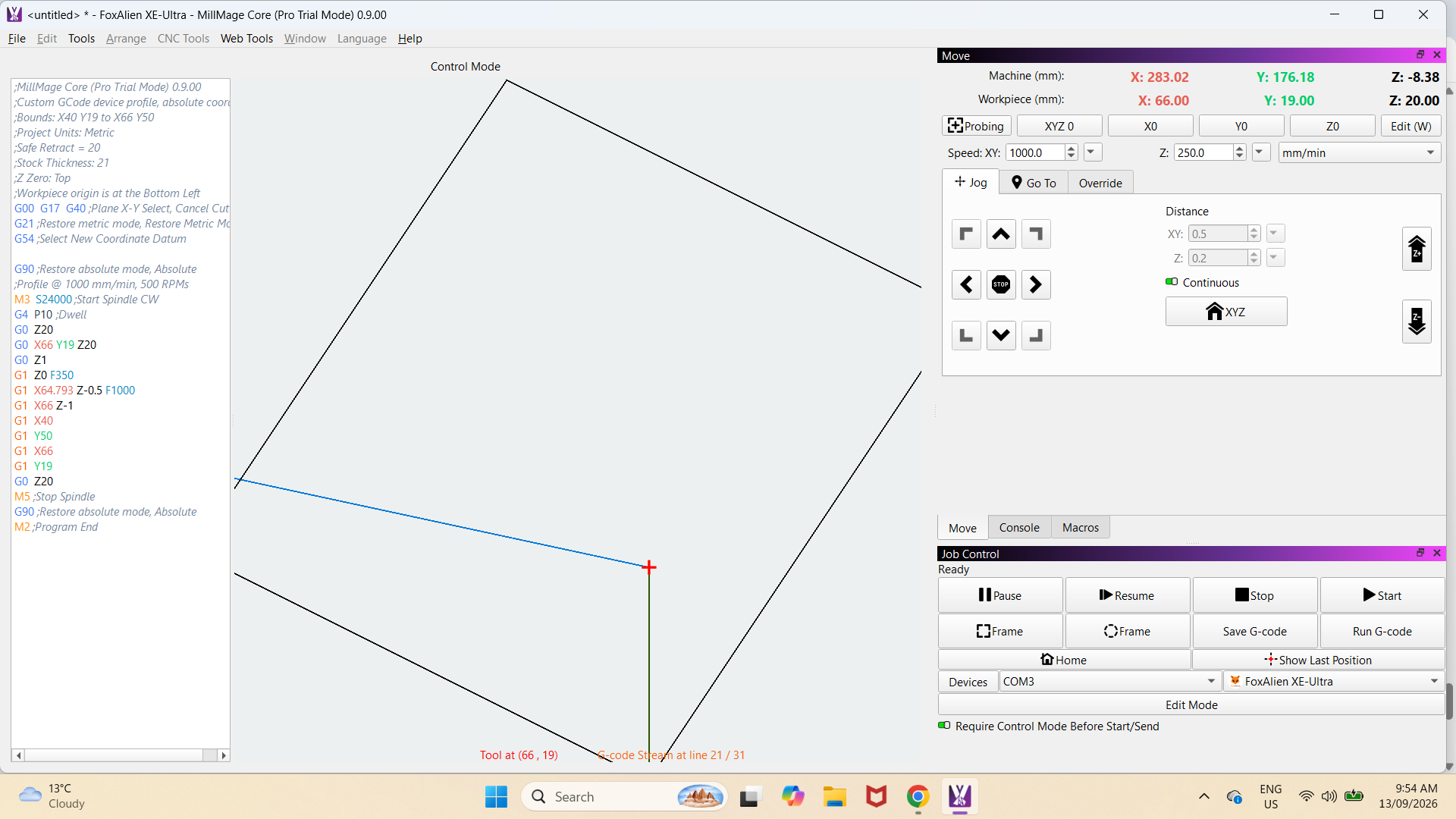
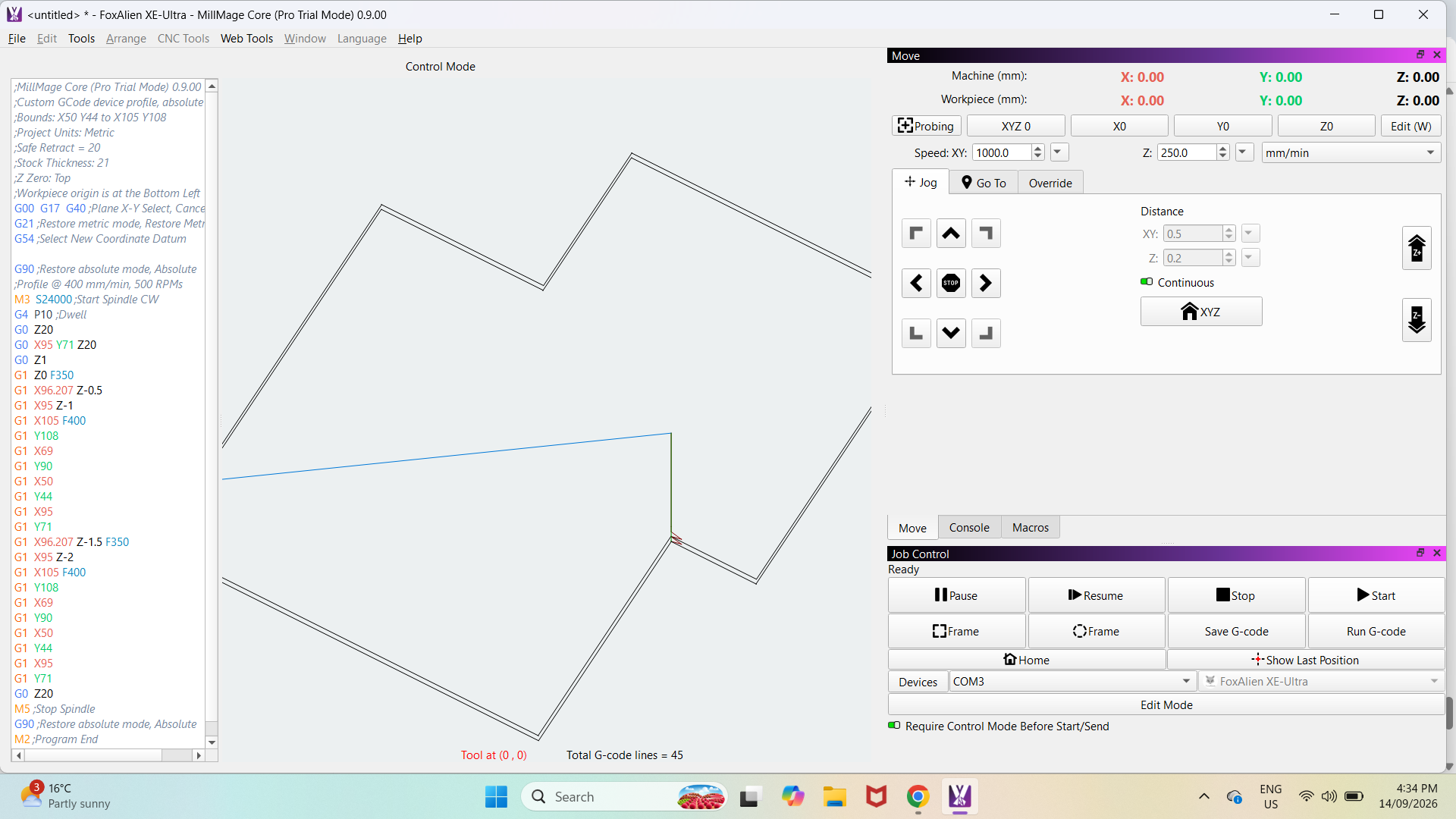
Take any one of your MillMage files loaded and click on the Control Mode bar (really wide button  ). On the side, you will see the GCode listed. Do a screen capture (SHFT+WinKey+S) similar to the one below. The output formatting may not be what your controller likes.
Can you also tell us what controller board your machine has?
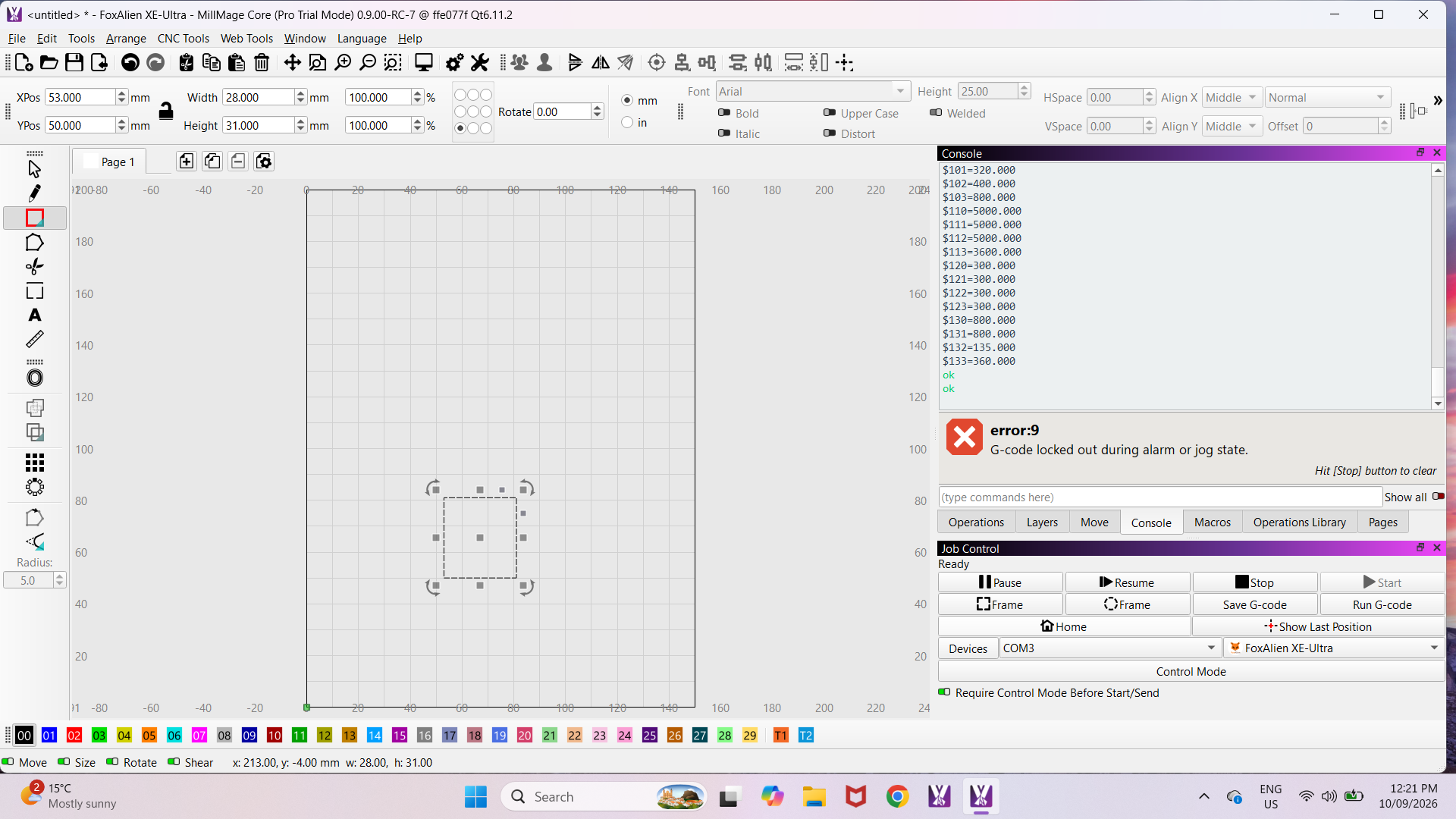
My bad, I was thinking Alarm 9, not Error 9. That is a status message during boot up, and usually followed by more messages typically ending with “Ok”. It is not keeping you from running, right?
Still waiting…
Is there an adjustment knob or control on the VFD to adjust your speed? I have a VFD and set it’s speed independently from the actual CNC machine operation to whatever speed I need up to 24000rpm
Yes it has a manual control as well but I thought it should be able to select the speed automatically.
I would say that there is no connection between the VFD and the CNC.
This sounds to me like your VFD for the spindle isn’t communicating with the controller correctly. How is it wired up? Can you attach a photo to your reply so we can see what’s going on?
If this is true, there has to be some communication between MillMage and the controller. I asked for a copy of the GCode so we could examine in what context it is sending the S command to the controller.
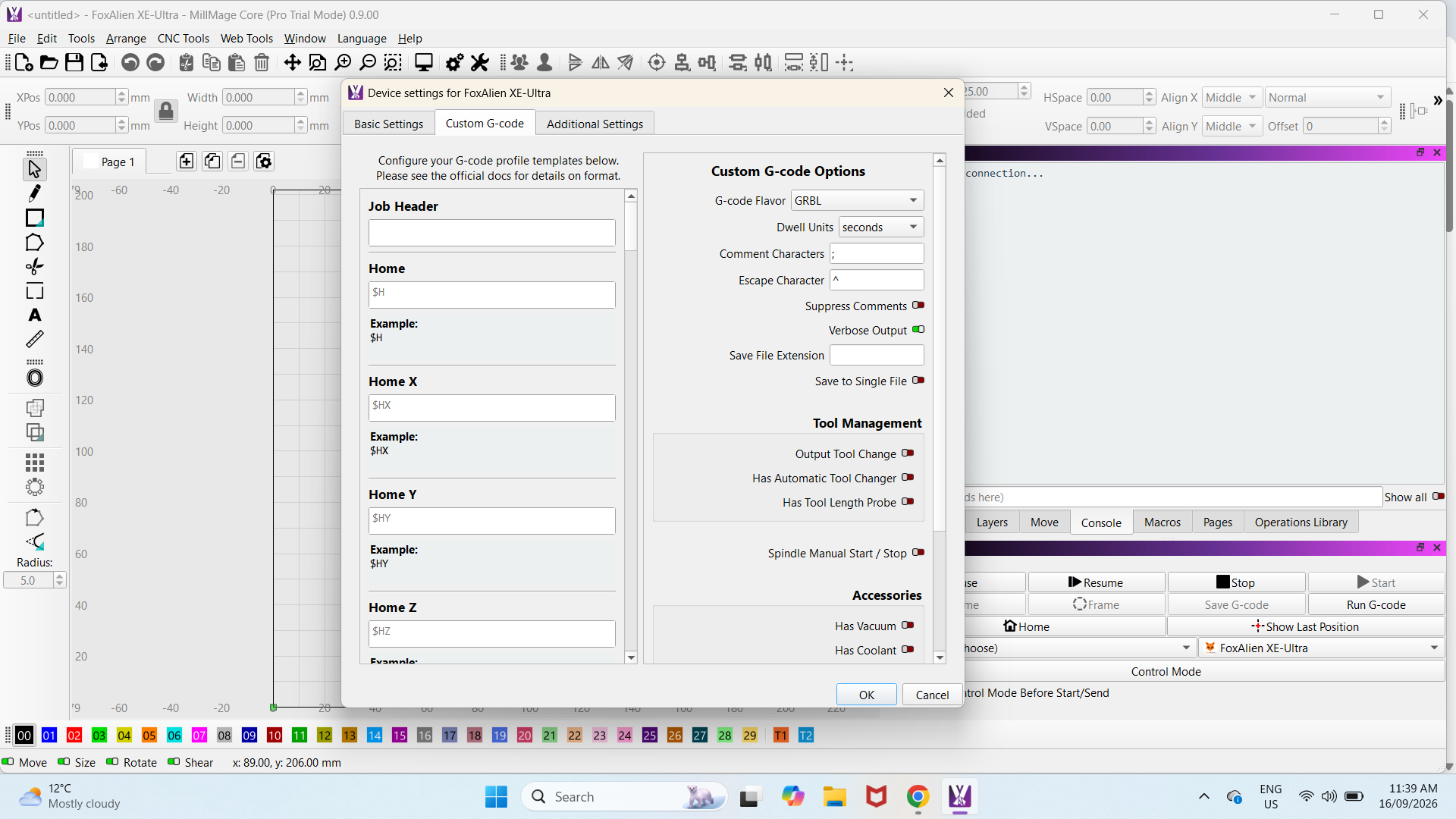
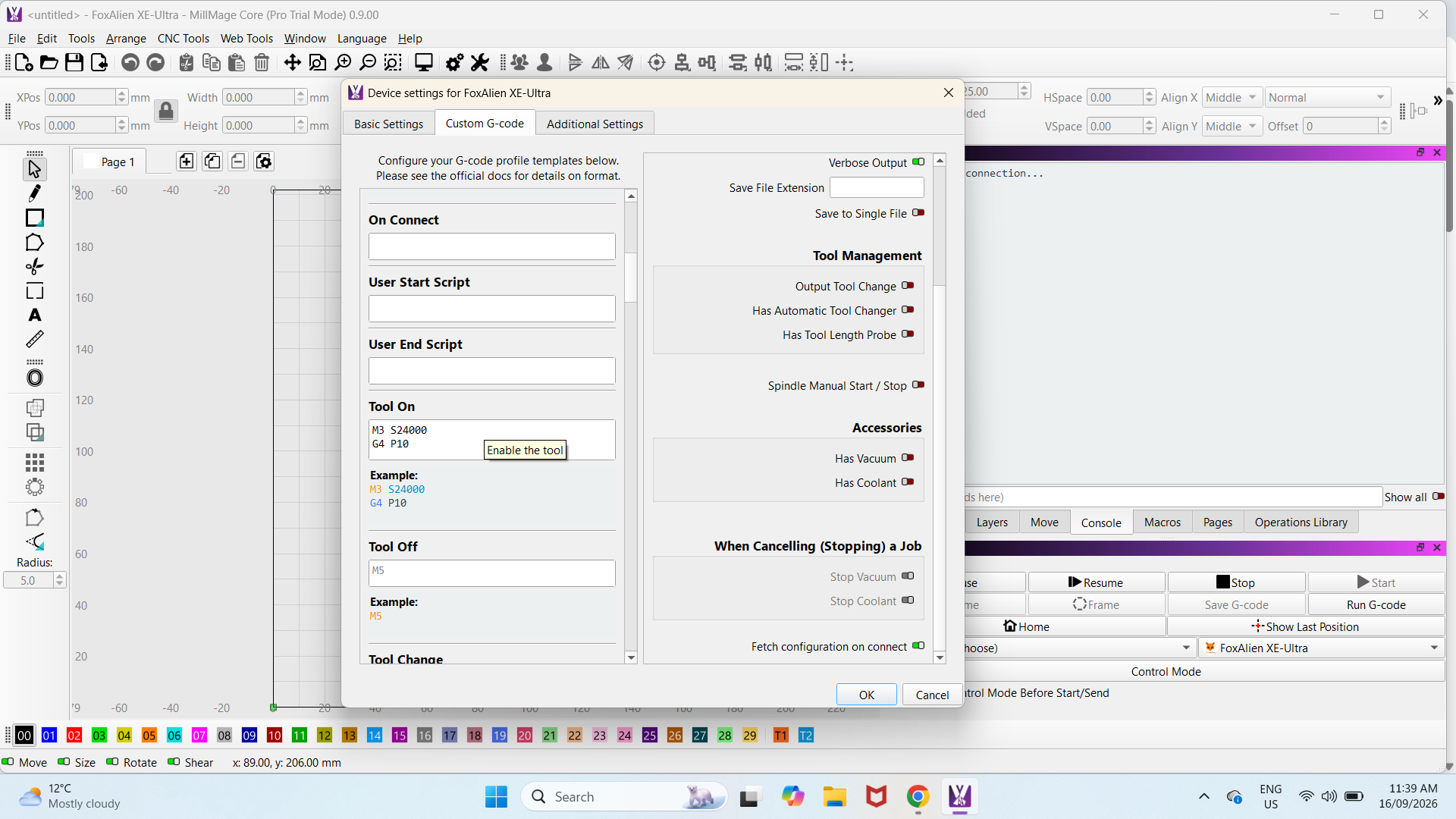
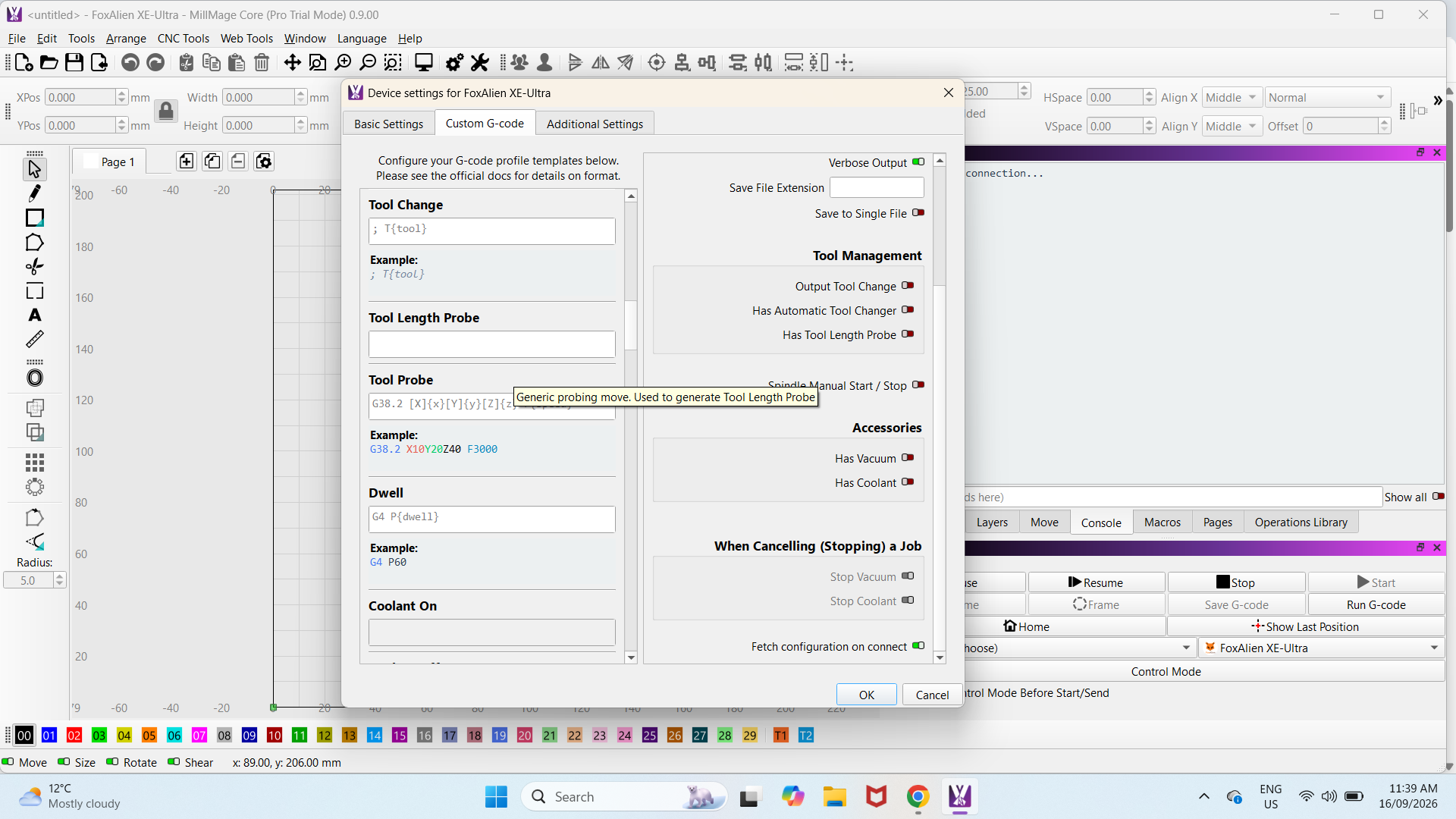
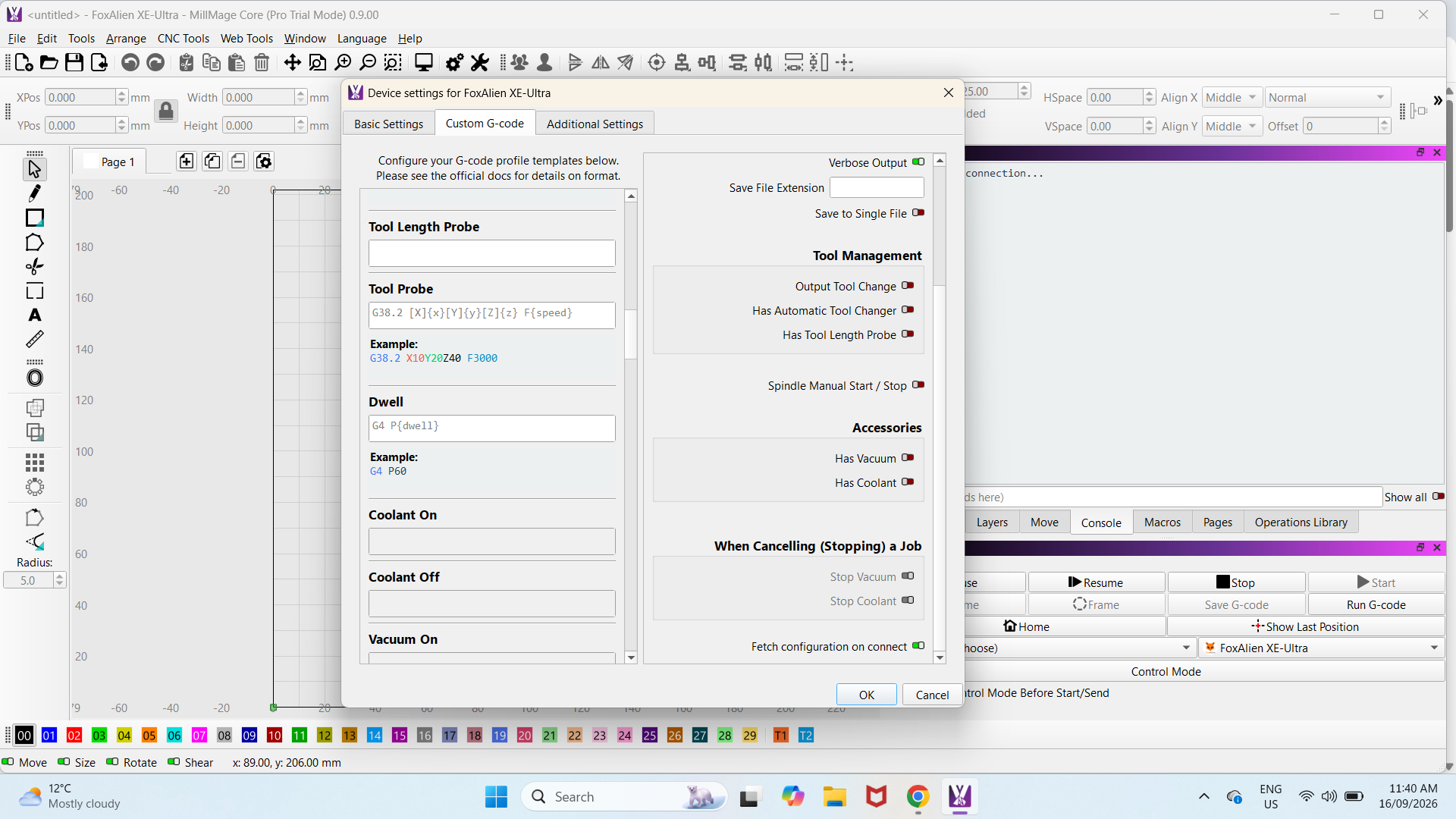
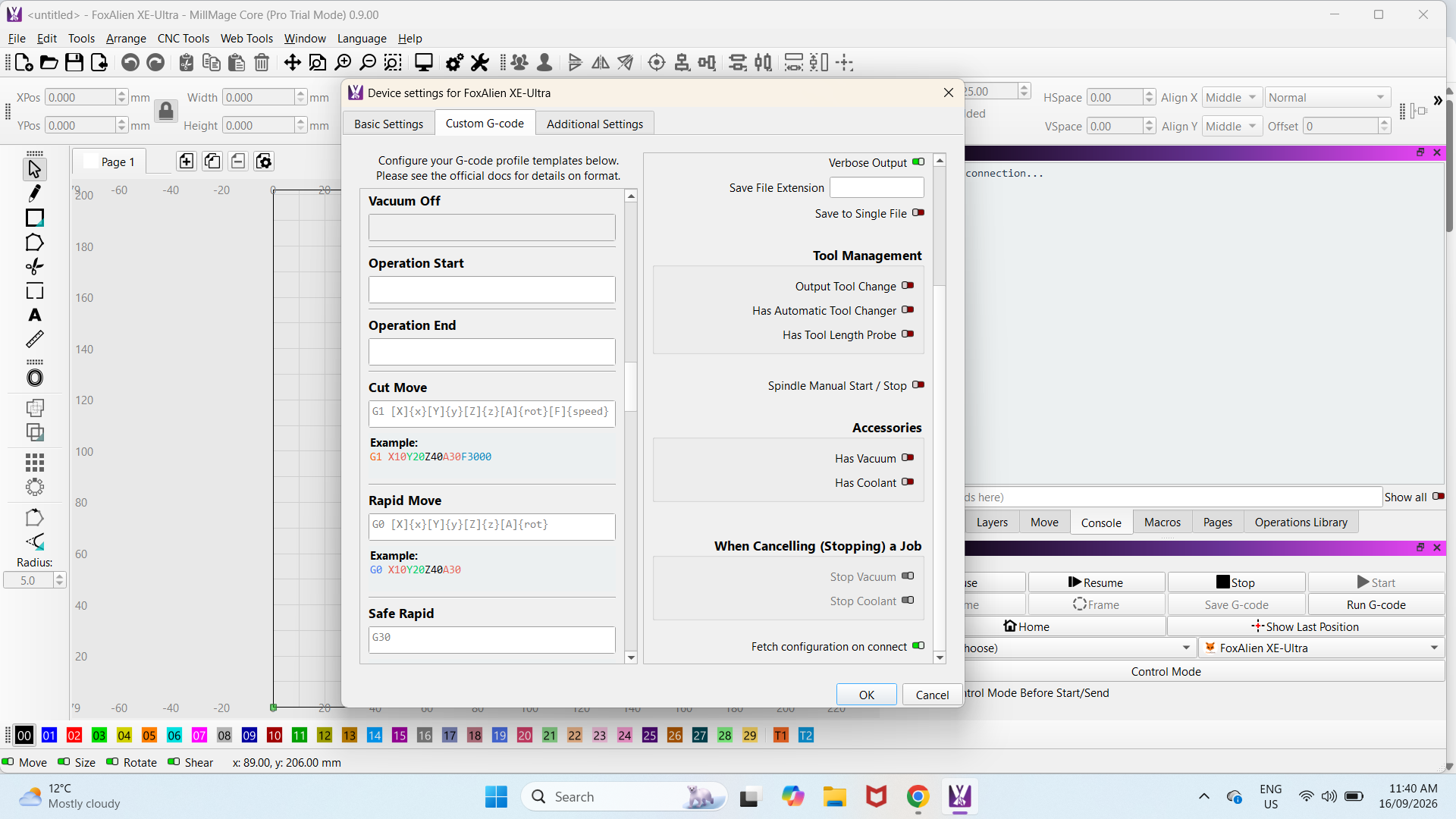
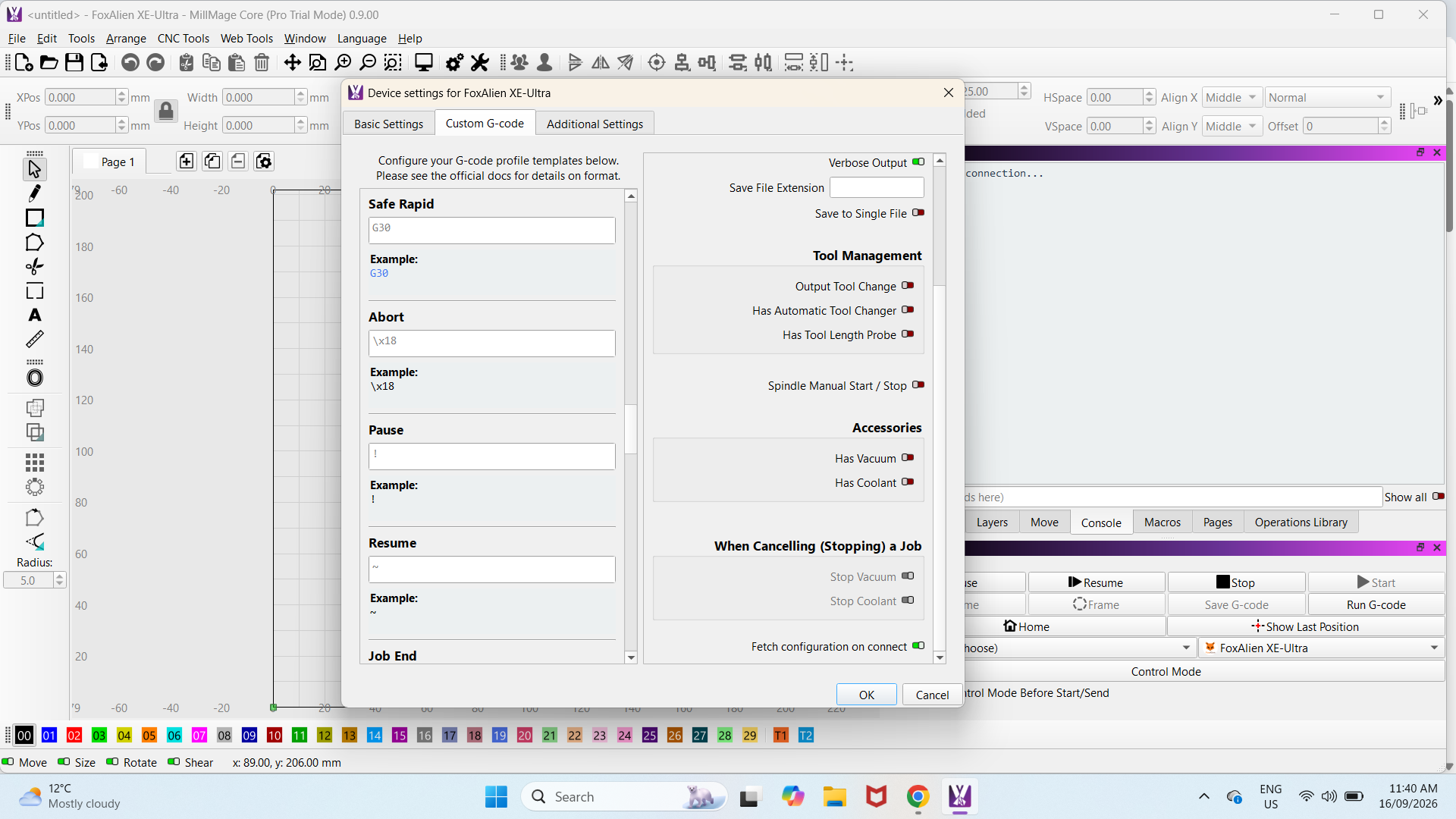
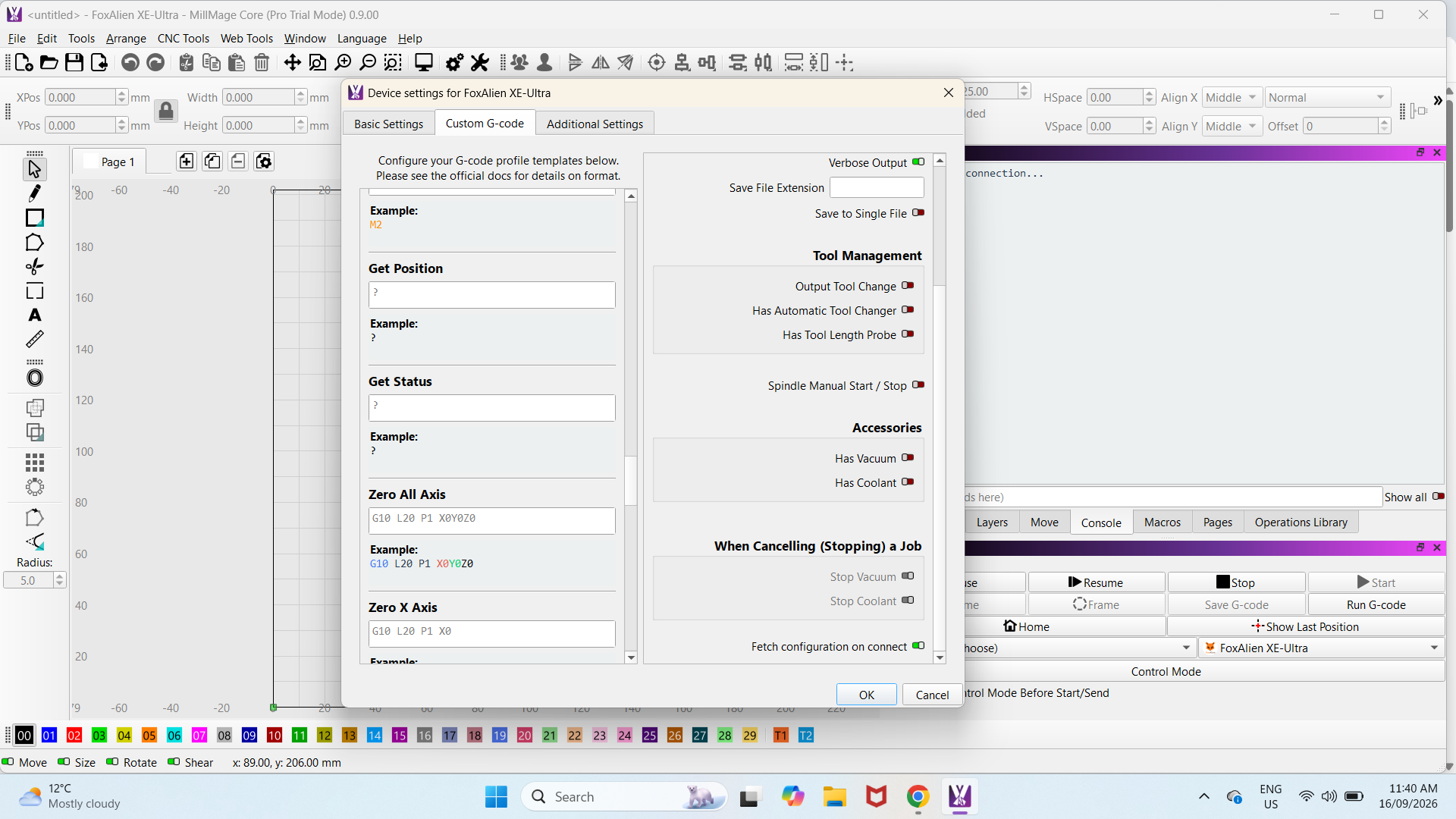
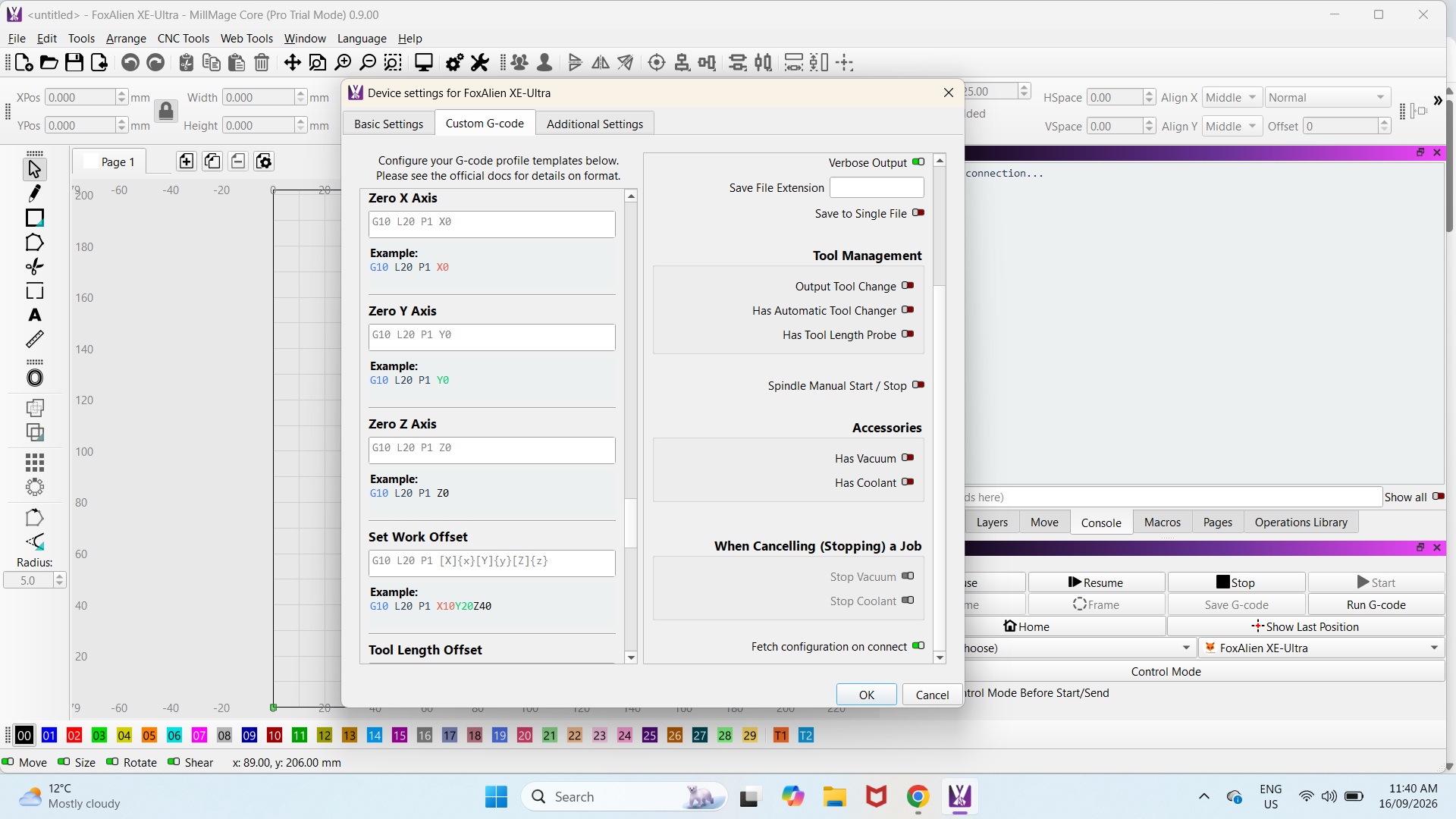
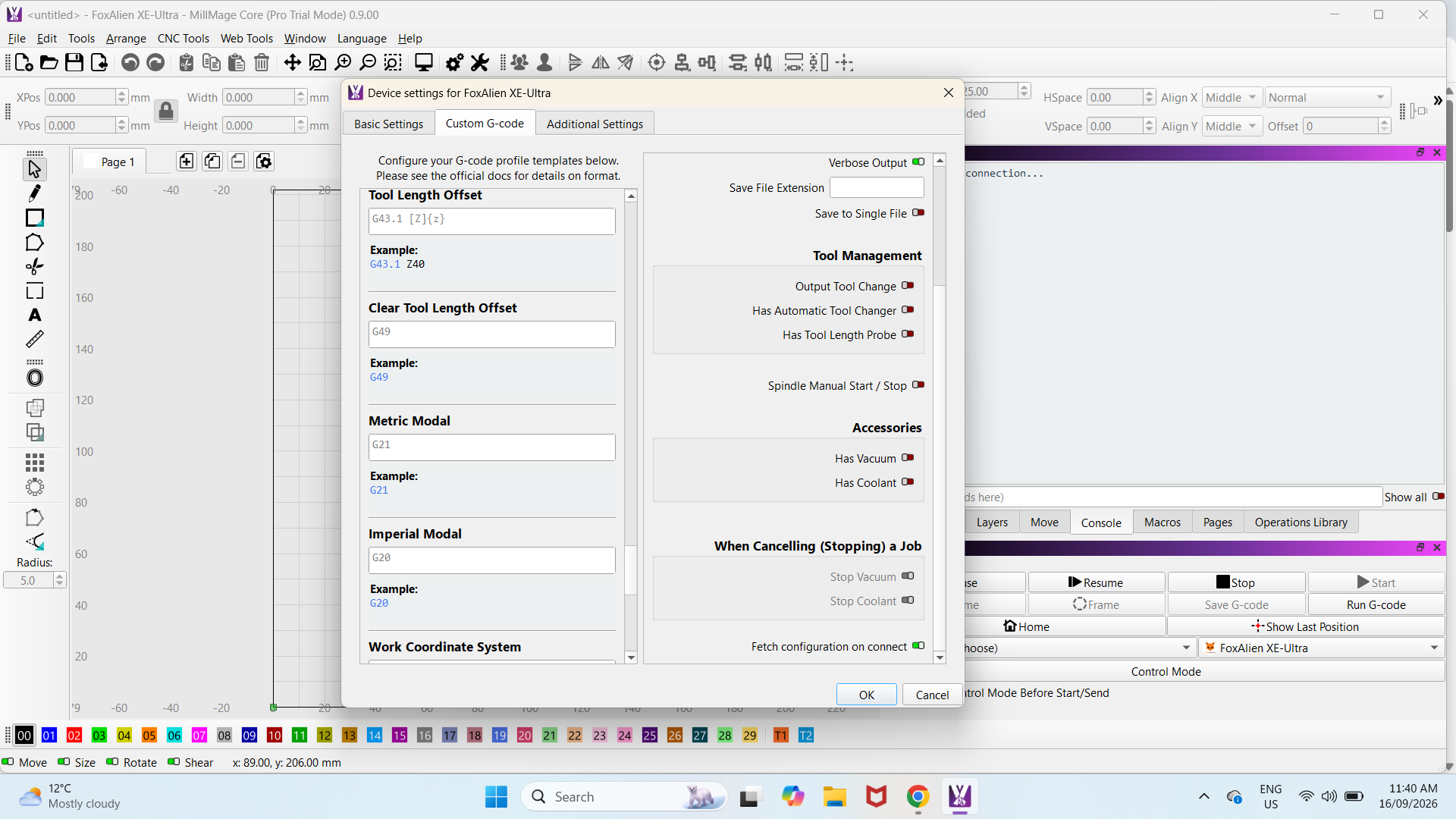
That is Custom GCode settings, not the output actually sent to the laser. See Posting #22 above for an example.
Edit: Maybe not! Look at that Tool On setting. It says M3 S24000, but I think it should be a variable there.
M3 S{spindlespeed}
There it is!
so what should the M3 S{spindlespeed} be?
I have entered a lower speed into tth M3 setting and that works, but it doesn’t work on the tool setting. So that means the tool setting speed is of no use,
I had sent the Gcode settings in posting 23 and 25.
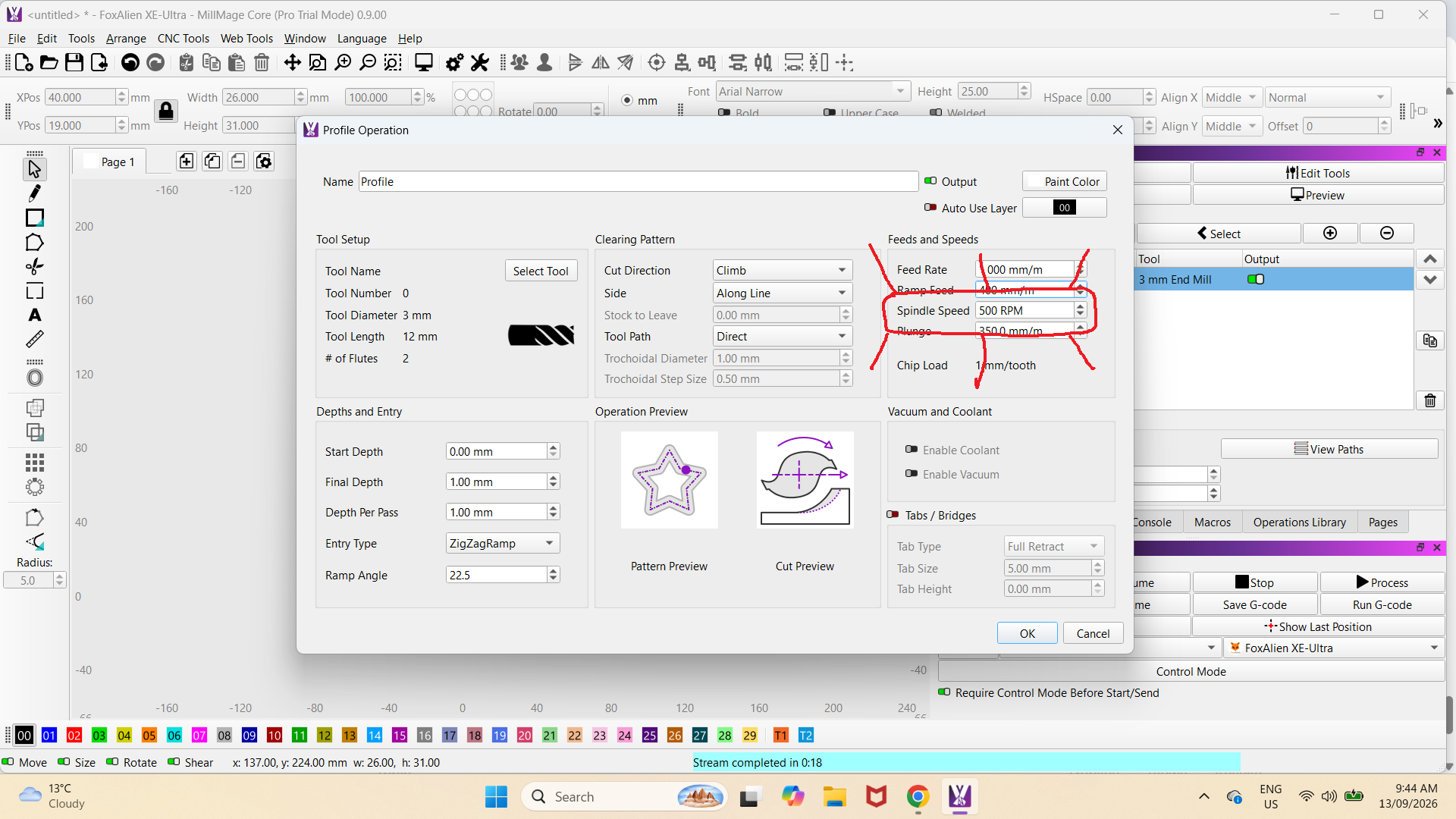
Spindle speed fixed, thank you.
Can you tell me the millmage settings to move the home setting from
Front Left to the Rear Right?
I have a Foxalien Ultra XE 8080
The Home position is normally fixed and not to be moved. If you do (must have limit switches on all corners), then you open a can of worms with the coordinate system.
Why do you want to move it?
I would like to move it as it is in the way when I am setting up.
It has limiting switches in all four corners.
I have changed my laser machine from front to back by putting in code G10 L2 P1 X-400 Y-400
and changing $23=3 to $23=0 and changing the origin corner and it works fine.
Same here, except I made a Macro to move it out of the way. That way I did not have to screw with the coordinate system.