When I start the job, whereever I am, My Z axys gows down and then goes up to the top and continu. I think it’s going to my Z0. I am lucky it did not touch anything.
How can I stop it from going down and just start the job.
When I start the job, whereever I am, My Z axys gows down and then goes up to the top and continu. I think it’s going to my Z0. I am lucky it did not touch anything.
How can I stop it from going down and just start the job.
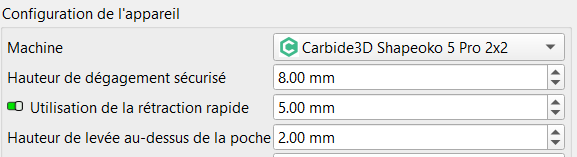
I found out that it’s the Safe Clearence Height that is tested when the job start.
THIS IS DANGEROUS, If I am over something, it will hit it before I start the job.
What can I do to make sure it is not tested when the job start???

How come no MillMage employee answer me?
Nobody knows how to remove this strange behavior? Everybody accept it?
I agree 100%. You should never push the Start button until you are sure where the tool is going to go. I ALWAYS “cut air” with no tool in the spindle to check out a new or modified program. You tell it where to go, and it does exactly that. “Go where I think it should” only works in the movies.
Your 8mm safe height is NOT a ‘safe’ height if it is below the surface of your hold down’s etc?
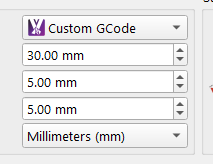
Set your safe height to a few mm above the surface of any of your hold down’s etc, I have my safe height set to 30mm to clear hold down’s with no issues.
This may assist you.
Use whatever method works for you. I was just making suggestions and sharing my experience. I just hope you keep safety at the top of your list.