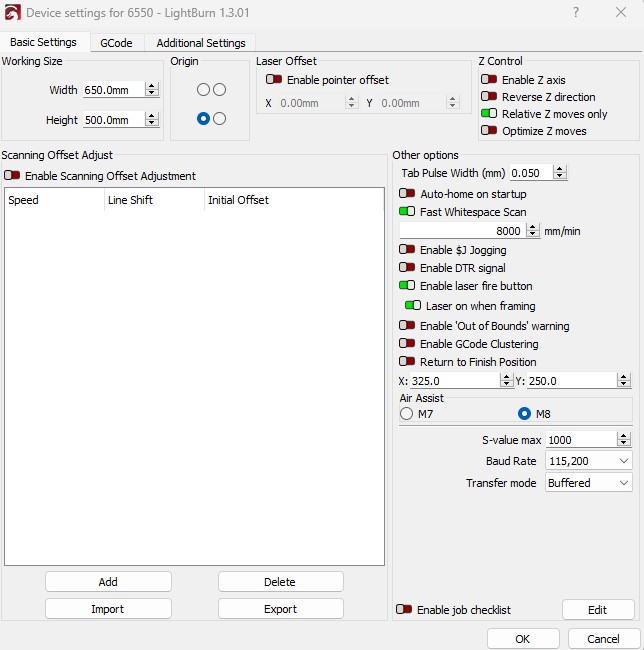
Not exactly comforting but glad it’s running. To confirm, you changed work area to 650x500?
One thing that might help make things more predictable, enable the setting “Enable ‘Out of bounds’ warning” in Edit->Device Settings. This should prevent LightBurn from letting you proceed to the burn if you would otherwise run into this scenario.
Yes I have changed the work area to 650 x 500. Thank you for your help. One last question if I may. If I want all of my burns to start at x50,y50 can I set that permanently in absolute co-ordinates? Atm I have to do it for each time I burn and am I able to set finish position at that co-ordinate as well.
One more thing. Before the above issues started I use to have user origin set. As in had my laser positioned in the middle of my bed. I would have my image in the middle and when I would frame it it would go from the middle and start framing from the bottom left, then went to the bottom right, then up to top right , then to top left and then finish at bottom right and then would engrave in the same way. I can’t get it to do that anymore, if I have the lase positioned in the middle of the bed and put my image in the middle when it frames it starts from the middle and then the alarm goes off because it goes out of my bed size. I really want to be able to do it where I can position my image in the middle and frame and then engrave how I explained. I do a lot of different size/shape boards and this was the only way I could make sure my image was centred on the board as I would measure my board, find the middle and fire the laser to line up with where I had marked the middle of the board and as I said it would then frame by moving from the middle down to the bottom and left and frame properly from there. I never had to ‘go to home’ which I seem to have to do every time now before it will frame. Have include a pic to show how I use to be able to position Childers_engraving-258.0-norton-wood 2.lbrn2 (1.1 MB)
What you’re describing is confusing me a bit. You’re describing it in terms of User Origin but the behavior you’re describing sounds more like using “Current Position”.
Current laser position is irrelevant for User Origin. This is one of the things confusing me.
Try this and see if this matches the behavior you had before.
Home your laser. From this point forward, do not move your laser head by hand.
Set Start From mode to Current Position. Select the middle job origin position in the 9-dots selection.
Use jogging controls to move the laser head to the desired middle position of the work material
Frame
The laser head should move to one corner, then follow the perimeter of the frame completely, then return to middle position.
Can you confirm that this is the behavior you previously had?
Note that I don’t see anything in the .lbrn file other than the photo.
Woohoo, thank you so much. Yes this is how it use to be set up. I have just done one burn and it worked perfectly. Will it stay set this way now or can I set it to permanently stay this way?
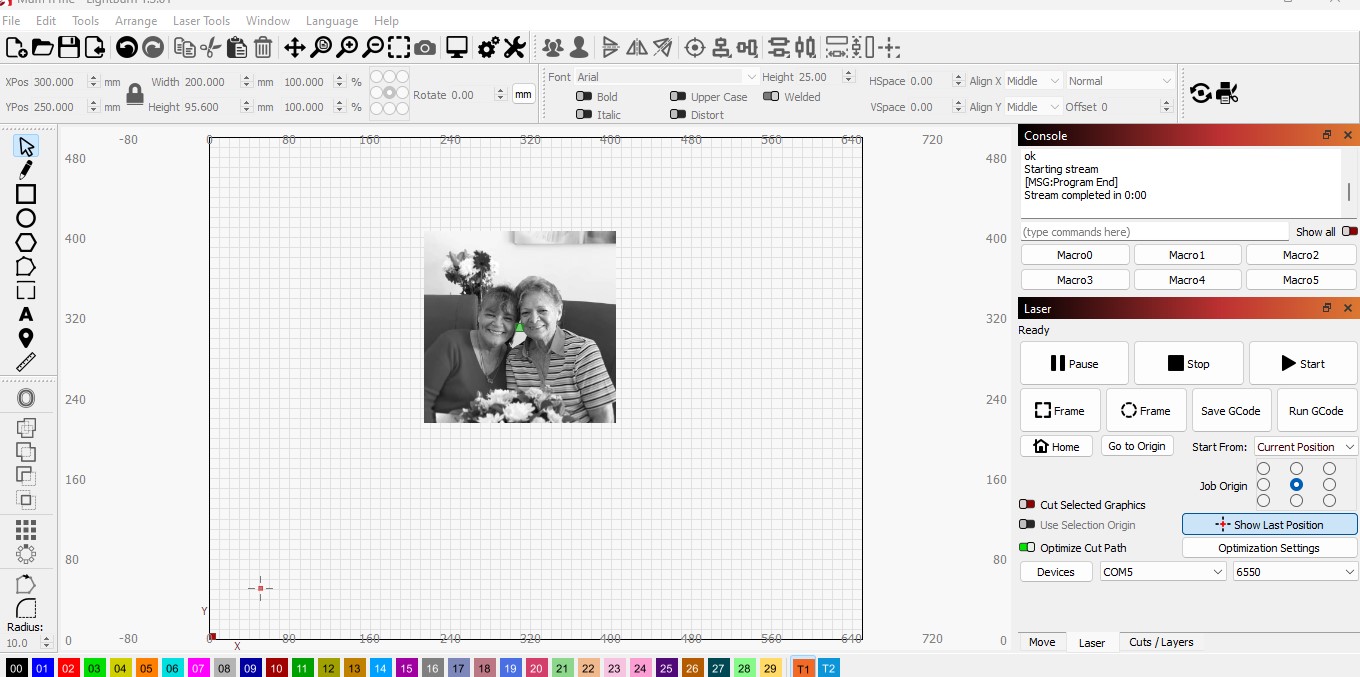
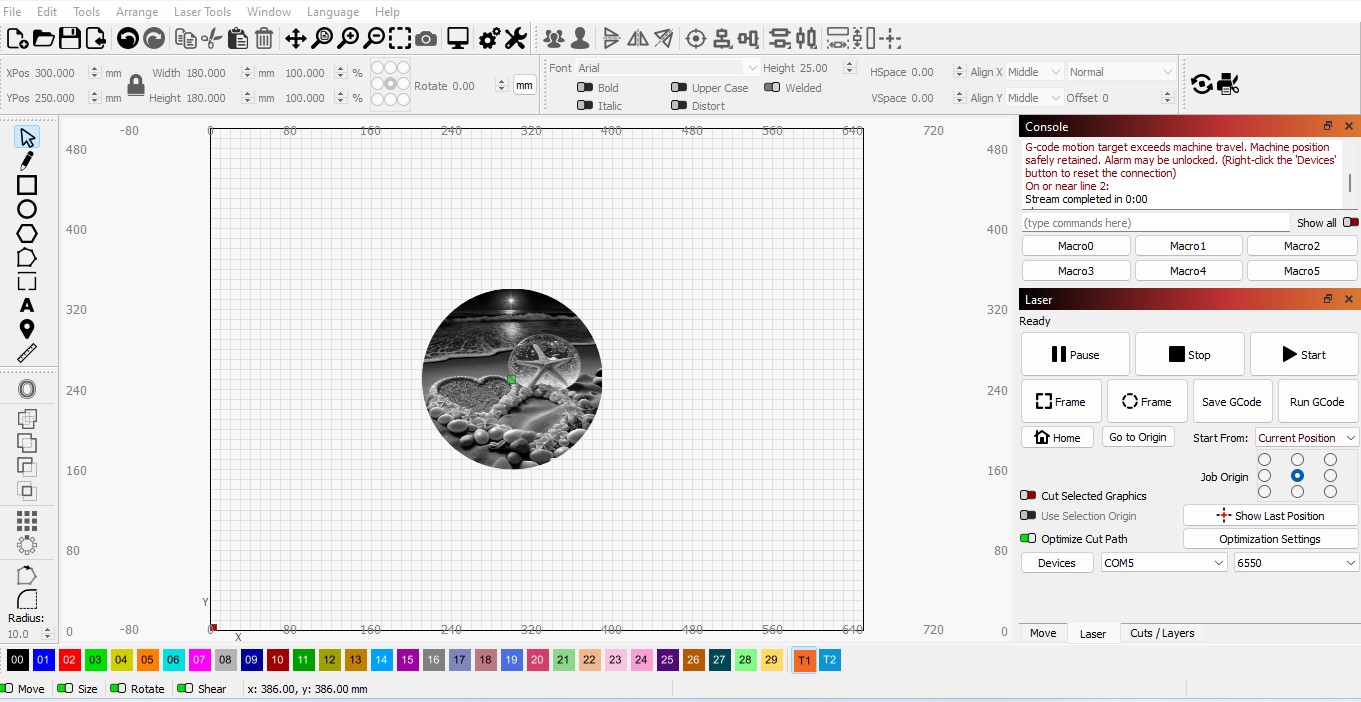
Sorry to be such a pain but I am really trying to learn Lightburn. So I did the steps you said to do and for the first burn after doing that it worked great. I left the laser head in the middle of the bed when I finished that burn. When I went to do a burn the next day it went into alarm. So I sent it ‘home’ and then clicked ‘Go to origin’. I thought the origin was now set at x axis 300/y axis 250 (because I have current position and the middle dot selected) but it went to the origin x axis 50/y axis 50?? I just don’t get why it use to be set to the middle and every time I opened it that is where it would start but now I seem to have to home it and toggle it to the middle position for every job (didn’t have to before). When I open a job because I have it set to current position shouldn’t it centre it at x axis 300/y axis 250? It doesn’t as you can see by the screen shot of the photo I have uploaded it is centred at around x axis 300/y axis 300. In the screen shot of the beach (which is centred at x axis 300/y axis 250 it did an alarm error. I have also sent a screen shot of device setting in case something isn’t set up right there. I hope I have made sense.
I really want to be able to start every job in the centred of the bed like I use to be able to without having to toggle to it because I never use to have to.
You need to home your machine at the start of every session. Position information is lost when you power down the machine.
What are you trying to accomplish by doing both steps? Not following that.
It seems like you’re saying that job origin (the 9-dot selection next to the Start From selection) is setting a user origin position at an absolute coordinate position of the bed. If so, that’s not what the job origin does. Job origin indicates what relative position of your job is used as the starting position of the job.
Note that there are multiple origin concepts that are in play here. “Job origin” which I described earlier and determines relative start position for the job and “user origin” which establishes a logical machine origin. “user origin” is like choosing a new absolute position that will act as the new machine origin from which the job will be referenced.
I can’t tell if you’re conflating the terms or if it’s just the non-differentiating of them but I can’t quite follow how this worked for you.
Opened what?
You really need to home your laser at the start of every session for it to know where the machine is. You could potentially get away with not doing this if you used “current position” only but you’d expose yourself to potential crash scenarios and other weird behavior.
When you say open a job, do you mean opening an existing .lbrn file?
And are you asking if the job should burn with the image centered in the middle of the bed? If so, then no. Job origin at center means that the center of the entirety of the job will be the relative position from which the rest of the job is positioned. Note the green square in the middle of the image. That green square denotes the job origin position. So wherever the laser head is positioned, the green square will represents that start position with the rest of the job being burned relative to that position.
If your goal is to burn everything in the center of the bed then follow these steps.
Make sure machine is homed. This means that the machine was homed after machine startup and that the laser head was never moved by hand following that point. You typically only need to do this once per working session unless somehow you do something to lose position. For example, by moving by hand or by running the machine so fast that position was lost, or because the machine crashed for some reason.
Switch to Absolute Coords. This makes both job origin and user origin irrelevant.
Position your design at the center of the workspace. You can do this easily by selecting your image, then Arrange->Move Selected Objects->Move to page center. Note that there is a toolbar button for this as well.