Never had this one before. I have checked whatever I can think of, did a quick search here and reset computer. Whenever I select mm for measurement, it defaults back to in constantly. it will not let me select it. It’s doing it on all my devices (co2 and fiber)
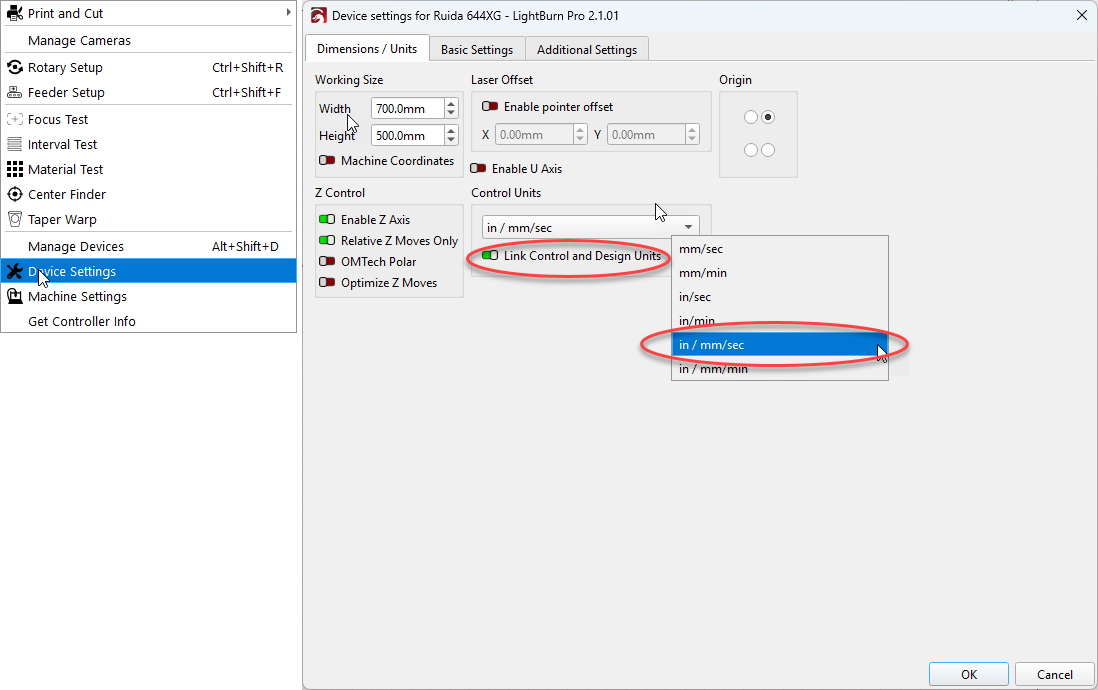
I was able to solve this same issue on my laptop by going to Device Settings; Control Units and set the Link control and design units radio toggle to ON then change the units to in / mm/sec.
It is a new added feature where design and control settings can be linked. If you change in one place, it will also change in the other. I am guessing 1/2 the users want it this way, and the other 1/2 (me included) prefer unlinked. I design in both inches and mm’s, but always use mm’s for my laser settings.
I’m sure it can be useful for some, but I’m curious why enable it and confuse 50% of the people lol.
That being said, who’d want to be forced to use a specific way? if someone wants it to be “linked” and the same, just leave it in whatever it is, and don’t touch it. why have a setting where software forces it?
Oh well, I’m glad someone was able to help me out thank god. I don’t care what my machine cuts in. Sometimes I need mm and sometimes I need inches when I cut.
The changes were needed to allow flexibility in units across these three concerns:
Design Units: What is used in the design space on-screen
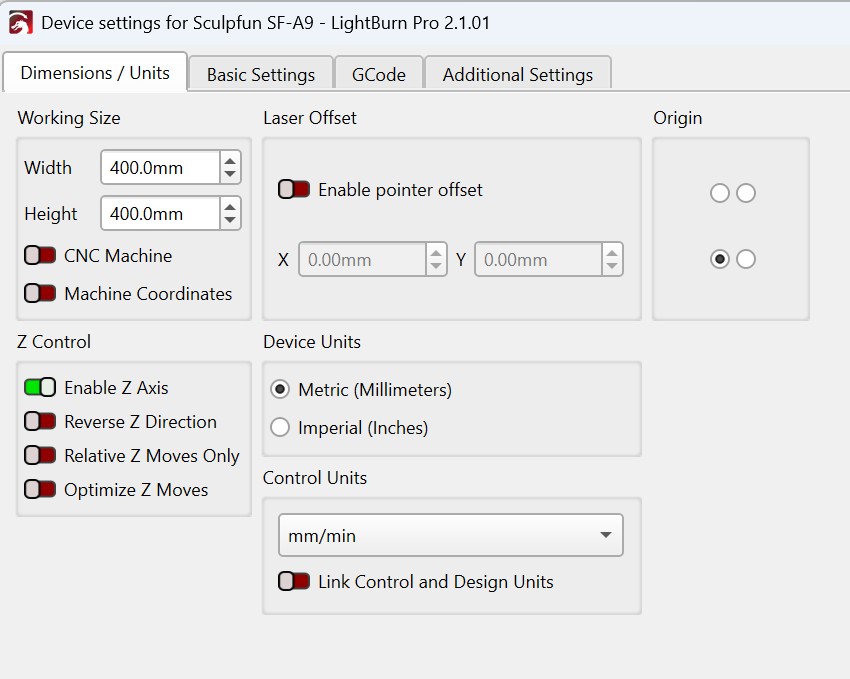
Control Units: What your cut settings and jogging uses (can be linked to follow Design)
Device Units: What LightBurn sends to the device