Expand Ports (Com & LPT)
1 Like
Ok so I am thinking of just buying a new laptop that I can run lightburn on with my lasers I have 2 but I dont know what to get, Windows 11 Home? Windows 11 Pro? I dont want to have the same issues with the laptop that I have with my PC. What do you think???
My bad, did not spot that. Thanks.
Expensive bandaid and it may not solve the problem.
You said you replaced the USB cable. What with? If it is not a shielded cable with the ferrite supressor on it (big knot), you replaced cheap with cheap.
I had a USB connector come loose on my CNC controller board. Tape up the plug at the controller so it is fixed in place and see if you still get the disconnects.
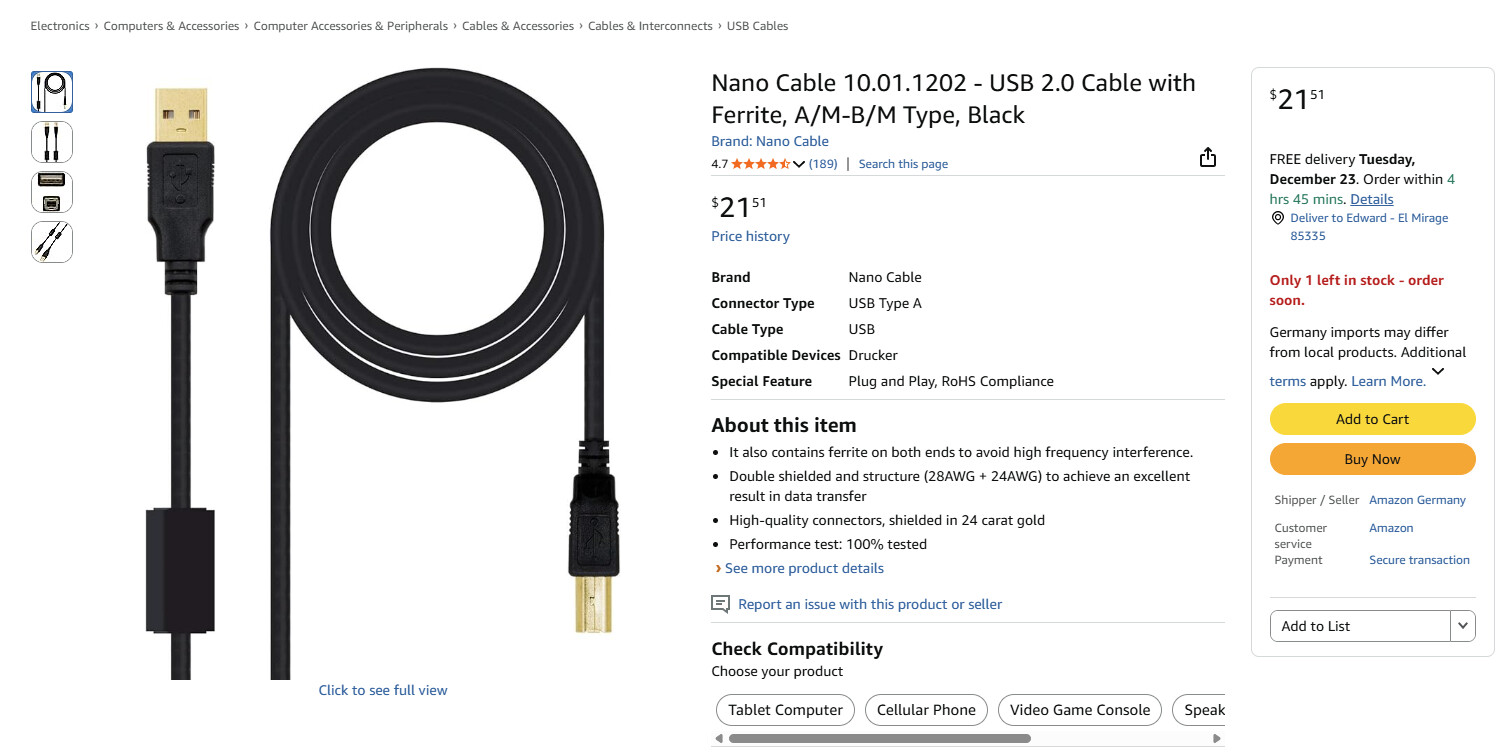
Yes, but make sure it has the right connectors on both ends for your setup.
1 Like
I am always suspicious of Amazon listings with contradictory or irrelevant bullet points:
- “Ferrites on both ends” but the picture shows only one core
- “Shielded in 24 karat gold” is total nonsense
- No mention of the length
I’ve had good results with CableCreation active extensions and Anker for shorter lengths. I cannot tell if those are available in Germany where the listing suggests you are.
I am not in Germany but I am having a hard time finding this cables, I will try Cable Creations and Anker, Thanks for the info.
I Went on both sites and neither has a USB A- USB B with a Ferrite cable. Any other suggestions on where I can get a cable? I am having a hard time believing that it can be the cable when the cable works on my laptop to my laser just fine but I don’t know enough about it. I just have a feeling that I am going to buy a expensive cable and I am still going to be in the same boat.
I didn’t get that one says it wouldn’t be here for 16 day so I ordered this one, I am having a hard time believing that it can be the cable when the cable works on my laptop to my laser just fine but I don’t know enough about it. I just have a feeling that I am going to buy a expensive cable and I am still going to be in the same boat.
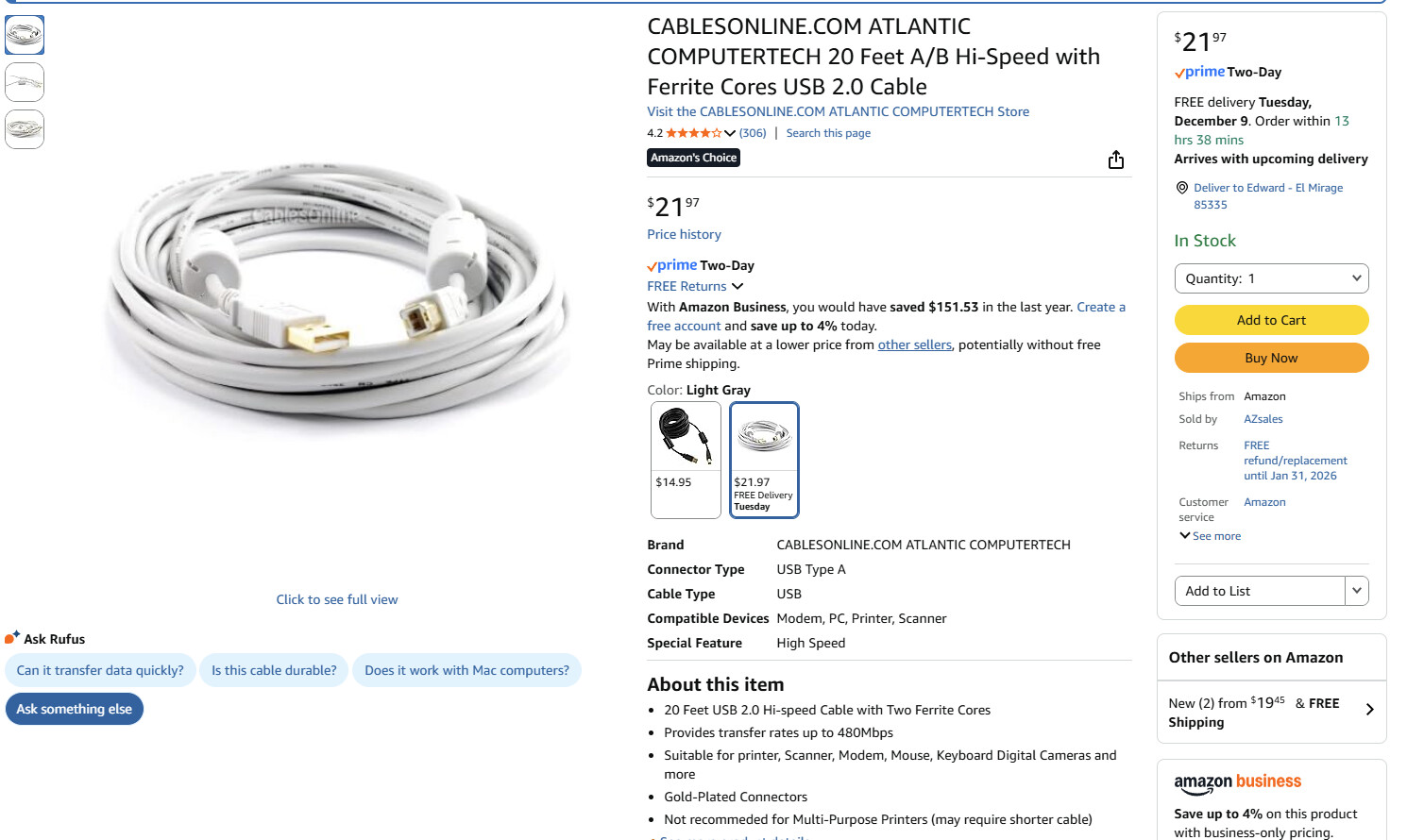
I hope the length is not an issue. The USB standard says 15 feet maximum length, but I usually recommend 10 feet. That said, there are users that have reported using 20’ cables so we are crossing our fingers. 
Wish you’d mentioned the cable was 20 feet long.
Unfortunately, any long unpowered cable, no matter how good, will work poorly. The problem may not lie in the cable, but in the marginal performance of the USB drivers on at least the laser controller end.
That the cable works in other circumstances does not imply success in the peculiar setup required for a laser controller switching high currents in consumer-grade hardware. If it just barely works in one setup and just barely doesn’t in another, the trouble isn’t entirely in the cable.
Some previous discussions cover the problems:
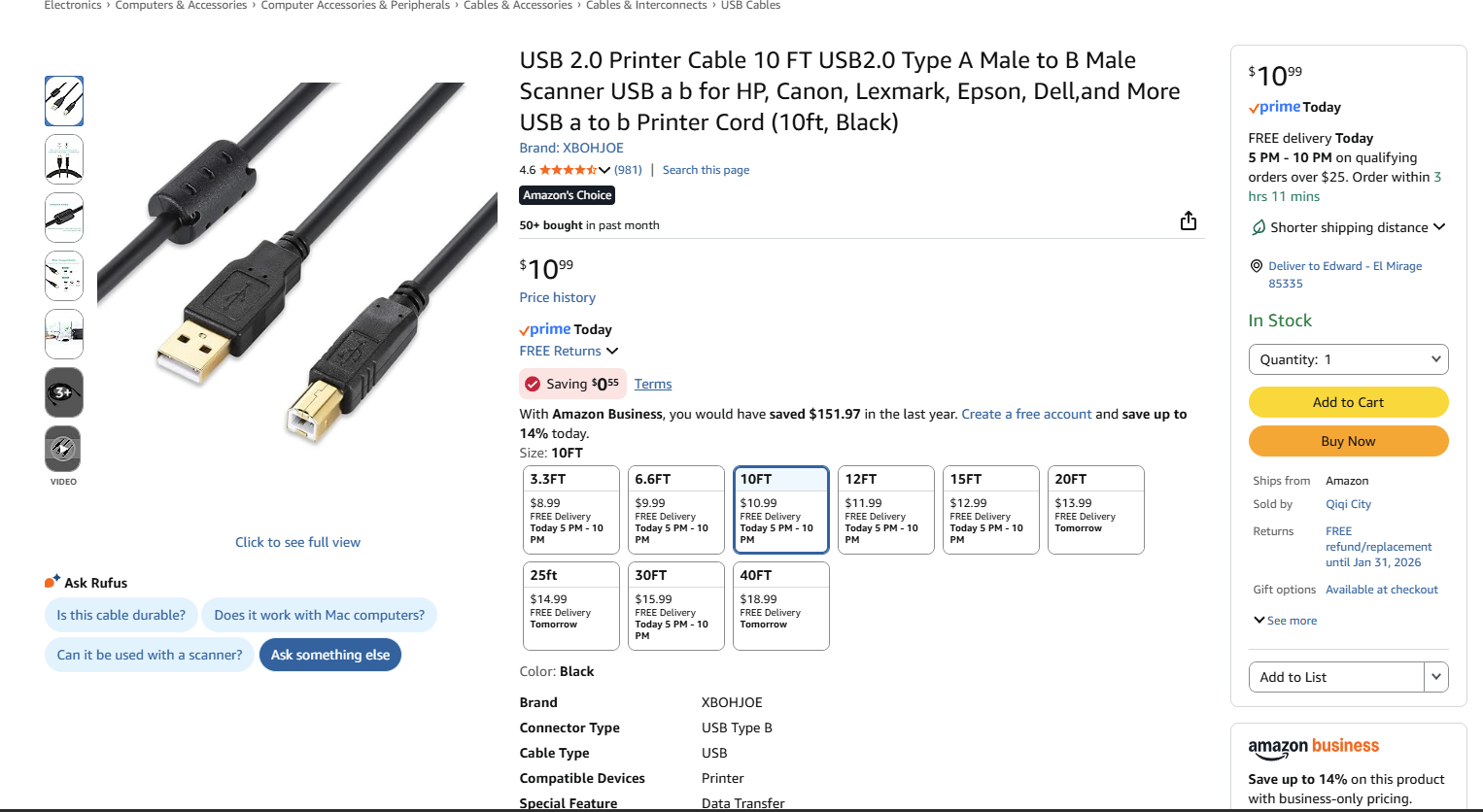
IMO, any cable over about a meter long requires special care, because everything else is not under your control.
Ferrite-core cables usually work up to 2 m, if only because OEM cables are typically junk and anything will be better, but that does not meet your length requirement.
The CableCreations active cable I’ve used will probably improve the results, although it does not have power injection at the laser end:
I got the USB 3 version which also seemed to work well with USB 2 ports, although I have not used them with a GRBL laser controller. How they will behave with your setup requires experimentation, alas.
My rule of thumb for Amazon: I avoid buying anything technical from a seller with a name I cannot pronounce. 
2 Likes
Hi, same problem whit sculpfun s30 pro max. After upgrade lightburn the laser disconnected every time.
I tried everything, New shorter cable, I tried rolling back the Windows update, I tried uninstalling the COM Ports and reinstalling them, everything Lightburn tech told me to do, everything Lightburn community told me to do and everything my lasers tech team told me to do and nothing worked. Still cant use my laser with lightburn on PC.
Did you try disabling MS Edge for auto-boot? Select these options, then reboot:
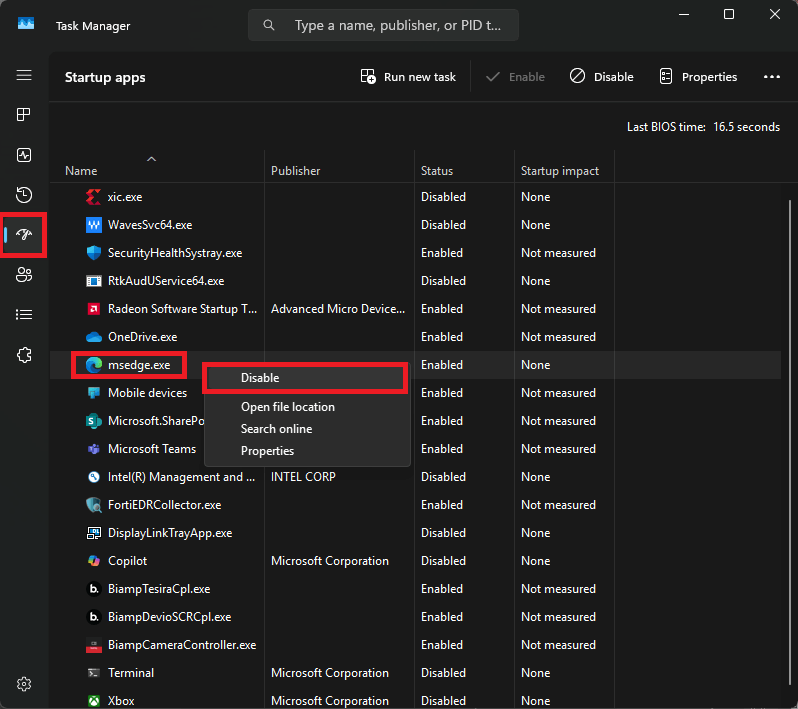
It seems unlikely, but this seems to have solved some issues for users with USB problems. Maybe worth a try.
Thank you for the try but this has already been disabled.
I have 3 different Sculpfun machines and none do this with Win10 laptop, a Win11 laptop, and another laptop upgraded to Win11. It may be something caused by your install of the MAC software. I have not seen another posting like this, so I expect a lot of the MAC machines are running just fine. Consider this good news. You do not have to wait for a software patch or OS upgrade. The bad news is that you have to find what causes it.
This topic was automatically closed 30 days after the last reply. New replies are no longer allowed.