My Longer Ray5 20W was working just fine on my PC then a couple weeks ago it started disconnecting every once in a while, I would restart my laser and it would be fine until the next time, But now it wont stay connected at all, when I turn it on it makes a sound like it is connecting then says ready but 5 seconds later it disconnects then reconnects and just keeps doing that, I tried using a different COM Port (my PC has 12 of them) still didn’t work, I uninstalled my laser from lightburn and installed it again still did not fix it, I replaced the cable did not work, I uninstalled lightburn and installed it again and when it installed it still had all my settings so I don’t know if it really uninstalled, Since the laser works fine on LaserGRBL and fine on my laptop I figured maybe the Windows update my PC did was the issue so I rolled it back and nope still doing the same thing. I also uninstalled the device from the COM Port and reinstalled the driver and still doesnt work. I am totally at my wits end here I dont know what to do now, My license Key is good until March. I really need to get this fixed. Can someone help me please. 
This sounds like a hardware issue. First thing to check is to exchange the USB cord and use another power outlet. Electrical disturbances can create connectivity issues. Next, use a different power supply.
Strange how it works fine for LaserGRBL on my PC and works fine in Lightburn on my laptop using the same power cords. Do you think that is still the issue? I did replace the USB cable.
Ah, I didn’t read carefully enough. If it works with LaserGRBL, then it sounds more like a LB issue. Check if the “constantly query laser position” (I don’t remember the actual name) device option is selected and try to toggle it, if this changes anything.
Just out of curiosity, my laptop just starting having connection problems today after a windows 11 update. Connects to the com-port but discconnects after about 10 minutes. Strange part is the laser stops but the job timer continues to run. This may not be your issue but was curious because it sounded somewhat similar. Sorry ,Im,not trying to Hijack your thread!
\
Did you check the energy settings of the USB / COM ports?
Not sure how to do that, Could you please let me know?
I thought it was the Windows update too but I rolled the update back and it still didnt work
Yes, thanks Misken it’s set for highest performance (not energy savings). No idea what’s causing it because I foolishly upgraded both systems simultaneously without testing each system independently. I am surmising that its a Windows 11 software problem because the computer now sends me a notification sound about every 15- 20 seconds even though there is no real notification and all notifications are supposedly silenced through the software. I’ll have to figure it out (hopefully). if you think of anything please let me know. Meantime, Merry Christmas!
Doug
Is the sound the USB Connected / Disconnected (doop doop a doop / dubadoop) sound or just a single ding?
Hey Doug, This is exactly what mine was doing for about 2 weeks then it just started connecting and disconnecting about every 5 seconds, if you get it figured out could you please let me know. I have tried so many things and nothing seems to work. I would hate to have to set my PC back to factory and it still not work, This will be my very last option. Thank you. Merry Christmas
I just did this 20 minutes ago. Updated to Win11 and went searching. Keep clicking around until you find Device Manager window. I looks just like Win10. Expand the bottom line, then right-click on the USB entries and look for Power Management. Uncheck the top box. Do it for all of them.
I am sorry for being vague on how to get to the Device Manager window, but I have no idea how I got there. I already hate Win11.
Immediate Update!!! I right clicked on that little Windows icon in the Task bar and there it is, Device Manager. Still hate Win11.
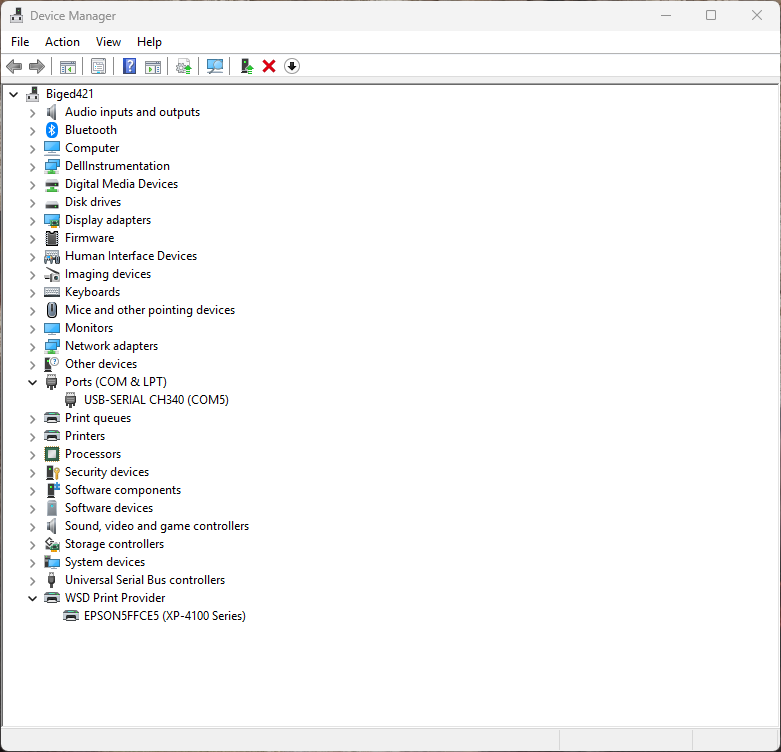
Expand the Universal Serial Bus Controllers line. Then select a USB line, right click, Properties, Power Management tab… or something like that. 
No Power management tab on any of them. I did search through the 4 tabs that there are at the top and none have anything to do with power in them.
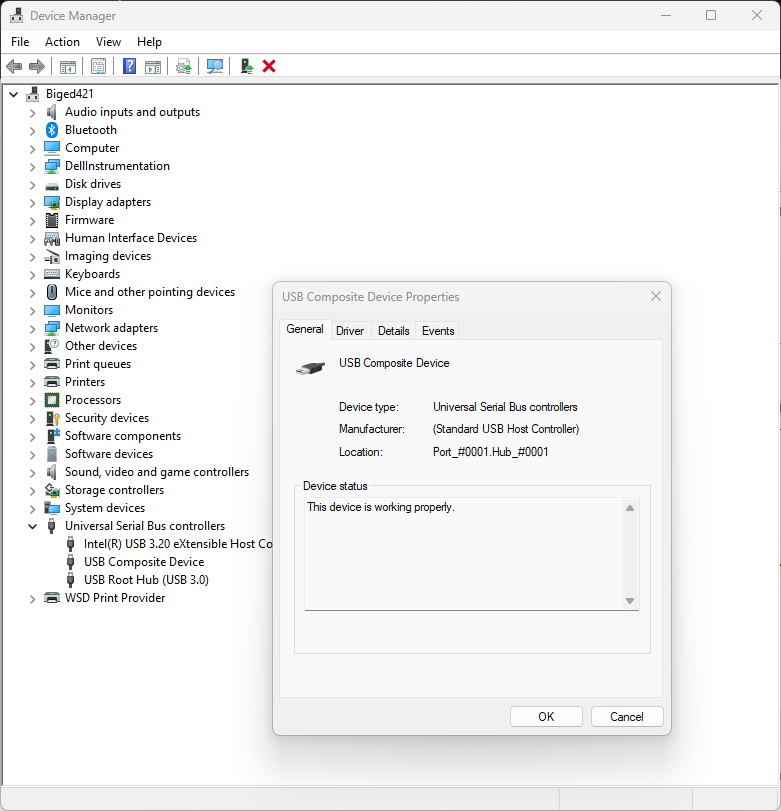
That is because the laser is not connected. Plug in the laser with that window open and a new one shouls appear. I had several, but you might only have one to set.
There will be another tab saying Power Management.
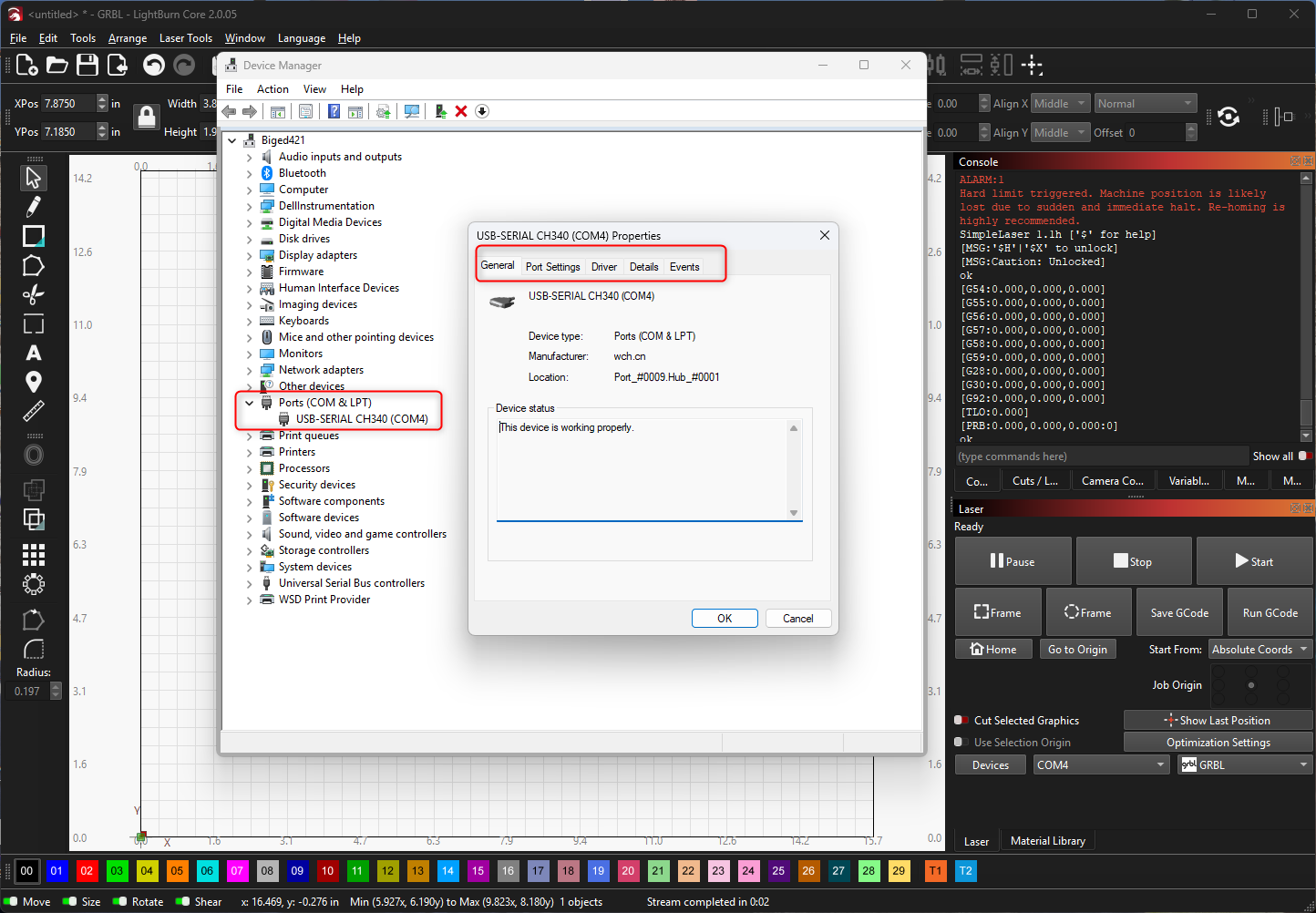
There is none, Laser is on the USB port comes up, I right click it and there is no Power Tab, I looked in the 5 tabs that are there and there is none for Power Management, Any ideas why mine doesnt have it?
I just bought a new Win11 laptop. I will hook it to a laser and see if I get the same thing. My other laptop just upgraded to Win11 was Win10 Pro, which is now Win11 Pro. The new one is Win11 Home, and that might be the difference. I do remember finding a USB energy saver switch on the new one in a strange place. Be patient, we will figure this out.
I super appreciate you helping me with this I was getting very frustrated, I am using a 10 year old laptop right now to run it and its doing great but the laptop crashes often. Praying it lasts until I can get this PC thing figured out. Thanks again for all your help, Cant wait to hear back from you on this.
My was Win10 now Win11 won’t open any Lightburn sites. I HATE WIN11!!!
Ok, here is what I got on the new laptop, reported with tablet.
- eXtensible and Root Hub entries all show 6 tabs, as shown.
- Composite does not have the Power Management tab.
- When I plug/unplug the cable, the USB controllers list does not change.
- I could not find any line that told me the laser was on COM3.
- There was no mention of the CH340 driver, but I did not have to install it. Built a new Device for the S30 laser and it connected.
- Did I mention I hate Win11?
