I unplugged the Y axis to use rotary tool, after I unplugged the rotary I forgot to plug the Y axis back in and sent a file to the laser while cutting I realized it wasn’t moving and stopped plugged in the Y axis then it had a new home near the center instead of top right like normal. After trial and error I have the x and y home set to 0 top left which is good, my problem now is the x axis only goes over 11 inches when my table is 52 inches and the y only goes 10 inches over when it should go 30 inches. How do I increase the maximum distances on the X and Y axis? Please help
Hi @MrBible
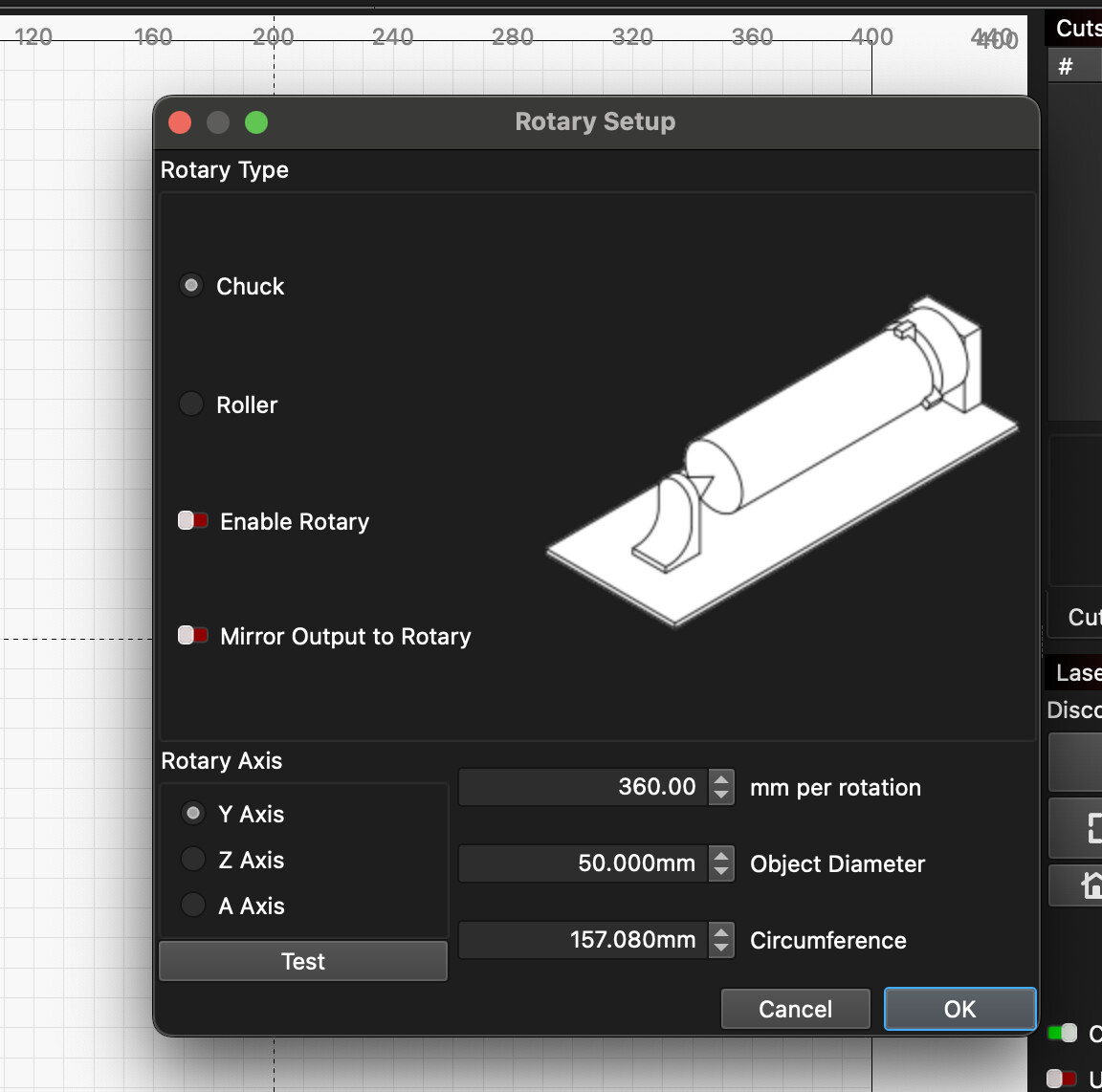
Rotary mode uses a different setup — you’ll need to enable or disable it each time you switch between normal use and rotary work. It’s effectively a separate profile for a different motor and Y-axis configuration. Go to Laser Tools → Rotary Setup to manage it.
This topic was automatically closed 30 days after the last reply. New replies are no longer allowed.