Hello, I’m kind of confused as to the settings for the RA2 Rotary tool for the xTool D1 Pro 10w. I found the rotary setup and saw this
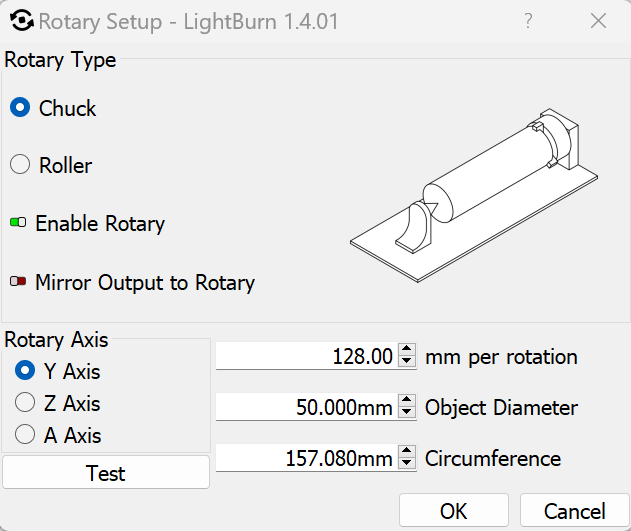
In the above image it shows Y axis Z axis and the A axis. I was under the assumption that the xTool ran in the x and y planes as in 2D perspective and when you move to 3D you add the Z axis for the height. This is what I learned in CAD classes and mechanical engineering classes. Is there a reason for Y, Z, and A? What do those represent?
My second question involves the placement of the RA2 Rotary tool for the Y axis rotation as pictured.
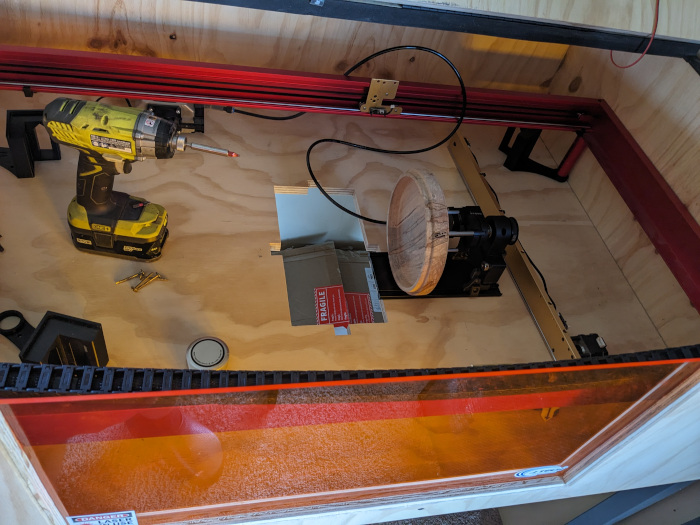
I have wood turnings I would love to engrave and also have a friend that needs a bat done hence the extensions. In the picture above the front of the xTool is on the left. Oh, and do I have to plug the rotary into a different plug or does Lightburn remove that need?