I’ve encountered an issue where the laser stops engraving mid-burn, it’s happened several times. It’s driving me mad. I can’t understand what’s going on. Has anyone else had this issue?
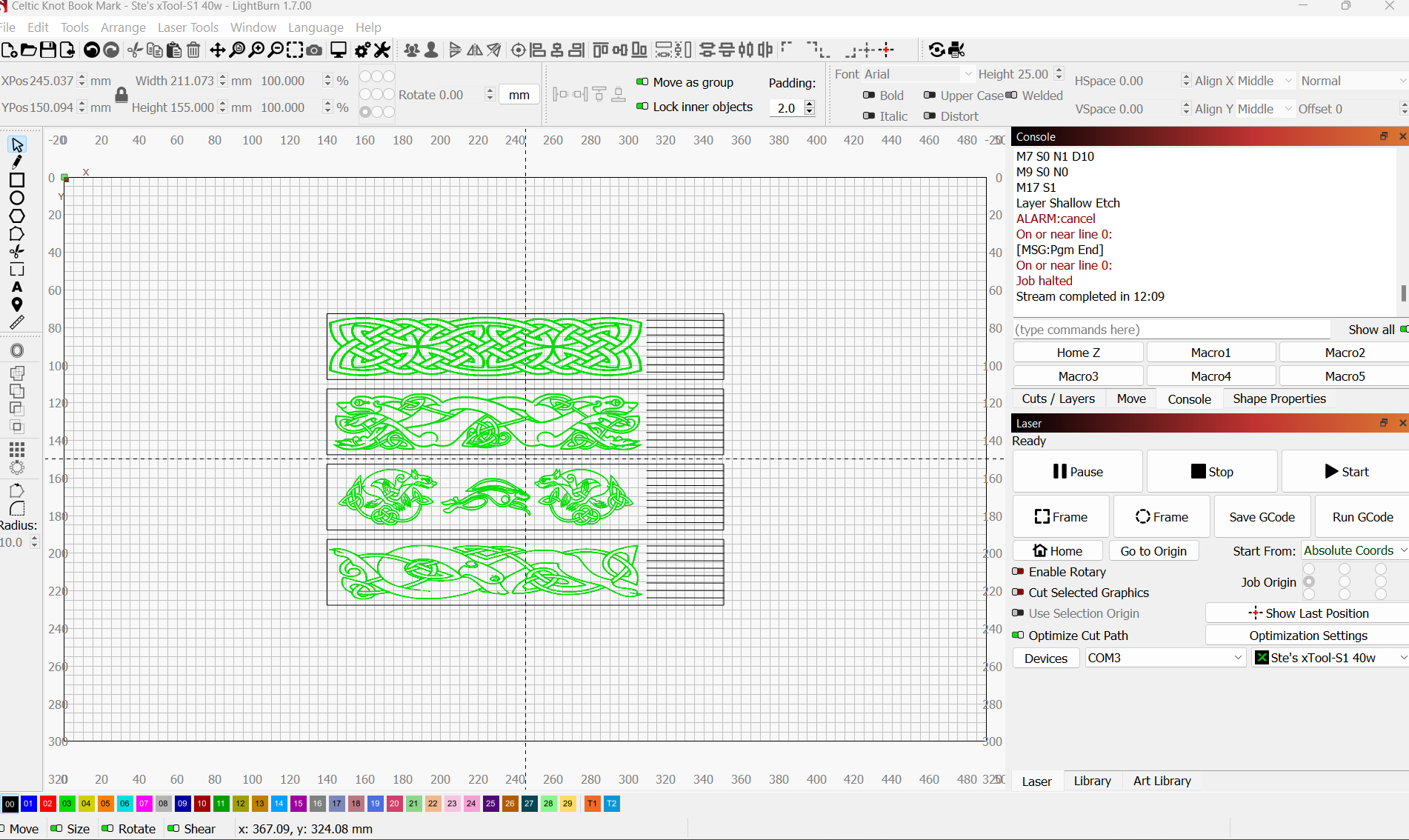
Can you give more details on how it’s stopping?
Is it disconnecting or does it just stop running?
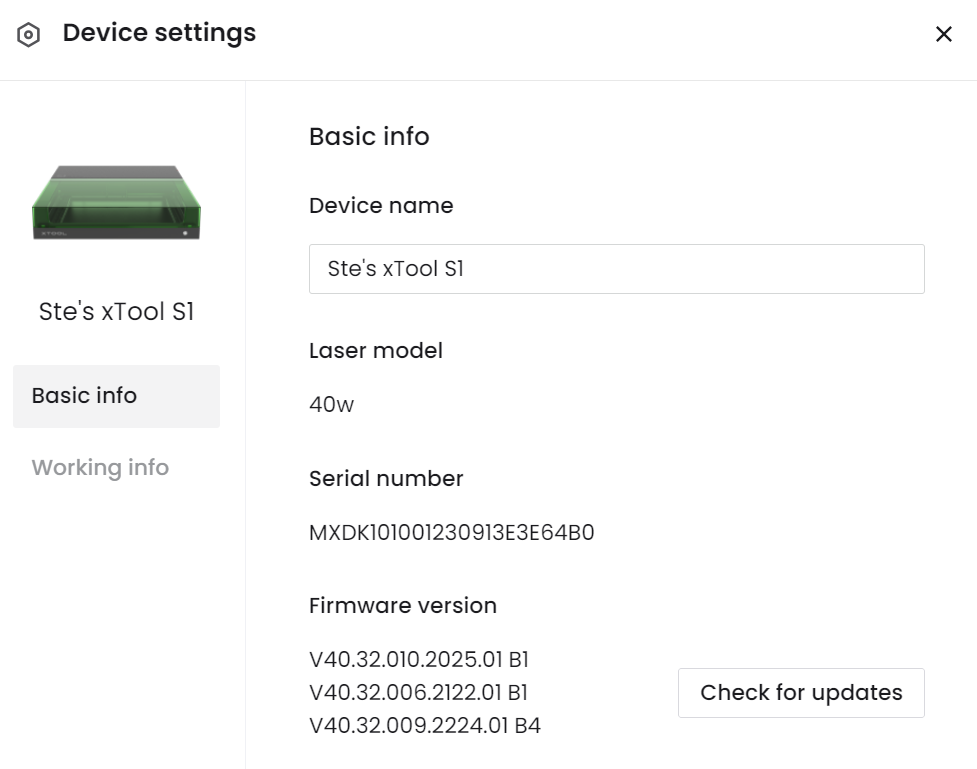
Can you let us know what firmware version it is and share an example project to test on our machine?
Hi Joe,
Thanks for getting back to me. In answer to your first question the Laser Just stops, I then have to click on the preview window and restart at a point as near as I can get to where it stopped. I’ve also noticed that the countdown timer and green bar carries on running. It doesn’t matter if I speed up or slow down the burn it still does the same. It started doing this a few weeks ago. I’ve exported the project as an SVG and opened it up in xcs and it runs there with no bother. I much prefer Lightburn though. I’ve taken a screenshot of the firmware and uploaded two of the most recent projects I’ve had this issue with. Hope you can help, many thanks, Steve.
Celtic Knot Book Mark.lbrn2 (954.0 KB)
Rip Saw Push Stick Mk2.lbrn2 (2.4 MB)
1 Like
Not to hijack this thread, but the op did mention the issue I’m about to ask about in another thread that closed soon after…
I am running trial of LB since yesterday (and just found this forum and installed 1.7 an hour ago), will most likely purchase as it’s far more feature rich than XCS and I’m attempting to get a business off the ground here. A lot of my issues are a learning curve and I understand such. But I’m struggling with workspace size… The Y axis is about 25mm shy, and I’m 99% sure it’s due to the red alignment point offset. In XCS there’s a gray zone at the top of the onscreen workspace that is usable but not able to be used for locating purposes. Is this something on your to do list already, or is it out of reach?
Is the 25mm making the workspace too small or big?
If you are running the 20w diode and using my lbdev file that might be the issue. The 40w I have uses up some of the Y space.
Go to device settings and just grow the Y travel space a bit until you have an acceptable workspace.
Too small, instead of 318 I have about 293. I have 40w, I should have known to add that…
After struggling with using absolute coords and loading stock to front left corner as I am used to, I went to just adding a user origin for now. To test though I drew a 318x489 rectangle and centered on LB workspace. I then set laser to 1% power and placed magnet on lid switch. The cut path will come right to the front of my honeycomb that was setup while using xcs, then go up the side and across the back. But instead of going across back at 318, it’s doing it at 293. So it’s still firing, but cutting off the top of my test rectangle. I’ve also tried cutting an earring in that area and it will cut top off too, and if I move honeycomb forward more it cuts bottom off. I can try to enlarge of space, but it’s going to add it to the front I assume and still cut print off. I’m out in garage now, I’ll try.
So I bumped bed size up to 340mm and moved test rectangle down 10mm (to avoid chance of hitting front of machine), and the cut path stayed exactly the same. Front still went right down edge of honeycomb and top still at 293. I’ll try disabling pointer and run again.
Yup, it’s the pointer offset. I disabled it and put size back to 318/ moved test back up 10mm to be centered on work area, and blue laser made full 318 dimension. It’s because when pointer is at “zero” technically the blue laser is up at Y+27mm and out of area.
Hi Joe,
Ive been reading some other posts on xtool s1 issues and its got me wondering if the xtool fire suppression system has anything to do with the laser stopping mid burn.
Hi Joe, I’ve been researching everything I can think of and have drawn a blank. I have been watching the “show all” Gcode scrolling by in the console tab whilst running a job and noticed that the Gcode just stopped scrolling a second or so before the laser stopped mid-job. I hope this bit of info helps. Steve.
Hi Steve. In my last couple days playing with the new software I have had one time where my print stopped before finishing. For me it was my laptop starting to go to sleep because I hadn’t touched the mouse or keyboard as it was a long job and I went to do something else. Not sure if this could be what you’re running into or not. I changed my power settings on laptop to stop it happening again.
Oh, and I have not hooked up my fire suppression yet. Just S1 40w with riser kit.
Hello, yes ive checked all the laptop settings they’re all good. Its not the fire suppression system as i ran a job withit disconnected and it still stopped working. Hoping the lightburn guys will be able to throw some light on the issue.
Can you try going to ‘Edit > Device Settings’ and change the transfer mode from Buffered to Synchronous in the lower right corner?
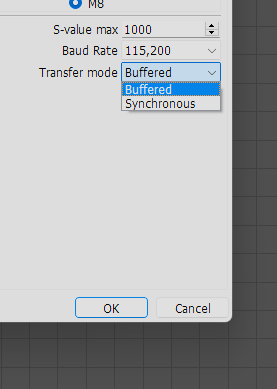
This changes how LightBurn sends commands to your laser. Rather than sending the commands into a buffer (like a tank that your laser draws from at will) this sends the commands as they are needed. It might be the solution. It also may make for odd/slow movements if the S1 doesn’t like it. Give it a try and let us know.
Hi Colin, Ive tried your suggestion but it didn’t work as the laser didn’t even start. So I’ve reverted to my older workshop laptop that has an earlier version of 1.7 and the program ran without incident . So ive compared laptop settings and they are all the same so Im guessing it might be a bug in the latest beta version.
If the g code stream ended like you saw it would make sense that the laser stopped. It simply stopped receiving instructions. Something had interrupted the communication stream. We will have to work out the issue there.
You said you changed computers and it worked? What’s different between the computers? Ports? OS? LB version?
Hi Joe,
Both laptops are Lenovo Idea pads the older one runs windows 10 and has an Intel i3 core and the new one has an i5 core and runs Windows 11. The older laptop is running the first beta release of 1.7 and the new laptop is running the latest beta release of 1.7. As for ports I haven’t a clue, that’s beyond my understanding, all I can tell you is the new laptop is USB 3. I have installed the first beta release of 1.7 that I had on my old laptop onto my new laptop and I will run the same job on both laptops today, I’ll let you know the outcome later.
Thanks, Steve.
So after trying the original version of lb1.7 on my new laptop it still stopped mid burn. So ive installed the latest version of 1.7 on my old laptop and it worked just fine. I now think its something to do with the new laptop, ive done a little research into ports etc and to my untrained eye they seem fine. All drivers are working as they should and all the operating system software is upto date. So i am at a total loss, maybe you guys could point me in the right direction, as a last resort I’ll carry out a factory reset and see if that has an effect. Im truly fed up with it at moment.
I’m having the same problem with my S1 and have done since I first tried to use lightburn with it. I’ve disabled all the USB power sleep settings. I’ve tried longer and shorter cables, nothing works. The files just stop running, seemingly randomly mid engrave or mid cut. I tried v1.7 today and it’s still happening. Driving me crazy.
1 Like
Interestingly, I just ran the same file on my Macbook Pro without any difficulty so it’s definitely something to do with Windows 11.
So, ive carried out a factory reset on my new laptop as a last resort. And no difference, so im definitely thinking its something to do with compatibility issue.