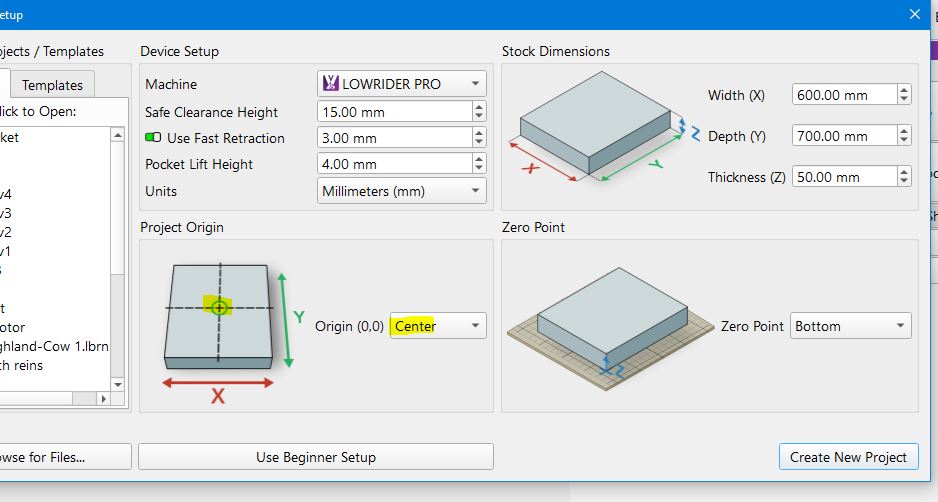
Good day - every time i try to change bits and re-zero the z axis, the xy change - and since using a round work piece, it is often impossible to re-zero xy at the center of the stock; I have tried and tried and followed the instructions more times than i care to admit, but believe that I am doing it correctly - any help?
how much do they change by? is it like only a couple of mm, if so, dependent on ur machine id check tensioners , screws etc.
also screenshotting your custom gcodes etc may help determine the problem
How do you “re-zero” the Zaxis? Tell us exactly step-by-step what you are doing in MillMage. I should be able to reproduce your procedure, and hopefully the issue, on my machine.
Your CNC likely has screw feeds for X and Y. It is difficult to knock these out of position even if the power is off.
Thank you both for responding - as background, I am somewhat new, and try to use my cnc router for fairly simple tasks (which end up taking up way to much time given very limited technical knowledge),
I have a Genmitsu 4040 pro - very basic.
A friend wants the Texas longhorn logo on a round piece (about 101mm in dia.). thus, I am using very small bits to create a simple pocket. I have been using cheap coasters to mock it up. My first attempt I used a very sharp-knife (30 deg) bit, Followed the instructions - zeroed out xyz and although it seeemed to work well, it was not smooth due to the nature of the sharp knife. so, I changed the bit to another small albeit cheap bit.
I assumed that the xy zeros were good to go - and moved the bit over the piece and lowered it to the stock, and zeroed out the z. I am thankful that like lightburn, Millmage allows for “frame” - the machine moved as though it was going to home - hitting the y stops swich first and stopping (although the console continues to reveal code scrolling).
The next attempt, I still had the center of the stock marked (as it did not get cleared) and brought the bit to it, zeroed out the xy and z - but same result. Watched the videos on millmage again - I thought that since i had created a new operation, i would have to re-zero all - but same result.
I have change almost all settings trying a few more times with no luck and since I use a lap-top in my garage and have to disconnect to get to the web even answer the mail here - so unable to show setttings that i used - however if either of you need screen shots, I will attempt again - and screen shot settings and photo results. I assume it is user error and someone should be able to point it out to me - the errant user.
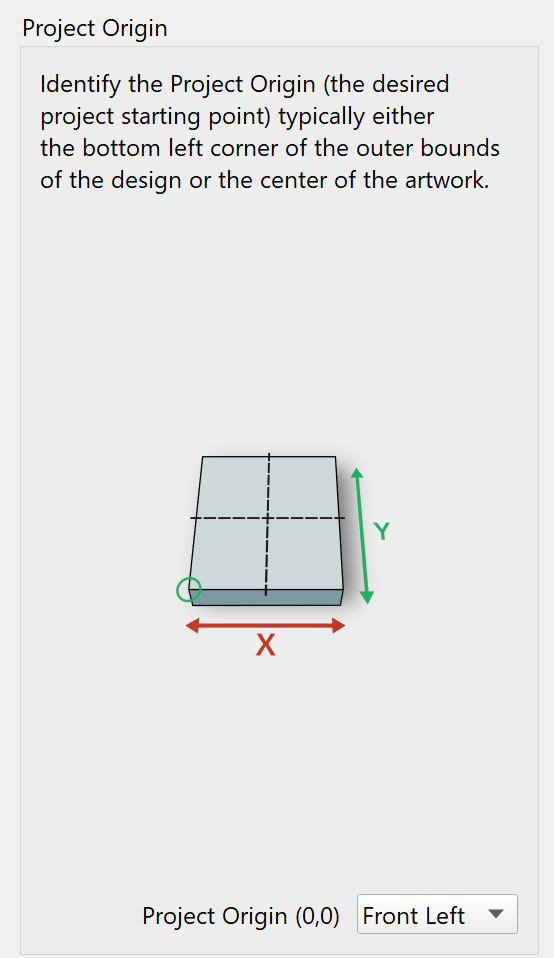
screen shots of custom g codes will help
have you had a read through the forum on other issues with you brand of machine
have a read through some of those at a quick skim i do see some similar posts
https://forum.lightburnsoftware.com/search?q=Genmitsu%204040%20pro
@DShort can you upload your .mage file so we can take a look at it?
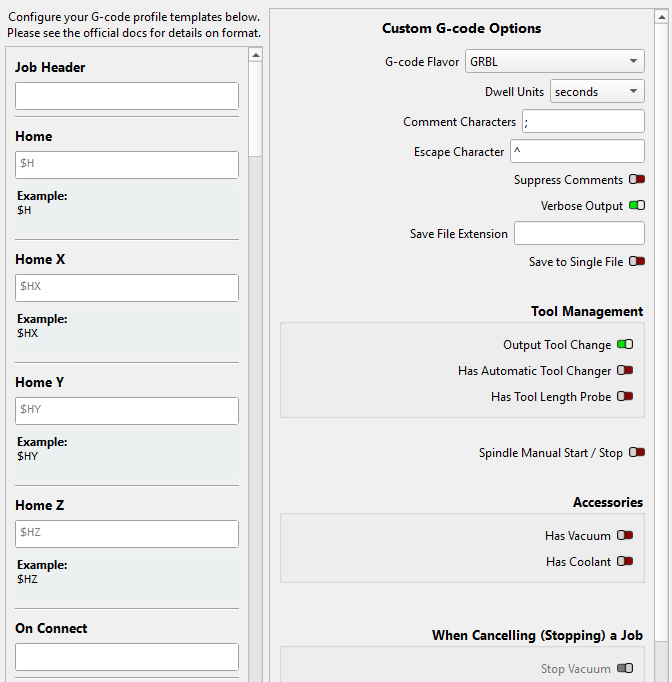
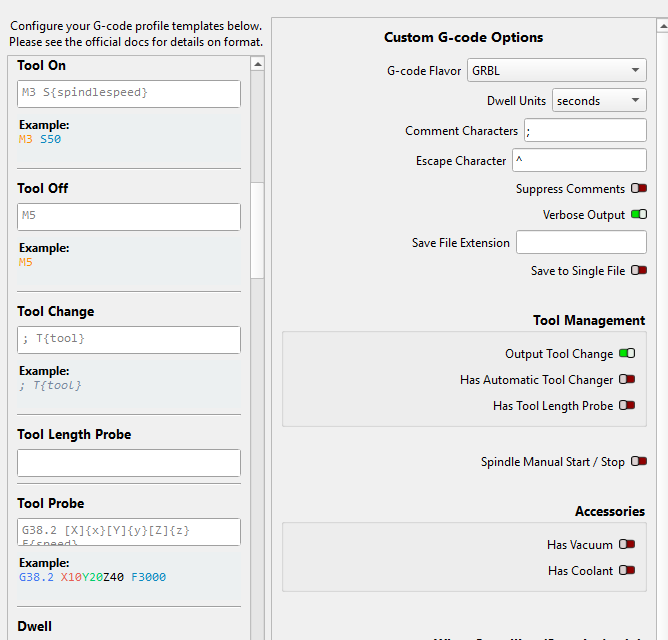
Sorry it took me a while to upload the custom gcodes - have never used them, nor knew they existed.
It moves as though the xy are trying to home.
Texaspocket.mage (45.7 KB)
Generally speaking, you should never need to re-zero X and Y during a multi-tool operation. You would only re-zero Z when you change tools.
having a look through control mode there dosent seem to be any codes for wher its going to change tools
would it defult and go to x0y0 to change tool but not actually home them as there are noc custom g codes either