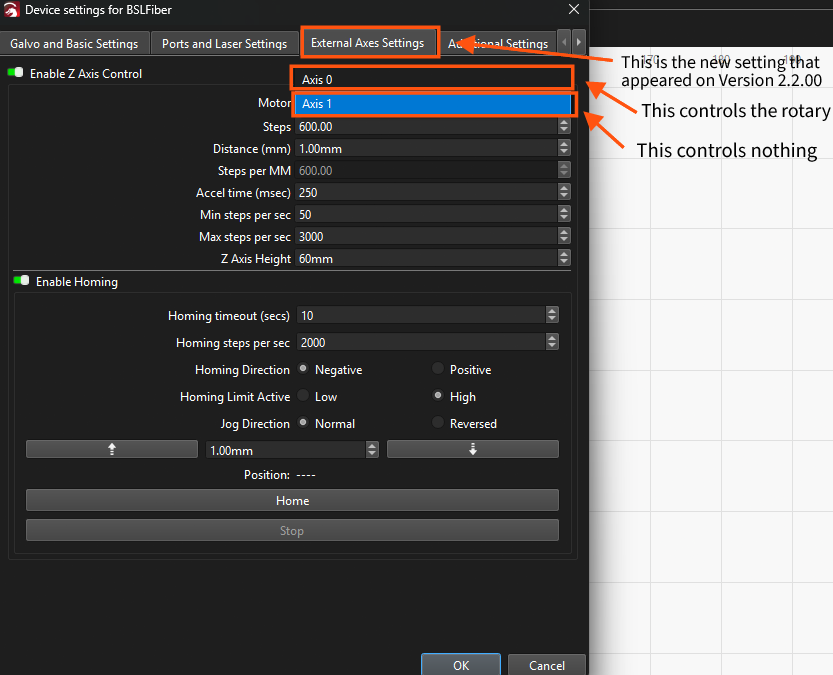
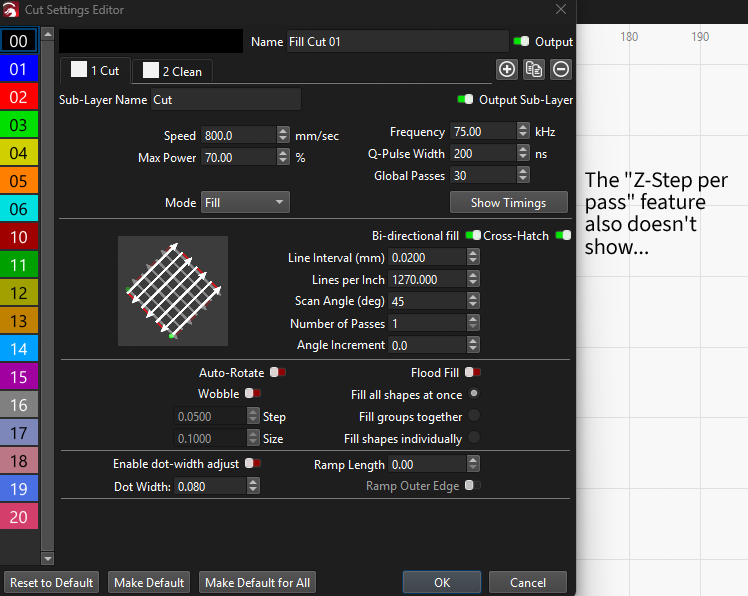
I’ve been using the LightBurn software for a while now, and I’m trying to cut stainless steel with my BSL-Fibrelaser (I’m using a Cloudray MP 100W Neo - I know it’s not primarily designed to cut moderately deep holes, especially in stainless steel, but it still works…) . I have accomplished this already; however, I realized that this process could be optimized a lot by refocusing the laser during the cutting process. This could easily be done by using the “Z-Step per pass” function, which I saw already exists for other laser types in LightBurn. After the recent update (Version 2.2.00) the setting to enable an external Z-Axis appeared for my BSL-Fibrelaser. However, although the motorized Z-Axis of my laser appears in the settings, I’m not able to control it. Neither homing nor jogging works for the Z-Axis; the only thing the software can control is the rotary.
I contacted Cloudray on this issue, and they got it to work, however it seems to work very poorly (instead of jogging 1mm it jogged 10mm).
So, my question is: When can I expect this feature to work better? Do you think it would be better to wait for the feature or buy something like an external standalone motorized Z-Axis table that is compatible with LightBurn? And If you would recommend buying this, have you any products in mind that work precisely and are compatible with the software?
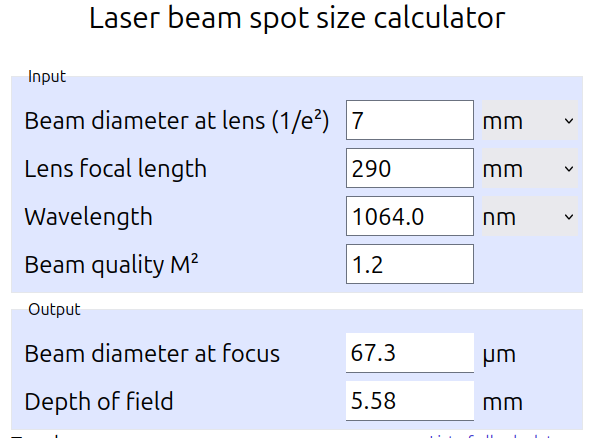
I’m using a F290 lens and am trying to cut 1,5 mm thick stainless steel. I already cut a hole with a 2 cm radius in about 15 min, but I manually lowered the laser head during the cutting process…
This would indicate that you have about .5 * 5.58mm is 2.79mm of depth of focus (dof). You should have plenty of dof to cut without having to readjust the Z axes. You can increase this by focusing 1/2 way into the material. With that much dof to work with. Even focused on the surface should result in the ability to go another 2.79mm in depth.
My suggestion is to focus 1/2 of the material depth, that would ensure the widest possible dof available.
Okay well, I tried it and it acually seemed to work!! I guess I was so stuck in thought on the Z-Axis Problem that I didn’t look for the more simple solution…
Great thanks for your help!!


 I guess I was so stuck in thought on the Z-Axis Problem that I didn’t look for the more simple solution…