I have tried hundreds of times to get $32 to stay enabled. I thought it was supposed to stay enabled when I set it in Device Settings forever, but it doesn’t. I can start, check the Command Console and using $$ I see $32=0, when I start up before I start my cut. I then have to go into device settings and enable it again. It would be nice if it stayed enabled after setting it during my initial set up. Is there a way to override it and force it to stay enabled at $32=1?
You might need to talk with your manufacturer
Some firmwares do not allow permanent changes on the firmware items - which is mostly a firmware bug.
Basicly they set those values as “read only”
1 Like
When it’s designed to not allow a change, I wouldn’t label it a bug…
I’m sure they don’t want you messing with these… lowers the calls to support…
Of course the other side of the story is it’s not programmable like it should be…
If you can find out what the controller is, you can probably re-flash the firmware with a version that would allow you to set the value and have it stay put…
Usually they will let you change it, but it only lasts until a re-boot or reset.
As @gilaraujo advised, I’d ask the vendor for a different version. Most of these are produced using GNU licensed firmware… which has some control on what they can do with it.
Good luck

1 Like
I bought the software from Lightburn directly
And I just installed the newest update.
This does not refer to Lightburn itself
is the firmware (operating system) that is installed in the motherboard
Only the supplier of your machine can explain why the changes are not persistent
I custom built my machine. I have a 3’ x 4’ machine. That sucks
What controller are you using?
What firmware have you flashed in the controller?
The company is Chronosmaker
Their customer service is non existent
are you able to take a picture of the controller itself, ideally showing any marking?
Yeah. Give me a few minutes. BRB
1 Like
For reference:
http://technologybob.co.uk/updating-grbl-to-1-1h
Now we need to understand if yours is similar
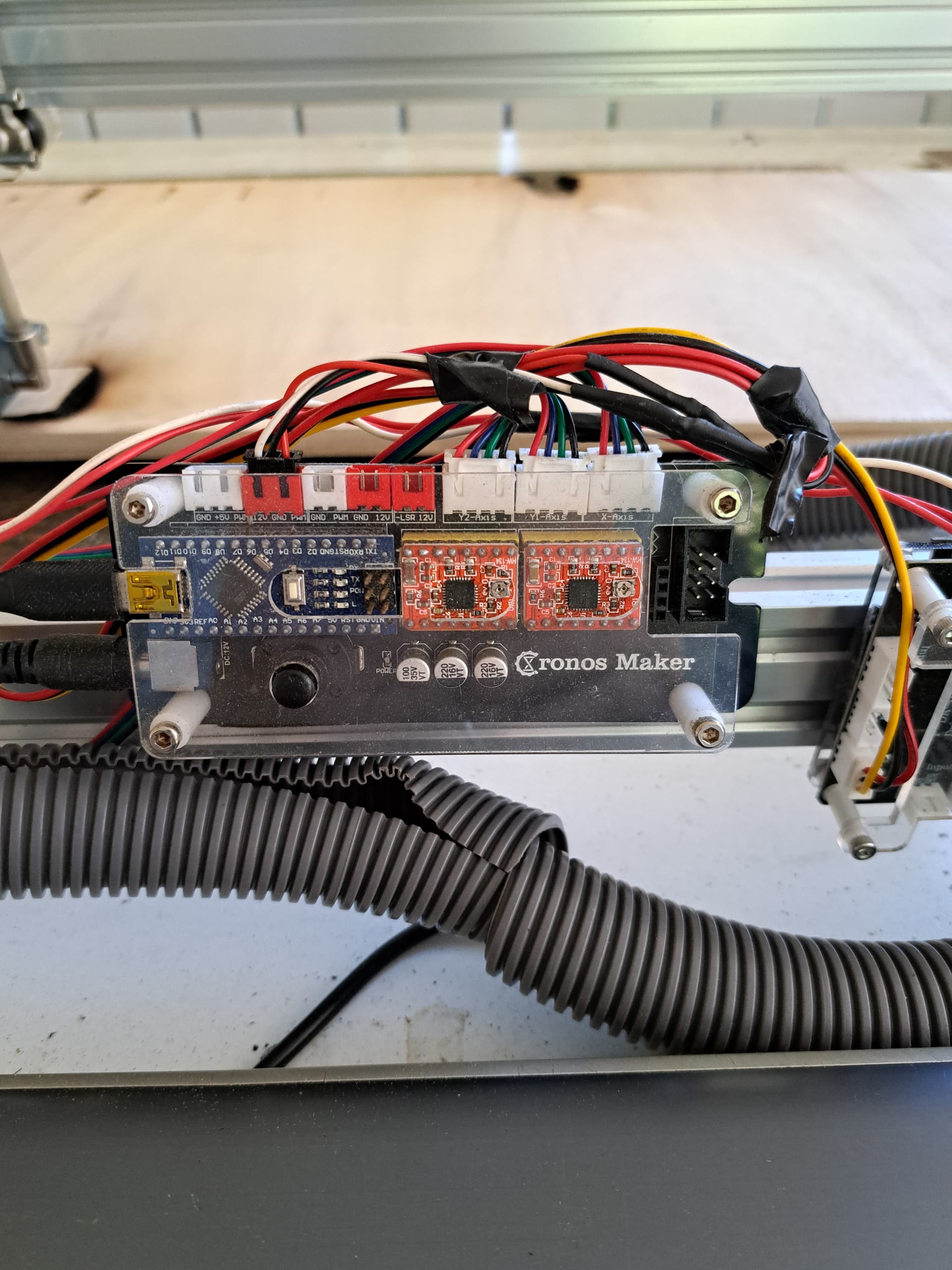
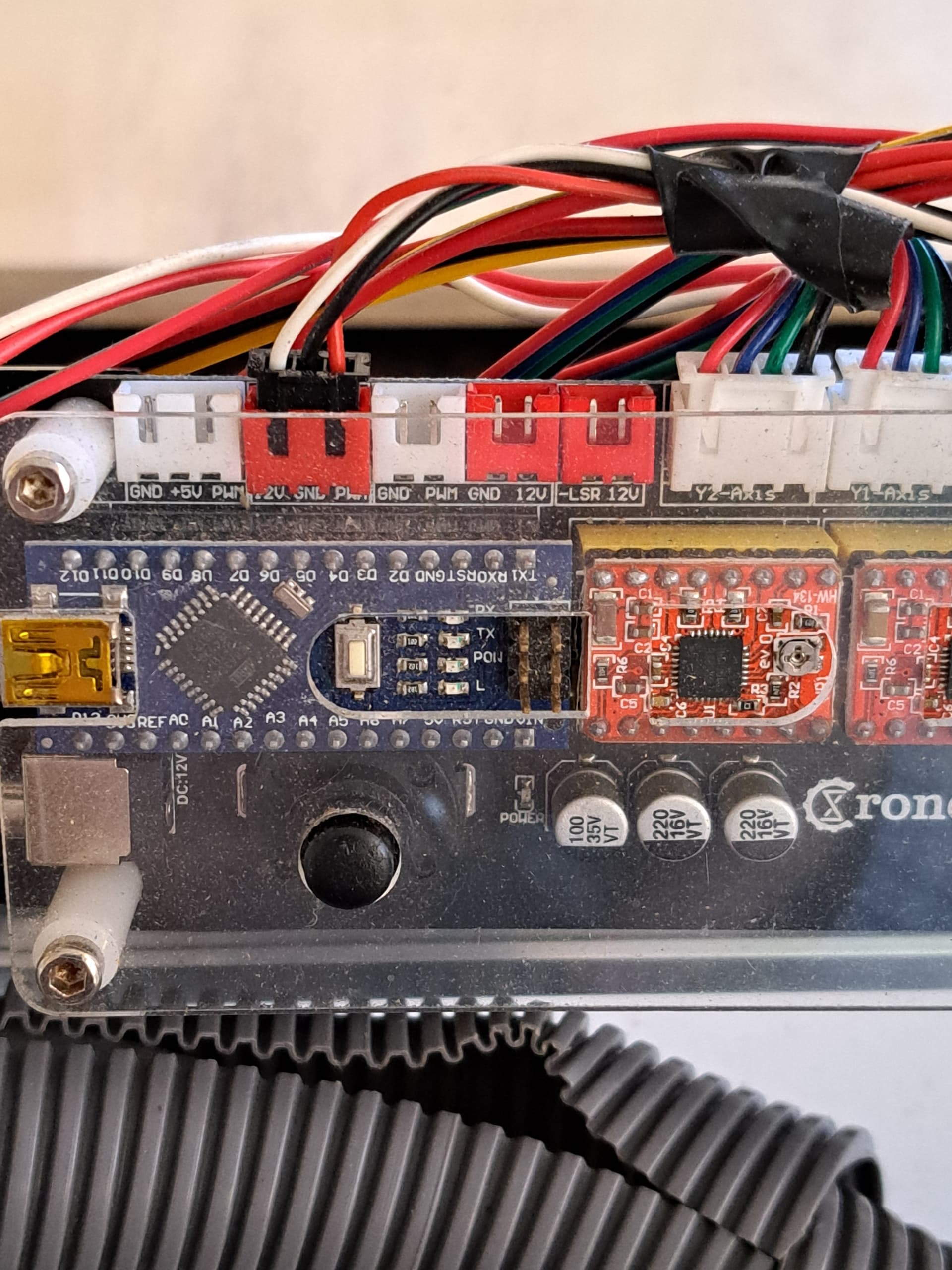
Found a local topic about your board
Mine’s different
Everything works as expected except this one thing. Grrr lol
I saw that but it doesn’t explain how they made the change, only that they did and it stayed. I can set it in the control console but it’s not permanent. $$ and then scroll to it and it will have $32=0. I change it to $32=1 and everything’s great until I stop cutting and then it’s back to $32=0 again.
Is there a way to make the control console GCode permanent every time?
Well, you could use the “header” Gcode
You would have to test it
Edit > device settings
Gcode tab
You have two boxes, Header and footer
Basicly what you put on the top box is added to the GCODE before every work starts
The bottom box code is performed at the end of each code
So hypotetically but pending test you could add
$32=1
Click ok
And every time lightburn starts a job it will add that code to the top before any movement/Laser control
And I only have to do it one time?